1
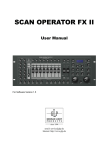
SCAN OPERATOR FX
3.8
3.7.6 Delete all Chasers...................................................................................24
Delete entire memory.........................................................................................25
This function clears and initializes the entire memory. After the deletion the....................25
Memory will be in the following condition: ..................................................................25
3.9
Blackout configure ............................................................................................25
3.9.2 Set back Blackout function .......................................................................27
3.10 3.10 Overlay scenes...........................................................................................28
3.10.1 Providing and editing scenes from overlay ...............................................28
3.10.2 Deleting Overlay scenes ..........................................................................29
3.10.3 Using Overlay scenes (Play mode)............................................................30
3.11 Effect Generator...............................................................................................30
3.11.1 The Effect sample ..........................................................................................30
3.11.2 The "Create Wave" function.....................................................................31
3.11.3 The "Randomize" function .......................................................................32
3.11.4 Providing an effect..................................................................................32
3.11.5 Deleting an Effect ...................................................................................34
3.11.6 Showing an effect....................................................................................34
3.12 Configuring Fade time function .........................................................................34
3.12.1 Changing and storing Fade Time channels................................................35
3.12.2 To set back Fade Time channels. ..............................................................36
3.13 Inverting channels .............................................................................................36
3.13.1 Provide and put back invertings ...............................................................36
3.13.2 Reset inverted Channels ..........................................................................37
3.14 Pan and Tilt Encoder .........................................................................................37
3.14.1 Configuring Pan and Tilt Encoder wheel...................................................38
3.14.2 Using Pan and Tilt Encoder wheel............................................................39
3.15 Desklock function .............................................................................................39
3.16 Autostart function..............................................................................................39
3.16.1 Activating Autostart function....................................................................39
3.16.2 Configuring Autostart Desklock ...............................................................40
3.16.3 Storing current playback condition as a autostart condition ........................41
3.17 Calling up banks (Play mode) .............................................................................41
3.17.1 Calling up a scene manually ....................................................................41
3.17.2 Playing a bank with auto-beat..................................................................42
3.17.3 Playing a bank with music clock ...............................................................43
3.18 Manual overwriting of channels by using the Faders (Play mode)...........................44
GLP • German Light Products
(V1.3)
3