1
Troubleshooting E-streamer mk2
Web page goes blank during Firmware update
Since the unit restarts after a succesful firmware update, on a few occassions the browser
reacts too late, and a blank page is shown, since the unit is rebooting. Simply refresh the page
once E-Streamer Mk2 restarts (when LCD Menu is running), and verify the firmware update
Date on the Home page.
Web page says License is invalid
You will need to upload a correct license file for your E-Streamer Mk2, please contact support
with the Serial No. (SN) displayed on the page to receive a license for your unit.
Shows recording and playback: data not correct
Please check the size and duration of your show recording via the Show Control page.
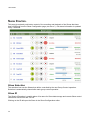
You can check the streams data, through the Stream Monitor page to audit the DMX data that
comes in during recording, and goes out during playback.
If you know the data that you intend to record, you can verify that the same show is being
played back through Stream Monitor.
Alternatively use an Artnet Viewer (Artnet streams) to see what data is being sent out on the
universe selected for the show, and compare with what is recorded.
Doesn't output DMX (License)
Your E-Streamer Mk2 must be equipped with DMX Ports (License) to output DMX streams
Please ensure that the show(s) being played have DMX streams correctly configured.
E-Streamer Mk2 will output on the respective Port that is set up in the Stream Configuration,
only if there is recorded data. You can confirm with Stream Monitor.
Restart the Streamer Engine, and play the Show again, to see if that makes any difference.
51