1
ViewPoint 3D Copyright 2012
ViewPoint 3D Designer - User Manual
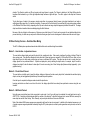
Step 5: ‘Logo-Linking’ Images to the database
Both Australia (object 4) and the Australian flag (object 5) will have ‘1000’ in their Object Data Link boxes as they both refer to the database
entry string ‘ALA’.
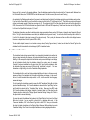
To have the object display an image file using the text string from the data table link (‘logo-linking‘), open the object editor for object 5 and enter
the folder location of the flag images (‘\MVP Demo\Worldwide Flags\’ on the hard drive) into the ‘Text, Cmd, Path or…’ edit box and click the
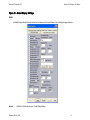
‘Logo’ check-box to ‘Logo-Link’ the image. If the flag image still does not appear, check that the ‘Logo-link Tag Length’ is set to 3 in the Global
Display settings so that ViewPoint will look for files using all 3 of the first characters of the text received from the database.
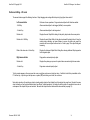
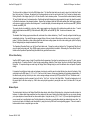
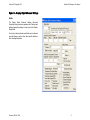
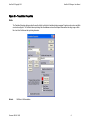
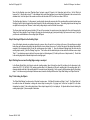
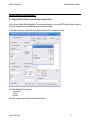
Connecting the database selected: Now click the Database check-box in the Operational Properties dialog box, and click the ‘Workstation’
check-box activating the warning messages if any problems arise. Click the OK button, and then the “Edit Data” icon on the top toolbar should
show a yellow ´!´ in a black circle. If you get a warning message or this doesn´t happen, check all your database settings again and repeat.
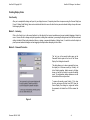
Step 4: Replicating the Line of Objects
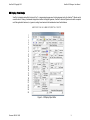
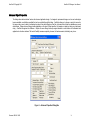
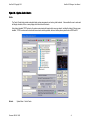
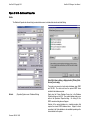
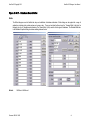
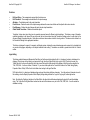
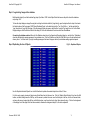
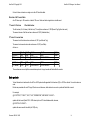
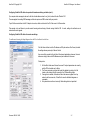
Fig 19 – Replicated Objects
Use the ‘Replicate Selected Objects’ Icon in the Edit toolbar to duplicate the selected objects for a further 13 lines.
For this to work properly, deselect all object using Select/None from the file menu line. Click the “Enable Object Selection” Icon from the Edit
toolbar, and then, holding down the Shift key, use the mouse to position the cursor over the first object in the line, click the left mouse button,
and move the mouse, keeping the shift key and left button down, over the entire line of object, then release the keys. Click on the background
of the display form if the edges of the form show selected, otherwise the background object, 0, will also be replicated!
Document: DM-06-118-20
79