1
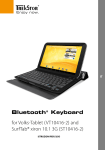
Keyboard Controls
1. [Bluetooth Pairing Button]
2. [Power On/Off Switch]
3. [Mini USB Charge Port]
4. [Power LED]
5. [Bluetooth LED]
4
5
1
2
3
Pair and Connect
1. Turn your keyboard’s [Power On/Off switch]. The [Power LED] is on.
2. Press the [Bluetooth Pairing Button] button to start pairing.
The [Bluetooth LED] blinks.
3. Go to Tablet <Settings> to turn on Bluetooth function.
4. Tab <Scan> to start searching your Bluetooth keyboard.
5. A <Bluetooth keyboard> device is found, tab the device name and you will see
a pop-up window with numbers as below.