1
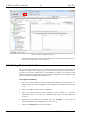
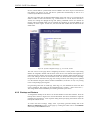
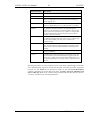
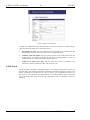
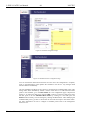
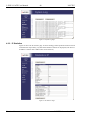
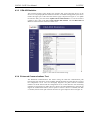
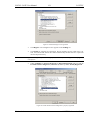
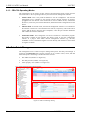
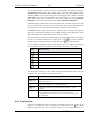
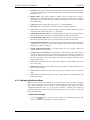
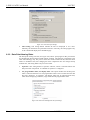
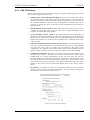
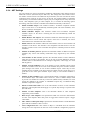
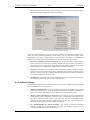
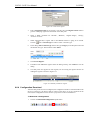
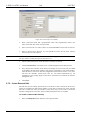
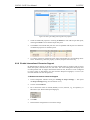
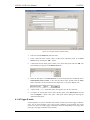
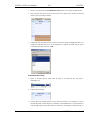
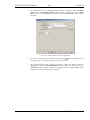
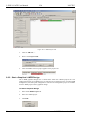
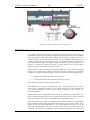
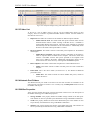
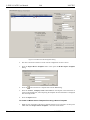
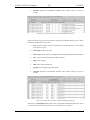
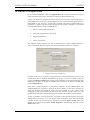
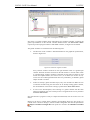
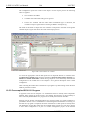
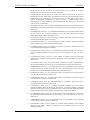
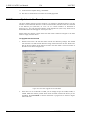
L-INX/L-GATE User Manual 126 LOYTEC displayed. According to the frequency of usage, different views for the properties are provided. Basic Properties list the most frequently used ones. All Properties is a list of all available properties for the data point. Depending on the network technology and data point class, different properties may exist. Data point properties common to all technologies: Version 4.4 Datapoint Name: This is the technology-independent data point name. This name may be longer than and different to the name of the native communication object (i.e., network variable). Data point names must be unique within a given folder. The maximum length is limited to 64 ASCII characters. Datapoint Path: This informational property specifies the entire path of the data point within the data point hierarchy. The maximum length is limited to 64 ASCII characters. Datapoint Description: This is a human-readable description of the data point. There are no special restrictions for a description. OPC Tag: If enabled, the data point will be exposed to OPC. If not enabled, this data point does not contribute to the limit of OPC tags. Parameter: If enabled, the data point will be exposed to the parameter file. Those data points are visible to the LWEB-821 master parameter editor. A parameter data point is also persistent. See Section 5.2.5. PLC IEC61131 Variable: If enabled, the data point will be usable in the IEC61131 PLC program. This is only available on the L-INX. Use Pollcycle value as: For input data points, this property defines whether the input shall use a receive timeout or be constantly polling. See Section 5.2.2. Poll on Startup: For input data points this property defines, whether the data point shall be polled once at start-up. Poll-on-startup can be enabled independently of the poll cycle. See Section 5.2.2. Pollcycle: For input data points, this property defines the poll cycle in seconds. Set this property to 0 to disable polling. See Section 5.2.2. Receive Timeout: For input data points, this property defines the receive timeout in seconds. Set this property to 0 to disable polling. See Section 5.2.2. Min Send: For output data points, this property defines the min send time in seconds. See Section 5.2.2. Max Send: For output data points, this property defines the max send time in seconds. See Section 5.2.2. Send-on-delta: For output data points this property defines, if value updates shall be sent only once they meet the COV condition of the data point. For analog data points the analog COV increment is used. If not checked, updates are always transmitted according to min and max send times. See Section 5.2.7. Use Linear Scaling: If this property is enabled, the analog values are pre-scaled from the technology to the data point. This scaling is in addition to any technology-specific scaling factors. If enabled, the properties Custom Scaling Factor and Custom Scaling Offset accept the scaling factors. See Section 5.2.7. Custom Scaling Factor, Custom Scaling Offset: These properties only exist, if linear scaling is enabled. They apply to analog data points only. See Section 5.2.7. Only notify on COV: This property assists for binary and multi-state input data points. It defines, if a data point shall trigger an update only when the value changes or on every write. If this is enabled, consecutive writes with the same value do not trigger an update. If you want to convey every write, disable COV on the data point. LOYTEC electronics GmbH