1
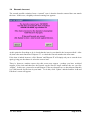
This means that the item must be added to the database.
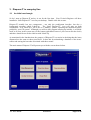
Choose the button on the left marked ‘Update’ either by using the mouse or pressing the “U” key.
Also, since the word Update is outlined with a dotted line (showing this is the default key) you
could “press” this button by pressing the Space or Enter keys.
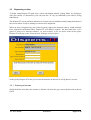
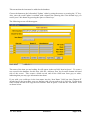
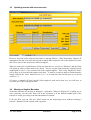
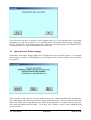
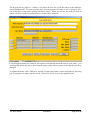
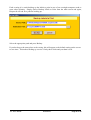
The following screen will then appear:
The name of the item you are looking for will appear in the top field ‘Item in Queue’. To create a
new record in the database for this item, click the ‘Add new item’ key from the bottom left hand
side of the screen. This creates a blank record, and all the fields turn from grey to white,
indicating that you may type information into them.
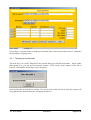
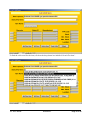
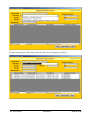
If you wish, you could type in the item name into the ‘Item Name’ field, but since Dispens-IT
already knows the item name your are dealing with, all you need to do is click the ‘Update item
name’ button and this will copy the text from the ‘Item in Queue’ field into the ‘Item name’ field
as shown below.
VIVITECH
DISPENS-IT
Page 7 of 23