1
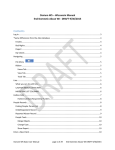
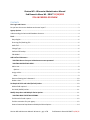
Export Model file................................................................................................................................. 25 Import Model file ................................................................................................................................ 25 Distribute Model File (after testing) ................................................................................................... 25 ! CAUTIONS ABOUT CHANGING THE SCREEN LAYOUT: ........................................................................ 26 How to Customize the Model File........................................................................................................... 26 First Login and License 1. Log in as Administrator. 2. Copy and paste your license file into the window, click OK, and then log back in. If you didn’t receive the license file or if you have problems, contact the Osnium support line at 1-888-6764861, option 2. (If you don’t see the license window, go to Tools > Show/Program Options > License File). 3. Create a new user and assign the role “Administrator (No Customization).” A user with this role will be able to add other users, set required fields and initial values, and change drop-down options. 4. Log out of Administrator and log in as the user with the “Administrator (No Customization)” role. The user who is logged in is shown on the status bar at the bottom left of the window. (No Customization) just means you can’t change the screen layouts. Modifying screen layouts, which can be done only with full Administrator permission, should be done deliberately and only with care; it’s best not to assign the full Administrator role to a regular user, but only log in to an Administrator account when needed). *Use the Administrator account carefully - only when you need to do screen layout customization or other technical tasks. Be sure to read the customization instructions carefully so you don’t do anything that will cause problems with your database! *If you change the Administrator password make SURE you record it somewhere. You don’t want to get locked out of your database. Also, this password is what Osnium uses to provide tech support when you give them access to your database. (Be sure someone at your agency knows your SQL password as well, if you use something more complex than what Osnium suggests.) Do you have the correct database and screen layout? If your screen does not look like you think it should, you may need to download and distribute the correct Model File for Wisconsin. The Model File determines the screen layout based on the fields we have defined. One way to know if you have the Wisconsin version: Look for a column headed “Review Data” in the Person find screen. This is a field that only exists in the Wisconsin version. You should also see it in a client screen as a checkbox at the bottom of the middle column. Osnium WS Administrator Manual- Wisconsin pg 3 of 28 End Domestic Abuse WI DRAFT 11/18/15