1
D:Scribe
Transcription Systems
User Handbook
interstage
Phistersvej 31, 2900 Hellerup, Danmark
Telefon 3946 0000, fax 3946 0040
www.interstage.dk
- pro audio with a smile
This handbook is for use with the following software/hardware products:
DS-STS3:
D:Scribe Standalone with DS-FPS3 foot-pedal, 3 pedal version with 9 pin serial connector.
DS-STU3:
D:Scribe Standalone with DS-FPU3 foot-pedal, 3 pedal version with USB connector.
DS-ST01:
D:Scribe Standalone licence - 1 user licence.
DS-ST05:
D:Scribe Standalone licence - 5 user licence.
DS-ST25:
D:Scribe Standalone licence - 25 user licence.
DS-ST100: D:Scribe Standalone licence - 100 user licence.
DS-SVR:
D:Scribe Server licence.
DS-CL01:
D:Scribe Client licence - 1 client licence.
DS-CL05:
D:Scribe Client licence - 5 client licence.
DS-CL10:
D:Scribe Client licence - 10 client licence.
DS-CL25:
D:Scribe Client licence - 25 client licence.
DS-FPS3:
D:Scribe foot-pedal, 3 pedal version with 9 pin serial connector.
DS-FPU3:
D:Scribe foot-pedal, 3 pedal version with USB connector.
This handbook is for use with the following software versions:
D:Scribe Standalone V2.0x
D:Scribe Client & Server V2.0x
Revision 1.01 September, 2007
©Sonifex Ltd, 2000-7
All Rights Reserved
Sonifex Ltd, 61, Station Road, Irthlingborough,
Northants, NN9 5QE, England.
Tel : +44 (0)1933 650 700
Fax : +44 (0)1933 650 726
Email : [email protected] or [email protected]
Web : http://www.sonifex.co.uk
Information in this document is subject to change without notice and does not represent
a commitment on the part of Sonifex Ltd. Sonifex Ltd shall not be liable for any loss or
damage whatsoever arising form the use of information or any error contained in this
manual.
No part of this manual may be reproduced or transmitted in any form or by any means,
electronic or mechanical, including photocopying, recording, or information storage and
retrieval systems, for any purpose other than the purchaser’s personal use, without the
express written permission of Sonifex Ltd.
Unless otherwise noted, all names of companies, products and persons contained herein
are part of a completely fictitious adaptation and are designed solely to document the use
of Sonifex products.
b
D:Scribe User Handbook
CON TEN TS
Contents
Licence Agreement
ii
Definitions
Software Licence
Limited Warranty & Remedies
Warranty Disclaimer
Object Code
Limitation of Liability
Copyright
ii
ii
iii
iii
iv
iv
iv
1
1
D:Scribe Transcription Systems
1
2
3
4
5
2
6
D:Scribe Standalone
Introduction
Licencing and Dongles
Installation of D:Scribe Standalone and USB Dongle
V1.0 to V2.0 Upgrade Features
Foot Pedal Control
Playback
Transcription
Opening an HTTP or Streaming Source
Recorder
CD-Ripper
6
6
6
9
10
12
18
24
25
28
3
30
D:Scribe Server
Introduction
Installation
Licencing
Licencing and Dongles
Setup The Status Screen
The Control Screen
The Archive Screen
The Archiving Process
Auto Delete
The Event Log
Email Status Report
The Database Maintenance Screen
30
30
30
31
31
36
37
38
38
40
41
41
42
4
D:Scribe Client
44
Introduction
Installation
Licencing and Dongles
Setup
Foot Pedal Control
The Cut List
Play Controls
Transcription
Small Player
Send As Email
Searching Transcriptions
44
44
44
44
45
47
48
49
50
51
52
5
53
D:Scribe MiniPlayer
Introduction
Installation
Setup Of Archives
Transport Controls
Trackbar
Volume Control
Playback
MS-Word Integration
D:Scribe User Handbook
53
53
56
58
58
58
58
58
CON T E N TS
Introduction to D:Scribe Standalone
Introduction to D:Scribe Server & Client
Sonifex Net-Log Audio Logger
Synchronising Time on the System
D:Scribe Transcription Technical Specification
i
FIGURES
FI G U RE S
Figures
ii
Fig 1-1: D:Scribe Server & Client Diagram
2
Fig 2-1: The D:Scribe Standalone Dongle
6
Fig 2-2: The Welcome Screen
7
Fig 2-3: The Licence Screen
7
Fig 2-4: The Install Screen
7
Fig 2-5: The Windows Found New Hardware Wizard Screen
8
Fig 2-6: The Windows Wizard Install Screen
8
Fig 2-7: The Windows Installation Completed Screen
8
Fig 2-8: The D:Scribe USB Footpedal
10
Fig 2-9: The Control Menu
11
Fig 2-10: The D:Scribe Playback Screen with a single media file loaded
12
Fig 2-11: The D:Scribe Media Playback Controls
12
Fig 2-12: The D:Scribe Recorded Date/Time Display
13
Fig 2-13: The D:Scribe Playlist
15
Fig 2-14: The D:Scribe Video Panel
17
Fig 2-15: The D:Scribe Open Media File Screen
18
Fig 2-16: The D:Scribe Open Script Screen
19
Fig 2-17: The D:Scribe Transcription Screen
19
Fig 2-18: The D:Scribe Playlist Screen
20
Fig 2-19: The D:Scribe Inserts Screen
20
Fig 2-20: The D:Scribe Transcription Screen
21
Fig 2-21: The D:Scribe Compact Player Screen
22
Fig 2-22: The D:Scribe Email Screen
23
Fig 2-23: The D:Scribe Open URL Screen
24
Fig 2-24: The D:Scribe Recorder Screen
25
Fig 2-25: CD-Ripper screen with 14 tracks selected on an audio CD
28
Fig 3-1: The D:Scribe Server Dongle
31
Fig 3-2: The D:Scribe Server Settings Screen
32
Fig 3-3: The D:Scribe Netlog List
34
Fig 3-4: The D:Scribe Client List
35
Fig 3-5: The D:Scribe Status Screen
36
Fig 3-6: The D:Scribe Control Screen
37
Fig 3-7: The D:Scribe Archive Screen
38
Fig 3-8: The D:Scribe Log Screen
41
D:Scribe User Handbook
FIGURES
Figures
42
Fig 4-1: The D:Scribe Client Dongle
44
Fig 4-2: The D:Scribe Settings Screen
45
Fig 4-3: The D:Scribe Inserts Screen
46
Fig 4-4: The D:Scribe Net-Log List
47
Fig 4-5: The D:Scribe Cut List Display
47
Fig 4-6: The D:Scribe Client Screen
50
Fig 4-7: The D:Scribe Small Player
50
Fig 4-8: The D:Scribe Email Screen
51
Fig 4-9: The D:Scribe Search Screen
52
Fig5-1: The Welcome Screen
53
Fig 5-2: The Licence Screen
54
Fig 5-3: The Install Screen
54
Fig 5-4: The Windows Found New Hardware Wizard Screen.
54
Fig 5-5: The Windows Wizard Install Screen.
55
Fig 5-6: The Windows Installation Completed Screen.
55
Fig 5.7 D:Scribe MiniPlayer
56
Fig 5.8 Menu Button
56
Fig 5.9 Open Archive Menu
56
Fig 5.10 Setup Archive Sources
56
Fig 5.11 Selecting the Source Folder 57
Fig 5.12 Opening Archived Audio
57
Fig 5.13 Trackbar loaded with audio
57
D:Scribe User Handbook
FI G U RE S
Fig 3-9: The D:Scribe Database Screen
iii
LI C E N C E AGR E E ME NT
Licence Agreement
This is a legal agreement between you, the end user, and Sonifex Limited.
BY PROCEEDING WITH THE INSTALLATION OR USE OF THE SOFTWARE, YOU AGREE TO BE
BOUND BY THE TERMS OF THIS AGREEMENT. IF YOU DO NOT AGREE TO THE TERMS OF THIS
AGREEMENT, DO NOT INSTALL OR USE THIS SOFTWARE.
LICENCE AG RE E ME N T
Sonifex Limited (“Sonifex”) and the individual or entity acquiring the Software (“Licencee”),
agree as follows:
iv
1 Definitions
“Software” means the computer program(s) in machine-readable form furnished to Licencee
by Sonifex or Sonifex’s suppliers, in whatever media and by whatever method. Software
includes any related update or upgrade programs that may be added from time-to-time.
“Hardware” means the equipment, furnished to Licencee by Sonifex or Sonifex’s suppliers, to
which the Software relates. Hardware is to be used solely in conjunction with the Software.
2 Software Licence
a
Sonifex hereby grants to Licencee a non-exclusive, non-transferable licence to use
the Software for Licencee’s internal purposes only, on any computer possessed by
Licencee on which the Software is designed to operate, such use to be in accordance
with and subject to the terms and conditions of this Agreement.
b
Licencee shall not distribute, lend, incorporate, modify, or use the Software for any
purpose except as expressly provided herein. Licencee may transfer rights under this
Agreement on a permanent basis, provided all copies of the Software and all written
materials are transferred, and the recipient agrees to the terms of this Agreement.
c
If Licencee fails to comply with the provisions of this Agreement, the Licence is
automatically terminated.
d
Except for the rights expressly granted herein to Licencee, the title and all intellectual
property rights in and to the Software and any copy of the Software which may be
made by Licencee hereunder remain the sole and exclusive property of Sonifex and/or
Sonifex’s licensors.
D:Scribe User Handbook
LI C ENCE AGREEMEN T
3 Limited Warranty & Remedies
Sonifex warrants to Licencee that the media containing the Software will be free from
defects in materials and workmanship under normal use and service for a period of
ninety (90) days from the date of delivery.
b
Sonifex further warrants that (a) the Software will perform substantially in accordance
with the accompanying Product Manual(s) for a period of ninety (90) days from the
date of delivery; and (b) any Sonifex supplied Hardware accompanying the Software
will be free from defects in materials and workmanship under normal use and service
for a period of one year from the date of receipt. Any implied warranties on the
Software and Hardware are limited to ninety (90) days and one (1) year, respectively,
or the shortest period permitted by applicable law, whichever is greater.
c
Any products which are not returned to Sonifex within the warranty period or which
have been subject to accident, abuse, misuse, alteration, neglect, or unauthorised
repair or installation are not covered by warranty.
4 Warranty Disclaimer
EXCEPT FOR THE ABOVE EXPRESSED LIMITED WARRANTIES, SONIFEX MAKES NO
WARRANTIES ON THE SOFTWARE, WHETHER EXPRESSED, IMPLIED, STATUTORY, OR IN
ANY OTHER PROVISION OF THIS AGREEMENT OR COMMUNICATION WITH LICENCEE,
AND SONIFEX SPECIFICALLY DISCLAIMS ANY IMPLIED WARRANTY OF MERCHANTABILITY
OR FITNESS FOR A PARTICULAR PURPOSE. SONIFEX DOES NOT WARRANT THAT THE
OPERATION OF THE SOFTWARE BY LICENCEE WILL BE UNINTERRUPTED OR ERROR
FREE. LICENCEE ASSUMES RESPONSIBILITY FOR SELECTION OF THE SOFTWARE AND
HARDWARE TO ACHIEVE ITS INTENDED RESULTS, AND FOR THE PROPER INSTALLATION,
USE, AND RESULTS OBTAINED FROM THE SOFTWARE. EXCEPT FOR THE ABOVE
EXPRESSED LIMITED WARRANTIES, LICENCEE ASSUMES THE ENTIRE RISK OF THE
SOFTWARE PROVING DEFECTIVE OR FAILING TO PERFORM PROPERLY AND IN SUCH
EVENT, LICENCEE SHALL ASSUME THE ENTIRE COST AND RISK OF ANY REPAIR, SERVICE,
CORRECTION, OR ANY OTHER LIABILITIES OR DAMAGES CAUSED BY OR ASSOCIATED
WITH THE SOFTWARE.
LI CE N CE AG REEMENT
a
SONIFEXS’ SOLE LIABILITY, AND LICENCEE’S SOLE REMEDY, IS SET FORTH ABOVE.
D:Scribe User Handbook
v
LI C E N C E AGR E E ME NT
5 Object Code
LICENCE AG RE E ME N T
Licencee shall not attempt to reverse translate, de-compile or otherwise attempt to derive
the source code of the Software. In the event any source code is explicitly licenced to
Licencee as part of the Software, such limitation will not apply to such source code. Licencee
shall not alter or remove from the Software any copyright, trademark or other proprietary
notices of Sonifex and/or Sonifex’s licensors. Any use or attempted use of the Software
in violation of the foregoing restrictions is a breach of the Agreement which will cause
irreparable harm to Sonifex, entitling Sonifex to injunctive relief in addition to all
legal remedies.
6 Limitation of Liability
a
Licencee agrees that Sonifex’s entire liability to Licencee and Licencee’s sole remedy
hereunder for any cause whatsoever, regardless of the form of the action, and at
Sonifex’s option, shall be limited to either (a) the price paid to Sonifex for the Software
and Hardware or (b) repair or replacement of the Software or Hardware that does
not meet Sonifex’s Limited Warranty and which is returned to Sonifex with a copy of
Licencee’s receipt or invoice. Any replacement Software or Hardware will be warranted
for the remainder of the original warranty period or 30 days, whichever is longer.
b
TO THE MAXIMUM EXTENT PERMITTED BY APPLICABLE LAW, SONIFEX AND ITS
SUPPLIERS SHALL NOT BE LIABLE FOR ANY OTHER DAMAGES WHATSOEVER
(INCLUDING, WITHOUT LIMITATION, DAMAGES FOR LOSS OF BUSINESS PROFITS,
BUSINESS INTERRUPTION, LOSS OF BUSINESS INFORMATION, OR OTHER
PECUNIARY LOSS) ARISING OUT OF THE USE OF OR INABILITY TO USE THIS SONIFEX
PRODUCT, EVEN IF SONIFEX HAS BEEN ADVISED OF THE POSSIBILITY OF SUCH
DAMAGES. IN ANY CASE, SONIFEXS’ ENTIRE LIABILITY UNDER ANY PROVISION OF
THIS AGREEMENT SHALL BE LIMITED TO THE AMOUNT ACTUALLY PAID FOR THE
SOFTWARE AND HARDWARE.
7 Copyright
The Software is owned by Sonifex and is protected by United Kingdom copyright laws,
international treaty provisions and all other applicable national laws.
This Agreement is governed by the laws of England.
vi
D:Scribe User Handbook
D:S C R I B E T R A NS C RIP TION SYSTEMS
1
1 D:Scribe Transcription Systems
Introduction to D:Scribe Standalone
D:Scribe Standalone (DS-STS3 or DS-STU3) is a package of PC transcription software
together with a 3 pedal foot-controller, for simple, fast and effective transcription of prerecorded audio files. The software was designed for third-party transcription services and
anyone using D:Scribe Client and Server who needs to transcribe audio files off-site. For use
without the foot-pedal, D:Scribe Standalone licences can be ordered (DS-ST01, DS-ST05,
DS-ST25, DS-ST100).
D:Scribe Standalone has all the transcription features of the full Client & Server version, but
doesn’t have the management database structure for multiple clients.
Standard audio controls for transcription include Play, Pause, (Fast) Forward and Rewind by
defined amounts. Holding the Rewind and Fast-Forward buttons makes them decrement
and increment faster depending on your settings. Previous and Next buttons allow you to
go to the previous and next recordings respectively, which is useful where a long session
has been captured over a number of recordings. There are also volume & playback speed
controls. A foot-pedal is supplied as standard with this package which controls the Play/
Pause, Forward & Rewind buttons.
Bookmarks allow you to define new start and end playback points and the recorded time
and date can be altered on screen to create a time-start reference point. A playlist can be
compiled to play through multiple files and the playback speed can be altered between
slow, normal and fast at a constant pitch.
The software includes options to change the functionality of the foot-pedal: To allow one
touch start/stop of the play pedal, of ‘hold down to play’ operation; playback can skip back
a number of seconds on pausing; fast forward and rewind pedals can be reversed and
recordings can optionally be controlled by the foot-pedal.
D :S CRI BE T R ANSCRIP TION SYST EM S
D:Scribe Standalone is the perfect transcription package to use for quick, simple voice-totext conversion which can be used either with it’s own text editor, or which can “float” on
top of another application, such as MS Word™.
A spell-checker is available and 12 user defined function keys can be used to enter
repetitive material such as names, places and recurring events. The recorded time & date
(if transcribing Net-Log audio files) and the current time & date are also available.
Finished transcripts can be simply emailed by clicking the on-screen email button, which
runs your standard email client to send the text file.
D:Scribe Standalone operates with all MS Windows Media Player™ standard file types:
broadcast .wav, .wav, .aif, .aifc, .aiff, .asf, .asx, .wax, .wma, .wmv, .wvx, .wmp, .wmx, .avi, .mpeg,
.mpg, .m1v, .mp2, .mp3, .mpa, .mpe, .mpv2 and .m3u.
V2.0 D:Scribe Standalone adds a number of additional features including support for video
playback from DVD. See page 9 for further information.
D:Scribe User Handbook
1
1
D:S C R I B E T R A NS C R I PT I O N S YS T EMS
Introduction to D:Scribe Server & Client
D:Scribe Server and Client is a database system which can be used to categorise, transcribe
and then file audio recordings with their transcripts. Applications include transcriptions for
police interviews, law courts, solicitors offices & council meetings.
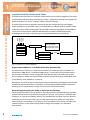
Room 1
Room 2
Room 3
Room 4
D: SC R IBE TR ANSCRIP TION S YS T E MS
D:Scribe Client and Server operates seamlessly with the Sonifex Net-Log audio logger.
Audio recorded on up to 20 Net-Logs can be archived to a defined server IP address where
audio files can be stored and logged. The audio files automatically appear in the database
structure of D:Scribe Server with the recorded time and date available. Additionally,
recording and archiving on the Net-Logs can be controlled from D:Scribe Server.
Server running:
Net-Log 01
10/100 Switch
Net-Log 02
Net-Log 03
Net-Log 04
D:Scribe Server and
Microsoft SQL Server
D:Scribe Client 01
E - Mail
D:Scribe Standalone
D:Scribe Client 02
D:Scribe Client 03
Fig 1-1: D:Scribe Server & Client Diagram.
Organisational Efficiency - Link Audio & Text Files Automatically
D:Scribe Client and Server is a software suite which runs under Microsoft SQL2000™ on
MS Windows 2000 Server™ or Windows 2003 Server™. It provides an environment where
pre-recorded audio files can be categorized, searched and then transcribed and is ideal
for environments where you have multiple channels of audio recordings which need to be
transcribed by many people on a network.
Recordings are stored in the D:Scribe Server software where they are categorised and made
available to the attached Clients. Audio files are automatically linked to the transcriptions
allowing you to systematically arrange and classify the stored information.
Quick & Simple Searching For Audio or Text From Your Desktop
The D:Scribe Client allows you to search for recorded audio by recorded Net-Log, recorded
channel (which could be a particular microphone in a court, a channel on a recorded radio
frequency, or a particular meeting room) or by recorded time and date. Once you find the
audio that you wish to transcribe, you can take “ownership” of it (which will notify other
Clients that you are working on it, if they try and transcribe it). You can then use either the
software controls, or the optional foot-pedal, to begin transcription, in a dedicated
text window.
2
D:Scribe User Handbook
D:S C R I B E T R A NS C RIP TION SYSTEMS
1
Once transcription is finished, the text is available and is linked to the audio file. It can then
easily be referenced, emailed or exported. You can globally search transcriptions for text,
refining the audio files that you search, by Net-Log, recording day, channel, time and date, or
script status (new, audio only, text only, audio & text, or open).
The transcription window has a spell checker and 12 user defined function keys can be used
to enter repetitive material such as names, places and recurring events. The recorded time &
date and the current time & date are also available.
D:Scribe contains Auto-Archive and Auto-Delete software so that you can define how
long recorded audio files & scripts are stored on the server, e.g. files can be automatically
removed after a period of time (between 2 and 99 days), eliminating an administration task.
Sonifex Net-Log Audio Logger
The Sonifex Net-Log is a 4 channel audio logger which can record weeks of programming
on a large internal hard-disk. The unit was designed as dedicated hardware for reliability
reasons, i.e. there’s no PC motherboard in this machine. Although PC based systems are
great for playback, they generally aren’t robust enough for continuous recording 24/7/365.
The Net-Log was designed from the ground up to offer :
•
High reliability for continuous operation.
•
High quality audio (mpeg compressed).
•
Compatibility with existing broadcast & Windows based systems (saves bwf files).
•
Automatic operation with very simple to use software.
D :S CRI BE T R ANSCRIP TION SYST EM S
Foot-Controlled Playback & Function Key Text Insertion
Standard audio controls for transcription include Play, Pause, (Fast) Forward and Rewind by
defined amounts. Holding the Rewind and Fast-Forward buttons makes them decrement
and increment faster depending on your settings. Previous and Next buttons allow you to
go to the previous and next recordings respectively, which is useful where a long session
has been captured over a number of recordings. There are also volume & playback speed
controls. The Play/Pause, Forward & Rewind buttons can be controlled with the optional
DS-FPS3 or DS-FPU3 foot-pedals.
All audio created by Net-Log is Windows Media Player compatible so files can be emailed to
colleagues and customers and played out on any PC with a sound system.
There are many applications for Net-Log, from radio stations recording their broadcasts for
regulatory purposes, to small call centres, law firms and security companies using them for
monitoring. Net-Logs have been installed in court rooms & police interview rooms for audio
surveillance and, when combined with the D:Scribe transcription system, offer a cost saving
desk-top based logging & filing system for audio & transcripts.
D:Scribe User Handbook
3
1
D:S C R I B E T R A NS C R I PT I O N S YS T EMS
D: SC R IBE TR ANSCRIP TION S YS T E MS
Key Features of Net-Log :
•
Dedicated reliable multi-channel recording hardware.
•
Easy to use Windows™ remote operation for playback, archiving, streaming
and configuration.
•
Independently configurable channel pairs to record at different sample rates, different
bit rates and in mono or stereo.
•
Recording duration configuration of the channels to suit your needs, e.g. 2 channels of
low quality logging for 6 months together with two channels of high quality logging
for 1 week, on one machine.
•
Record inputs can be controlled remotely, e.g. snoop recording from a mic-live output
of a mixer.
•
Up to 250,000 recordings per channel can be made.
•
Each Net-Log has its own IP address, so a number of machines can be installed on the
same network.
•
Automated voice recording - each channel can start and stop recording automatically
by setting audio threshold levels, which means that it can be used for voice controlled
systems and telephony recording.
•
Fail-safe alarm indicators and remotes.
•
Password protection and security access rights to system.
Synchronising Time on the System
Using the Net-Logs together with D:Scribe Server and Client, it is very important to
synchronise the PCs used, and the Net-Logs, to a known reference time. There are a number
of standard clock systems that can be used to accurately set a PC servers time, but to
synchronise the Net-Logs, you must use the Sonifex Mentor Time Server software. This can
also be used to synchronize the time for any number of PC’s on a network from a server with
a known accurate time.
For more information on the Mentor software, please contact Sonifex.
4
D:Scribe User Handbook
D:S C R I B E T R A NS C RIP TION SYSTEMS
1
D:Scribe Transcription Technical Specification
Minimum System Requirements
Pentium 3 800MHz, 512Mb RAM.
Disk space required depends on how long archived audio is kept (and bitrates used).
MS Windows 2000™, MS Windows 2003™, XP Pro™.
MS SQL 2000™.
D:Scribe Client:
Pentium 3 800MHz, 256Mb RAM
MS Windows 2000™, MS Windows 2003™, XP Pro™.
D:Scribe Standalone: Pentium 3 800MHz, 128Mb RAM.
MS Windows 2000™, MS Windows 2003™, XP Home™, XP Pro™.
Equipment Type D:Scribe Standalone
DS-STS3:
D:Scribe Standalone with DS-FPS3 foot-pedal, 3 pedal version
with 9 pin serial connector.
DS-STU3:
D:Scribe Standalone with DS-FPU3 foot-pedal, 3 pedal
version with USB connector.
DS-ST01
D:Scribe Standalone licence - 1 user licence.
DS-ST05
D:Scribe Standalone licence - 5 user licence.
DS-ST25
D:Scribe Standalone licence - 25 user licence.
DS-ST100
D:Scribe Standalone licence - 100 user licence.
Equipment Type D:Scribe Client & Server
DS-SVR:
D:Scribe Server licence (note this needs MS SQL 2000™ to operate).
DS-CL01:
D:Scribe Client licence - 1 client licence.
DS-CL05:
D:Scribe Client licence - 5 client licence.
DS-CL10:
D:Scribe Client licence - 10 client licence.
DS-CL25:
D:Scribe Client licence - 25 client licence.
DS-FPS3:
D:Scribe foot-pedal, 3 pedal version with 9 pin serial connector.
DS-FPU3:
D:Scribe foot-pedal, 3 pedal version with USB connector.
D :S CRI BE T R ANSCRIP TION SYST EM S
D:Scribe Server: Licensing
Each installation of D:Scribe Server, D:Scribe Client and D:Scribe Standalone requires the
use of the correct USB dongle to unlock the full features of the software. The software
can be installed on any number of PCs, but will only operate with all features if a USB
dongle is attached.
D:Scribe User Handbook
5
2
D:S C R I B E S TA NDA LONE
2 D:Scribe Standalone
Introduction
D:Scribe Standalone includes features designed to play audio and video files for
transcription purposes (including audio CDs and DVDs), record audio files using the line-in
or microphone sources of your computer, and to record/rip audio CDs to your computer’s
hard disk.
D :SCRIBE STA N DA LON E
In addition, media files can be sourced from the Internet using http protocols and streaming
formats such as ASX and WVX are supported.
D:Scribe Standalone can be used purely as a media player with footpedal control in
conjunction with word-processing packages (such as MS-Word) for transcription production.
Licencing and Dongles
D:Scribe Standalone uses a USB dongle to unlock the full features and functionality of
the software.
The software can be used for demonstration and evaluation purposes without a dongle, but
with limited functionality.
When using D:Scribe Standalone without a dongle, a screen reminding you of the limited
functionality will be shown periodically.
Limited functionality precludes saving transcripts and copying typed text to the clipboard,
also recordings made in the Record Screen are limited to 30 seconds in length.
Fig 2-1: The D:Scribe Standalone Dongle.
Installation of D:Scribe Standalone and USB Dongle
D:Scribe Standalone should be installed on a Microsoft Windows based desktop PC
equipped with a sound card capable of playing the required audio and video material.
Install D:Scribe Standalone from the Sonifex Software Installation CD-ROM by selecting
‘D:Scribe Standalone Installation’ and follow the on-screen instructions.
- You must have Administrator Rights to install this product successfully.
Step 1. Run Setup.exe.
6
D:Scribe User Handbook
D:S C R IBE STAN DALON E
2
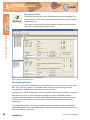
Fig 2-2: The Welcome Screen.
D :S CRI BE S TAN DALON E
Fig 2-3: The Licence Screen.
Fig 2-4: The Install Screen.
D:Scribe User Handbook
7
2
D:S C R I B E S TA NDA LONE
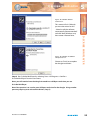
Step 2. Insert dongle into a USB port.
Step 3. Windows will start ‘Found New Hardware Wizard’.
D :SCRIBE STA N DA LON E
Fig 2-5: The Windows Found New
Hardware Wizard Screen.
This screen will ask ‘Can
Windows connect to Windows
Update to search for software?’
- select ‘No, not this time’ and
click ‘Next’
Fig 2-6: The Windows Wizard
Install Screen.
This screen will ask ‘What do
you want the wizard to do?’
- Select ‘Install the software
automatically (Recommended)’
and click ‘Next’. Windows may
then create a Restore Point.
Fig 2-7: The Windows Installation
Completed Screen.
Choose on ‘Finish’ to complete
the dongle installation.
8
D:Scribe User Handbook
D:S C R IBE STAN DALON E
2
Step 4. Run D:Scribe Standalone by selecting ‘Start->All Programs->Sonifex->
D:Scribe Standalone’ from the start menu.
Note: you will need to have the dongle inserted into a USB port each time you use D:
Scribe Standalone.
Note: Best practice is to use the same USB port each time for the dongle. Using another
port may require you to reinstall the drivers (Step 3).
V1.0 to V2.0 Upgrade Features
l
l
l
l
l
l
l
l
l
l
l
l
l
Screen layout changes, including support for XP themes using the manifest.
New trackbar allows start and stop marks (also can stop on end-mark).
Mute control added.
‘Stay On Top’ is now optional for compact and normal window size.
Start Bar caption can optionally display Play Position, Recorded Time or Time Remaining.
Insert List on right of transcript space instead of a status bar:
l Ctrl+shift+I for show/hide (also from menu).
Video Panel to left of transcript space:
l Ctrl+shift+v for show/hide (also from menu).
CD Ripper can optionally rip in WMA format.
Play Speed – fast, normal, slow with constant pitch:
l Depends on soundcard, drivers, sample rate/format of files.
l Tested with MP3, WMA audio, WMV video.
Play directly from audio CDs.
MPEG4 video and audio playback (mp4, m4a files):
l Requires third-party driver in WinXP.
Support for USB footpedal:
l Auto detected when starting application.
l No USB footpedal detected, allows serial footpedal selection.
Dongle Protected:
l Without dongle – no save, no copy, recordings limited to 30secs, popup message every
2 minutes.
DVD / VOB playback.
Option to control start/stop of recording process via footpedal.
Option to swap FWD/REW pedals to suit user.
Able to open audio/video files from http://source
l eg http://www.sonifex.co.uk/test/a.wmv
Able to playback and record http:// streams
l Ctrl+U (also from menu).
l ASX and WVX streaming audio from Internet radio stations, e.g.
- TalkSport http://194.46.8.124/talksport-live.asx
l Record via ‘Stereo Mix’ source into MP3/WAV.
D:Scribe User Handbook
D :S CRI BE S TAN DALON E
l
l
l
l
l
9
2
D:S C R I B E S TA NDA LONE
Foot Pedal Control
D:Scribe Standalone can be used with a USB (DS-STU3 and DS-FPU3) or serial (DS-STS3 and
DS-FPS3) footpedal for convenient use of the playback controls.
D :SCRIBE STA N DA LON E
USB Foot Pedals
The USB foot pedal is detected automatically by D:Scribe, and so no user-intervention is
required. If you attached the foot pedal after starting D:Scribe, you may need to restart D:
Scribe to use your foot pedal. Once the USB foot-pedal is connected, the option to select the
COM port for a serial foot-pedal is disabled in the Control menu.
Fig 2-8: The D:Scribe USB Footpedal.
Serial Port Foot Pedals
If your footpedal came supplied with a USB to serial converter cable, please read the
instructions and install the software supplied as required.
To select the port for the footpedal, select ‘Control->Footpedal’ from the menu. Then select
‘Enable’ from the ‘Control->Footpedal’ menu.
10
D:Scribe User Handbook
D:S C R IBE STAN DALON E
2
D :S CRI BE S TANDALONE
Fig 2-9: The Control Menu.
Defining Left and Right Pedals
Should you feel uncomfortable using the left pedal for forwarding and the right pedal for
rewinding media, the operation of these pedals can be swapped by selecting ‘Control>Footpedal->Left-Right Pedal Action’ from the menu.
Playback Control
To use the foot pedal to control playback functions, select ‘Control->Footpedal->Playback
Screen Enable’ from the menu.
Recording Control
To use the foot pedal to start/stop the recording process in the Recorder Screen, select
‘Control->Footpedal->Recorder Screen Enable’ from the menu.
D:Scribe User Handbook
11
2
D:S C R I B E S TA NDA LONE
Playback
D :SCRIBE STA N DA LON E
The Playback screen is used to view the text for transcription and to control the audio
selected for playback. D:Scribe uses an embedded MS Media Player™, so can open any
compatible media player audio file.
Fig 2-10: The D:Scribe Playback Screen with a single media file loaded.
Play Controls
The media playback controls are located at the bottom of the Playback screen.
Fig 2-11: The D:Scribe Media Playback Controls.
12
D:Scribe User Handbook
D:S C R IBE STAN DALON E
2
Volume Control and Mute
The audio volume of the currently playing media clip can be
adjusted using the on-screen volume and mute controls.
For further adjustment of the playback volume you may need to
use your soundcard’s mixer. A shortcut for this usually resides in
the desktop’s system tray.
Timer Display
The timer display shows the recorded date and time of the current
position in the media clip. If the currently selected/playing file
does not have an associated recorded time (i.e. not a broadcast
wave file) the creation date and time of the file is used.
Altering the Recorded Date/Time
To alter the date and time that a recording was made (for example
of an audio CD track), click on the ‘Recorded Date/Time’ heading
on the Timer Display. Use the displayed calendar to set the
required date/time, then click ‘OK’.
D :S CRI BE S TAN DALON E
Playback Speed
Playback speed can be adjusted using the ‘Control->Play Speed’
menu selections. Alternatively use Shift+Ctrl+G (fast), Shift+Ctrl+S
(slow), Shift+Ctrl+N (normal). The ability to alter playback speeds
depends upon the media type, sound/video drivers and
codecs being used in your system.
Note: The selected date/time is stored locally for use by D:Scribe, and does not alter the audio file in any way.
Fig 2-12: The D:Scribe
Recorded Date/Time
Display.
D:Scribe User Handbook
13
2
D:S C R I B E S TA NDA LONE
Move to the Previous File
To move to the previous media clip in the playlist, press the ‘Previous’
button.
D :SCRIBE STA N DA LON E
Move to the Next File
To move to the next media clip in the playlist, press the ‘Next’ button.
Rewinding a File
To rewind the current media clip, press and hold the ‘Rewind’ button
until the timer display has reached the required point, then release.
Forwarding a File
To move forward through the current media clip, press and hold the
‘Forward’ button until the timer display has reached the required point,
then release.
Playing a File
To begin playback of the currently selected media clip, press the ‘Play’
button.
Pausing a File
To pause the currently playing media clip, press the ‘Pause’ button. To
resume playback, press the ‘Play’ button.
Skip Back on Pause
Media files can be forced to skip back a number of seconds after
pressing the ‘Pause’ button. This can be a useful feature when
transcribing audio that often requires pausing. To enable the ‘skip back
on pause’ feature select ‘Control->Skip Back on Pause->Enable’ from the
menu. The skip backwards can be set to two, three, four or five seconds.
Stopping a File
To stop playback of the current media clip and return to the beginning,
press the ‘Stop’ button.
14
D:Scribe User Handbook
D:S C R IBE STAN DALON E
2
The Playlist
The playlist is situated above the play controls when in ‘Normal’ Full Player mode
(see page 22). The media files that are opened are appended to this list, and can be played
through from beginning-to-end allowing you to create a single transcription file from
multiple media files.
Re-ordering Playlist Files
To re-order the media files in the playlist, select the file you wish to move, then right-click to
choose ‘Move Up’ or ‘Move Down’.
Removing Playlist Files
To remove a media file from the playlist (but not delete the media file from
your computer) select the required media file, then right-click and choose
‘Remove’.
The Trackbar
The media trackbar can be used to quickly move backwards or forwards through the
media by selecting it and dragging it to the required position. The timer display shows the
recorded time at the current position in the media.
D :S CRI BE S TAN DALON E
Fig 2-13: The D:Scribe Playlist.
The trackbar is highlighted between the start and end marks – this indicates the selected
portion of the media.
D:Scribe User Handbook
15
2
D:S C R I B E S TA NDA LONE
Bookmarks, or File Markers
Start and end markers can be added to an audio clip as reference points. The marks for the
most recent 50 media files are stored for later use by D:Scribe Standalone, and are recalled
upon loading the media file for playback.
D :SCRIBE STA N DA LON E
Start Mark
The start mark can be added to the current position of a playing audio or video media file
by pressing ‘Ctrl+M’.
Jump to Mark
To jump back to the start mark at any moment during playback, press ‘Ctrl+G’.
End Mark
The end mark can be added at the current position by pressing ‘Ctrl+E’.
Stop on End Mark
To automatically stop playback of a media clip upon reaching the end mark, select ‘Control>Bookmark->Stop on end mark’ from the menu.
Clearing Marks
To clear the start and end marks (reset back to beginning of the file), press ‘Ctrl+N’.
Recalling Marks
The marks that you use with an individual media file do not have any destructive effects
upon the file.
16
D:Scribe User Handbook
D:S C R IBE STAN DALON E
2
Video Media
D :S CRI BE S TAN DALON E
Fig 2-14: The D:Scribe Video Panel.
The Video Panel
Video media can be opened for playback and transcription using D:Scribe Standalone, with
the same features available as for audio media. Select ‘View->Video Panel’ from the menu to
show/hide the video panel. The video panel is displayed to the left of the transcript space.
Supported Video Media
The ability to playback AVI, MPEG and VOB/DVD video files depends upon the version of
TM
TM
Windows Media Player and codecs installed on your computer. Also, DVDs must be
finalised in order to ensure playback. Non-finalised DVDs can give spurious playback results.
MPEG4 video and audio playback (mp4, m4a) is also supported, but this does require a
TM
third-party driver in Windows .
D:Scribe User Handbook
17
2
D:S C R I B E S TA NDA LONE
Transcription
D :SCRIBE STA N DA LON E
Opening a File for Transcription
To locate and open a file for playback and transcription, press the ‘Open’
button on the toolbar.
Fig 2-15: The D:Scribe Open Media File Screen.
Use the ‘Open Media File’ screen to locate the required audio or video file, then press ‘Open’.
Audio CDs (cda) can also be used for playback without the need for recording/ripping to the
hard disk.
D:Scribe Standalone will try to select a transcript text file with the same name as the
selected audio or video file.
If this file has not yet been created, press ‘Edit’ to create this as a new file to associate with
the selected media file (see page 21).
Transcript files created with the same name as the selected media file will be automatically
opened next time the media file is selected.
18
D:Scribe User Handbook
D:S C R IBE STAN DALON E
The D:Scribe Standalone window opens with a blank transcript space ready for transcription
to begin and the caption bar shows the filename of the transcript.
D :S CRI BE S TAN DALON E
Fig 2-16: The D:Scribe Open Script Screen.
2
Fig 2-17: The D:Scribe Transcription Screen.
D:Scribe User Handbook
19
2
D:S C R I B E S TA NDA LONE
Additional audio files can be opened and added to the playlist for continual playback.
This allows you to transcribe a number of audio files whilst working on transcription file.
D :SCRIBE STA N DA LON E
Fig 2-18: The D:Scribe Playlist Screen.
Defining Inserts
D:Scribe Standalone allows the user to quickly insert up to twelve items of text using
shortcut keys Ctrl-F1 to Ctrl-F12.
The inserts can be defined at any time during transcription for the most commonly typed
words or names.
To define the inserts, select ‘File->Define Inserts’ from the menu.
Fig 2-19: The D:Scribe Inserts Screen.
20
D:Scribe User Handbook
D:S C R IBE STAN DALON E
2
Insert List
Use ‘Insert List’ from the menu to show/hide the list of quick inserts. The
Insert List is displayed to the right of the transcription space.
Editing Transcriptions
To begin transcription of an audio clip, or to edit an existing transcript,
press the ‘Edit’ button on the transcription toolbar. Any existing
transcription associated with the selected audio will already be
displayed in the transcription window.
D :S CRI BE S TAN DALON E
Fig 2-20: The D:Scribe Transcription Screen.
Aborting Transcriptions
To abort the transcription without saving any changes, press the ‘Abort’
button on the transcription toolbar.
Note: Use the ‘Abort’ button after using the ‘Save’ button when you
have finished transcribing the audio file to select a new file to play
and transcribe.
D:Scribe User Handbook
21
2
D:S C R I B E S TA NDA LONE
Saving Transcriptions
Once you have completed the transcription for the current audio clip be
sure to save the text you have entered. The saved transcription will be
automatically associated with the audio clip, and will be available for
later retrieval.
D :SCRIBE STA N DA LON E
It is recommended that you save your transcription at regular intervals
to reduce the risk of lost input due to systems errors. To save the
transcription, press the ‘Save’ button on the transcription toolbar.
Cut, Copy and Paste
The standard editing tools of Cut, (Ctrl + X), Copy (Ctrl + C), and Paste
(Ctrl + V), are available from the transcription toolbar.
Compact Player
If you wish to playback audio material without the need for the
transcription window, select ‘View->Compact’ from the menu.
The small player gives you control over the audio playout, volume
control and use of the foot pedal control.
To return to the full window for track selection, select ‘View->Normal’
from the menu.
Fig 2-21: The D:Scribe Compact Player Screen.
Stay On Top
To force the D:Scribe Standalone screen to ‘float’ above all other
applications (such as a word-processing package that you may be using)
select ‘View->Stay On Top’ from the menu.
Start Bar Caption
D:Scribe’s start bar caption can be used to display either the current Play
Position, Recorded Time or Time Remaining. Make your selection via
‘View->Start Bar’ from the menu.
22
D:Scribe User Handbook
D:S C R IBE STAN DALON E
2
Send As E-mail
D:Scribe Standalone can be used to e-mail individual audio clips and/or associated
transcriptions to interested parties. Press the ‘E-mail’ button on the transcription toolbar to
email the selected audio clip/transcription.
D:Scribe Standalone uses your current default e-mail program (such as Outlook)
to send e-mails.
D :S CRI BE S TAN DALON E
Fig 2-22: The D:Scribe Email Screen.
D:Scribe User Handbook
23
2
D:S C R I B E S TA NDA LONE
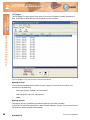
Opening an HTTP or Streaming Source
To open a file from an Internet source (such as a file from a website or a live stream) use the
Open URL feature accessible from the File menu.
D :SCRIBE STA N DA LON E
Select Open URL from the file menu.
Fig 2-23: The D:Scribe Open URL Screen.
24
D:Scribe User Handbook
D:S C R IBE STAN DALON E
2
Recorder
The recorder controls can be found on the Recorder tab at the bottom of the screen.
D :S CRI BE S TAN DALON E
Fig 2-24: The D:Scribe Recorder Screen.
Recording Formats
To choose the format of the next recording, select ‘Control->Recorder->Format’ from the
menu and choose from the following:
•
MP3 Medium Quality (56kbps, 24kHz stereo)
•
MP3 Low Quality (32kbps, 24kHz mono)
•
WAV CD Quality (44.1kHz, 16bit stereo)
•
WAV Radio Quality (22.05kHz, 8bit mono)
•
WAV Telephone Quality (11.025kHz, 8bit mono)
TM
Note: The ability to record in the MP3 formats will depend on the version of Windows
Media PlayerTM and associated codecs installed on your computer. It is recommended
that you upgrade to the latest version of WindowsTM Media PlayerTM if MP3 recording
is unsuccessful.
D:Scribe User Handbook
25
2
D:S C R I B E S TA NDA LONE
Recording Sources
The recording sources available to you depend upon the capabilities of your soundcard and
the driver that is installed. To choose the source for the next recording, select ‘Control>Recorder->Source’ from the menu. You can expect to see ‘Line In’, ‘Microphone’, and ‘Stereo
Mix’ options, possibly more depending on your soundcard.
D :SCRIBE STA N DA LON E
The ‘Stereo Mix’ option allows you to record audio that is currently being played through
your soundcard, for example audio from a video or audio file being played in the Playback
screen.
VOX Automated Recordings
Automated start/stop of recordings can be useful when recording conversation or
monitoring sources where long periods of silence are anticipated. To enable or disable this
feature, select ‘Control->Recorder->VOX Start/Stop’ from the menu. To alter the trigger
values for this feature, click on the ‘start’ or ‘stop’ values on the recorder screen. The value
increments in steps of 5dB from –40dB to 0dB.
Split Recordings
Recording sessions can be split into recordings of set durations. Select ‘Control->Recorder>Split Recordings’ from the menu and then choose the required duration of the recordings
from: 30 Seconds, 1 Minute, 2 Minutes, 5 Minutes, 10 Minutes, 30 Minutes, 1 Hour.
To enable the split recordings feature, select ‘Control->Recorder->Split Recordings->Enable’
from the menu.
Recorder Cut List
The recorder cut list contains details of tracks in the currently selected Recorder Folder. The
recordings are listed in date/time order, with the most recent recording first. If a recording
is currently being made, this will be displayed first, and will display a duration of ’00:00:00’
until the recording is stopped.
To change the default location of new recordings, select ‘File->Default Folders->Select
Recordings Folder’ from the menu.
26
D:Scribe User Handbook
D:S C R IBE STAN DALON E
2
Making a Recording
New recordings are given filenames according to the time and date the
recording commenced. Simply press the ‘Record’ button to begin a new
recording.
Pausing a Recording
Recordings can be paused by pressing the ‘Pause’ button at any time
during the recording process. To resume the recording, press the
‘Resume’ button that has replaced the ‘Pause’ button.
Deleting a Recording
To delete a selection of recordings, or all the recordings, right-click
on the cut list and choose ‘Delete All’ or ‘Delete Selection’. Multiple
recordings can be selected from the cut list for deletion through use of
the ‘Shift’ and/or the ‘Ctrl’ keys.
Playing a Recording
To queue a selection of recordings, or all the recordings in the cut list,
right-click on the cut list and choose ‘Cue All’ or ‘Cue Selection’. Multiple
recordings can be selected from the cut list for playback through use of
the ‘Shift’ and/or the ‘Ctrl’ keys.
D :S CRI BE S TAN DALON E
Stopping a Recording
To stop a recording, press the ‘Stop’ button. Once a recording has been
stopped, it cannot be overwritten or appended to.
Adjusting Recording Levels
The recording controls do include a level control for the selected record
source. However you may also need to adjust the source level for
optimum recording quality, such as the volume on your microphone, or
line input equipment.
Note: Recording can be controlled by the foot-pedal. See page 11 for
further information.
D:Scribe User Handbook
27
2
D:S C R I B E S TA NDA LONE
CD-Ripper
D :SCRIBE STA N DA LON E
The CD-Ripper is used to record from audio CDs to your computer as either compressed
MP3, linear WAV or WMA files for later playback and transcription.
Fig 2-25: CD-Ripper screen with 14 tracks selected on an audio CD.
Ripping Formats
To choose the recording format select ‘Control->Ripper->Format’ from the menu, and
choose from the following:
•
MP3 High Quality (128kbps, 44.1kHz stereo)
•
WAV CD Quality (44.1kHz, 16bit stereo)
•
WMA
Ripping Sources
The ripping sources available to you depend upon the CD drives installed.
To choose a CD drive for ripping from, select ‘Control->Ripper->Source’. If you have only one
CD drive this will be selected automatically.
28
D:Scribe User Handbook
D:S C R IBE STAN DALON E
2
Selecting Tracks
To select tracks for recording, first use the ‘Refresh CD’ button to retrieve
track information from the audio CD into the cut list. Then, use the
checkboxes to the left of each track in the cut list to indicate which
tracks require recording.
Recording Tracks
Press the ‘Record’ button to begin recording the audio CD tracks.
Playing Recorded Tracks
Audio CD tracks that have been successfully recorded can be cued to
play in the playlist. Right-click on a track in the cut list and select ‘Cue
Selection’ or ‘Cue All’. Only recorded tracks can be cued for playback.
Deleting Recorded Tracks
To delete recordings of tracks from your computer (not those on the
audio CD), highlight the track to delete and press the ‘Delete’ button.
D:Scribe User Handbook
D :S CRI BE S TAN DALON E
Aborting Ripping Process
Press the ‘Abort’ button to cancel ripping tracks from the
audio CD.
29
3
D:S C R I B E S E RVE R
3 D:Scribe Server
Introduction
D :SCRI BE S E RVE R
The D:Scribe Server software is used to simultaneously and automatically connect to a
number of Net-Log units and archive recorded audio material to an Microsoft SQL Server
based server. Archives are created as short (5 – 60 minute) MPEG broadcast wave tracks,
which are used as the basis for the transcriptions. Each track can then be separately
transcribed by one or more D:Scribe Clients, with the transcription text entered into an SQL
database that can be fully searched.
Net-Log Setup
Please refer to the Net-Log User Handbook for details on how to set-up the Net-Log’s record
styles, archive parameters and user information.
MS-SQL Setup
D:Scribe Server and Client use Microsoft SQL Server to store and retrieve details of audio
cuts and the related transcripts. Before you install D:Scribe Client and Server, SQL 2000™
must be installed on the target PC. For details on how to use SQL, please refer to the
manuals supplied by Microsoft.
Installation
D:Scribe Server should be installed on a MS-Windows based server with hard-disk storage
for the required audio archive material. Install D:Scribe Server from the Sonifex Software
Installation CD-ROM by selecting ‘D:Scribe Server Installation’ and follow the instructions
as per D:Scribe Standalone on page 7. The installation disk installs the D:Scribe files and
configures the SQL database needed to run D:Scribe Server.
The D:Scribe Server installation will place a shortcut to the application on your desktop
which you can use to start D:Scribe Server.
Should you wish to uninstall D:Scribe Server after a trial period, from the Windows ‘Start’
menu select ‘Control Panel->Add/Remove Programs’, then locate D:Scribe Server and select
‘Remove’.
Licencing
Net-Log Licence
When connecting to a Net-Log unit, an available stream licence is required to perform the
archiving process. Using Net-Log-Win, it is suggested that a user (such as User20) is defined
as having ‘Archive Control’ and ‘Record Control’, but no ‘Play Control’. D:Scribe Server will
then only use one stream licence when connected to a Net-Log unit.
Please refer to your Net-Log user manual for more information regarding licencing
and users.
30
D:Scribe User Handbook
D :SCRIBE SERVER
3
Licencing and Dongles
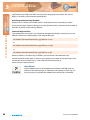
D:Scribe Server uses a USB dongle to unlock the full features and functionality of
the software.
The software can be used for demonstration and evaluation purposes without a dongle, but
with limited functionality.
When using D:Scribe Server without a dongle, a screen reminding you of the limited
functionality will be shown periodically.
D :S CRI BE S ERVER
Limited functionality precludes multiple clients attaching to the server for transcription
purposes. Also, connections to Net-Log units for archival purposes is limited to one.
Fig 3-1: The D:Scribe Server Dongle.
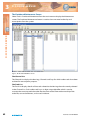
Setup
Select ‘Tools->Settings’ from the main menu to display the Settings screen. (See Fig 3-2).
This screen is used to enter the list of Net-Logs on your network and also emailing
configuration information. The software can send an email to a defined address via a SMTP
address based on the Net-Log alarms, an error or just a status update.
D:Scribe User Handbook
31
D:S C R I B E S E RVE R
D :SCRI BE S E RVE R
3
Fig 3-2: The D:Scribe Server Settings Screen.
SMTP Address & Port
Enter the address and port number of the SMTP email server on your network.
E-Mail Reports
D:Scribe Server can be configured to e-mail regular status reports to someone, such as a
system administrator, by completing the ‘Address To’ and ‘Address From’ fields.
There are four types of e-mailed reports available from D:Scribe Server :-
32
•
Status Report
•
Error Report
•
Archive Warn Report
•
Archive Alarm Report
D:Scribe User Handbook
D :SCRIBE SERVER
3
The (General) Status Report can be emailed at the interval defined by the ‘Interval
(hours)’ field.
Status Report
The general Status Report includes information regarding the known current state of all
defined Net-Log units, including Login/logout timings and audio input status. This report
can also be generated manually by pressing the ‘E-Mail’ report button on the toolbar of the
main screen.
Possible errors are :
‘Invalid Username’
Username is not recognised by Net-Log unit.
Check Options.
‘Invalid Password’
Password is not recognised by Net-Log unit. Check Options.
‘User Unavailable’
User is already logged-in. Check connected users with
Net-Log-Win.
‘No/Bad Response’
Connection broken. Check network cabling.
‘No Valid Licences’
Net-Log has not been licenced. Use Net-Log-Win to
issue licence.
‘Valid licences in use’
All licences are in use.
‘Connection Error’
Unable to connect to Net-Log. Check network cabling.
‘No Disk Space!’
Archive target has no useable space remaining.
Change archive destination or make some space available.
D :S CRI BE S ERVER
Error Report
Error reports are generated when a communication error has occurred with a single Net-Log
unit. The error type will be included within the report. Whilst some of these errors will be
critical (such as ‘Connection Error’), some are not (such as ‘User Unavailable’).
Archive Warn Report
Archive Warn reports are generated when a Net-Log input channel is about to overwrite
material that has not yet been archived. This usually happens when the input channel has
not been ‘Archive Enabled’.
Archive Alarm Report
Archive Alarm reports are generated when a Net-Log input channel is overwriting material
that has not been archived. This usually happens when the input channel has not been
‘Archive Enabled’.
Auto-Delete
If Auto-Delete is enabled, previously archived audio material will be deleted after the
specified number of days. Any transcripts associated with the deleted audio will remain.
D:Scribe User Handbook
33
3
D:S C R I B E S E RVE R
D :SCRI BE S E RVE R
Device List
Define your list of Net-Log units using the ‘Add’, ‘Replace’, and ‘Delete’ buttons. To enable
successful archiving on each Net-Log, be sure to use the username and password that has
‘Archive Control’ rights. See the Net-Log-Win user manual for more information on users
and rights. When connecting to a Net-Log unit, an available stream licence is required to
perform the archiving process.
Note: Using Net-Log-Win, it is suggested that a user (such as User20) is defined as just
having ‘Archive Control’ and ‘Record Control’, but no ‘Play Control’, and this user used
by Net-Log Auto-Archive. This is so that only 1 stream licence is used by the archiving
process.
The Net-Log List
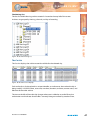
D:Scribe Server displays the defined list of Net-Log units down the left side of the screen.
When a particular unit has been logged-on, the username is displayed in brackets. This list
can be edited by selecting ‘Tools->Settings’ from the menu.
Fig 3-3: The D:Scribe Netlog List.
34
D:Scribe User Handbook
D :SCRIBE SERVER
3
Login
To perform archiving of audio material from a Net-Log, D:Scribe Server is required to log on
as a user with archive control. You can manually login to a Net-Log by right-clicking on the
required unit and selecting ‘Login’ from the popup menu. Alternatively, D:Scribe Server can
automatically log into each defined Net-Log by using the ‘Auto-Login’ feature. To do this,
select ‘Auto-Login’ from the ‘System’ menu.
Logout
You may wish to log out from a Net-Log when performing administrative tasks using NetLog-Win.
The Client List
The Client List appears to the bottom left of each screen, and displays a list of the currently
connected D:Scribe Clients.
D :S CRI BE S ERVER
You can manually log out from a Net-Log by right-clicking on the required unit and
selecting ‘Logout’ from the popup menu. Alternatively, D:Scribe Server can automatically log
out from each defined Net-Log by using the ‘Auto-Logout’ feature. To do this, select ‘AutoLogout’ from the ‘System’ menu.
Fig 3-4: The D:Scribe Client List.
D:Scribe User Handbook
35
3
D:S C R I B E S E RVE R
The Status Bar
The status bar has transmit (Tx) and receive (Rx) indicators, which can be viewed to confirm
the connection to the selected Net-Log.
The Status Screen
To view the Status Screen, press the ‘Status’ button on the toolbar. The
Status Screen displays the current status of each connected Net-Log.
D :SCRI BE S E RVE R
Each Net-Log has the following status indicators:
Drive Alarm: Cut Change : Program Change : Config Change
And each channel of each Net-Log has the following status indicators:
Record Active: Archive Active : Archive Enabled : Auto Purge : Archive Warn : Archive
Pending : Archive Alarm.
Fig 3-5: The D:Scribe Status Screen
For more details regarding the Net-Log status indicators, please refer to the
Net-Log User Handbook, Tools section.
36
D:Scribe User Handbook
D :SCRIBE SERVER
3
The Control Screen
To view the Control Screen, press the ‘Control’ button on the toolbar.
The Control Screen gives you immediate access to the record and archive
controls of the connected Net-Log units.
Each Net-Log displays its channel names, has independent record and
archive control for each channel (or pairs if used in stereo mode), and
record and archive status indicators.
Archive LED states:
Archive Pending
Steady Yellow
Archive Active
Flashing Red
Archive Warn
Steady Red
Archive Alarm
Off
No Archive Pending
Note: Make sure that you are logged in with permissions to change Record and Archive
settings, otherwise the buttons will be lowlighted.
D :S CRI BE S ERVER
Flashing Yellow
Fig 3-6: The D:Scribe Control Screen.
D:Scribe User Handbook
37
3
D:S C R I B E S E RVE R
The Archive Screen
To view the Archive Screen, press the ‘Archive’ button on the toolbar. The
Archive Screen can be used to control the archive process of the currently
selected Net-Log.
D :SCRI BE S E RVE R
This screen also shows the record parameters, and displays the filenames
of archives currently being written to disk.
Fig 3-7: The D:Scribe Archive Screen.
The Archiving Process
Archiving is the process of getting Net-Log to automatically and continuously create audio
files (.wav, .mp2 or .g7a files) on a selected drive or device. Long recordings can be reformatted into smaller files of a fixed duration for ease of use.
Typically, this is so that a long-term archive of recorded material can be stored on a separate
hard-drive, such as on a server, where many people can access historic files without
interfering with the operation of the Net-Log. Additionally, the server could then be used
to make permanent archives on to CD-R, DAT, or DVD-R, using conventional low-cost IT
technology.
To configure the options correctly you need to know the IP Address of the networked PC
and the designated share name of the folder to which you want to archive to. You must also
have write access to this folder.
38
D:Scribe User Handbook
D :SCRIBE SERVER
3
Archiving is configured for individual recording channels, or pairs of channels, depending
on the recording options settings. For each channel, the following settings should be
configured:
Alarm Enabled
This option allows you to disable the archive warnings and alarms. It is primarily for users
who don’t wish to use Archiving and therefore don’t want the distraction of having the
archive warnings and alarms activating when data is overwritten.
Warn Time
In normal operation, the Net-Log records continually, overwriting information initially
recorded on the drive when it reaches the end. The warn time is the amount of time prior to
data loss on the Net-Log (5 mins to 14 days) and provides a warning that data will soon be
overwritten which has not been archived. Once data is overwritten, the archive alarm will
activate. Please note that if you have a busy network you should set this time quite high to
give enough time to archive the data. This option has no effect if the Alarm Enabled option
is disabled.
D :S CRI BE S ERVER
Buffer Size
The buffer size (5-1000Mbytes for MPEG, 1–200Mbytes for G.729A) is the amount of
un-archived data stored on the Net-Log before archiving will start. If you set the buffer
to 150MB, the Net-Log waits until it has that much data before it archives to the selected
destination. The size of the buffer you select is really dependent on network activity. If your
network is quite busy you might want to set the buffer at a relatively low size (5-50MB).
Arrange Archive Audio into Fixed Duration Files
When this box is ticked, the audio transferred from the Net-Log to the archive destination
drive will be split into fixed length files, determined by the Target File Duration option.
Without this option enabled, the audio files will appear on the archive destination drive as
they do on the Net-Log.
Target File Duration
This is the duration (5 – 60mins) of the files that will be created on the destination drive.
For example, if it is set to 5 minutes then the files on the target drive or device will be of a
five-minute duration. This option is only valid when the “Arrange Archive Audio into Fixed
Duration Files” box is ticked.
File Type
This determines the type of file that is created (.wav, .mp2 or .g7a).
Destination IP Address
This is the IP Address of the PC on the network that you want to archive to.
Target Folder Share Name
This should be set to the share name of the folder where you want the archives to be stored
at the destination IP Address. Only the share name should be entered, not the path of the
shared folder. To find the share name, locate the target folder in Windows Explorer, then
D:Scribe User Handbook
39
3
D:S C R I B E S E RVE R
right click on this folder and select “Sharing” from the popup menu. When the archive
begins, sub-folders will be created automatically.
Auto Purge on Record Stop Enabled
When this box is ticked, all available audio is archived each time a recording is ended.
D :SCRI BE S E RVE R
Once you are happy with the settings, press the “Update” button, and they will be written to
the Net-Log shown in the Net-Log selector.
Format of Archived Files
The archived files are stored in sub-directories beneath the directory name that you have
defined. The format is (depending on the selected file type):
\IP Address\Service Name\dd-mm-yyyy\hh-mm-ss.wav
or
\IP Address\Service Name\dd-mm-yyyy\hh-mm-ss.mp2
or
\IP Address\Service Name\dd-mm-yyyy\hh-mm-ss.g7a
Where IP Address is the Net-Log’s IP Address, Service Name is that defined in the
Service Name tab of the Options, dd-mm-yyyy represents the date of the recording in daymonth-year format and hh-mm-ss is the start time of the recording in
hours-minutes-seconds format.
Auto Delete
Use the delete button to force deletion of archived audio files that are
older than the required age (as indicated in the Settings Screen (Fig 3.2).
Any transcripts associated with deleted audio will remain untouched.
40
D:Scribe User Handbook
D :SCRIBE SERVER
3
The Event Log
To view the Event Log, press the ‘Logs’ button on the toolbar. The Event
Log is used to track events such as archiving, client connections /
disconnections, email alerts and auto-deletions.
Note: The Event Log displays the last 300 events.
D :S CRI BE S ERVER
Fig 3-8: The D:Scribe Log Screen.
Email Status Report
Use the E-mail button to force sending of the selected email reports as set
in the Settings Screen (Fig 3.2) to the specified recipient.
D:Scribe User Handbook
41
3
D:S C R I B E S E RVE R
The Database Maintenance Screen
D :SCRI BE S E RVE R
Select ‘Tools->Database Maintenance’ from the main menu to display the Maintenance
screen. The Database Maintenance Screen is used to clear unwanted audio clips and
transcriptions from the system.
Fig 3-9: The D:Scribe Database Screen.
The Channel List
The Channel List displays the Net-Logs, Channels and Days for which audio tracks have been
archived for transcription purposes.
The Track List
The Track List displays details of the tracks related to the Net-Log channel currently selected
in the Channel List. Each audio track has a six-digit unique identifier which is used to
associate the transcript with the audio file, the name of the Client with ownership of the
audio file, start and end times, and a status indicator.
42
D:Scribe User Handbook
D :SCRIBE SERVER
3
Tools
Delete Selected Net-Log
Deleting the selected Net-Log will also delete its associated channels,
days, audio and script information.
Delete Selected Channel
Deleting the selected channel will also delete its associated days, audio
and script
Delete Selected Audio
Deletes the audio files related to the currently selected tracks.
Delete Selected Audio and Scripts
Deletes the audio files and script information of the currently selected
tracks.
Reset Status of All
Attempts to locate the audio file and script information of all tracks. This
may change the status of each track if either the audio files or the scripts
have been deleted.
D :S CRI BE S ERVER
Delete Selected Day
Deleting the selected day will also delete the associated audio and script
information. Please note that the selected day only relates to the NetLog it is associated with.
Reset Selected Status
Attempts to locate the audio file and script information of the selected
track. This may change the status of the track if either the audio file or
the script have been deleted.
Release Ownership
Releases ownership of the currently selected tracks. It may be necessary
to release ownership of tracks if a client switches off their computer
without logging out properly.
Refresh
Refreshes the information displayed in the Database Maintenance
Screen.
D:Scribe User Handbook
43
4
D:S C R I B E C LI E NT
4 D:Scribe Client
Introduction
The D:Scribe Client software is used to locate and play back audio material archived to a
database by the D:Scribe Server. This audio can then be transcribed using D:Scribe Client,
and the transcriptions can then be stored for later retrieval or searched for specific content.
D :SCRI BE CLI E N T
A number of D:Scribe Clients can be installed on a network with access to a shared store of
audio and transcriptions managed by the D:Scribe Server.
Installation
D:Scribe Client should be installed on a MS-Windows based desktop PC equipped with a
sound card capable of playing the archived audio material. Install D:Scribe Client from the
Sonifex Software Installation CD-ROM by selecting ‘D:Scribe Client Installation’ and follow
the instructions, as per D:Scribe Standalone on page 7.
The D:Scribe Client installation will place a shortcut to the application on your desktop
which you can use to start D:Scribe Client.
Should you wish to uninstall D:Scribe Client after a trial period, from the Windows ‘Start’
menu select ‘Control Panel->Add/Remove Programs’, then locate D:Scribe Client and select
‘Remove’.
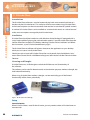
Licencing and Dongles
D:Scribe Client uses a USB dongle to unlock the full features and functionality of
the software.
The software can be used for demonstration and evaluation purposes without a dongle, but
with limited functionality.
When using D:Scribe Client without a dongle, a screen reminding you of the limited
functionality will be shown periodically.
Fig 4-1: The D:Scribe Client Dongle.
Setup
Server Selection
When D:Scribe Client is used for the first time, you may need to select a D:Scribe Server to
connect with.
44
D:Scribe User Handbook
D :SCRIBE CLIENT
4
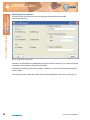
Select ‘Tools->Settings’ from the menu to display the settings screen shown here.
The name of each D:Scribe Server running on the network will appear. Select the required
server and press the ‘Default’ button.
D :S CRI BE CLIEN T
Fig 4-2: The D:Scribe Settings Screen.
Foot Pedal Control
D:Scribe Client can be used with a USB or
serial footpedal for convenient use of
the playback controls.
USB Foot Pedals
The USB foot pedal is detected
automatically by D:Scribe,
and so no user-intervention is
required. If you attached the
foot pedal after starting D:Scribe, you
may need to restart D:Scribe to use your
foot pedal.
Serial Port Foot Pedals
If your footpedal came supplied with a USB
to serial converter cable, please read the
instructions and install the software supplied
as required.
D:Scribe User Handbook
45
4
D:S C R I B E C LI E NT
To select the port for the footpedal, select ‘Control->Footpedal’ from the menu. Then select
‘Enable’ from the ‘Control->Footpedal’ menu.
Defining Left and Right Pedals
Should you feel uncomfortable using the left pedal for forwarding and the right pedal for
rewinding media, the operation of these pedals can be swapped by selecting ‘Control>Footpedal->Left-Right Pedal Action’ from the menu.
D :SCRI BE CLI E N T
Inserts
D:Scribe Client allows the user to quickly insert up to twelve items of text using shortcut
keys Ctrl-F1 to Ctrl-F12.
The inserts can be defined at any time during transcription for the most commonly typed
words or names.
The inserts also appear in the status bar to remind the user what is defined.
To define the inserts, select ‘File->Define Inserts’ from the menu.
Fig 4-3: The D:Scribe Inserts Screen.
46
D:Scribe User Handbook
D :SCRIBE CLIENT
4
The Net-Log List
The list of available Net-Log archive material is located to the top-left of the screen.
Archives are grouped by Net-Log, channel, and day of recording.
D :S CRI BE CLIEN T
Fig 4-4: The D:Scribe Net-Log List.
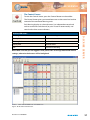
The Cut List
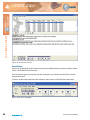
The Cut List displays the archive material available for the selected day.
Fig 4-5: The D:Scribe Cut List Display.
Each audio clip is displayed with its unique identifier, an indicator to show when the clip is
being used by a D:Scribe Client, start time, start date, duration, end time, current status, and
filename of the audio archive.
The icon to the left of the audio clip changes when text is added to an audio file and an
exclamation mark indicates that the file is currently being transcribed by another Client.
D:Scribe User Handbook
47
4
D:S C R I B E C LI E NT
Play Controls
The audio playback controls are located at the bottom of
the screen.
D :SCRI BE CLI E N T
The volume control adjusts the playback level, and ranges from
0 to 100
The timer display shows the recorded date and time of the current
position in the audio clip.
Move to the Previous File
To move to the previous media clip in the playlist, press the
‘Previous’ button.
Move to the Next File
To move to the next media clip in the playlist, press the ‘Next’
button.
Rewinding a File
To rewind the current media clip, press and hold the ‘Rewind’
button until the timer display has reached the required point, then
release.
Forwarding a File
To move forward through the current media clip, press and hold
the ‘Forward’ button until the timer display has reached the
required point, then release.
Playing a File
To begin playback of the currently selected media clip, press the
‘Play’ button.
Pausing a File
To pause the currently playing media clip, press the ‘Pause’ button.
To resume playback, press the ‘Play’ button.
48
D:Scribe User Handbook
D :SCRIBE CLIENT
4
Skip Back on Pause
Media files can be forces to skip back a number of seconds after pressing
the ‘pause’ button. This can be a useful feature when transcribing audio
that often requires pausing. To enable the ‘skip back on pause’ feature
select ‘Control->Skip Back on Pause->Enable’ from the menu. The skip
backwards can be set to two, three, four or five seconds.
Stopping a File
To stop playback of the current media clip and return to the beginning,
press the ‘Stop’ button.
D :S CRI BE CLIEN T
The audio trackbar can be used to quickly move backwards or forwards
through the audio clip to a required position. The timer display shows
the recorded time at the current position in the audio.
Transcription
Editing Transcriptions
To begin transcription of an audio clip, or to edit an existing transcript,
select the required audio item from the cut list and then press the
‘Edit’ button on the transcription toolbar. Any existing transcription
associated with the selected audio will be displayed in the transcription
window.
Aborting Transcriptions
To abort the transcription without saving any changes, press the ‘Abort’
button on the transcription toolbar.
Saving Transcriptions
Once you have completed the transcription for the current audio clip
be sure to save the text you have entered. The saved transcription will
be automatically associated with the audio clip, and will be available for
recall by yourself and other D:Scribe Clients.
It is recommended that you save your transcription at regular intervals
to reduce the risk of lost input due to systems errors. To save the
transcription, press the ‘Save’ button on the transcription toolbar
Cut, Copy and Paste
The standard editing tools of Cut (Ctrl + X), Copy (Ctrl + C), and Paste
(Ctrl + V), are available from the transcription toolbar.
D:Scribe User Handbook
49
D:S C R I B E C LI E NT
D :SCRI BE CLI E N T
4
Fig 4-6: The D:Scribe Client Screen.
Small Player
If you wish to playback audio material without the need for the transcription window, select
‘View->Small Player’ from the menu.
The small player gives you control over the audio play-out, volume control and use of the
foot pedal control.
To return to the full window for track selection, select ‘View->Full Player’ from the menu.
Fig 4-7: The D:Scribe Small Player.
50
D:Scribe User Handbook
D :SCRIBE CLIENT
4
Send As Email
D:Scribe Client can be used to email individual audio clips and/or associated transcriptions
to interested parties. Press the ‘Email’ button on the transcription toolbar to email the
selected audio clip/transcription.
D:Scribe Client uses the current default email program (such as Outlook) to send emails.
D :S CRI BE CLIEN T
Fig 4-8: The D:Scribe Email Screen.
D:Scribe User Handbook
51
4
D:S C R I B E C LI E NT
Searching Transcriptions
D :SCRI BE CLI E N T
D:Scribe Client can be used to search through transcription texts for specific
occurrences of words.
Fig 4-9: The D:Scribe Search Screen.
Searches can be limited to a specific Net-Log and/or channel and/or day, or can be unlimited
to include all transcriptions that have been made.
To perform the search, press the ‘OK’ button. Otherwise, use the ‘Cancel’ button to close the
search screen.
Transcript items that match the search criteria will be displayed in the Cut List. (See Fig 4-5).
52
D:Scribe User Handbook
D:S C RIBE MIN IP L AYER
5
D:Scribe MiniPlayer
Introduction
The D:Scribe MiniPlayer application is essentially an audio file player without the video
playback, recorder, CD-ripper or transcription facilities available in the D:Scribe Standalone
installation.
Installation
D:Scribe MiniPlayer should be installed on a Microsoft Windows based desktop PC equipped
with a sound card capable of playing the required audio and video material. Install D:Scribe
MiniPlayer from the Sonifex Software Installation CD-ROM by selecting ‘D:Scribe MiniPlayer
Installation’ and follow the on-screen instructions.
- You must have Administrator Rights to install this product successfully.
Step 1. Run Setup.exe.
D :S CRI BE MIN IP L AYER
Designed for ease-of-use when playing audio material archived from a Sonifex Net-Log
audio logger, the MiniPlayer floats above other software used for transcribing whilst
using a footpedal to control audio playback. It also has limited interaction capabilities
with Microsoft Word whereby the current audio position can be linked into a MS-Word
document, which can later be used to re-open, position and begin playback of the audio.
Fig5-1: The Welcome Screen.
D:Scribe User Handbook
53
5
D:S C R I B E MI NI PL AYE R
D :SCRIBE MI N I P L AYE R
Fig 5-2: The Licence Screen.
Fig 5-3: The Install Screen.
Step 2. Insert dongle into a USB port.
Step 3. Windows will start ‘Found New Hardware Wizard’.
Fig 5-4: The Windows Found New
Hardware Wizard Screen.
This screen will ask ‘Can
Windows connect to Windows
Update to search for software?’
- select ‘No, not this time’ and
click ‘Next’
54
D:Scribe User Handbook
D:S C RIBE MIN IP L AYER
5
Fig 5-5: The Windows Wizard
Install Screen.
Fig 5-6: The Windows Installation
Completed Screen.
Choose on ‘Finish’ to complete
the dongle installation.
D :S CRI BE MIN IP L AYER
This screen will ask ‘What do
you want the wizard to do?’
- Select ‘Install the software
automatically (Recommended)’
and click ‘Next’. Windows may
then create a Restore Point.
Step 4. Run D:Scribe MiniPlayer by selecting ‘Start->All Programs->Sonifex->
D:Scribe MiniPlayer’ from the start menu.
Note: you will need to have the dongle inserted into a USB port each time you use
D:Scribe MiniPlayer.
Note: Best practice is to use the same USB port each time for the dongle. Using another
port may require you to reinstall the drivers (Step 3).
D:Scribe User Handbook
55
5
D:S C R I B E MI NI PL AYE R
Setup of Archives
D:Scribe MiniPlayer can select and playback archived audio file from two archive sources,
a primary and a backup. For MiniPlayer to correctly display the recorded time/date of the
audio files, Auto-Archive must be configured to archive using BWF formatted audio file, and
the ‘Use cut start time as folder name’ option checked.
D :SCRIBE MI N I P L AYE R
Fig 5.7 D:Scribe MiniPlayer
Fig 5.8 Menu Button
The D:Scribe Menu button is located on the left of the screen. From the
popup menu you can open audio files for playback and control the function
of your footpedal control.
Fig 5.9 Open Archive Menu
Before archived audio files can be open, MiniPlayer
needs to know where to locate them. Select ‘Open
Archives’ from the menu to display the ‘Open Primary
Archive’ dialogue.
Before archived audio files can be open, MiniPlayer
needs to know where to locate them. Select ‘Open
Archives’ from the menu to display the ‘Open Primary
Archive’ dialogue.
Fig 5.10 Setup Archive Sources
To setup the primary archive source select ‘Setup
Primary Archive’ from the menu.
Set-up the backup archive source in the
same way.
56
D:Scribe User Handbook
D:S C RIBE MIN IP L AYER
5
Fig 5.11 Selecting the Source Folder
Select the archive source folder on either
the local computer or on the network.
This folder should represent the tcp/ip
address of the source Net-Log unit.
D :S CRI BE MIN IP L AYER
Fig 5.12 Opening Archived Audio
If your archive folders have been set-up correctly you should be presented with a list of
channels, dates and cut start times of audio archived from a Net-Log.
The left-hand column is used to display and change channels. The centre column is used
to display and change dates from which to load audio files. To load the archived audio into
MiniPlayer, select a cut start time from the right-hand column.
Fig 5.13 Trackbar loaded with audio.
D:Scribe User Handbook
57
5
D:S C R I B E MI NI PL AYE R
Transport Controls
D:Scribe MiniPlayer has a simple user interface for controlling playback of audio. Play, Stop,
Forward and Reverse are commonly supported on media players.
Trackbar
In addition to these, MiniPlayer presents the user with the Trackbar that can be used to
quickly move backwards and forwards through many hours of recordings. The trackbar is
marked at 15 - minute intervals.
D :SCRIBE MI N I P L AYE R
Volume Control
The playback volume control is present on the right of the screen, and controls the left and
right output of D:Scribe Miniplayer.
Playback
D:Scribe MiniPlayer is primarily designed for the playback of BWF audio files archived
from a Sonifex Net-Log audio logger. The time displayed on the left of the window
represents the starting time of the recording selected (assuming a BWF recording),
whilst the time on the right of the screen represents the current end of the recording.
Should the recording be ongoing during playback, this ‘end-time’ will change to represent
the latest audio available. The time displayed in the centre of the screen is the recorded
time of the current playback position.
Individual non-archived audio files can also be played using MiniPlayer. Select ‘Open Other’
from the menu and choose your audio files using the standard ‘Open File’ dialogue.
MS-Word Integration.
If MS-Word is installed on your computer, D:Scribe MiniPlayer can paste links to the
currently playing audio directly into an open document. The links appear as small
graphics which act as hyperlinks back to the audio. Clicking on the link graphic in MS-Word
will run D:Scribe MiniPlayer (if not already running) and open the audio file at the point
when the link was activated.
To insert a link into an open MS-Word document during playback, press Shift and Insert
(Shift+INS) together on your keyboard.
58
D:Scribe User Handbook
NOTES
N OT E S
D:Scribe User Handbook
59
w w w. s o n i fe x . c o. u k
t:+44 (0)1933 650 700
f:+44 (0)1933 650 726
s a l e s @ s o n i fe x . co. u k
interstage
Phistersvej 31, 2900 Hellerup, Danmark
Telefon 3946 0000, fax 3946 0040
www.interstage.dk
- pro audio with a smile