1
DIGITAL B-RAD USER MANUAL
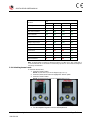
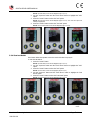
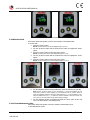
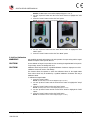
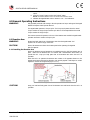
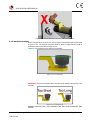
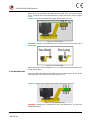
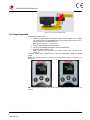
Figure 3.3.1-1: Main Menu Screen
Figure 3.3.1-2: Presets Menu Screen
Figure 3.3.1-3: Main Screen
3.3.2 Hard Joint Mode
CAUTION!
Damage to the Digital B-RAD and the joint may occur if the Joint Rate is less than 10 ̊ and
Hard Joint Mode is not enabled.
The Digital B-RAD is calibrated for a Joint Rate greater than 10 ̊. The Hard Joint Mode
allows the Digital B-RAD to operate on a joint with a Joint Rate of less than 10 ̊.
To enable/disable Hard Joint Mode:
1. Press the “Centre” button.
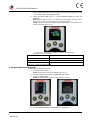
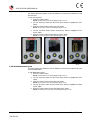
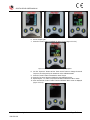
Result: The Main Menu screen will be displayed (Figure 3.3.2-1).
2.
3.
Use the “Up Arrow” button and the “Down Arrow” button to highlight the “Hard
Joint” option.
Press the “Centre” button to select the “Hard Joint” option.
Result: The LCD Display will return to the Main screen with Hard Joint displayed (Figure
3.3.2-2).
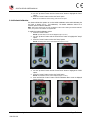
Figure 3.3.2-1: Main Menu Screen
Figure 3.3.2-2: Main Screen – Hard Joint Mode
3.3.3 View Tool Information
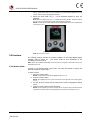
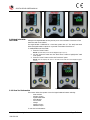
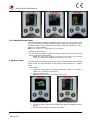
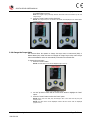
This function allows the operator to view the Digital B-RAD information including:
Date and Time
Software Version
Digital B-RAD Model
Serial Number
Current Units
Voltage
Minimum Torque
Maximum Torque
To view the Tool Information:
New World Technologies Inc.
V2015.01.28
Page • 13