1
•
Software Package Management
•
IP Addresses and ARP
••
Log Management
Description
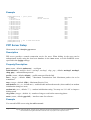
This service performs proxying of HTTP and HTTP-proxy (for FTP, HTTP and HTTPS protocols)
requests. Web proxy performs Internet object cache function by storing requested Internet objects,
i.e., data available via HTTP and FTP protocols on a system positioned closer to the recipient than
the site the data is originated from. Here 'closer' means increased path reliability, speed or both.
Web browsers can then use the local proxy cache to speed up access and reduce bandwidth
consumption.
When setting up proxy service, make sure it serves only your clients, and is not misused as relay.
Please read the security notice in the Access List Section!
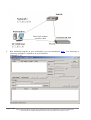
Note that it may be useful to have Web proxy running even with no cache when you want to use it
only as something like HTTP and FTP firewall (for example, denying access to mp3 files) or to
redirect requests to external proxy (possibly, to a proxy with caching functions) transparently.
Setup
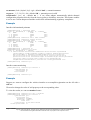
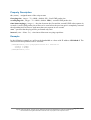
Home menu level: /ip proxy
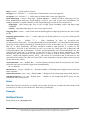
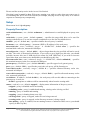
Property Description
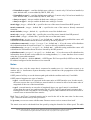
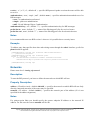
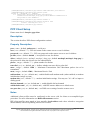
cache-administrator ( text ; default: webmaster ) - administrator's e-mail displayed on proxy error
page
cache-drive ( system | name ; default: system ) - specifies the target disk drive to be used for
storing cached objects. You can use console completion to see the list of available drives
cache-only-on-disk ( yes | no ; default: yes ) - whether to create database in memory that describes
cache contents on disk. This will minimize memory consumption, but may affect speed
enabled ( yes | no ; default: no ) - whether the proxy server is enabled
max-disk-cache-size ( none | unlimited | integer : 0 ..4294967295 ; default: none ) - specifies the
maximal disk cache size, measured in kibibytes
max-fresh-time ( time ; default: 3d ) - maximal time to store a cached object. The validity period
of an object is is usually defined by the object itself, but in case it is set too high, you can override
the maximal value
maximal-client-connecions ( integer ; default: 1000 ) - maximal number of connections accepted
from clients (any further connections will be rejected)
maximal-server-connectons ( integer ; default: 1000 ) - maximal number of connections made to
servers (any further connections from clients will be put on hold until some server connections will
terminate)
max-object-size ( integer ; default: 2000KiB ) - objects larger than the size specified will not be
saved on disk. The value is measured in kibibytes. If you wish to get a high bytes hit ratio, you
should probably increase this (one 2 MiB object hit counts for 2048 1KiB hits). If you wish to
Page 531 of 695
Copyright 1999-2005, MikroTik. All rights reserved. Mikrotik, RouterOS and RouterBOARD are trademarks of Mikrotikls SIA.
Other trademarks and registred trademarks mentioned herein are properties of their respective owners.