1
About SmartSHARE
CTS America's SmartSHARE application is a Web-based tool for querying records across multiple
agencies. Users can limit their queries to data from one, many, or all participating agencies. SmartSHARE
supports queries of people, vehicle, and property records.
Because SmartSHARE runs in a Web browser, users don't see the menus, buttons, and other familiar
features of other CTS America software applications. On the other hand, many of the search options are
similar to the search options in the SmartRMS MNI application.
Product Version Number
The content in this document supports SmartSHARE version 1.2.0
Support
CTS America’s help desk provides support 24 hours a day, 7 days a week. Call toll-free 1-800-374-0101
for assistance.
Manual Conventions
Screen graphics captured for this user's manual employ test data only and does not realistically depict
actual agency data.
The following formatting conventions in the text identify special information.
This formatting
indicates this action:
User entry
Enter the formatted text at the point indicated in the step.
Example: Type LL 100 at the command prompt.
Tab or button name
Click or select the tab or button referred to using this formatting.
Example: If the Vehicle is assigned to a Unit and you need to change the
assignment, click Remove Unit Assignment.
[Key name]
Press the key that is indicated by this formatting.
Example: To add a new mug shot, press [A].
[Key name+ key name]
Hold down the first key while pressing the second key.
Example: Press [Alt+A] to search the MNI by alias.
Go to the Name menu
and click Item
Select the menu and menu item indicated by this formatting.
Example: To set up a list of Class Titles, go to the Configuration menu
and click Class Titles.
Logging In
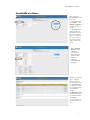
As with any other CTS America application, you must log into SmartSHARE. To log in, enter your user ID
and password, and then click Login.
If you leave the SmartSHARE application idle for more than two hours, you will be logged out
automatically and will have to log in again.
1