1
NVS User’s Manual
3.
General System Setup
Before operating the NVS, some general configuration should be setup first.
The following subsections will introduce function keys on the front panel and
general configuration of the NVS.
The LCD display on the front panel will show current date/time and IP address
plus unit name of the NVS at normal mode, as shown below. The LCD display
will also show the menu items while users are accessing the OSD menu via
the function keys.
[192.168.7.84]
2011/09/09 04:31:22 PM
3.1
Front Panel Introduction
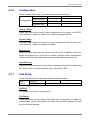
The front panel controls enable users to configure network settings, verify
system information, software upgrade, etc. Please refer to the Setup Guide
for the graphical illustration of function keys.
POWER Key
• After power cord is correctly connected, press this key to switch power on.
• Press and hold this key to quick shutdown the NVS.
Direction Keys
The direction keys are used to move the cursor to previous or next fields. To
change the value in the selected field, press UP / DOWN keys.
ENTER
• At normal mode, press this key to enter the OSD menu.
• In OSD menu or selection interface, press this key to make selection or
save settings.
ESC
Press this key to cancel or exit.
USB 2.0 Port
The USB 2.0 port allows users to connect an external USB ThumbDrive to the
unit, so that users can perform software upgrade.
10