1
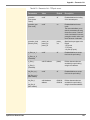
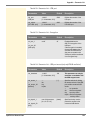
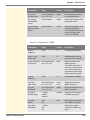
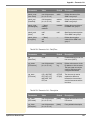
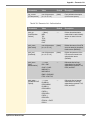
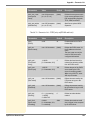
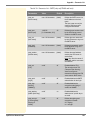
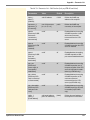
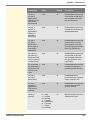
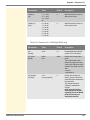
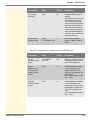
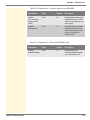
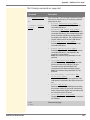
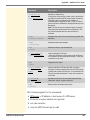
Appendix - Troubleshooting A connection to the UTN server cannot be established A common port will be used for the data transfer between the UTN server and the SEH UTN Manager that is installed on the client. 52. Possible Cause The port numbers are not identical. The current port number cannot be transferred to the SEH UTN Managers that are installed on the clients. The 'SNMPv1' parameter has been disabled; see: 39. The communication is blocked by a firewall. A connection to the USB port cannot be established Possible Cause The access control for USB devices is enabled 86. No driver software for the USB device is installed on the client. The USB port is already connected to another client. A connection to the myUTN Control Center cannot be established Eliminate possible error sources. First of all, check: - the cabling connections - the IP address of the UTN server 14 as well as - the proxy settings of your browser If you still cannot establish any connection, the following safety mechanisms might be the cause: The access is protected via SSL/TLS (HTTPS) 82. The access is protected via SSL/TLS (HTTPS) and you deleted the certificate (CA/self-signed/PKCS#12). Reset the parameter values of the UTN server to their default settings to get access 111. Previous settings will be deleted. The TCP port access control is enabled 83. myUTN User Manual Linux 143