1
PANEL DESCRIPTION
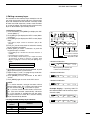
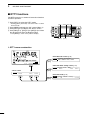
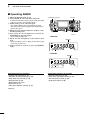
[RTTY]
Push to alternately select the RTTY and RTTY-R
(RTTY reverse) modes.
• “RTTY” or “RTTY-R” appears.
[AM/FM]
➥ Push to alternately select the AM or FM modes.
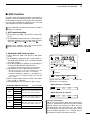
BK-IN SWITCH Operation (p. 63)
(Mode: CW)
Push to toggle the Break-in function between semi
break-in and full break-in, or to turn OFF the function.
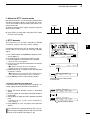
✔ What is the Break-in function?
The Break-in function automatically switches between transmit and receive with your CW keying.
Using the Full Break-in function (QSK), you can
hear the receive frequency in-between keying.
• “AM” or “FM” appears.
➥ Hold down for 1 second to select the AM or FM
data mode (AM-D/FM-D).
• “D” appears in addition to “AM” or “FM.”
➥ In the data mode, push to return to the normal
AM or FM mode.
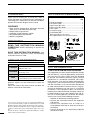
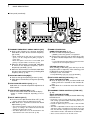
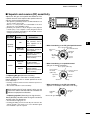
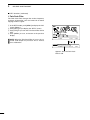
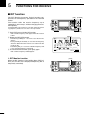
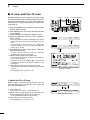
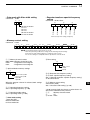
@5PREAMP•ATTENUATOR SWITCH [P.AMP•ATT]
PREAMP SWITCH Operation (p. 55)
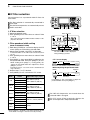
Push to select one of two receive RF preamplifiers,
or to bypass them.
• “P. AMP ” is a wide dynamic range preamplifier. It is
most effective for the 1.8 to 21 MHz bands.
• “P. AMP ” is a high-gain preamplifier. It is most effective for the 24 to 50 MHz bands.
• No indicator appears when the preamplifiers are not selected.
✔ What is the preamplifier?
The preamplifier amplifies signals in the front end
to improve the S/N ratio and sensitivity. Select “P.
AMP ” or “P. AMP ” when receiving weak signals.
ATTENUATOR SWITCH Operation (p. 55)
➥ Hold down for 1 second to turn ON the attenuator.
• “ATT” appears when the attenuator is ON.
➥ Push to turn OFF the attenuator.
• “ATT” disappears.
✔ What is the attenuator?
The attenuator prevents a desired signal from being
distorted when very strong signals are near it, or
when very strong electromagnetic fields, such as
from a broadcasting station, are near your location.
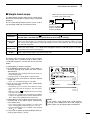
@6VOX/BK-IN SWITCH [VOX/BK-IN]
VOX SWITCH Operation (p. 62)
(Mode: SSB/AM/FM)
➥ Push to turn the VOX function ON or OFF.
➥ Hold down for 1 second to display the “VOX”
screen. Push to return to the previous screen
display.
✔ What is the VOX function?
The VOX function (voice operated transmission)
automatically starts transmission when you speak
into the microphone; then automatically returns to
receive when you stop speaking.
1
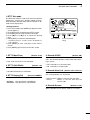
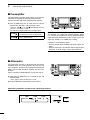
@7COMPRESSOR SWITCH [COMP] (p. 64)
(Mode: SSB)
Push to turn the Speech Compressor function ON
or OFF.
1
2
• “COMP” appears when this function is ON.
3
@8MONITOR SWITCH [MONITOR] (p. 65)
Push to turn the Monitor function ON or OFF to listen to your own transmitted audio.
4
• “MONI” appears when this function is ON.
• In the CW mode, the CW sidetone can be heard, regardless of the [MONITOR] switch setting.
5
6
@9SPEECH SWITCH [SPEECH] (p. 33)
➥ Push to audibly announce the S-meter level and
the displayed frequency.
➥ Hold down for 1 second to audibly announce the
S-meter level, the displayed frequency, and the
operating mode.
7
8
9
• The S-Level announcement can be turned OFF in the
“SPEECH S-Level” item of the Set mode. (p. 87)
• When RIT and/or ∂TX are ON, the RIT/∂TX offset is
not included in the frequency announcement.
10
11
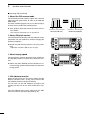
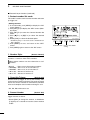
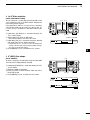
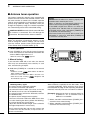
#0FILTER SWITCH [FILTER] (p. 57)
➥ Push to select one of three IF filter settings ( / /
).
12
• The selected filter passband width and shifting value
are displayed for 2 seconds on the LCD display.
13
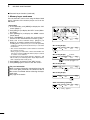
➥ Hold down for 1 second to display the “FIL”
screen (Filter) to set the filter passband width.
Hold down for 1 second again to return to the
previous screen display.
14
15
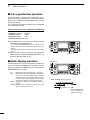
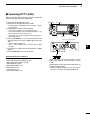
#1TUNING DIAL [DIAL] (p. 26)
Rotate to change the operating frequency, select
the Set mode settings, etc.
16
17
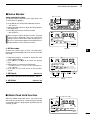
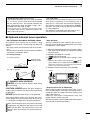
#2LOCK SWITCH [LOCK] (p. 61)
Push to turn the Dial Lock function ON or OFF.
18
• This function electronically locks [DIAL].
• “
” appears when this function is ON.
19
20
21
4