1
Section A
Chambers
1.0 Model 532 CONTROLLED ENVIRONMENT CHAMBER
Many applications require a controlled environment for testing, fabricating and/or
storage. The Model 532 Microprocessor Controlled Environmental Chamber is a
completely integrated system, fabricated from 0.375” clear and white acrylic that
provides the user with undistorted visibility of the inside of the controlled environment
section. It includes glove ports, equipment and sample access doors, circulating fan(s),
lighting and accessory power outlets. The Chamber is capable of precisely controlling
temperatures from 32-122°F (0-55°C) and humidity from 5-98% RH. (NOTE: The entire
humidity range cannot be obtained at all temperatures).
The complete Model 532 measures 54”Wx22.5”Dx22”H (137x57x56 cm). The addition
of any of the optional cooling systems requires up to 18” (46 cm) more in overall depth.
1.1 Chambers Controllers & Operating Systems
The controllers and some of the operating systems are housed in a separate
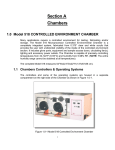
compartment on the right side of the Chamber as shown in Figure 1.0-1.
Figure 1.0-1 Model 532 Controlled Environment Chamber
1
The systems are totally accessible via the removable white, acrylic panel on the right
side of the Chamber. Controllers and operating systems that are available with the
Model 532 are as follows:
1.
Microprocessor Temperature Controller - includes Model 554 RTD Temperature
Sensor (Std.)
2.
Integrated 500 Watt Heater (Std.)
3.
Choice of Cooling Systems:
a.
b.
c.
d.
Model 563 Liquid CO2 Cooling System (Std)
Model 573 800 BTU Thermoelectric Cooling System
Model 575 Variable Load Refrigerated Cooling System
Model 577 1500 BTU Thermoelectric Cooling System
4.
Microprocessor Humidity Controller - includes Model 554 Temperature
Compensated RH Sensor (Std)
5.
Model 572 Ultrasonic Humidification System (Std)
6.
Choice of Dehumidification Systems:
a.
b.
c.
7.
Model 571 Desiccant/Pump Dehumidification System - 2.5 lbs. of
Desiccant (Std.)
Model 578 Self-Regenerating Dehumidification System (requires external
air compressor or house air at 50-100 psi)
Model 565 Dry Gas Dehumidification System
CALCOMMS Computer Software/Interface Package. Allows remote monitoring,
charting and reprogramming of the Microprocessor Controllers from a PC.
2
1.1.1 Front Panel Description
The front panel of the Model 532 Chamber is shown in Figure 1.0-3.
Figure 1.0-3 Model 532 Chamber Front Panel
1.1.1.1
Microprocessor Controllers
The Model 523 Microprocessor Temperature Controller is the top unit.
The Model 524 Microprocessor Humidity Controller is the lower unit
See Sections 5.0 and 3.0 respectively for a full explanation of all
functions and features.
3
1.1.1.2
Front Panel Switches
1.
‘POWER’ - The Main Power Switch is the black rocker switch
located directly below the Temperature Controller, to the left of the
Fan Power Knob. This switch disconnects all power going to the
Chamber Systems. “I” is “ON”, “O” is “OFF”
2.
‘FAN’ - The Fan Speed Control Knob is located to the right of the
Power Switch. In the ETS Model 532 Environmental Control
Chamber, this switch controls the speed of the circulation fans
inside the cabinet workspace.
‘STANDBY’ SWITCHES
1.1.1.2
3.
‘TEMP STANDBY’ – Allows the user to manually disable the
Temperature Control System. Pushing this switch into the ‘Off’ (‘0’)
position manually disconnects the AC Power from all of the
Temperature Control Relays. The Microprocessor will still show the
Temperature in the display, the set point may still be adjusted, the
internal LED’s will still illuminate and the low voltage control signal
will still be sent to the solid state Control Relays. The Relay
‘Output’ will ‘close’ but AC Power will no longer be connected to the
Relay, therefore, the Temperature systems will not receive AC
Power and will not operate.
4.
‘RH STANDBY’ – Allows the user to manually disable the Humidity
Control System. Pushing this switch into the ‘Off’ (‘0’) position
manually disconnects the AC Power from all of the Humidity
Control Relays. The Microprocessor will still show the Relative
Humidity in the display, the set point may still be adjusted, the
internal LED’s will still illuminate and the low voltage control signal
will still be sent to the solid state Control Relays. The Relay
‘Output’ will ‘close’ but AC Power will no longer be connected to the
Relay, therefore, the Humidity systems will not receive AC Power
and will not operate.
5.
‘LIGHT’ - The Light Switch is located to the right of the Standby
Switches. In the ETS Model 532 Environmental Control Chamber,
this switch controls the overhead light installed in the Chamber
workspace.
Sensors & PC Boards
The Sensor Input, Control Relays and Switches are contained on a pair
of PC Boards located on the rear of the Front Panel. The PC Boards are
mounted on standoffs and stacked on top of one another.
4
1.
Switches - The switches are permanently mounted to the ‘front’ PC
Board, referred to as the ‘Switch PC Board’.
2.
Relays - The relays are removable and mounted in sockets (and
secured with plastic cable ties) on the ‘rear’ PC Board, referred to
as the ‘Relay PC Board’.
3.
Sensor Input - The Sensor Input is the 5-pin DIN jack located in
the lower left corner of the ‘Switch PC Board’. The ETS Model
554 Sensor is equipped with an RTD Temperature Sensor and a
temperature compensated Relative Humidity Sensor. Both input
signals interface with the system through this jack.
The ETS Model 554 RH Sensor is plugged into this jack. The
Model 554 Sensor Head (Sensing Elements) should be in the 532
Chamber Environment. The sensor is held in place on the divider
wall with a ¾” NPT plastic liquid
-tight fitting.
The input is configured at the factory to accept the signal from the
ETS Model 554 Humidity/Temperature Sensor. The Model 554
signals are both 0-1VDC, equaling 0-100% RH and 0-100 °C (32212°F), respectively.
1.1.2 Side Interface Panel Description
All user connections to the Chamber are made through the Side Interface Panel
shown in Figure 1.0-2. Power connections, Operating Systems connections and
the Computer interface are all on this panel. The Side Interface Panel is a
modular layout that will be modified to meet the specifications of the Operating
Systems ordered with the Model 532 Chamber.
Tube fittings may be
added/removed and power outlets may be added/removed. The following
sections will describe the main features of the Side Interface Panel in the
Standard Model 532 Configuration. For other configurations, specific installation
instructions will be included.
5
Figure 1.0-2 Model 532 Side Interface Panel
1.1.2.1
AC Power Cord Input
Labeled POWER, this Universal IEC power connector is located on the
bottom, left corner of the panel. Power supplied must match Chamber
Voltage. All Chambers are 115 VAC / 60 Hz, unless otherwise
specified.
1.1.2.2
COMM PORT (RS 485 & Analog Voltage Outputs)
The Comm Port is the 9-pin subminiature-D jack (sub-D) located
directly above the AC Power Cord Input. The Comm Port is common
to both the Temperature and Humidity Microprocessor Controllers.
Comms access to either, or both, units is gained through this jack.
This Jack is used for the Analog Chart Recorder Output and the RS
485 Computer Interface. (See Sections 3.4 & 5.4 CALCOMMS
Computer Interface)
1. RS 485 Computer Interface
The RS 485 portion of the Comm Port will only be active if the
Controller is fitted with the COMMS option (see section 1.2.1
LEVL C). The COMMS option allows the microprocessor to
communicate with a PC running the CALCOMMS software. The
COMMS option must be specified at the time of purchase.
6
RS 485 Wiring Connections
Tx/Rx+ = Pin 7
Tx/Rx- = Pin 2
Ground = Pin 4
If using the CALCOMM computer program, see
“CALCOMM” section of this manual for set-up instructions.
the
2. Analog Voltage Output
The Analog Voltage Output will always be active. Temperatures
of 0-100°C (32-212°F) correspond to an output of 0-1VDC.
Relative Humidity of 0-100% RH corresponds to an output of 01VDC. The analog output is a direct voltage reading from the
sensors.
This jack is configured as an Analog Voltage (0-1VDC) Output
for monitoring the temperature and/or humidity performance
using a chart recorder or any other analog input device. The
minimum acceptable input impedance for the analog recording
device is 20K ohms. An input impedance lower than 20K ohms
will affect sensor accuracy for the entire system.
Analog Voltage Output Wiring Connections
Temperature Positive (+) = Pin 9
RH Positive (+) = Pin 1
Common (Temp & RH)
Ground (-) = Pin 4
1.1.2.3
DEHUMIDIFY IN/OUT
The Model 571 Desiccant/Pump Dehumidification System uses a pair
of Quick Disconnect fittings. The Pump is inside the Chamber Control
Cavity and the Desiccant Column is outside the Chamber. These two
fittings connect the Column into the Dehumidify loop. (See Section
2.2.1 Model 571 Dehumidification System)
1.1.2.4
COOL INPUT
When using the standard Model 563 Liquid CO2 Cooling System, a
Brass Quick Disconnect Fitting is located in the top, right corner of the
acrylic Side Panel.
The Brass, Male Quick Disconnect Fitting
protrudes out through the acrylic panel for connection to the Cooling
Gas Tank. (See Section 4.2.1 Model 563 Cooling System)
7
1.2 Controlled Environment Description
The controlled environment section of the Chamber is 13 ft3 . (0.32 m3) and measures
39”Wx22.5”Dx22”H (99x57x56 cm). Located against the rear wall is an aluminum
“screen” that protrudes 4” from the rear wall and contains the heater, thermal safety
switch, variable speed 110 cfm fan(s) (controlled by a speed control knob located on the
front panel to the left of the ‘Standby’ switches), and accessory power outlet. Mounted
to the top of the unit is a weather-tight 18-Watt florescent light (controlled by an ON/OFF
switch located on the front panel to the right of the ‘Standby’ switches).
The thermoelectric and refrigerated cooling systems are mounted to the rear wall
behind the “screen” when the chamber is equipped with these optional cooling systems.
The wall separating the controlled environment from the electronics compartment is
0.25” acrylic and contains the humidity and temperature sensor, dry air in/out ports plus
the gas cooling fitting, if so equipped. Located on the upper middle portion of the wall is
the humidifier input.
The front of the compartment contains 8” (20 cm) glove ports that accepts either gloves
or iris ports. The standard Model 532 is equipped with neoprene gloves with removable
size 10 hands (other sizes are available). Silicon rubber iris ports or no glove ports at all
are optional.
The left hand side of the Chamber consists of a 12"W x 4"H opening with a hinged
access door. Towards the rear of the Chamber is a 1.25" ID access hole for feeding
cables and tubing to instrumentation placed inside. This hole should be sealed using a
soft putty compound.
The front of the Chamber consists of a large door containing a pair of accordion
neoprene gloves. The access opening is 32"W x 14"H which enables large objects to
be placed inside. To the right of the front door is the humidity and temperature control
module. This module is easily removed for servicing by loosening the four (4) captive
mounting screws.
8
Section B:
Humidity
2.0 HUMIDITY OPERATING SYSTEMS
2.1 Humidification System
The Model 532 Chamber includes an ETS Model 572 Ultrasonic Humidification System.
The Humidifier is installed inside the Chamber Control Cavity. To access the
Humidifier, remove the large white acrylic panel on the right hand side of the Model 532
Chamber. The panel is held in place with eight (8) Phillips head, #6-32 Truss Head
Stainless Steel screws.
Refer to the Model 572 Set-up instructions before using the Humidifier!!
The Model 572 Ultrasonic Humidifier produces a fine water mist through ultrasonic
action. The mist is forced from the humidifier into the chamber by a small, quiet air
pump. The integral air pump draws in ambient air. This is not a closed-loop system.
2.1.1 Ultrasonic Humidifier Accessories
1. 5 Gallon Water Tank
A. Tank includes plastic faucet. The Faucet is attached to the lid, on the
inside of the tank, upon arrival to the user.
B. A ¼” OD Tubing Quick Connect Fitting is attached to the Faucet.
2. Water Deionizer Column
A. #10 Clear Sump with black Lid and ¼” OD Tubing Connectors.
B. The Column is filled with a mixed bed deionizing resin for water.
C. The Column has Filter Pads on the input and output. The Filter
Pads are held firmly in place by a cadmium plated steel spring.
9
2.1.2 Set-Up
The Model 572 Humidifier may be operated using a water tank or directly from a
faucet without a tank. Use Distilled or Deionized water ONLY!!
A water de-ionizing column is included, suitable for up to 100 psig. (NOTE: The
life of the deionizing column will be greatly increased by using a carbon block
water filter in line with the deionizer.)
When the deionizing resin is depleted, it will change from dark to light in color.
When it is ¾ light, it must be replaced.
2.1.2.1 Using the Water Tank
1.
Attach the water de-ionizing column to a faucet. The faucet should go to
the side marked “IN”. The user must provide an appropriate faucet
adapter fitting.
2.
Run the outlet tube to the 5-gallon water tank.
3.
Turn on the water.
The water flow rate through the purifier should not exceed 8oz. every
25-30 seconds. Water will pass at up to 10 gallons per hour.
NOTE
Do not increase the flow rate! The amount of purification that
can be performed on the water is in direct proportion to how long
it takes the water to flow through the column.
Slow flow rate = highly purified water.
Fast flow rate = poorly purified water.
4.
Fill the tank with the amount of water that can be used in 1-2 weeks of
normal operation at the required operating conditions.
Different conditions will consume different amounts of water. Leaving
water in the tank longer than 1-2 weeks is not recommended. Always
refresh your water supply to prevent the growth of bacteria and other
things that will degrade the water quality. NEVER add anti-bacterial
growth treatment to this water, it will damage the humidifier.
5.
Attach the provided plastic faucet to the water tank.
a. Remove the tank lid and unscrew the faucet from the inside of the
lid.
10
b. Remove the small white cap from the outside of the lid.
c. Screw the faucet onto the outside of the lid where the white cap had
been previously.
The faucet has a ¼” OD. tubing quick-connect fitting attached to the
outlet.
6.
Make sure the faucet is closed, then push the ¼” OD. tubing into the
quick connect fitting.
7.
Attach the other end of the tubing to the fitting on the Model 532
Chamber side panel labeled ‘WATER IN’.
8.
Place the water tank output at least 12” above the humidifier water
input. Placing the water tank on top of the chamber is acceptable.
This is a gravity-feed system that requires the source tank to be above
the humidifier. Also, air must be allowed to enter the 5-gallon tank or
water will not flow. Simply loosen the cap on top of the tank to allow air
to enter.
9.
Turn on the ‘HUMIDITY STANDBY’ switch.
The Humidifier basin will begin to fill with water as soon as this switch is
turned ‘ON’.
2.1.2.2 Using the Tap Water System
1. Attach the water de-ionizing column to a faucet. The faucet should go to
the fitting on the column lid labeled “IN”. The user must provide an
appropriate faucet adapter fitting.
2.
Turn on the water. Establish the proper water flow rate before attaching
to the humidifier.
The water flow rate through the purifier should not exceed 8 oz. every
25-30 seconds. Water will pass at up to 10 gallons per hour.
NOTE
Do not increase the flow rate! The amount of purification that can
be performed on the water is in direct proportion to how long it
takes the water to flow through the column.
Slow flow rate = highly purified water.
Fast flow rate = poorly purified water.
11
a. Attach the open end of the tubing to the ‘WATER IN’ fitting on the
side of the ETS Model 532 Chamber.
4. Turn on the water.
Set the flow rate to the pre-determined amount. DO NOT OPERATE
THE HUMIDIFIER WITH THE FAUCET 100% OPEN. High flow rates
will cause the humidifier to overfill and possibly damage the unit. The
humidifier consumes very little water; a low flow rate will be sufficient to
keep the unit full.
5. Turn on the ‘HUMIDITY STANDBY’ switch.
The Humidifier basin will begin to fill with water as soon as this switch is
turned ‘ON’.
2.1.3 Operation
After setting up the system properly, the user does not have to do anything else
to operate the system. Total operation will be under the control of the Model 532
Microprocessor Humidity Controller. Refer to Section 3.2 Microprocessor
Humidity Controller Operation.
Continue only after reading the Model 572 section of this manual and
completing the preliminary set-up.
1. Remove the green Caplug covering the Chamber Vent.
The vent, inside the chamber, is the 1” orifice on the right wall (the green plug
will be found here). The vent passes through to the outside right wall, the 1”
barb on the outside should remain open.
2. Set the Model 532 Humidity Controller set-point to a value above the ambient
humidity (Refer to Section 3.2.1 Microprocessor Humidity Controller
Operation).
3. Turn on the “HUMIDITY STANDBY” switch on the front of the Model 532
Controller.
This will not automatically turn on the Humidifier. Turning on the “HUM
STANDBY” switch only makes the humidifier available to the Microprocessor
Controller.
When the microprocessor tells the Humidifier to activate, the small green
LED in the upper, left corner of the microprocessor will light. The Humidifier
12
will begin producing a mist and forcing it into the chamber through the
Humidity Input Barb.
4. The microprocessor will determine the amount of humidification needed to
maintain the desired set point.
If less than the full capacity of the Humidifier is needed, the controller will
provide pulses of power to the unit to limit the output. The Humidifier will be
turned on and off cyclically to obtain an average humidity output lower than
the full capacity of the Humidifier.
NOTE
To obtain a smooth, even humidity output the Model 532 Cycle Time (CYC.t)
should be set to 1.0 second. Longer cycle times will create longer “gaps”
between humidification pulses. DO NOT SET THE CYCLE TIME LESS
THAN 1.0 SECOND. Shorter pulses may damage the Model 572.
2.1.3.1 Operating Precautions
The Model 572 should operate reliably if the following precautions are
observed:
1. Always run the humidifier directly to the chamber.
Never attempt to combine the humidifier output with another air or gas
source.
2. Always provide a vent on the chamber being humidified.
3. Clean the ultrasonic transducer frequently and thoroughly.
Any dirt or particle build-up on the transducer will cause stress to the
electronics. Once the electronics overheat and stop working, the
humidifier must be replaced. With frequent cleaning, the electronics
should operate reliably for many years.
4. Use distilled or deionized water only.
2.1.3.2 Maintenance & Cleaning
1. Always unplug the Model 532 Chamber before cleaning Humidifier.
2. Empty the unit of all water. Siphon water out or soak up with a sponge.
3. Disconnect (or remove) water tank or tap water source.
13
4. Clean the surface of the transducer using distilled vinegar
and a soft, clean cloth.
This is very important. If the transducer is not kept clean, it will fail.
Using distilled or deionized water keeps the build-up to a minimum, but
cleaning with distilled vinegar cannot be ignored.
NOTE
Do not use any tools with metal parts or sharp edges to clean the
transducer. Scratching the transducer may cause fatal damage to
the unit.
5. To clean thick or heavy deposits, pour a small amount of vinegar
into the humidifier until the transducer surface is completely
covered. Let stand for 30-60 minutes. Wipe clean with a soft
cloth. If further cleaning is needed, a soft, plastic bristle brush
may be used to gently clean the transducer surface.
6. Never leave water in the humidifier or water tank when the
humidifier is not in service.
Always empty all water and thoroughly dry all parts of the
humidifier when it is to be stored or taken out of service for any
period longer than one week. Do not seal the water tank in
storage. Leave the top off to allow the air to completely dry the
tank. Any residual moisture will encourage bacterial growth.
Never clean any parts of the humidifier with water above 120°F.
2.2 Dehumidification System
The Model 532 Chamber includes an ETS Model 571 Desiccant-Pump Dehumidification
System as the standard dehumidification system. As an option, the ETS Model 578
Self-Regenerating Dehumidification System is available. Operation of each system will
be described below.
2.2.1 Desiccant/Pump Dehumidification System
The Model 571 Dehumidification System is a closed loop system, designed to
reduce the relative humidity in the Model 532 Chamber to less than 10%. When
paired with the Model 532 Microprocessor Humidity Controller, the humidity
inside the chamber can be controlled to within +/- 0.2% RH of the set-point at the
sensor.
2.2.1.1 Description
14
The Model 571 Dehumidification System includes a small air pump (located
inside the Chamber Control Cavity), 2.5 lbs. of indicating calcium sulfate
(CASO4) in a clear plastic column (sits outside the chamber), and ¼” O.D.
tubing to interface the drying column with the pump. The tubing connects to
the chamber through the quick-connect fittings on the right side of the
Chamber. The desiccant column may be placed on top of, or next to, the
Chamber.
The air pump is already wired into the Model 532 Microprocessor Humidity
Controller. All the user needs to do is connect the Desiccant Column into the
system using the provided ¼” OD Tubing.
The desiccant removes any moisture that is in the air. This dried air is then
forced back into the chamber. The desiccant contains an indicator that turns
the normally blue colored desiccant pink as it absorbs moisture. When the
cylinder is mostly pink, the desiccant should be renewed or replaced.
2.2.1.2 Unit Specifications
1. The average flow rate from the unit is 1.2 cfm (34 lpm).
2. The air is dried to a dewpoint of -100°F.
3. Capacity for water vapor up to 100 grams.
4. Power – 115 VAC/60 Hz, 0.35 Amps
230 VAC/50 Hz, 0.18 Amps
5. Desiccant Column is safe for working pressures up to 100 psig.
6. Contents: 2½ lbs. of #8 mesh CASO4 Indicating Desiccant.
7. All connections are made using ¼” OD tubing. Hose barb adapters may
be provided for using ¼” ID tubing as an alternative.
8. Plastic cap is fitted with “O-Ring” gasket.
9. Desiccant coil spring is made of cadmium plated steel.
The system delivers air dried to a dew point of -100°F. At room temperature,
the system will lower the humidity in the Model 532 Chamber from 50% RH to
12% RH in about 2 hours.
2.2.1.3
Desiccant Dehumidification System Set-Up
15
1. Place the desiccant column somewhere near the chamber. Next to or on
top of the chamber are good locations.
2. Cut 2 pieces of the ¼” OD tubing long enough to connect the desiccant
column to the ‘Side Interface Panel’ of the Chamber.
3. Connect one piece of the tubing between the fitting labeled “DEHUMIDIFY
OUT”, on the ‘Side Interface Panel’ of the chamber, and the fitting labeled
“IN” on the desiccant column.
To connect the tubing: Push the tube into the fitting orifice as far as
possible. The tube will lock into place automatically. To release the tube,
push in on the collar of the fitting and gently pull out the tube.
4. Connect the second piece of tubing between the fitting labeled “OUT” on
the desiccant column and the fitting labeled “DEHUMIDIFY IN” on the
‘Side Interface Panel’ of the chamber.
5. Cover the chamber vent with the supplied 1” green Caplug.
6. The chamber vent, inside of the chamber, is the 1” orifice on the
right wall (the green plug should be placed in the orifice). The vent passes
through to the outside right wall, the 1” barb on the outside should remain
open.
7. Set the Model 532 Humidity Controller set-point to a value below
the ambient humidity (refer to Model 532 Microprocessor Humidity
Controller Operation).
8. Turn on the “HUMIDITY STANDBY” switch on the model 532 Front Panel.
This will not automatically turn on the Dehumidification System. Turning
on the “HUMIDITY STANDBY” switch only makes the Dehumidification
System available to the Microprocessor Controller.
When the microprocessor tells Dehumidification System to activate, the
large red LED on the lower left side of the microprocessor will light. The
internal air pump will begin moving. The pump will draw moist air out of
the Chamber and force it through the desiccant column. The dried air will
then be returned to the chamber.
9. The microprocessor will determine the amount of drying needed to
maintain the desired set-point.
16
If less than the full drying capacity of the Desiccant Dehumidification
System is needed, the controller will provide pulses of power to the unit to
limit the quantity of dried air coming into the chamber. The pump will be
turned on and off cyclically to obtain an average input of dried air less than
the full capacity of the Dehumidification System.
To achieve a smooth, even dehumidification process the Humidity
Microprocessor Cycle Time 2 (CYC.2) should be set to 1.0 second.
Longer cycle times will create longer “gaps” between dried air pulses. DO
NOT SET THE CYCLE TIME LESS THAN 1.0 SECOND. Shorter pulses
may damage the Model 571 and the Model 524.
2.2.2 Self-Regenerating Dehumidification System
The Model 578 Self-Regenerating Dehumidification System is capable of drying
the Model 532 Chamber from 50% RH to 12% RH in less than 3 hours, at room
temperature.
2.2.2.1 Description
The Model 578 Self-Regenerating Dehumidification System requires 50-100
psi of air pressure at 2.6 cfm to operate. For normal, short term usage an
internal 50 psi pump may be supplied. Since air must be provided
continuously either a separate air compressor or house air should be used
for long-term dehumidification applications to ensure long-term air delivery
reliability.
The basic Self-Regenerating Dehumidification System consists of a highpressure air pump (50 psi., minimum), a dual column self-regenerating
desiccant dryer utilizing molecular sieve desiccant, and a 3-way control
valve. The high-pressure pump and dual column dryer operate continuously
to assure a constant supply of dried air on demand. The 3-way control valve
controls the flow of dried air into the chamber workspace.
The air pump, dryer and valve are mounted inside the control section of the
chamber. The air intake to the pump is muffled and is very quiet.
The pump draws in ambient air and compresses it to 50 psi. The
compressed air is passed on to the dual column dryer where it is forced
through one of the desiccant columns. The desiccant removes the moisture
and dries the air down to a dew point of -40 °F, minimum.
The dried air is then split in two directions: Most of the dried air is sent to the
output. A small portion of the dried air is diverted from the main flow and
directed into the second column to regenerate the desiccant in the second
column. The flow into the second column is in the opposite direction from
17
the flow in the first column. The dried air, under high pressure, forces out
any moisture in the second column through the dryer vent (located
internally).
Every 30 seconds, the process reverses and the second column will perform
the air drying while the first column is regenerating. The flip-flop process
continues as long as the system is in use.
The dried air not used for regeneration is sent to the dryer output. The
output of the dryer is attached to the 3-way control valve. When dry air is
needed in the chamber, the valve is energized and opens to allow dry air to
flow into the workspace. When the valve is not energized, the dry air is
vented.
2.2.2.2 Unit Specifications
1. The average flow rate from the unit is 0.26 cfm (7.3 lpm).
2. The air will be dried to a minimum dew point of -40°F with a saturated
input at 90°F.
3. Power – 115 VAC/60 Hz, 4.30Amps
230 VAC/50 Hz, 2.15Amps
4. Working Pressure is 50-60 psig. Dryer unit may be used with
compressed air systems up to 120 psig.
5. Dual column dryer uses a molecular sieve desiccant.
2.2.2.3 Self-Regenerating Dehumidification System Set-Up
The standard self-regenerating dehumidification system is contained
entirely within the chamber control section.
If house air is used, a quick disconnect air fitting will be installed on the
Chamber rear panel.
2.2.2.4 Operation
To operate the self-regenerating system proceed as follows:
1. Open the Chamber Vent by removing the supplied 1” green Caplug.
2. The Chamber Vent, inside of the chamber, is the 1” orifice on the right
wall (the green plug should be removed from the orifice). The vent
18
passes through to the outside right wall, the 1” barb on the outside
should also remain open.
The Model 578 is a positive pressure system. Without adequate
ventilation, the system will pressurize the chamber. Pressurizing the
chamber is not recommended and may cause damage.
3. Set the Microprocessor Humidity Controller set-point to a value below
the ambient humidity.
4. Turn on the “HUMIDITY STANDBY” switch on the front of the Model
532.
This will do two things:
a. It will activate the high-pressure pump and the dual column dryer. They
will begin producing dry air as soon as the “HUMIDITY STANDBY”
switch is turned on. However, no dry air will be allowed into the
chamber workspace until the 3-way control valve is energized.
b. Turning on the “HUMIDITY STANDBY” switch makes the 3-way control
valve available to the Microprocessor Controller.
When the microprocessor tells the control valve to energize, the large
red LED in the lower left corner of the Humidity Microprocessor will
light. The valve will open and dried air will flow into the chamber
workspace.
5. The microprocessor will determine the amount of drying needed to
maintain the desired set point.
If less than the full drying capacity of the Self-Regenerating
Dehumidification System is needed, the controller will provide pulses of
power to the Control Valve to limit the quantity of dried air coming into the
chamber. The controller will open and close the Control Valve cyclically to
obtain an average input of dried air less than the full capacity of the
system.
To achieve a smooth, even dehumidification process, the Humidity
Microprocessor Cycle Time 2 (CYC.2) should be set to a low value.
However, a short cycle time will prematurely wear out the control valve. As
a compromise, CYC.2 should be set to 5.0 seconds. Shorter cycle times
will afford better low humidity control at the desired set-point, but at the
risk of accelerating valve wear.
19
3.0 MICROPROCESSOR HUMIDITY CONTROLLER
3.1 System Description
The Model 532 Microprocessor Humidity Controller, with the Model 554 temperature
compensated RH Sensor is capable of controlling the relative humidity in the Model 532
Chamber by supplying a proportionally controlled power output to the Humidification
System and/or Dehumidification System.
The Controller provides low voltage (6 VDC) control signals to the HEAT and COOL
solid-state relays, located on the ‘RELAY PC Board’. When the low voltage signal is
applied to the relay ‘Input’, the ‘Output’ of the relay ‘closes’ and allows AC Power to flow
to the connected device.
When the ‘RH STANDBY’ switch on the Front Panel is in the ‘OFF’ (‘0’) position, AC
power is manually disconnected from the control relays and no humidification or
dehumidification may take place until the switch is placed in the ‘ON’ (‘I’) position.
All devices in the Model 532 are connected through screw terminals on the ‘Relay PC
Board’. All relays and screw terminals are labeled.
3.2 Microprocessor Humidity Controller Operation
3.2.1 Set-Point Adjust
1. Press and hold the “∗” button. The letters “rh” will appear, followed by the
current set-point value. The set point value is displayed on the lower half of
the microprocessor display.
2. To adjust the set point higher, press the “t” button. To adjust the set point
lower, press the “u” button.
3. Release the “∗” button.
3.2.2 Humidification System
The Humidifier is built into the Model 532 Chamber, located inside the Chamber
Control Cavity. To access the Humidifier, remove the ‘Side Access Panel’.
20
To operate the Model 532 Humidification System:
1. Attach the ¼” OD Water Tube to the fitting labeled ‘WATER IN’ on the ‘Side
Interface Panel’. The water source may be a water tank or a pressurized
water line (up to 100p.s.i.).
2. Adjust the RH set point to a value above the ambient RH conditions.
3. Turn on the “RH STANDBY” switch on the Model 532 Front Panel.
This will not automatically apply power to the Humidifier. Turning on the “RH
STANDBY” switch only makes the Humidifier available to the Microprocessor
Controller.
When the microprocessor activates the Humidifer, the small green LED in the
upper left corner of the RH Microprocessor display will illuminate. The
Humidifier misting unit and air pump will activate and begin pushing a fine
water mist into the chamber.
4. The Microprocessor will determine the amount of humidification needed to
maintain the desired set point in the Chamber.
If less than the full output capacity of the Humidifier is needed, the Controller
will provide pulses of power to the unit to limit the output. The Humidifier will
be turned on and off cyclically to obtain an average humidity output lower
than the full capacity of the Humidifier, appropriate to maintain the desired set
point in the enclosure.
For best results, the Cycle Time (CyC.t) should be set as short as possible.
See the Humidifier Manufacturer’s Instructions for minimum cycle time
recommendations.
The minimum cycle time for the Humidification System is 1.0 second.
3.2.3 Dehumidification System
The Dehumidification System air pump is located inside the Chamber Control
Cavity. The Desiccant column is attached externally through the fittings labeled
‘AIR IN’ and ‘AIR OUT’ on the ‘SIDE INTERFACE PANEL’.
To operate the Model 532 Dehumidification System:
1. Read the operating instructions for the Dehumidification System being used.
2. Adjust the set-point to a value below the ambient RH conditions.
21
3. Turn on the “RH STANDBY” switch on the front of the Model 532 Control
Panel.
This will not automatically apply power to the dehumidification system.
Turning on the “RH STANDBY” switch only makes the dehumidification
system available to the Microprocessor Controller.
When the microprocessor activates the outlet, the large red LED in the lower
left corner of the RH Microprocessor display will illuminate.
4. The Microprocessor will determine the amount of dehumidification needed to
maintain the desired set-point in the enclosure.
If less than the full output capacity of the Dehumidification System is needed,
the Controller will provide pulses of power to the unit to limit the output. The
Dehumidification System will be turned on and off cyclically to obtain an
average output lower than the full capacity of the Dehumidification System,
appropriate to maintain the desired set-point in the Chamber.
For best results, the Cycle Time 2 (CyC.2) should be set as short as possible.
See the Dehumidification System instructions for cycle time
recommendations.
Desiccant/Pump Dehumidification System minimum cycle time is 1.0
second.
Self Regenerating Dehumidification System minimum cycle time is 5.0
seconds.
3.3 Programming the Microprocessor Controller
3.3.1 Accessing the Programming Menu
1. To access the Controller Program Menu, press the “t” and “u” buttons
simultaneously for three (3) seconds. The controller will enter the Menu on
Level 1 in the “tunE” function. (If using the CalComm Computer Program, see
the “CALCOMM” section of the Manual).
2. To scroll to different parameters within a Level, press the “t” button to scroll
right and the “u” button to scroll left.
3. To change a parameter or change Levels, press and hold the “∗” button.
Press the “t” or “u” buttons to change the parameter.
22
4. All factory-programmed values listed here are optimized for use with the
Dehumidification and Ultrasonic Humidification Systems. Other systems may
require different settings.
If the Model 532 Chamber has different systems, the information programmed
into the Controller will be different. Information on the specific program
should be provided separately, if not, contact ETS.
5. To exit the menu press and hold “tu” for three seconds.
3.3.2 LEVL C (Level C)
Level C is only visible when the unit is fitted with the COMMS option (RS 485
computer interface card). Level C is responsible for the communication protocol
for the unit when interfacing with a PC. The values in Level C must match the
values on the computer screen to establish communication.
Addr – (2) Instrument Communication Address. This address may be changed
to any number suitable to the user.
bAud – (9600) The baud rate should be set as high as possible.
dAtA – (18n1) Do Not Change. The data format should not change.
DbuG – (off) Do Not Change. Debugging is an advanced feature that will not be
covered in this manual.
3.3.3 LEVL 1 (Level 1)
Level 1 is the programming level. The Proportional, Integral, and Derivative
controls are adjusted here. The combination of PID values is virtually limitless.
This allows the controller to be used in a wide variety of applications. However,
this flexibility can also lead to confusion when programming the controller in the
Model 532’s limited mode of operation.
To avoid confusion, this section will discuss which parameters may be adjusted,
which parameters should not be adjusted.
All Parameters are programmed at the ETS Factory to match the Operating
Systems shipped with the Chamber. The programmed values will control the
Chamber within specifications. For better control, the user may adjust the
values. The values listed here are for standard chambers only. Non-standard
units may have different values than those listed here.
The following settings are approximations that will allow any user to achieve
good RH control at any set point (approximately ±2.0 %, depending on the
specific conditions). However, as the user becomes familiar with each parameter
23
and it’s effect on RH control, the user will be able to program the unit to control
within ever tightening tolerances. Control of ± 0.2% RH, or better, is achievable
with this system.
tunE – (oFF) The Autotune function may be used to help determine the optimum
operating conditions for a given set of operating systems and chamber volume.
The Autotune operates using the Humidifier only. The Dehumidification System
will be disabled during an auto tune. The ‘Tune At Setpoint’ (At.SP) option is
recommended with the Model 532 Chamber.
Occasionally, the message ‘Tune Fail’ will appear in the microprocessor display
after the unit attempts an autotune. The user will need to clear the ‘Tune Fail’
message and attempt another autotune. To clear the message, turn the Model
532 Main Power Switch ‘Off’ and then ‘On’ again. When power is re-applied, the
message will no longer be displayed.
A ‘Tune Fail’ may be caused by many variables. However, performing multiple
‘Tune’ attempts will generally result in a successful ‘Tune’.
bAnd – (10.0) Proportional Band for Humidifier.
int.t – (0.5) Integral Time in minutes.
The integral time is responsible for calculating how much output should be
coming from the Heating and Cooling Systems to maintain the desired
conditions.
der.t – (2.0) Derivative Time in seconds.
The derivative time, in combination with the dAC, is responsible for keeping the
environment moving toward the set-point, following a pre-determined curve (set
by the dAC in combination with the bAnd). The curve is followed to help avoid
set-point overshoots.
Shortening the derivative time will cause the controller to recover slowly from
disturbances. Lengthening the derivative time may cause oscillations.
dAC – (1.0) Recommended. The Derivative Approach Control determines how
quickly the unit will reach the set- point, without overshooting. The dAC creates a
gently sloping, exponential curve that the system must follow when approaching
the set-point. The smaller the number, the quicker the unit will allow the set-point
to be reached. The dAC multiplied by the band determines where the beginning
of the approach curve will be located. A larger dAC setting will cause the
beginning of the dAC curve to be further away from the set point. The larger
setting will control overshoots better, but will cause responses to disturbances to
be slower.
24
CYC.t – (1.0) Recommended. Cycle time means how often the unit can
potentially be turned on and then off in succession. The Humidifier may be
safely turned on and off once a second. DO NOT DECREASE CYCLE TIME
BELOW 1.0 SECOND when operating this system.
The shorter the cycle time, the greater the degree of precision that may be
achieved with the Controller.
If using any other humidification system, determine the minimum cycle time at
which the unit can safely operate (consult the manufacturer’s instructions for the
unit).
oFSt – (0.0) Do Not Change. The Offset / Manual Reset control is only usable
when the integral time (int.t) is turned off. Since the integral time is being used,
the offset control may be ignored.
SP.LK – (oFF) Locks the set-point preventing unauthorized adjustment.
SP2 OPERATING PARAMETERS
The SP2 parameters can be configured in a variety of ways. In the Model 532
Humidity Controller, the SP2 parameters are used to tailor the Dehumidification
System output for best RH control.
SET.2 – (0.0) Setpoint 2 allows the user to create a setpoint offset for the
Dehumidification System.
It is generally not used for the Desiccant
Dehumidification System.
bnd.2 – (10.0) Recommended. Band 2 should generally be equal to bAnd. The
heating and cooling system will work within the same proportional band, helping
to prevent overlap in the system’s operation. (i.e., the dehumidification system
will have a tendency to stay ‘off’ when only humidification is needed and vice
versa).
CyC.2 – (1.0) Recommended. Cycle time means how often the unit can
potentially be turned on and then off in succession. The Dehumidifier may be
safely turned on and off once a second. DO NOT DECREASE THE CYCLE
TIME BELOW 1.0 SECOND when operating this system.
ETS Model 578 Self-Regenerating Dehumidification System solenoid valve
CyC.2 may be set as low as 0.5 second, but short times will accelerate valve
wear. The recommended Cycle Time is 5.0 seconds. To extend the life of the
internal solenoid valve, the cycle time may be increased but control may suffer.
25
If using any other dehumidification system, determine the minimum cycle time at
which the unit can safely operate (consult the manufacturer’s instructions for the
unit).
NOTE: All functions in Level 2, 3, & 4 are “locked” and may not
be altered unless “unlocked”. See section 2.4.5 (Level 4).
3.3.4 LEVL 2 (Level 2)
Level 2 is the controller configuration level. The controller is capable of being
configured in an unlimited number of ways. However, the parameters needed to
control the Temperature Operating Systems, with the ETS Model 554 Humidity
Sensor, are programmed and locked.
MANUAL CONTROL MODES
SP1.P – Read SP1 output percentage power. (Read only).
hAnd – (off) SP1 Manual percentage power control.
For manual control, should a sensor fail, record typical SP1.P values beforehand.
PL.1 – (100) Set SP1 power limit percentage, 100 to 0% of the duty cycle.
Limits maximum SP1 (humidifier) output power during warm-up and in
proportional band.
PL.2 – (100) Set SP2 power limit percentage, 100 to 0% of the duty cycle.
Limits maximum SP2 (dehumidifier) output power during warm-up and in
proportional band.
SP2 OPERATING MODES
SP2.A – (Cool) Main SP2 operating mode.
Must remain in “Cool” mode to properly operate the Dehumidification System.
SP2.b – (nonE) Subsidary SP2 mode: latch/sequence. Non-linear dehumidify
proportional band.
INPUT SELECTION AND RANGING
The following settings are used to calibrate the input of the unit for use with the
ETS Model 554 RH Sensor.
26
diSP – (0.1) Select display resolution. With ‘Linear Input’ selected (Lin), deCP
in Level A supercedes this setting.
hi.SC – (100.0) Adjusts the maximum allowed value for the setpoint.
Lo.SC – (0.0) Adjusts the minimum allowed value for the setpoint.
inPt – (Lin) Selects Linear Input Voltage setting for the ETS Model 554 Humidity
Sensor. (0-5 VDC max.)
unit – (rh) Selects process units. The process units can be changed
independent of the calibration settings. In other words, changing the setting from
rh to any other units will not affect the calibration settings, it will only change the
units displayed.
3.3.5 LEVL 3 (Level 3)
Level 3 is the output configuration level. There are also features for calibration
adjustment and performance data reading.
OUTPUT CONFIGURATION
SP1.d – (SSd1) Do not change. Assigns humidification control to the
appropriate output.
SP2.d – (SSd2) Do not change. Assigns dehumidification control to the
appropriate output.
SAFETY SETTINGS
Burn – (uP.SC) Do Not Change. Sensor burnout/break protection. This safety
setting is not applicable for RH control, it is meant as a high temperature / low
temperature cutoff for heating applications to protect the surroundings from
damage due to sensor failure.
rEv.d – (1r.2d) Do Not Change. Select output modes: Direct/Reverse. Select
Reverse for Humidification and Direct for Dehumidification.
rEv.l – (1n.2n) Do Not Change. Selects Microprocessor LED display model.
Normal mode is selected for each LED. In normal mode, the lower left (red) LED
will light when the microprocessor calls for the Dehumidification System and the
upper left (green) LED will light when the microprocessor calls for the
Humidification System.
SPAn – (0.0) SPAn adjusts the range error over the 0-100% RH scale.
27
An increase of 1.0 will adjust a 99% RH reading to 100% RH without affecting
lower RH readings.
ZEro – (0.0) ZEro Increases or decreases the Process Display reading linearly
over the entire 0-100% RH scale.
An increase of 1.0 will raise all RH values 1.0%.
The SPAn and ZEro settings can be used to recalibrate the entire system in
the field without recalibrating the Model 554 Humidity Sensor separately.
Reference points of 12.0% (ZEro) and 75.5% (SPAn) RH are recommended
when calibrating the System. Humidity Sensor calibration should be
performed at 23.0°
°C (73.3°
° F) only.
PERFORMANCE DATA
ChEK – (oFF) Select control accuracy monitor.
rEAD – (Var) Read control accuracy monitor.
TECH – (Ct A) Read Autotune cycle data. Using the Autotune function is not
recommended with the ETS Model 524 RH Controller.
VEr – software version
rSEt – (none) Do Not Change. If the unit is reset, all programmed information
will be lost. Each parameter must be re-entered manually.
3.3.6 LEVL 4 (Level 4)
Level 4 is a “hidden” level. This allows “locked” functions to be inaccessible to
any unauthorized user. Access to Level 4 is gained through “VEr” in Level 3.
Press and hold “t” and “u” for ten seconds.
Enter Level 4 at “LoCK”, release “t” and “u” together.
LoCK – (LEV.2) Select from three lock options.
LEV.3 – Locks Level 3 and 4 only – Technical Functions.
LEV.2 – Locks Levels 2, 3 and 4 only – Configuration and Technical Functions.
ALL – Locks all functions (unrestricted LEVL, VEr, dAtA, SP.LK)
Note: Locked functions and options may be read.
28
ProG – (Auto) Program mode auto-exit switch. Auto-exit returns display to
normal if 60 seconds of key inactivity, select StAy to disable.
no.AL – (oFF) Disable SP2 alarm annunciator -AL-. Select on to disable -AL-.
diS.S – (dir) Do Not Change. Display sensitivity.
DEr.S – (0.1) Do Not Change. Derivative sensitivity.
3.3.7 LEVL A (Level A)
Level A contains the Linear Input Scaling Settings and the SP3 Settings. The
SP3 operating mode is not used in the ETS Model 585.
LINEAR SCALING AND INPUT SETTINGS
An.hi – (100.0) Sets process display high scale value corresponding to the hi.in
setting.
An.Lo – (0.0) Sets the process display low scale value corresponding to the
Lo.in setting.
hi.in – (10.0) Sensor Input Maximum (mV). The 9500P Controller uses a
resistive divider of 100 to adjust the input voltage across the desired mV range. A
1VDC Maximum Sensor Output = 10.0mV hi.in setting.
Lo.in – (0.0) Sensor Input Minimum (mV).
dECP – (000.0) Sets the resolution for the Linear Input Settings. When the
‘Linear Input’ option has been selected, this setting over-rides the scale
resolution setting in di.SP in level 2.
SP3 SETTINGS
The Standard ETS Model 532 does not use the SP3 Operating Mode.
SP3 MODES
SP3.A – (nonE) Main SP3 operating Mode.
SP3.b – (nonE) Subsidiary SP3 operating Mode.
SP3 ADJUSTMENTS
SEt.3 – (0) SP3 setpoint adjustment.
HYS.3 – (20) Set SP3 hysteresis (0.1 to 100% of hi.SC).
29
SP3 SAFETY SETTINGS
brn.3 – (uPSC) Sensor burn-out/break protection. Select Upscale or Downscale.
rEV.3 – (3d) Reverse SP3 output mode. Select direct or reverse operation.
3.4 CALCOMMS - Computer Interface
CALCOMMS is a graphic Windows™ based software package designed for PC
supervision of CAL 3300 Controllers. It offers the capability of remote adjustment,
instrument configuration, cloning, saving and retrieving instrument settings to files
together with logging and charting in real time. Communications uses the MODBUS®
protocol via a fully isolated RS485 link.
To gain full benefit of CALCOMMS software, it is recommended that the PC be fitted
with a Pentium processor (although a 486 will work) and is running WINDOWS 95 or
Windows NT programs. A minimum of 16 MB RAM is recommended to run the program
(slightly less is OK), together with enough free hard disc space to meet logging
requirements.
Because the controllers are “stand alone” they do not need PC supervision for their
normal function, and will continue to control the process unaffected by failure of any part
of the communications loop.
When used with the Model 532 Chamber, the Temperature & Humidity Microprocessor
COMM PORTS are wired together, in parallel. One RS-485 COMM PORT, common to
both Controllers, is located on the ‘Side Interface Panel’ of the Model 532 Chamber.
3.4.1 Set-up and Installation
(See Pp. 2 & 3 in the CALCOMMS Manual)
3.4.1.1 RS 485 COMM PORT
RS-485 is a half duplex serial communications link and is the standard
most commonly used for industrial applications due to it’s high noise
immunity and multi-drop capability. It enables a PC to communicate with
up to 32 instruments over distances of over 1200 meters, and requires
the addition of an RS-485 interface card, or a separate RS-232/485
converter.
The RS-485 COMM PORT is a 9-pin subminiature-D female connector
located on the ‘Side Interface Panel’..
3.4.1.2 RS-232/485 Converter
The RS-232/485 Converter will not be needed if the computer is outfitted
with an RS-485 interface card.
30
The converter is a 9-pin / 9-pin in-line style connector. The converter is
gray and bears the label ‘ RS-232 TO RS-485 / Model 485SDD9R’.
3.4.1.3 Connections
1.
Connect the supplied 9-pin male/female sub-D cable to the RS-485
COMM PORT on the ‘Side Interface Panel’.
2.
Connect the other end of the cable to the ‘RS485’ side of the RS232/485 converter.
3.
Connect the ‘RS232’ side of the converter into the appropriate
Comm Port on the PC.
3.4.1.4
Software Installation
Software installation instructions can be found on pp. 9-11 in the
CALCOMMS Manual.
The CALCOMMS Manual is separate from the CAL 9500 Users Manual, it
is the manual with the color cover.
3.4.2 Operation
After installing the computer program and making the appropriate wiring
connections to a PC, turn to P. 11 in the CALCOMMS Manual. This section is
titled GETTING STARTED. Follow the directions to begin operating the program.
3.4.2.1 MODBUS Addresses
The MODBUS address is found in Level C. (See Section 2.4.1)
HUMIDITY controller address is set to 2 at the ETS factory.
3.4.2.2 Open Communications
Instructions for opening communication are found on p.13 of the
CALCOMMS manual.
3.4.3 Logging and Charting
Instructions for operating the Logging and Charting functions of the CALCOMMS
program begin on P. 21 of the CALCOMMS Manual.
31
Section C
Temperature
4.0 HEATING OPERATING SYSTEMS
4.1 Heating System
The Model 532 Chamber contains two (2) 250 Watt Electric Heaters (500 Watts total).
The Heater is an integral part of the chamber, located inside the Chamber workspace.
Since the Heater is already installed, there is no additional set-up required.
After turning “ON” the “TEMP STANDBY” switch, the Microprocessor Temperature
Controller governs the operation of the Heating System.
1. The Microprocessor will determine the amount of heat needed to maintain the
desired set-point. Power will be applied to the heater as a series of time
proportioned pulses. See Section 2.2 – Microprocessor Temperature
Controller Operation for details.
2. The Electric Heating Element and Indicator Light are located on the Fan
Panel (the Heater is hidden from view). The Fan Panel is the white metal
panel inside the Chamber workspace, on the rear wall.
3. The Heater Indicator Light will illuminate to indicate when power is being
applied to the Heater. (The Microprocessor LED’s will illuminate at the same
time.)
A thermal safety switch (also on the fan panel) is connected in series with the heater.
Power to the heater will be cut off if the temperature within the chamber exceeds 135
°F. (The Acrylic Chamber will begin to melt at 150 °F)
4.2 Cooling Systems
The Model 532 Chamber includes the ETS Model 563 Liquid Carbon Dioxide Cooling
System as a standard feature. Other cooling options include:
ETS Model 573-800
800 BTU/hr Thermoelectric Cooling System
ETS Model 573-1500 1500 BTU/hr Thermoelectric Cooling System
ETS Model 575
Variable Load Refrigerated Cooling System
32
The implementation and operation of each of these systems is described in detail
below.
4.2.1 Model 563 Liquid CO2 Cooling System
The Liquid CO2 Cooling System is standard and is already installed onto the
Model 532 Chamber. The Solenoid Control Valve is wired into the ‘Relay PC
Board’, which is controlled by the Microprocessor Temperature Controller. All the
user needs to do is connect the Transfer Hose to the appropriate liquid CO2
cylinder with dip tube. (NOTE: CO2 gas will not work)
The ETS Model 563 Gas Cooling System enables the temperature within the
Model 532 Chamber to be reduced below ambient.
1. The System utilizes Liquid CO2 * (Carbon Dioxide) as the cooling medium.
CO2 is user supplied. 50lb. CO2 tanks are readily available from
local bottled gas companies.
Liquid CO2 with a DIP Tube must be specified. The DIP Tube allows
liquid to be siphoned from the bottom of the tank. CO2 Gas (without
DIP Tube) will not provide cooling with this system.
2. The CO2 is allowed to evaporate (expand from a liquid to a gas) within the
chamber.
3. The phase change of the CO2 produces a large cooling effect. (The
temperature directly in front of the nozzle will be near -100 °F.)
4. The Microprocessor Temperature Controller will monitor the chamber
temperature and proportionally control the Solenoid Valve to provide the
appropriate amount of cooling to maintain the desired set point.
4.2.1.1 Cooling System Accessories
1. Liquid CO2 Transfer Hose
a. 4’ long with Braided Stainless Steel Safety Shield.
b. Brass High Pressure Fitting for mating to Liquid CO2 tank.
c. Brass Quick Disconnect (female) for mating to Valve Input.
2. Cooling Nozzle Cleaning Tool
4.2.1.2 Liquid CO2 Tank Connections
1.
Secure the CO2 cylinder to a wall using an approved securing belt or
clamp.
33
2.
Failure to secure the cylinder to a wall or other suitable stationary object
may result in serious injury to personnel should CO2 cylinder fall over.
3.
The CO2 cylinder contains liquid carbon dioxide under extremely high
pressure (800-1000 psi). Care must be exercised at all times when
working with this cylinder. The manual valve on top of the cylinder should
be closed (fully clockwise) when the cooling system is not in use.
4.
Although CO2 is non-toxic, it can cause asphyxiation if not used in areas
with adequate ventilation. The Model 532 Chamber is equipped with a
Chamber Vent (1” White Hose Barb located in the middle of the Black
Panel on the right side of the Chamber). The spent CO2 gas will escape
from the Chamber Vent and dissipate into the room atmosphere. To vent
the gas outside of the room or building, connect an appropriate length of
1” ID tubing to the Vent Hose Barb. The open end of the tubing should be
exhausted outside the working environment.
5.
Connect the Transfer Hose to the CO2 Tank and Valve.
A. Connect the Female Quick Disconnect fitting to the Male Quick
Disconnect fitting. Pull back on the collar of the female fitting and
place it onto the male fitting, release the collar. These fittings should
mate to form a leak-free seal.
B. Connect the other end of the transfer hose (Large Brass Fitting) to the
CO2 Cylinder. Tighten the fitting onto the tank using a wrench.
4.2.1.3 Operation
The user does not have to do anything else to operate the system. Total
operation will be under the control of the Microprocessor Temperature
Controller.
The Temperature Controller is a PID Microprocessor with a time proportioned
AC voltage output. Refer to Section 5.2, Microprocessor Temperature
Controller Operation, for a full description of operation.
The user should periodically monitor the status of the CO2 cylinder. The user
should also periodically monitor the cooling performance of the system to
check for an exhausted CO2 tank.
4.2.1.4 Changing CO2 Tank
Before disconnecting any fittings or attempting to change the tank, all of the
CO2 must be vented from the system. Venting the CO2 will relieve any
34
pressure in the system. Failure to bleed the system may result in injury!!
To bleed the pressure from the line:
1. Turn “ON” the Cooling Valve. Turn on the “COOL” switch on the front
panel of Temperature Controller and adjust the set-point to the lowest
possible setting. Wait for the Cool Valve to turn “ON”.
2. While the Cool Valve is open, turn off the manual valve on top of the CO2
tank. This will shut off the CO2 supply to the system.
The CO2 will bleed out of the Cooling Nozzle, into the chamber. When all
the CO2 is out of the system, the flow of gas from the Nozzle will stop.
3. Using a wrench, disconnect the Transfer Hose (loosen the large brass
fitting) from the CO2 tank.
4. Replace the empty tank with a fresh Liquid CO2 tank. Then, using a
wrench, reconnect the transfer hose.
5. Turn “OFF” the “COOL” switch on the Temperature Controller. This will
close the Cool Valve.
6. After the system is turned “OFF”, open the manual valve on top of the CO2
cylinder.
The Transfer Hose and Cool Valve will now be pressurized. If any leaks
occur, close the manual valve on top of the CO2 cylinder. Then, tighten
any fittings that are leaking. Open the manual valve and recheck for leaks.
4.2.1.5 Specifications and Performance
3
4
5
1.
Cooling Capacity:
6
The Model 563 CO2 Gas Cooling System, when used in the ETS Model
532 Chamber with a full 50 lb. CO2 tank, will provide cooling to at least 32
°F (0 °C). The total CO2 consumption rate for the system depends upon
the temperature that is being maintained.
The following chart shows the approximate consumption rate for the
system at different temperatures, assuming a full 50lb. CO2 tank and room
ambient temperature of 72 °F (23 °C).
35
Temperature Set-point (°F)
62 °F (16.7 °C)
52 °F (11.1 °C)
42 °F (5.6 °C)
32 °F (0 °C)
Time (approx.) to empty CO2 tank.
6 hours
3 hours
2 hours
1 hour
NOTE
These consumption rates are for maintaining the shown temperatures. When
lowering the temperature from room ambient to the set-point temperature, the
consumption rate will be higher. The consumption rate will be as shown once
the set-point temperature is reached.
2. To lower the CO2 consumption rate and extend the operating time per
tank, insulation should be added to the chamber. Adding insulation will
reduce heat loss and aid in stabilizing the chamber temperature
(especially at very low temperatures).
4.2.1.6 Maintenance and Troubleshooting
The Model 563 Liquid CO2 Cooling System should provide years of trouble
free service. Other than changing CO2 tanks when depleted, very little
servicing should be required.
Before performing any service, the pressurized CO2 must be bled from
the system. See section 4.2.1.4.
1. Clearing a clogged Cooling Nozzle.
Occasionally, the Cooling Nozzle may become clogged due to impurities
in the CO2, small pieces of dirt or small pieces of Teflon sealing tape
breaking free and lodging in the nozzle.
Item #2, the Cooling Nozzle Cleaning Tool is provided to help clear such
blockages. If the Nozzle is extremely clogged, it may be necessary to
completely remove the Nozzle, clear the orifice, and reinstall it.
2. If the system is not producing a cooling effect after clearing the Nozzle,
make sure the CO2 tank is full and the manual valve is fully open.
3. If the Valve will not fully close when the system is turned “OFF”, a small
piece of dirt, etc. may have lodged in the valve seal. The valve may be
taken apart to inspect the seal.
4. Remove AC Power from the unit.
36
5. Remove the Solenoid from the Valve Stem.
6. Using a wrench, carefully unscrew the valve stem from the upper portion
of the valve body.
7. The stem contains a plunger with a round, red seal on the top. Make sure
the seal is clean and free of debris. Also check the valve internally for
obstructions.
8. After cleaning, carefully replace the Valve Stem and Solenoid.
9. For help with any other problems please contact ETS.
4.2.2 Thermoelectric Cooling Systems (Models 573-800 & -1500)
The Model 573 Series of thermoelectric cooling systems utilize the Peltier effect
to reduce the temperature of a large heat sink. One or more 110 cfm fans
circulate the air within the workspace through the heat sink to continuously
reduce the temperature. Very precise temperatures can be maintained with this
system by the microprocessor temperature controller. The standard Model 573800 is capable of removing up to 800 BTU/hr (240 Watts/hr) from the Chamber.
The Model 573-1500 is capable of removing up to 1500 BTU/hr (450 Watts) from
the Chamber.
4.2.2.1 Thermoelectric Cooling Systems Set-Up
1.
The Model 573-800 & 1500 Thermoelectric Cooling Systems operate in
the same manner. The Model 573-800 uses an external DC Power
Supply (mounted in the Chamber Control Cavity). The Model 573-1500
has an internal DC Power Supply. While the type of Power Supply and
location of the Supply does not affect operation, it is noted for
maintenance purposes.
2.
The Thermoelectric System is an integral part of the Chamber, protruding
through the rear wall. The cold side of the unit is located behind the fan
panel. The Thermoelectric Cooler is shipped separately and must be
installed onto the rear wall of the Chamber by the user.
3.
The Thermoelectric Cooler is a solid state heat pump. It is virtually
maintenance free, with no filters to change. The only moving parts are
the fans. As air inside the chamber is drawn through the interior heat
sink by the internal thermoelectric fan (this fan is separate and different
form the chamber circulation fans), heat is removed from the air and
conducted through the thermoelectric modules to the exterior heat sink.
The heat is removed from the exterior heat sink and dissipated into the
37
atmosphere by a pair of external fans. DO NOT BLOCK AIRFLOW TO
THE REAR OF THE UNIT. The hot air must be allowed to dissipate.
Increased hot side temperature = Decreased cooling effect.
4.2.2.2 Installation
The Model 532 Chamber is shipped with mounting studs already
installed. Place the supplied gasket over the studs then fit the cooling to
the rear wall. Tighten the supplied nuts sufficiently to provide even
compression of the gasket.
However, before installing the unit onto the chamber the power wires
must first be connected to the circulation fan(s) and Thermoelectric
Modules. The ORANGE (Line or +VDC), WHITE/ORANGE (Neutral or –
VDC) and GREEN (Ground) wires are for the Thermoelectric Module
power. The Circulation Fan wires are BLUE (Line) and YELLOW/RED
(Neutral).
All of the wires are connected by slipping the male/female connectors
from the Cooler onto the respective female/male connectors inside the
chamber. All of the wires should be tagged and marked to indicate the
appropriate connections. After connecting all of the wires, the Cooler
may be placed onto the studs and secured to the chamber using the
provided nuts and washers.
4.2.2.3 Operation
1. The Thermoelectric cooler operation is divided into two parts:
7 a. The 115 VAC internal thermoelectric circulation fan.
b. The Power Supply that provides power to the thermoelectric
modules and the external 24 VDC fans.
2 Turn on the “TEMP STANDBY” switch on the front of the Model 523
Controller. This will allow the 24 VDC Power Supply to become available
to the Temperature Microprocessor Controller (in both the Model 573-888
& Model 573-1500).
3 Adjust the Temperature Microprocessor Controller set point to a value
below the ambient temperature (see Controller Operation). When the
Microprocessor determines that cooling is needed, the external fans will
begin moving, the internal heat sink will begin to cool and the external
heat sink will begin to warm.
38
4 The Microprocessor will allow the Thermoelectric Module should be
operated in on/off mode only. Therefore, CYC.2 (See Section 2.4.2 – SP2
Operating Parameters) will be set to ‘On/Off’. Bnd.2 (See Section 2.4.2 –
SP2 Operating Parameters) sets the range in which the TE Module will
operate. It will usually be set to a value of 2.0 °C. If the actual
temperature differs from the setpoint temperature by more than 2.0°C,
then the microprocessor will turn on the TE Module to cool. Once turned
on, the TE cooler will run at maximum output. The heaters will receive
pulses of power to precisely regulate the temperature of the chamber.
5 The 115 VAC internal thermoelectric circulation fans are operated in
tandem with the main circulation fans. The Fan Speed Control, located on
the front panel, operates all of the internal circulation fans.
6 See Section 2.3, Microprocessor Temperature Controller Programming.
4.2.2.4 Specifications and Performance
All cooling capacity figures are based on a room ambient temperature of
73 °F (23°C).
All figures are expressed as a ∆T.
∆T expresses the difference in
temperature from room ambient (73°F).
Example: 73°F - 63°F = ∆T of 10°F
1. The Model 573-800 Thermoelectric Cooler will remove up to 800
BTU/hr (240 Watts/hr) from the Model 532 Chamber.
In a non-insulated Model 532 Chamber (standard chamber): ∆T = 10°F
(5.5 °C).
In a Model 532 Chamber, using appropriate insulation, the ∆T may be
increased an additional 10-15 °F (5.5-8.3 °C), depending on the
thickness and quality of the insulation.
2. The Model 573-1500 Thermoelectric Cooler will remove up to 1500
BTU/hr (450 Watts/hr) from the Model 532 Chamber.
In a non-insulated Model 532 Chamber (standard chamber):
∆T = 18°F (10°C)
In a Model 532 Chamber, using appropriate insulation, the ∆T may be
increased an additional 10-15 °F (5.5-8.3 °C), depending on the
thickness and quality of the insulation.
39
3. Contact ETS for details about insulating the Model 532 Chamber.
4.2.3 Variable Load Refrigerated Cooling System (Model 575)
The Model 575 utilizes a standard Vapor Compression Cycle to provide up to 1500
BTU/hr (450 Watts/hr) of cooling @ 32 °F (0 °C). The System is operated above
freezing at all times to eliminate the defrost cycle, thus enabling a more even
temperature to be maintained.
The standard components of the system include a compressor, a condenser, an
evaporator plus a TXV expansion valve that measures the temperature of the R-134a
refrigerant leaving the evaporator and adjusts the metering of the refrigerant to
maintain a more uniform cooling capacity. A Hot Gas Bypass Valve that effectively
short circuits the refrigerant path enables the compressor to continue to run even when
cooling is not required. This provides both longer compressor life and better
temperature stability.
4.3.2.1 Set-Up
The Model 575 is installed onto the Chamber in the same manner as the Model 573800 Thermoelectric unit. Depending on the application, this system can be configured
to not only provide cooling, but also provide dehumidification down to approximately
25% RH.
Refer to the separate instructions that describe custom configurations.
5.0 MICROPROCESSOR TEMPERATURE CONTROLLER
5.1 System Description
The Microprocessor Temperature Controller, with Model 554 RTD Temperature Sensor
is capable of controlling the temperature in the Model 532 Chamber by supplying a
proportionally controlled power output to the Heating System and/or Cooling System.
The Controller provides low voltage (6 VDC) control signals to the HEAT and COOL
solid state relays, located on the ‘RELAY’ PC board. When the low voltage signal is
applied to the relay ‘Input’, the ‘Output’ of the relay ‘closes’ and allows AC Power to flow
to the connected device.
When the ‘TEMP STANDBY’ switch on the Front Panel is in the ‘OFF’ (‘0’) position, AC
power is manually disconnected from the control relays and no heating or cooling may
take place until the switch is placed in the ‘ON’ (‘I’) position.
40
All devices in the Model 532 are connected through screw terminals on the ‘Relay PC
Board’. All relays and screw terminals are labeled.
5.2
Controller Operation
5.2.1 Set-Point Adjust
1. Press and hold the “∗” button. The letters “°C” or “°F” (depending on set-up)
will appear followed by the current set-point value. The set point value is
displayed on the lower half of the microprocessor display.
2. To adjust the set point higher, press the “t” button. To adjust the set point
lower, press the “u” button.
3. Release the “∗” button.
5.2.2 Heating System
To operate the Model 532 Heating System:
1. Adjust the Temperature set-point to a value above the ambient temperature.
2. Turn on the “TEMP STANDBY” switch on the front of the Control Panel.
This will not automatically apply power to the heaters. Turning on the “TEMP
STANDBY” switch only makes the heaters available to the Microprocessor
Controller.
When the microprocessor activates the heaters, the small green LED in the
upper left corner of the Temperature Microprocessor display will illuminate.
The red neon light on the ‘Fan Panel’ will also illuminate to indicate that the
heaters are receiving power.
3. The Microprocessor will determine the amount of heating needed to maintain
the desired set point in the enclosure.
If less than the full output capacity of the Heater is needed, the Controller will
provide pulses of power to the unit to limit the output. The heater will be
turned on and off cyclically to obtain an average temperature output lower
than the full capacity of the heater, appropriate to maintain the desired set
point in the Chamber.
For best results, the Cycle Time (CyC.t) should be set as short as possible.
The minimum cycle time for the 500 Watt Heater in the Model 532 Chamber
is 1.0 second. Shorter cycle times may damage the Controller.
41
5.2.3 Cooling System
Model 563 Liquid Carbon Dioxide Cooling System may be disabled if it is not
needed or if not connected to a gas tank. In LEVEL 2 of the Programming Menu,
adjust SP1.P from ‘Cool’ to ‘nonE’. This will manually disable only the cooling
system and prevent the solenoid valve from ‘clicking’ on and off unnecessarily.
The Heating System will be unaffected.
To operate the Model 532 Cooling System:
1. Adjust the set point to a value below the ambient temperature.
2. Turn on the “TEMP STANDBY” switch on the front of the Control Panel.
This will not automatically apply power to the cooling system. Turning on the
“TEMP STANDBY” switch only makes the cooling system the available to
Microprocessor Controller.
When the microprocessor activates the cooling system, the large red LED in
the lower left corner of the Temperature Microprocessor display will
illuminate.
3. The Microprocessor will determine the amount of cooling needed to maintain
the desired set point in the enclosure.
If less than the full output capacity of the Cooling System is needed, the
Controller will provide pulses of power to the unit to limit the output. The
cooling system will be turned on and off cyclically to obtain an average output
lower than the full capacity of the cooling system, appropriate to maintain the
desired set point in the enclosure.
For best results, the Cycle Time 2 (CyC.2) for the Model 563 Gas Cooling
System should be set as short as possible. The Cycle Time for the
Thermoelectric Cooling Systems (Models 573-800 & -1500) and the
Refrigerated Cooling System (Model 575) must be set to “ON/OFF”. To
extend the life of these systems, they must be cycled as little as possible.
See the Cooling System instructions for cycle time recommendations.
ETS Model 563 minimum cycle time is 1.0 seconds.
ETS Model 573 minimum cycle time is ‘On/Off’.
ETS Model 577 minimum cycle time is ‘On/Off’.
ETS Model 575 minimum cycle time is ‘On/Off’.
42
5.3 Programming the Microprocessor Controller
5.3.1 Accessing the Programming Menu
1. To access the Controller Program Menu, press the “t” and “u” buttons
simultaneously for three (3) seconds. The controller will enter the Menu on
Level 1 in the “tunE” function. (If using the CalComm Computer Program,
refer to the “CALCOMM” section of the Manual).
2. To scroll to different parameters within a Level, press the “t” button to scroll
right and the “u” button to scroll left.
3. To change a parameter or change Levels, press and hold the “∗” button.
Press the “t” or “u” buttons to change the parameter.
4. All factory-programmed values listed here are optimized for use with the ETS
Model 563 Liquid Carbon Dioxide Cooling System and the ETS Model 564
500-Watt Heating System. Other systems may require different settings.
If the Model 532 Chamber has different systems, the information programmed
into the Controller will be different. Information on the specific program
should be provided separately, if not, contact ETS.
5. To exit the menu press and hold “tu” for three seconds.
5.3.2 LEVL C (Level C)
Level C is only visible when the Controller is fitted with the COMMS option (RS
485 computer interface card). Level C is responsible for the communication
protocol for the unit when interfacing with a PC. The values in Level C must
match the values on the computer screen to establish communication.
Addr – (1) Instrument Communication Address. This address may be changed
to any number suitable to the user.
bAud – (9600) The baud rate should be set as high as possible.
dAtA – (18n1) Do Not Change. The data format should not change.
DbuG – (off) Do Not Change. Debugging is an advanced feature that will not be
covered in this manual.
43
5.3.3 LEVL 1 (Level 1)
Level 1 is the programming level. The Proportional, Integral, and Derivative
controls are adjusted here. The combination of PID values is virtually limitless.
This allows the controller to be used in a wide variety of applications. However,
this flexibility can also lead to confusion when programming the controller in the
Model 532’s limited mode of operation.
To avoid confusion, this section will discuss which parameters may be adjusted,
which parameters should not be adjusted.
All Parameters are programmed at the ETS Factory to match the Operating
Systems shipped with the Chamber. The programmed values will control the
Chamber within specifications. For tighter control, the user may want to adjust
the values. The values listed here are for standard chambers only. Nonstandard units may have different values than those listed here.
The following settings are approximations that will allow any user to achieve
good temperature control at any set-point (approximately ±1.0°C, depending on
the specific conditions). However, as the user becomes familiar with each
parameter and it’s effect on temperature control, the user will be able to program
the unit to control within ever tightening tolerances. Control of ± 0.2 °C, or better,
is achievable with this system.
tunE – (oFF) The Autotune function may be used to help determine the optimum
operating conditions for a given set of operating systems and chamber volume.
The Autotune operates using the Heater only. The Cooling System will be
disabled during an auto tune. The ‘Tune At Setpoint’ (At.SP) option is
recommended with the Model 532 Chamber.
Occasionally, the message ‘Tune Fail’ will appear in the microprocessor display
after the unit attempts an autotune. The user will need to clear the ‘Tune Fail’
message and attempt another autotune. To clear the message, turn the Model
532 Main Power Switch ‘Off’ and then ‘On’ again. When power is re-applied, the
message will no longer be displayed.
bAnd – (1.0) Proportional Band for the Heaters.
int.t – (4.1) Integral Time in minutes.
The integral time is responsible for calculating how much output should be
coming from the Heating and Cooling Systems to maintain the desired
conditions.
der.t – (14.0) Derivative Time in seconds.
44
The derivative time, in combination with the dAC, is responsible for keeping the
environment moving toward the set-point, following a pre-determined curve (set
by the dAC in combination with the bAnd). The curve is followed to help avoid
set-point overshoots.
Shortening the derivative time will cause the controller to recover slowly from
disturbances. Lengthening the derivative time may cause oscillations.
dAC – (1.0) Recommended. The Derivative Approach Control determines how
quickly the unit will reach the set- point, without overshooting. The dAC creates a
gently sloping, exponential curve that the system must follow when approaching
the set-point. The smaller the number, the quicker the unit will allow the set-point
to be reached. The dAC multiplied by the band determines where the beginning
of the approach curve will be located. A larger dAC setting will cause the
beginning of the dAC curve to be further away from the set point. The larger
setting will control overshoots better, but will cause responses to disturbances to
be slower.
CYC.t – (1.0) Recommended. Cycle time means how often the unit can
potentially be turned on and then off in succession. The ETS 500 Watt heater
may be safely turned on and off once a second. DO NOT DECREASE CYCLE
TIME BELOW 1.0 SECOND when operating this system.
The shorter the cycle time, the greater the degree of precision that may be
achieved with the controller.
If using any other heating system, determine the minimum cycle time at which
the unit can safely operate (slightly shorter cycle times may be used for smaller
heaters).
oFSt – (0.0) Do Not Change. The Offset / Manual Reset control is only usable
when the integral time (int.t) is turned off. Since the integral time is being used,
the offset control may be ignored.
SP.LK – (oFF) Locks the set-point preventing unauthorized adjustment.
SP2 OPERATING PARAMETERS
The SP2 parameters can be configured in a variety of ways. In the Model 532
Temperature Controller, the SP2 parameters are used to tailor the Cooling
System output for best temperature control.
The SP2 parameters are all shown in °C.
SET.2 – (0.0) Setpoint 2 allows the user to create a setpoint offset for the Cooling
System. It is generally not used for the Gas Cooling System. When a
45
Thermoelectric Cooler or Refrigerated cooling system is used, this setting may
be increased or decreased to determine the point at which the Cooling System
will activate. (These systems are operated in On/Off mode instead of within a
proportional band.)
bnd.2 – (2.0) Band 2 should generally be equal to bAnd. The heating and
cooling system will work within the same proportional band, helping to prevent
overlap in the system’s operation. (i.e., the cooling system will have a tendency
to stay ‘off’ when only heating is needed and vice versa).
When a Thermoelectric Cooler or Refrigerated cooling system is used, this
setting may be increased or decreased to determine the point at which the
Cooling System will activate. (These systems are operated in On/Off mode
instead of within a proportional band.)
CyC.2 – (3.0) Recommended. Cycle time means how often the unit can
potentially be turned on and then off in succession. 3.0 SECONDS is the
recommended cycle time for the ETS Model 563 cooling system to achieve good
control and extended valve life. The ETS Model 563 solenoid valve CyC.2 may
be set as low as 0.5 second, but short times will accelerate valve wear. DO NOT
DECREASE THE CyC.2 BELOW 0.5 SECOND when operating this system.
The cycle time may be increased above 3.0 seconds to extend valve life but
control may suffer. If using any other cooling system determine the minimum
cycle time at which the unit can safely operate (consult the manufacturer’s
instructions for the unit).
NOTE: All functions in Level 2, 3, & 4 may be “locked” so that
they may not be altered unless “unlocked”. See section 4.4.5
(Level 4).
5.3.4 LEVL 2 (Level 2)
Level 2 is the controller configuration level. The controller is capable of being
configured in an unlimited number of ways. However, the parameters needed to
control the Temperature Operating Systems, with the ETS Model 554
Temperature Sensor, are programmed and locked.
MANUAL CONTROL MODES
SP1.P – Read SP1 output percentage power. (Read only).
hAnd – (off) SP1 Manual percentage power control.
For manual control, should a sensor fail, record typical SP1.P values beforehand.
PL.1 – (100) Set SP1 power limit percentage, 100 to 0% of the duty cycle.
46
Limits maximum SP1 (heater) output power during warm-up and in proportional
band.
PL.2 – (100) Set SP2 power limit percentage, 100 to 0% of the duty cycle.
Limits maximum SP2 (cooling) output power during warm-up and in proportional
band.
SP2 OPERATING MODES
SP2.A – (Cool) Main SP2 operating mode.
Must remain in “Cool” mode properly to operate the cooling system.
If use of the Model 563 Liquid Carbon Dioxide System is not needed, it is
recommended that SP2.A be set as ‘nonE’. The output to the cool valve will be
disabled and will not ‘click’ on and off unnecessarily.
SP2.b – (nonE) Subsidiary SP2 mode: latch/sequence. Non-linear dehumidify
proportional band.
INPUT SELECTION AND RANGING
°C to °F conversion - A total of 3 settings must be modified to change scales.
These include An.hi, An.Lo (See Level A), and unit. For these settings there
will be two sets of values in parenthesis. The first one is the °C setting, the
second is the °F setting.
diSP – (0.1) Select display resolution. With ‘Linear Input’ selected (Lin), deCP
in Level A supercedes this setting.
hi.SC – (212.0) Adjusts the maximum allowed value for the setpoint.
Lo.SC – (0.0) Adjusts the minimum allowed value for the setpoint.
inPt – (Lin) Selects Linear Input Voltage setting for the ETS Model 554
Temperature Sensor. (0-5 VDC max.)
unit – (°° C), (°° F) Selects process units. The process units can be changed
independent of the calibration settings. In other words, changing the setting from
°C to °F or any other units will not affect the calibration settings, it will only
change the units displayed.
47
5.3.5 LEVL 3 (Level 3)
Level 3 is the output configuration level. There are also features for calibration
adjustment and performance data reading.
OUTPUT CONFIGURATION
SP1.d – (SSd1) Do not change. Assigns heating control to the appropriate
output.
SP2.d – (SSd2) Do not change. Assigns cooling control to the appropriate
output.
SAFETY SETTINGS
Burn – (uP.SC) Do Not Change. Sensor burnout/break protection. This safety
setting will protect a system if the sensor quits working. All systems will be shut
down if the temperature rises above the hi.SC setting.
rEv.d – (1r.2d) Do Not Change. Select output modes: Direct/Reverse. Select
Reverse for Heating and Direct for Cooling.
rEv.l – (1n.2n) Do Not Change. Selects Microprocessor LED display mode.
Normal mode is selected for each LED. In normal mode, the lower left (red) LED
will light when the microprocessor calls for the Cooling System and the upper left
(green) LED will light when the microprocessor calls for the Heating System.
SPAn – (0.0) ) SPAn adjusts the range error over the 0100°C (32-212°F)
temperature scale.
An increase of 1.0 will adjust a 99.0°C (210.2°F) reading to 100°C (212.0°F)
without affecting lower temperature readings.
ZEro – (0.0) ZEro Increases or decreases the Process Display reading linearly
over the entire 0-100°C (32-212°F) scale.
An increase of 1.0°C (1.8°F), will raise all temperature values 1.0°C (1.8°F).
The SPAn and ZEro settings can be used to recalibrate the entire
system in the field without recalibrating the Model 554 Temperature
Sensor separately. ZEro should be adjusted to a low reference
temperature, SPAn should be adjusted to a high reference
temperature
48
PERFORMANCE DATA
ChEK – (oFF) Select control accuracy monitor.
rEAD – (Var) Read control accuracy monitor.
TECH – (Ct A) Read Autotune cycle data. Using the Autotune function is not
recommended with the ETS Model 523 Temperature Controller
VEr – software version
rSEt – (none) Do Not Change. If the unit is reset, all programmed information
will be lost. Each parameter must be re-entered manually.
5.3.6 LEVL 4 (Level 4)
Level 4 is a “hidden” level. This allows “locked” functions to be inaccessible to
any unauthorized user. Access to Level 4 is gained through “VEr” in Level 3.
Press and hold “t” and “u” for ten seconds.
Enter Level 4 at “LoCK”, release “t” and “u” together.
LoCK – (LEV.2) Select from three lock options.
LEV.3 – Locks Level 3 and 4 only – Technical Functions.
LEV.2 – Locks Levels 2, 3 and 4 only – Configuration and Technical Functions.
ALL – Locks all functions (unrestricted LEVL, VEr, dAtA, SP.LK)
Note: Locked functions and options may be read.
ProG – (Auto) Program mode auto-exit switch. Auto-exit returns display to
normal after 60 seconds of key inactivity, select StAy to disable.
no.AL – (oFF) Disable SP2 alarm annunciator -AL-. Select on to disable -AL-.
diS.S – (dir) Do Not Change. Display sensitivity.
DEr.S – (0.1) Do Not Change. Derivative sensitivity.
5.3.7 LEVL A (Level A)
Level A contains the Linear Input Scaling Settings and the SP3 Settings. The
SP3 operating mode is not used in the ETS Model 585.
49
LINEAR SCALING AND INPUT SETTINGS
°C to °F conversion - A total of 3 settings must be modified to change scales.
These include An.hi, An.Lo , and unit (See Level 2). For these settings there will
be two sets of values in parenthesis. The first one is the °C setting, the second is
the °F setting.
An.hi – (100.0°° C) (212.0°° F) Sets process display high scale value corresponding
to the hi.in setting.
An.Lo – (0.0°° C) (32°° F) Sets the process display low scale value corresponding
to the Lo.in setting.
hi.in – (10.0) Sensor Input Maximum (mV). The 9500P Controller uses a
resistive divider of 100 to adjust the input voltage across the desired mV range. A
1VDC Maximum Sensor Output = 10.0mV hi.in setting.
Lo.in – (0.0) Sensor Input Minimum (mV).
dECP – (000.0) Sets the resolution for the Linear Input Settings. When the
‘Linear Input’ option has been selected, this setting over-rides the scale
resolution setting in di.SP in level 2.
SP3 SETTINGS
The Standard ETS Model 585 does not use the SP3 Operating Mode.
SP3 MODES
SP3.A – (nonE) Main SP3 operating Mode.
SP3.b – (nonE) Subsidiary SP3 operating Mode.
SP3 ADJUSTMENTS
SEt.3 – (0) SP3 setpoint adjustment.
HYS.3 – (20) Set SP3 hysteresis (0.1 to 100% of hi.SC).
SP3 SAFETY SETTINGS
brn.3 – (uPSC) Sensor burn-out/break protection. Select Upscale or Downscale.
rEV.3 – (3d) Reverse SP3 output mode. Select direct or reverse operation.
50
5.4 CALCOMMS - Computer Interface
CALCOMMS is a graphic Windows™ based software package designed for PC
supervision of CAL 3300 & 9500 Controllers. It offers the capability of remote
adjustment, instrument configuration, cloning, saving and retrieving instrument settings
to files together with logging and charting in real time. Communications uses the
MODBUS® protocol via a fully isolated RS485 link.
To gain full benefit of CALCOMMS software, it is recommended that the PC is fitted with
a Pentium processor and running WINDOWS 95, 98 or NT programs. A minimum of 16
MB RAM is recommended to run the program, (32 MB for Windows NT) together with
enough free hard disc space to meet logging requirements.
As an option, the more sophisticated CALgrafix Process Monitoring and Configuration
Software is available. It requires a minimum 450 MHz Pentium Processor with 128MB
RAM and running Windows 98/ME/NT/2000.
Because the controllers are “stand alone” they do not need PC supervision for their
normal function, and will continue to control the process unaffected by failure of any part
of the communications loop.
When used with the Model 532 Chamber, the Temperature & Humidity Microprocessor
COMM PORTS are wired together, in parallel. One RS-485 COMM PORT, common to
both Controllers, is located on the Side Interface Panel of the Model 532 Chamber.
5.4.1 Set-up and Installation
(See Pp. 2 & 3 in the CALCOMMS Manual)
5.4.1.1 RS 485 COMM PORT
RS-485 is a half duplex serial communications link and is the standard
most commonly used for industrial applications due to it’s high noise
immunity and multi-drop capability. It enables a PC to communicate with
up to 32 instruments over distances of over 1200 meters, and requires
the addition of an RS-485 interface card, or a separate RS-232/485
converter.
The RS-485 COMM PORT is a 9-pin subminiature-D female connector
located on the ‘Side Interface Panel’..
5.4.1.2 RS-232/485 Converter
The RS-232/485 Converter will not be needed if the computer is outfitted
with an RS-485 interface card.
51
The converter is a 9-pin / 9-pin in-line style connector. The converter is
gray and bears the label ‘ RS-232 TO RS-485 / Model 485SDD9R’.
5.4.1.2
Connections
1.
Connect the supplied 9-pin male/female subminiature-D cable to
the RS-485 COMM PORT on the ‘Side Interface Panel’.
2.
Connect the other end of the cable to the ‘RS485’ side of the RS232/485 converter.
3.
Connect the ‘RS232’ side of the converter into the appropriate
Comm Port on the PC.
5.4.1.4
Software Installation
Software installation instructions can be found on pp. 9-11 in the
CALCOMMS Manual.
The CALCOMMS Manual is separate from the CAL 3300 Users Manual. It
is the manual with the color cover.
5.4.2 Operation
After installing the computer program and making the appropriate wiring
connections to a PC, turn to p.11 in the CALCOMMS Manual. This section is
titled GETTING STARTED, follow the directions to begin operating the program.
5.4.2.1 MODBUS Addresses
The MODBUS address is found in Level C. (See Section 2.4.1)
TEMPERATURE controller address is set to 1 at the ETS factory.
5.4.2.1 Open Communications
Instructions for opening communication are found on p.13 of the
CALCOMMS Manual.
5.4.3 Logging and Charting
Instructions for operating the Logging and Charting functions of the CALCOMMS
program begin on P. 21 of the CALCOMMS Manual.
2/20/03
52
6.0 WARRANTY
Electro-Tech Systems, Inc. warrants its equipment, accessories and parts of its manufacture to be
and remain free from defects in material and workmanship for a period of one (1) year from date of
invoice and will, at the discretion of Seller, either replace or repair without charge, F.O.B. Glenside,
similar equipment or a similar part to replace any equipment or part of its manufacture which, within
the above stated time, is proved to have been defective at the time it was sold. All equipment
claimed defective must be returned properly identified to the Seller (or presented to one of its agents
for inspection). This warranty only applies to equipment operated in accordance with Seller's
operating instructions.
Seller's warranty with respect to those parts of the equipment which are purchased from other
manufacturers shall be subject only to that manufacturer's warranty.
The Seller's liability hereunder is expressly limited to repairing or replacing any parts of the equipment
manufactured by the manufacturer and found to have been defective. The Seller shall not be liable
for damage resulting or claimed to result from any cause whatsoever.
This warranty becomes null and void should the equipment, or any part thereof, be abused or
modified by the customer of if used in any application other than that for which it was intended. This
warranty to replace or repair is the only warranty, either expressed or implied or provided by law, and
is in lieu of all other warranties and the Seller denies any other promise, guarantee, or warranty with
respect to the equipment or accessories and, in particular, as to its or their suitability for the purposes
of the buyer or its or their performance, either quantitatively or qualitatively or as to the products
which it may produce and the buyer is expected to expressly waive rights to any warranty other than
that stated herein.
ETS must be notified before any equipment is returned for repair. ETS will issue an RMA (Return
Material Authorization) number for return of equipment.
Equipment should be shipped prepaid and insured in the original packaging. If the original packaging
is not available, the equipment must be packed in a sufficiently large box (or boxes if applicable) of
double wall construction with substantial packing around all sides. The RMA number, description of
the problem along with the contact name and telephone number must be included in formal
paperwork and enclosed with the instrument. Round trip freight and related charges are the owner’s
responsibility.
WARNING
WOODEN CRATES MUST NOT BE USED.
PACKAGING OF DELICATE
INSTRUMENTS IN WOODEN CRATES SUBSTANTIALLY INCREASES THE
CONTENT’S SUSCEPTIBILITY TO SHOCK DAMAGE.
DO NOT PLACE
INSTRUMENTS OR ACCESSORIES INSIDE OTHER INSTRUMENTS OR
CHAMBERS.
ELECTRO-TECH SYSTEMS, INC. WILL NOT ASSUME
RESPONSIBILITY FOR ADDITIONAL COST OF REPAIR DUE TO DAMAGE
INCURRED DURING SHIPMENT AS A RESULT OF POOR PACKAGING.
53