1
USER MANUAL
High Definition Digital Satellite
Televison Receiver
and Recorder
Contents
1. Introduction ........................................................................................................... 1
1.1 Overview
1.2 Main Features
2. Safety/Precautions ............................................................................................... 2
2.1 Safety
2.2 Precautions
2.3 Positioning
3. Points to Check before Use ................................................................................. 4
3.1 Accessories
4. Controls/Functions .............................................................................................. 5
4.1 Front Panel
4.2 Rear Panel
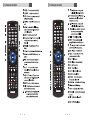
4.3 Remote controller
4.4 Front Display
5. How to Connect .................................................................................................... 9
6. Operation ............................................................................................................. 10
6.1 Getting Started
6.2 System Setting
6.3 Channels
6.4 Electronic Program Guide
6.5 Entertainment
6.6 Media Manager
6.7 System Information
6.8 DVR
6.9 MEDIA
6.10 PIP Function(Picture in Picture)
7. Troubleshooting ................................................................................................. 56
8. Specifications ..................................................................................................... 57
Introduction
Safety/Precautions
1.1 Overview
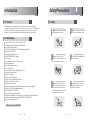
2.1 Safety
This satellite receiver is designed for the reception of free-to-air and encrypted
channels. Depending on your location, enjoy the rich choice of up to 10,000 different
channels broadcasting a large range of programs: culture, sports, cinema, news,
events, etc. This receiver is assembled with high quality electronic components.
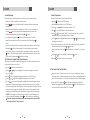
Be sure to read this user's manual befor
e
starting the operation of the unit
.
Do not touch the power cord with wet
hands as it may cause electric shock.
Never open the cover. It is very
dangerous to touch the inside of the
unit due to possible electric shock.
Place the unit in a well ventilated and
no-heat environment.
When you do not use this unit for a
long time, make sure that power cord
is pulled out from the outlet. Also do
not use a damaged power cord as it
may cause fire or electric shock.
A professional installation is required.
If reception is interrupted, contact
your local service centre.
1.2 Main Features
Video Resolution : 1080p / 1080i / 720p / 576p / 576
i
DVR Readyvia USB External Mass DataStorageDevice
Time Shift, Record & Playback
USB 2.0 Host for MP3 Playback, JPEGViewing & Firmware Update
Embedded CONAXCA S7
10,000 Programmable C hannels
DVB-S, MPEG-2/MPEG-4Compliant
HDMI Output
On-screendisplay with true color full resolution
Advanced Blind Scna
Auto & ManualChannel Search
Dolby Digital Outp t u
Channel Sorting by Alphabet,Transponderor CAS
16 Favorite Channel Groups
OSD in 12 Languages
Multi Picture Display andZoom
16:9 Full Screen,4:3 Letterbox & Full Screen
DiSEqC1.2 andUSALS Compatible
DataTransfer BetweenUnit s
Extended ElectronicProgramGuide(EPG)andprogramreservationthrough EPG
Teletext by OSD/VBI(Vertical Blanking Interval)
Auto Voltage(AC90 - 250V) SMPS
High speedsoftwareupgradevia USB 2.0
ParentalLock/Installation Lock / ReceiverLock / ChannelLock / Lock Channel Confirm
Software& channeldatabase upgradevia RS-232C: PCto STB/ STB to PC
Videocolor adjustmentfunction.
DiSEqC is a trademark of EUTELSAT
1
2
2.2 Precautions
Points to Check before Use
When installing the unit
3.1 Accessories
Install the unit horizontally. An uneven
installation may cause the unit to be
damaged.
Do not put heavy items such as a TV
set on the unit. That may damage
the unit.
Do not place the unit near water.
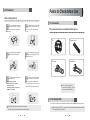
The accessories below are included with this receiver:
CD : 1
Remote control : 1
RCA Cable : 1
HDMI Cable : 1
Do not put water holding items such
as vases on the unit.
Moving the unit to a hot area from a
cold one will cause condensation.
Do not operate the unit for one or two
hours or until it has dried completely.
Do not install the unit:
Where it is subject to vibrations
Where it is exposed to direct sunlight
Where there is humidity
Where the temperature is too high or too low.
Where there is no ventilation
If any of the above-listed
accessories is missing, contact
your sales representative.
3.2 The Satellite dish
Your dish should be properly installed and azimuth and elevatio
n must be precisely set up.
The mains plug is used as the disconnect device.
The disconnect device shall remain readily operable.
3
This unit supports DiSEqC 1.2 and can work with a compatible antenna positioner.
Ask your dealer for information.
4
Controls/Functions
4.1 Front Panel
1
2
4
3
5
7
4
3
6
1
2
5
6
7
8
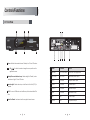
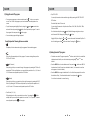
1 Power : Switches the receiver between ‘Standby’ and ‘Power ON’ modes.
2 - 3 CH.
/ : To switch channels or change the cursor position on the
application screen.
4 Standby/Power on Indications Lamp : Flashes red light in ‘Standby’ mode
and shows no light in ‘Power ON’ mode.
5 Indication Light : Flashes when a key on the Remote Control Unit (RCU) is
pressed.
6 USB : To connect USB devices such as Memory stick or external Hard Disk
Drive.
7 Smart Card Reader : Insert smart card for encrypted channel access.
No. Name
Connector
Function
1
LNB INPUT
IEC 169-24 FEMALE
IF input from LNB to digital tuner
2
HD OUT PUT
HD OUT PUT
Digital Video/Audio Output
3
VIDEO
RCA cinch
Composite video output
4
AUDIO L
RCA cinch
Left audio output
5
AUDIO R
RCA cinch
Right audio output
6
S/PDIF
RCA cinch
Digital audio output
7
USB
USB
USB WiFi Output
8
RS-232C
DB-9
Low speed serial port
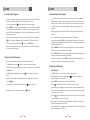
4.3 Remote controller
4.3 Remote controller
:
-
-
-
7
8
How to Connect
Operation
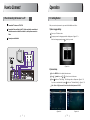
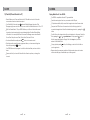
When Connecting the Receiver to a TV
6.1 Getting Started
1 Connect the TV antenna to TV ANT IN
After your receiver is powered on, proceed with installation as follows :
2 Connect the Video and Audio of the TV to Video and Audio: connect the red
1) Menu Language Setting
and white connectors to Audio R and Audio L, and the yellow connector to
Video
Turn on your TV and receiver.
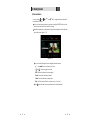
The pop-up menu for language selection will apprear. <Figure 6.1.1>
3 Connect your satellite dish
Select one language and press
AUDIO-L
HD Output
AUDIO-R
button to proceed.
VIDEO
S/PDIF
<Figure 6.1.1>
2) Antenna Setup
Press the MENU button to display the main menu.
Use
/
button and
/
Press
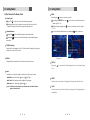
button on “Dish Setting”. The following window will aprrear. <Figure 6.1.2>
If you have a motorized dish, press
button to move in the menu.
button on “Motorized Setting”. <Figure 6.1.3>
Note : Enter a 4-Digit password if need arise. the default password is '0000'.
<Figure 6.1.2>
9
<Figure 6.1.3>
10
6.1 Getting Started
6.1 Getting Started
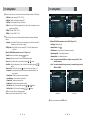
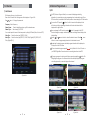
⊼ Select the item that you want to edit and set its parameters as desired. <Dish Setting>
- LNB Power : Select among ON/OFF/13V/18V.
- LNB Type : Select among Single/Universal/OCS.
- LNB Freq : Set the frequency of the LNB oscillator.
- 22KHz : When not AUTO, set the signal path from LNB or switch by selecting a control
signal among 0/22KHz.
- DiSEqC 1.0 : Select DiSEqC 1.0 Port
- DiSEqC 1.1 : Select DiSEqC 1.1 Port
⊽ Select the item that you want to edit and set its parameters as desired. <Motorized
Setting>
- Frequency : If the default TP frequency is not appropriate, you can select another TP
frequency at which to check for signal.
- DiSEqC Motor : Select DiSEqC protocol among OFF/1.2/USALS as appropriate for
your Motor.
<Figure 6.1.4>
<Figure 6.1.5>
(When the DiSEqC Motor parameter is set as USALS <Figure 6.1.6>)
- Sat Degree : Satellite location.
- Antenna Position : Press
.
- Goto Reference : Move the dish to the reference 0 position.
(When the DiSEqC Motor parameter is set as 1.2 <Figure 6.1.4>)
- Antenna Longitude : Your longitude at present.
- Satellite : Select any satellite by pressing
- Antenna Latitude : Your latitude at present.
/
buttons.
- Frequency : Displays the current TP value of the selected satellite.
- Move : Move the dish position to west/east by pressing
/
buttons.
- Move Fine : Move the dish position 1 step at a time to west/east by pressing
/
buttons.
- Motor Control : Control motor by press
button on the remote. <Figure 6.1.5>
⍜Recalcuate : Recalculate the position of all other saved satellites relative to the
known position.
⍜Reset System : Reset the position of all saved satellites.
⍜Goto Reference : Move the dish to the 0 position.
⍜Disable Limit : Disable east and west limit.
⍜Enable Limit : Enable the saved east and west limit.
⍜Set East Limit : Edit & Save east limit by pressing
/
or
buttons.
⍜Set West Limit : Edit & Save limit by pressing
/
or
ҫ Note : You need to know what LNB you are using to correctly set the L.O. (local
oscillator) frequency.
ҫ Note : You need to understand how your receiver is connected to properly set the
22KHz and DiSEqC.
buttons.
- Go To : Go to the position of the saved satellite.
- Save : Save the current setting of DiSEqC 1.2 system.
<Figure 6.1.6>
<Figure 6.1.7>
⊾ When you are done, press the EXIT button.
11
12
6.1 Getting Started
6.1 Getting Started
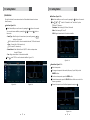
3) Satellite Scan
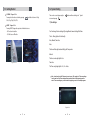
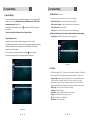
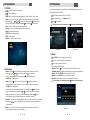
Blind Scan <Figure 6.1.10>
Through this function, the receiver searches for all the available channels and saves
them in memory.
Auto Scan <Figure 6.1.8>
Select the satellites you want to search by pressing the
You can select more satellites by pressing the
the remote.
/
button on the remote.
button and
button on
Select the satellites you want to search by pressing the
Press
,
/
button on the remote.
to set the “Polarization” and “Scan Mode” options.
- TP : Select TP Frequency
- Polarization : Select among All / Vertical / Horizontal
- Mode : Select among All / Free / TV
- SCAN : Begin channel search of the selected satellites.
- Search Type : Select the type of channel search you want by presssing
/
buttons on the remote.
All : To search all the Free To Air and scrambled channels, TV & Radio channels.
Free : To search Free To Air channels only.
TV : To search TV channels only.
- Network Search : Select Network Search ON/OFF to find more transponders
through NIT Search.
- Scan : Begin channel search of the selected satellite.
Press
under ‘SCAN’ to scan the selected satellites. <Figure 6.1.9>
<Figure 6.1.10>
Manual Scan <Figure 6.1.11>
Select a transponder.
To change a transponder’s information (Frequency, Symbol Rate), use the
NUMERIC buttons.
To add a new transponder, press the GREEN button.
To delete a transponder, press the YELLOW button with the cursor next to the
Frequency parameter.
<Figure 6.1.8>
<Figure 6.1.9>
To search a transponder, set its different parameters and press
<Figure 6.1.11>
13
14
.
6.1 Getting Started
3) Channel Selection
You can use the
and
select desired channels.
or
and
keys to navigate between channels to
If you know the channel number you can enter it using the NUMERIC buttons on the
remote control and wait 2 seconds for the change.
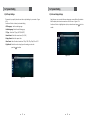
Detailed information about the selected channel will be displayed on the right hand
side of the screen <Figure 6.1.13>
<Figure 6.1.13>
You can use the following buttons to navigate between channels
-
and
and
: Moves one channel up or down
: Moves one page up or down
- RED : Shows all channels in the current group
- Green : Shows all the favorates channels .
- Yellow : Shows all channels by transponder.
- Blue : Edit the channels ( Delete , reneame , move , lock , find ) .
Press
15
when the selection bar is positioned on the desired channel.
16
6.1 Getting Started
6.1 Getting Started
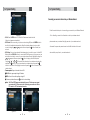
5) Other Functions of the Remote Control
ZOOM
By pressing the
Volume Control
Press
or
to adjust the volume while watching a program
Pressing the Mute button will remove the sound and the mute icon will be
displayed. Pressing the Mute button again will restore the sound.
Pressing the
information
While watching a program press
6.1.15>
you can zoom in on sections of video on
to zoom in on sections of a video <Figure
To cancel the freeze status release it by pressing the
Channel Information
Pressing the
button you can zoom in video.
By pressing the FREEZE button and
Freeze <Figure 6.1.14>
button continuously.
button will briefly display the channel information
button a second time will display a more detailed program
TV/RADIO switching
Press this button to change from a TV to a Radio channel. Pressing the button again
will return the unit to the TV channel
RECALL
<Figure 6.1.14>
Pressing this button returns the unit to the previously viewed channel
<Figure 6.1.15>
SUBTITLE
By pressing
6.1.16>
you can select the subtitle language of the current channel <Figure
Audio
Use this button to adjust the subtitles or audio status of the current channel
- Audio Mode : Select from Stereo
Mono Left
Mono Right
- Audio Track : Select between tracks available in this program
- Audio Level : Use to select High
Medium
Low
Note : Subtitle and audio settings are only available when the selected channel
supports these functions.
17
FREEZE
Press this button to freeze video. Pressing the button again will restore the video.
GROUP
This button is used to view the list of favorite channel groups. Only registered groups
are displayed.
18
6.1 Getting Started
6.2 System Setting
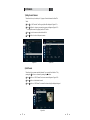
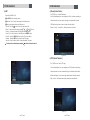
V.FORMAT <Figure 6.1.18>
These can be accessed by pressing the
You may select the video resolution by pressing
1080i, 720p, 576p, 576i, AUTO.
. Available selections are 1080p,
button and then scrolling to the “System”
section and pressing
1) Time Settings
ASPECT <Figure 6.1.19>
Pressing ASPECT changes the aspect ratio. Available ratios are:
You Can change the time settings by Pressing Menu-Common Settings-Date Time
- 4.3 Pan-Scan or Letter-Box
- 16.9 Full-Screen or Pillar-Box
There’s Many Options for the time By
Auto, Manual, Time Zone.
Auto
The time will be adjust automatically by the Transponder
Manual
The time can be adjust by the User
<Figure 6.1.18>
<Figure 6.1.19>
Time Zone
The Time can by dajust by the 12+, 12- or Auto.
Note : Lead In and Lead Out Times can be set on your X8 to apply to all Timer recordings .
Lead In and Lead Out Times add specified amounts of time to the beginning and the
end of Timer recordings so you don't miss the beginning or end of recorded programs.
<Figure 6.2.1>
19
20
6.2 System Setting
6.2 System Setting
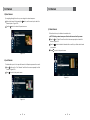
2) A/V Output Settings
3) On Screen Display Settings
This menu lets you specify the audio and video output settings of your receiver <Figure
6.2.2>
Use the scroll buttons to select your desired setting
- OSD Language : set the audio language
Using this menu, you can select the menu language, use recall list and the duration
that the display and volume bars are shown on the screen. <Figure 6.2.3>
Use the scroll buttons to highlight and adjust your selections and press
confirm.
- Subtitle Language : Select the subtitle language
- TV Type : Select the TV Type (AUTO/PAL/NTSC)
- Screen Format : Select the screen format (16.9/ 4.3)
- Display Format : Select the aspect ratio
- Video Format : Select the video format from 1080p, 1080i, 720p, 576p, 576i or AUTO
- Digital Audio : Selects the audio output type after making your selection
press the
to confirm
<Figure 6.2.3>
<Figure 6.2.2>
21
22
button to
6.2 System Setting
6.2 System Setting
4) Security Settings
5) Database Reset <Figure 6.2.5>
To prevent unauthorized access to classified programming, you can set a personal PIN
number for your receiver. (Note that the factory set default password is : 0000. PIN and
password are the same) <Figure 6.2.4>
This section allows you to reset the receiver to the factory settings.
By setting any of the following functions to
access them;
- Delete All Channels : Erase all channels.
in this menu, the PIN will be required to
- Receiver Lock, Install Lock, Channel Lock, Lock Channel Confirm
- Delete Radio Channels : Erase all radio channels in the database.
- Delete Scramble Channels : Erase all scramble channels in the database.
- Factory Set : Erase all channels and restore the factory default settings.
Please note that a factory reset is required to be performed after a software upgrade.
- LyngSat Update : Satellite TP data update from www.lyngsat.com.
Age Limit (Parental Lock)
Under this menu you may select a Rating of programs you choose to block.
All available ratings are listed in the menu and when the program information regarding
the rating available from the broadcaster exceeds the selection, a PIN number is
required to access the program.
Use the scroll buttons to make your selection and press
button to confirm.
This section also contains options to change and enter new passwords.
<Figure 6.2.5>
6) IP Setting
If the Network supports DHCP , IP settings can be allocated automatically. If the Network
does not support DHCP, the Addresses must enter manually (Static IP).<Figure 6.2.6>
- Connection Type: Ethernet or WiFi. Select Ethernet if you are connecting the receiver
to the network via a LAN cable. Select WiFi if you wish to connect to your home
wireless network using the wireless USB dongle supplied with your receiver. (Please
note the wireless USB dongle is already inserted into the rear USB port or the receiver)
- DHCP Usage : On/Off to receive IP settings automatically
- IP Address : Enter the IP address
- Subnet Mask : Enter Subnet Mask Number from your Network
- Gateway : Enter IP address of Gateway (e.g. router)
- DNS : Enter IP address of main DNS Server
- Mac Address : Mac Address display
<Figure 6.2.4>
23
24
6.2 System Setting
6.2 System Setting
Connecting your receiver to Internet via your Wireless Network
Follow these instructions prior to connecting your receiver to your Wireless Network:
<Figure 6.2.6>
- SCAN : Press the RED button to SCAN for the IP address and network details
if they do not apprear automatically.
- WiFi Wizard : When connecting to your home network using WiFi press the GREEN button to
view the list of available wireless networks. Select the desired wireless network you wish to
connect to using the
and
arrow buttons and press the
button to select your
network.
- WiFi Setting : Once you have selected the wireless network you wish to connect to in the WiFi
Wizard press the YELLOW button to access the WiFi Setting menu. In this menu you can
enter the network key to connect to your wireless home network. HIghlight Key using the
and
arrow buttons and press the
button to bring up the virtual keyboard.
Using the
,
, and buttons select the characters of your wireless network security
and press the
button. Once you have entered your wireless network key press the
button to save and exit. Now highlight connect and press the
button to connect to your
wireless network.
- Firmware update : Support download from a LAN.
-Go to wifi settings - search for wifi networks - select your wireless network
please make sure you entered the right passcode of your wireless network
after enter the passcode press enter and wait a little time then will connect
automatically every time to your wireless network.
BLUE button, appear input target IP address.
RED button to Scan after inputting a target IP.
Choose a update software and
button for downloading.
Note : The PC tool STB Daemon must be installed on your PC before you can connect
your receiver the PC. Please refer to the “Connecting your receiver via LAN to a
PC” section for PC Tool download instruction
<Figure 6.2.7>
<Figure 6.2.8>
25
26
6.3 Channels
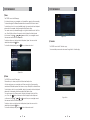
1) Setting Favorite Channels
This section allows you to select up to 16 groups of favorite channels in either TV or
Radio.
Press
on “Set Favorites” and the group lists will be displayed <Figure 6.3.1>
Press
button to choose a group and a new menu will appear <Figure 6.3.2>
To change the name of the group press the RED button
Press
to add or remove a channel from the list
Press
button to return to the previous menu.
<Figure 6.3.1>
<Figure 6.3.2>
2) Edit Channels
This section lets you rename and edit channels. You can select from Radio or TV by
pressing the
button or a channel by pressing the
button.
Press
button on “Edit Channels” and a new menu will appear <Figure 6.3.3>
Press
button on the desired channel
Press
button on “Edit Name” to rename the channel using the displayed keypad
<Figure 6.3.3>
27
28
6.3 Channels
6.3 Channels
3) Move Channels
By navigating through this section you can change the channel sequence.
Choose the channel list by pressing the
desired options. <Figure 6.3.4>
Press the
button, use the cursor keys to select the
button to return to the previous menu.
5) Delete Channels
This function allows you to delete a channel selection.
NOTE : Deleting a channel means you will not be able to access it until you rescan.
Press the
on “Delete Channel” and follow the screen prompts to activate this
feature. <Figure 6.3.7>
Press the
button to delete all channels in the current list; you will be asked to enter
your password.
Press
to return to the previous menu.
<Figure 6.3.4>
4) Lock Channels
This feature allows you to lock a specific channel so it will require a password to access it.
Press
button on the “Lock Channels” and follow the on-screen prompts to set the
function. <Figure 6.3.5>
Press
to return to the previous menu.
<Figure 6.3.7>
<Figure 6.3.5>
29
30
6.3 Channels
6.4 Electronic Program Guid e
7) Add Channels
1) EPG
This Submenu allows you to add channels.
Press on Add Channels. The following menu will be displayed. <F igure 6.3.8>
Press
/
to Change the parameter.
- Frequency : Select Frequency.
- Channel Name :
Press to display Keypad pop-up; Edit a channels name.
- Channel Type :
Select among TV / RADIO.
- You can add specific channel of the transponder by setting its PID data (Video, Audio and PCR).
- Video Type : Select the video type (MPEG1/2, H.264)
.
- Audio Type : Select the video type (MPEG1/2, HE-AAC, Dolby Digital(AC3), MPEG4, ACC,
Dolby Digital+(DD+)).
An EPG (Electronic Program Guide) is an on screen list displaying scheduling
information for current and upcoming programming from broadcasters for next 7 days.
EPG data will only be available if the channel provider is broadcasting the EPG information.
To access the EPG press the
button, the list of channels will be displayed in the
left window and the programming information for the selected channel will be
displayed in the right window
You can change the EPG mode by pressing the button. By pressing Info the EPG
mode will change from single channel display. Please note single channel display is the
default setting.
Use the
or
arrow buttons to select the desired channel. Press the
arrow
button to access the programming information for the desired channel
By selecting the desired program, detailed program information will be displayed in
the top pane of the EPG screen
To Record a selected program press the
button (Refer to the ‘How To Record on
your DVBS2 Digital Video Recorder section for recording instructions via the EPG
To Reserve a program for viewing, select the program by pressing the
button. This
will highlight the program. You receiver will now automatically display this program
when it begins even if you are watching another channel
<Figure 6.3.8>
<Figure 6.4.1>
31
<Figure 6.4.3>
<Figure 6.4.2>
32
<Figure 6.4.4>
6.5 Entertainment
6.5 Entertainment
1) YOUTUBE
/
: To select Youtube feature.
: To play desired clip.
- Option : Allows you to set search parameters by Category. Viewed, Time, Location.
- Search : Use this to search by key word. Use the virtual keyboard to enter the search
name using the
,
, and arrow buttons and press the
button to select.
Once you have entered the search name press
to save and
to start search.
- Next : To move to the Next page of the search results.
- Previous : To move to the previous page of the search results.
- Replay : To replay the current clip.
- PAUSE : To pause the playing clip.
- STOP : To stop the clip.
- Fullview : To view the clip in full screen.
Recorded radio programs can be accessed via the Media Manager menu under
file manager and selecting Music.
Search Radio channel by Key word or Genre.
Select a channel by
Press
/
<Figure 6.5.2> .
to play Radio.
To exit and return to the main menu press the
button on the remote control.
<Figure 6.5.2>
<Figure 6.5.3>
3) Weather
Press BLUE button to be begin search for a city.
Enter the City name using the virtual keyboard.
Press to save and exit the window.
<Figure 6.5.1>
2) Internet Radio
button to display the virtual keyboard to search by key word.
- Search : Press the
Use the
,
, and arrow buttons, press the
button to select.
Once you have entered the search name press to save and then press
the RED button to begin search.
- Genres : Press the button to view the list or use the and arrow buttons to
select the Genre you wish to search by. Once you have selected the Genre press
the RED button to begin search.
Search results will be displayed in the Station List. Use the
and
arrow buttons
to select the desired station and use the and arrow buttons to move to the next
page of stations in the list. Once you have selected the station press the
button
to load this radio station. Playback will begin once buffering is complete.
- Favorites : To set favorite channels highlight the channel you wish to add to your favorites list
and press the GREEN button. Channels you have selected as favorites will be added to
your favorites list.
- Record : To record Radio that you are currently listening to press the Record button.
To stop recording press the record button agian.
33
Your selection will be displayed.
- View List : Press the button to view and select the saved list of cities.
- Fahrenheit / Celsuis : To display the temperature in your desired measurement.
- Add City : Press the YELLOW button to add a City to the list.
- Rename : Press the BLUE button to modify the City name.
- Save Info : Press the Record button to save the added CIty name.
To exit and return to the main menu press the
<Figure 6.5.4>
34
button on the remote control.
6.5 Ent ertainment
6.5 En tertainment
4) MAP
5) Picasa (Internet Photos )
The DVBS2 ha s a n inbuilt Picasa app .
As in the Entertainment you can navigate your Photo by either connecting to
Searching the MAP for City.
Press BLUE button to begin search.
Enter the City or Country name using the virtual keyboard.
Press to save the search and exit the window.
- View List : Press the
button to view the saved search list.
- Move : To move around the map use the
,
, and buttons.
- Zoom In : To enlarge the size of the MAP press the RE D button.
- Zoom Out : To reduce the size of the MAP press the GREE N button.
- Add City : Press the YELLO W button to add a City to the savd list.
- Rename : Press the BLU E button to modify the CIty name .
- Save Info : Press the Record button to save the added City name .
To exit and return to the main menu press the
Internet and watch so many photos through your internet without needs
USB Flash the photos can be watch online with many field as
Nature , Country , Cars and Etc. , all this included now with new
button on the remote control .
<Figure 6.5.6>
6) IPTV (Internet Televison )
The DVBS2 has an inbuilt IPTV app .
As in the Entertainment you can navigate your IPTV by either connecting to
Internet and watch so many channels through your internet without needs
Sattelite dish signal , just you need a high speed internet with the channels
Http , protocol , the feature already App. already now availble with
<Figure 6.5.5>
<Figure 6.5.7>
35
36
6.5 Entertainment
6.5 Entertainment
7) News
The DVBS2 has an inbuilt News app .
As in the web browser you can navigate your Favorate News page by either connecting
To Internet through built in Wireless Lancard and the an be controlled bt Android device .
For instructions on how to turn your handheld device into a remote control and keyboar d
please refer to the separate instructions supplied titiled, Remote Apps .
You can also access your favorate News page using the virtual remote control built in to
your . Press the Menu button on the remote control to display the virtual keyboard
on the screen. Using the
,
, and arrow buttons you can navigate aroun d
the screen and around the virtual keyboard .
To select an option or an item from the virtual keyboard, place the cursor over the
desired item and press the button.
To cl ose the virtual keyboard, press the
button on the remote control.
<Figure 6.5.9>
9) Calculator
The DVBS2 has an inbuilt Calculator app .
You can calculateyour accounts and numers through bilut in Calculator App.
<Figure 6.5.8>
8) Picasa
The DVBS2 has an inbuilt Picasa app.
Picasa allows you to share your photos with friends and family online.
As in the web browser you can navigate your Picasa account by either connecting
and external USB wireless keyboard and mouse or via your iPhone/iPad or Android device .
For instructions on how to turn your handheld device into a remote control and keyboard
please refer to the separate instructions supplied titiled, Remote Apps .
You can also access your Picasa account using the virtual remote control built in to
your . Press the
button on the remote control to display the virtual keyboard
on the screen. Using the
,
, and arrow buttons you can navigate around
the screen and around the virtual keyboard .
To select an option or an item from the virtual keyboard, place the cursor over the
desired item and press the button.
To cl ose the virtual keyboard, press the
button on the remote control.
37
<Figure 6.5.10>
38
6.6 Media Manager
6.6 Media Manager
2) File Manager (Transferring Files from your DVBS2 to a PC or external USB HDD)
1) Disk Manager
Use the cursor keys to activate the desired functions from this menu.
Note : Follow instructions in the “C onnecting your receiver to a PC via your network”
section on page 25 if you have not already connected a PC to the DVBS2
- Default Disk : If you have an Storage devices connected to your receiver (i. e.
USB HDD) you can select which storage device is to be
the default drive for playback and recording
Press the YELLOW button on the remote control to create a new Network
Connection or to select the external USB HDD that you would like to transfer to.
- Disk Information : Select USB device.
Information of the storage devices will be displayed (i.e. used size,
total size, free size)
Press the
section.
- Check Disk : Checks the status of the selected Storage device.
- Format Disk : Format disk enables you to delete all information stored on the selected
storage device. There are 2 options in this section.
- NTFS (Recommended) : Selecting NTFS will format the storage device to
this format which is recommended for use with the .
- EXT3 : EXT3 is a format used with the Linux operating system which the
runs on. We do not recommend that you format storage devices
in this format type if you wish to connect the storage device to a PC.
If connected a separate program will be required for your PC to
recognize the drive.
Warning : If you select Format Disk all data on the storage device will be deleted
button after inputting your IP address to add it into the File Manger
Select/HDD0 by pressing the
button, use the arrow buttons to highlight records
on the right hand side menu and press
to view the list of recorded files on the
receivers hard drive.
- Testing USB Speed : Press to test USB speed for DVR.
- Timeshift Rec Time : Set the preferred Timeshift Recording Time.
(10Min/30Min/60Min/90min/120min)
- Auto Timeshift : Set Auto Timeshift to On or Off. When set to on unit will autom atically
begin Timeshift for pre determined time set in the Timeshift Rec Time
menu.
- Skip Time : Set the preferred amount of Skip Forward and Back time during playback
(5sec/10sec/30sec/1Min/2Min/3Min/5Min/10Min20Min/30Min)
<Figure 6.6.1>
39
40
6.6 Media Manager
6.6 Media Manager
The File Manager menu gives you access to all Media files you have stored
on any external storage devices you have connected to your .
To select the storage device you wish to access press the YELLOW button.
- To access an external USB HDD select / USB
Please note if you have no external device connected the receiver will display
all the contents on the external USB HDD.
Once you have selected your storage device by pressing the button all files and
folders will be displayed in the li st.
To sort files into their appropriate types, use the Group button to select from MUSIC,
PHOTO, VIDEO and SWDATA.
Once you have selected the file type you wish to access , these file types will be
displayed in the li st.
Use the
and
arrow buttons to select the file you wish to access and press
the
button.
<Figure 6.6.6>
<Figure 6.6.7>
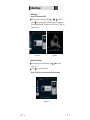
-J PG View
Using the GROUP button select MUSIC .
Press
/
to select a picture then press
button to display the selected
image <Figure 6.6.8>.
- MP3 Playback
Using the GROUP button select MUSIC .
Select the MP3 file you wish to play using the
/ ,
in the file list.
<Figure 6.6.6>
Press the
button to hide the file list. Select and ion
optusing
/
,
.
<Figure 6.6.7>
Adjust the volume using
Press the
Press the
/
button to display the MP3 file list.
button to display information about the selected MP3 file
sould further information be available.
LIST : Displays / hides the file list.
INFO : Displays information about the selected file should further information
be available.
YELLOW : Allows you to select which drive you wish to access should an external
USB HDD be connected.
Press the
button to hide the file list. Select and option using
Press the
button to display the JPG file list.
Press the
<Figure 6.6.9>
button to display information about the selected MP3 file.
HIDE infobar bar : Press the RED button to hide the info bar.
-90 Degrees : Rotates the image anticlockwise.
+90 Degrees : Rotates the image clockwise.
: Press the Left arrow button to skip to the previous image.
: Press the Right arrow button to skip to the next image.
SLIDE : Select SLIDE using the arrow buttons and press the
button to adjust the
slide show interval time from 3 seconds, 5 seconds, 10 seconds and OFF.
INFO : Shows information about the selected file.
YELLOW : Selects the hard disk or USB device on which images are stored on.
LIST : Shows / Hides the JPEG file list.
<Figure 6.6.8>
41
/ .
<Figure 6.6.9>
42
6.6 Media Manager
- MOVIE Playback
Using the GROUP button select MOVIE.
Select the video file you want to play using the
/
,
in the file list.
Press the
button to begin playback of the selected video file. Once playback
has commenced all standard DVR buttons are active, Play, Pause, FF, RW, Skip Fwd,
Skip Back and Stop.
<Figure 6.6.10>
<Figure 6.6.11>
- Update (Firmware, Channel)
Select the software you want to download by using
/
in the menu.
<Figure 6.6.12>
Press the
button to start the download.
Warning : Do not switch off your receiver before the download is complete.
<Figure 6.6.12>
43
44
6.7 System Information
6.8 DVR
Your receiver displays current information <Figure 6.7.1> regarding model name, software
version and date of manufacture. This info is useful when downloading new software.
Please note if you have performed a software update you must al so perform a factory
reset of the receiver. Please see Database Reset section in the Systems settings menu for
instruction on page 23.
1) Record on your DVBS2 Digital Video Recorder using an external
HDD via USB
The allows you to record 3 channels simultaneously whil e watching a 4th
or a previously recorded program via one transponder.
There are 4 ways to record TV programs on your DVBS2:
You can expand the storage capacity of your DVBS2 by connecting an
external HDD via the front or rear USB ports
Before connecting the external HDD you will need to format the drive.
Instructions on how to do this can be found on our website www. iSmart.com.au
in the FAQ section.
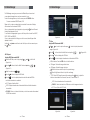
To record to the external HDD you will need to select it in the Menu. Press the
button and using the
and
arrow buttons select Media Manager by pressing
button. This will display the Media Manager Menu. Using the
<Figure 6.7.1>
and
arrow
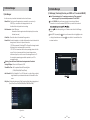
buttons select Disk Manager and press the button. This will display the Disk
Manager Menu. The first item in the list is Default Disk. To set the default disk to your external
HDD press the
or
arrow buttons until /USB0 is displayed. This corresponds to you
r
external HDD. Once you have selected /USB0 press the button, you will be
prompted to save the changes made. Select Yes using theor
and press the
arrow button
button. The default disk is now set to the external HDD
You can now perform all the recording options listed above using the external HDD
To set the default HDD back to the internal drive simply remove the external HDD.
Should you wish to have the external drive permanantly connected follow the above
instructions to select which HDD to record onto.
45
46
6.8 DVR
6.8 DVR
- Instant Recording
- Manual Timer Record
This method can be used if the program you wish to record is cu rrently showing.
This method can be used to record at specific times.
Switch your to the channel that you wish to record.
Press the
Press the
button on your iSmart remote. The receiver will automatically begin
recording.
Please note that the default record duration is 3 hours. If you wish to change this,
press the
button again and a banner will appear where you can set your
desired record start and stop duration using the or
arrows.
Press the RED coloured key on your DVBS2 remote.
To stop the recording press the button on the remote control. You will be
prompted to confirm that you wish to stop recording. Select Yes and press the
button.
If you are recording more than one program, select the recording you wish to stop by
pressing the
button on that recording. A tick will be placed in the box next to
that recording. Once you have selected the recording(s) you wish to stop, press the
button. You will then be prompted to confirm the stop operation. Select Yes using
the arrow buttons and press the key to stop recording
- EPG (Electronic Program Guide) Series Recording
button on your DVBS2 remote.
Use the
Press
or
buttons to highlight a slot that is “OFF”.
on your DVBS2 remote to select this timer slot.
Use the or
to change the “State” to how often you want the to record at
the desired time (Once, Daily, Weekly, Mon-Fri or Series).
Use the
button to highlight the next option, and the or
the setting for each option.
buttons to change
If you want the receiver to power off once the recording has finished, in the Power
Off section select Yes by pressing the or
arrow keys
Once the last option is set and the button is pressed, you will see “Do you want to
save?”.
Use the
Press the
or
buttons to highlight Yes and press the
button.
key twice to return to normal viewing.
This method of recording is unique feature that allows you to set the receiver to record a
whole series with the touch of button.
Press the
button on your iSmat remote.
Use the
or
record. Press .
Use the
Use the
buttons to highlight the channel for the program you wish to
button to highlight the program name section of the EPG menu.
or
buttons to highlight the program you wish to record.
Press the BLUE button while this program is highlighted. The selected program will then
appear in red. All subsequent programs in this series sill have a blue dot with a white S
next to the program name indicating that it is set to record as part of the series. This series
will record every program when it is aired until the series record is cancelled. A series
recording can be cancelled by either selecting the program in the EPG and pressing
the BLUE button again or by deleting the timer setting in the Timer Manager menu.
Once you have set the series record press the
key to return to normal viewing.
Please Note : Setting series recordings may create undetected timer conflicts as EPG
data is only available for 7 days in advance.
47
2) Timer Lead In and Lead Out Times
Lead In and Lead Out Times can be set on your to appl y to all Timer recordings.
Lead In and Lead Out times add specified amounts of time to the beginning and the
end of Timer recordings so you dont miss the begining or end of recorded programs.
To set Lead In & Out times press
and select System Settings, then select Time
Settings. Then highlight Timer Lead Time and press the button. This will allow you to
set the Lead In & Out times to either 5,10 or 15minutes
48
6.8 DVR
6.8 DVR
ҮSkip FWD & BCK
3) Playing Recorded TV programs:
ҮTo access any programs you have recorded press the
button on your remote
control. The full list of the programs you have recorded will be displayed on the
screen.
ҮTo play these programs highlight them by using the
and
arrow buttons
and select them by pressing the
button, this will preview the program. To watch
the program full screen press the
button again.
ҮYour recorded program will begin playback
You can skip forwards or backwards through a file by pressing the SKIP FWD & SKIP
BCK buttons.
The default skip time is 30 seconds.
You can adjust the amount of skip time from 30secs, 1Min, 2Min, 3Min, 5Min, 10Min,
20Min and 30Min
To set the desired skip time press
and then select Disk Manager by pressing the
Highlight Skip Time. Using the
During Playback the Following Options are available
, select Media Manager using the arrow keys
store this setting press the
and
button.
arrow buttons select the desired Skip Time. To
button and select Yes using the
button.
Ү
This displays the time- banner showing the progress of the recorded program
.
4) Deleting Recorded TV programs:
Ү
This button will pause playback of the program. To resume viewing either press the
PAUSE or PLAY button
Ү
(Fast Forward)
When playing a file you can search through the program by pressing the FF Button. By
pressing the FF Button multiple times you can adjust the speed from x2, x4, x8, x16 and
x32. To resume normal playback press the PLAY button.
Ү
ҮTo delete a recorded TV program press the
button, when the list of recorded files
is displayed select the file you wish to delete by pressing the
or
arrow
buttons.
ҮPress the BLUE button to enter delete mode. Now press the
button and a“X” will
be placed next to the file you have selected to delete. (You can select more than
one program at a time to delete)
ҮPress the BLUE button again to delete the file. You will be then prompted to confirm
the deletion of file(s). To confirm deletion select Yes and press the
You will now be returned to normal viewing.
(Rewind)
When playing a file you can search back through the program by pressing the RWD
Button. By pressing the RWD Button multiple times you can adjust the speed from x2,
x4, x8, x16 and x32. To resume normal playback press the PLAY button.
ҮSlow Motion(1/2x, 1/4x)
While playing back a file you can select slow motion. By pressing the
Button
multiple times you can adjust the speed to slow motion 1/2 or 1/4 speeds. To resume
normal playback press the
button again.
49
50
button.
6.8 DVR
6.8 DVR
6) Lock Recorded TV programs:
8) Bookmarking Recorded Programs
To protect a recorded program from accidental deletion or to restrict the viewing of
recorded programs to specific audience, programs can be locked.
To Lock a program press the
button to display the recorded programs
Press the GREEN
button, you will be prompted to enter your PIN (the default PIN is
“0000”), this will put the receiver into File Lock Mode. (To set your own personal PIN
number for the receiver please refer to the Security Settings, Parental Lock Section in
this manual on page 23.
Select the recorded program you wish to lock use the arrow buttons and press the
button. A padlock will appear next to the selected file. This file is now locked.
To return to normal mode either press the
button or the RED button
Once a recorded file has been locked you will be required to enter the PIN number
to view or delete this program
When the program is re selected for playback it will resume form the last viewed
position.
You can also set manual bookmarks during playback of recordings
During playback press the RED button, a red triangle will appear on the playback
progress bar indicating the bookmarked position. You can set mu ltiple bookmarks in
a program. (Maximum 20)
Press the GREEN button and the current position will jump to the first bookmarked
position and commence playback from this point.
Press the YELLOW button and the current position will jump to the next bookmarked
position and commence playback from this point.
7) Rename Recorded TV programs:
Recorded programs can be renamed once recording is complete
To Rename programs press the
ed
The DVBS2 will set auto bookmarks to each recorded program. Once a record
program has been viewed, a bookmark will be set at the position playback was
stopped. If the recorded program is watched in full a bookmark position will not be
set. If selected to be viewed again playback will begin at the beginning of the
program.
button to display the recorded programs
Select the recorded program you wish to rename by using the arrow keys and press
the Yellow button
The file name will be highlighted. Now press the
board.
button to bring up a virtual key
Using the arrow keys select the desired letters to make up the new file name and
press the
button
To delete the bookmarks press the RED button again and the red triangle will be
removed. This needs to be performed for each bookmark
9) Editing Recorded Programs
- File Cut Feature
The DVBS2 allows you to cut sections out of recorded programs.
While playing back a recorded program press the button twice. A menu will
appear at the bottom of the screen.
Press theBLUE key will place the unit into the File Edit mode.
Once you have completed the new file name press thebutton. You wil be
Pressing
prompted to save the changes, select Yes and press to save
A small window will be displayed in the top left hand corner showing the time and
frame of when the cut was started. You can now fast forward or skip to the desired
position you wish cut or copy.
will input the start position of the file to be cut or copied.
Press the
button to mark the end of the section to be cut or copied. You will then
be asked whether you wish to Cut or Copy.
By selecting Cut the selected portion will be deleted. Selecting Copy, copies this
portion into a separate file in the File List.
This file will be listed by the same name as the original file but will have E and digit in
front of the name (e.g. E2-ONE HD)
51
52
6.8 DVR
6.9 MEDIA
10) Time Shift (Pause & Rewind Live TV)
Playing Media Files On Your DVBS2:
Timeshift allows you to Pause and Rewind Live TV. Timeshift can be set to Automatic
or manual and can be activated as required
To set TimeShift to Automatic press and select Media Manager, then select Disk
Manager using the arrow buttons. Here you can set the AutoTimeshift function to ON or OFF.
With Auto Timeshift set to ON your DVBS2 will allow you to Pause or Rewind the current
channel you have been viewing for a pre determined time. The default Timeshift time
is 60 minutes. You can adjust this time in the same Disk Manager menu under Timeshift
Record Time. The options are 10min, 30min, 60min, 90min and 120 min
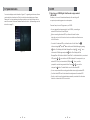
To activate Timeshift manually press the
button on the remote control.
This will pause the currently viewed program and allow you to resume watching from
this point by pressing the
button.
YourDVBS2 will record the program to a buffer for the default time you have set in the
menu
Please note that if you have Auto Timeshift on it will reset every time you change the
channel
53
The DVBS2 is compatible with most PC type media files
These files can be played back on your receiver via the USB ports
To Playback media files, firstly connect the storage device where files are stored
Then press the XVID button on the remote control, this will bring up the list of
connected storage devices. Select the desired storage device by pressing the
button
The list of files on the storage device will now be displayed on the screen. Select the
file by pressing the
or
arrow buttons and to play press the button. If
the file is supported playback will begin. If the file is not
upported
s
you will be
returned to the Media file list
To stop playback press the
your storage device
button, this will bring you back to the list of files on
Please note as there are many variations of file types and various audio codecs
within certain file types, all media files may not be supported
54
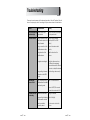
Troubleshooting
There may be various reasons for the abnormal operation of the unit. Therefore, if the unit
does not work properly, check it according to the procedures shown in the table below:
Problem
Possible causes
The LED light on the front The AC power cord is
disconnected.
panel does not light.
No Picture or sound.
Remedy
Connect the power cord properly
into the power socket.
Wrong connection of the Connect the two terminals
video/audio output to the correctly with RCA or HDMI
TV input terminal.
cable(s).
Wrong connection of the Connect the antenna cable
satellite antenna cable. correctly.
Wrong direction of the
satellite antenna.
Adjust the direction of the
antenna.
No signal or weak signal.
Check the cable connections,
the LNB and other equipment
connected between the LNB and
the receiver, or adjust the antenna.
Wrong setting of channel Type the setting values correctly.
information in the MENU
screen.
Black-and-white
screen or V-Hold.
Your TV mode (PAL/NTSC) Use a TV of the same mode.
is different from the satellite
broadcasting mode.
Connect a NTSC/PAL converter
between the receiver and the TV.
The remote controller
is not working.
Batteries are exhausted.
Fluorescent light is interfering Switch off the light.
with the remote controller.
Remote controller is
incorrectly aimed.
55
Change the batteries.
Aim the remote control at the
receiver.
56
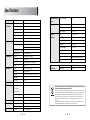
Specifications
Smart Card Reader
2 Slot
Power consumption
max 30W
Supply voltage
AC 90V ~ 250V
Supply frequency
50Hz ~ 60Hz
Rear Panel
Video
1 X RCA cinch
connectors
Audio L/R
4 X RCA cinch
Conditional Access
System capabilities Fully DVB compliant
Interface
satellite
Connector
IEC 169-24, female
LNB/Tuner input
Frequency range
950MHz ~ 2150MHz
Signal level
-65dBm ~ -25dBm
LNB supply
DC 13/18V, max 400mA
LNB switch control
22KHz
DiSEqC
Ver 1.0/1.1/1.2/USALS Compatible
Front end
DVB-S/S2 QPSK, 8PSK
Component(Y/Pb/Pr)
3 X RCA cinch
Symbol rate
DVB-S : 2~45Msps
Serial data
9pin D-sub
DVB-S2 : 10~30Msps(QPSK) 10~30Msps(8PSK)
Digital tuner input
IEC 169 - 24
Demodulator
Power supply
SCPC and MCPC Capable
System resource
Video decoder
Loop-through Digital tuner
IEC 169 - 24
Spectral inversion
Auto conversion
S/PDIF
1 X RCA cinch
Processor
32bit processor (450MHz)
HDMI
Digital Video/Audio Output
DDR SDRAM
64Mbyte X 2
FLASH
NOR : 8Mbyte, NAND : 256Mbyte
LAN
RJ-45
EEPROM
256Kbit
MPEG-2, MPEG-4, H.264
Size (W X H X D)
Weight (Net)
260 X 232 X 54(mm)
MPEG 2
Data Rate
up to 15M bits/s
Resolution
1920 X 1080P/i, 1280 X 720P, 720 X 576P/i
Video format
PAL
Aspec Ratio
4:3,16:9
Teletext
DVB compliant
MPEG Audio
MPEG 1 layer I/II,
AC3 Dolby Digital
Type
Mono, Stereo, Joint Stereo
Sampling rates
32, 44.1 and 48 KHz
9pin D-sub male, Max 115K bps
Serial data interface Connector
USB
1.4 Kg
Disposal of Old Electrical & Electronic Equipment(Applicable in the European Union and other
European Countries with separate collection systems)
MPEG 2 layer II,
Remote control
Physical
Specification
Code
NEC-IR
Operating condition
up to 7 Meter
USB Supply
DC 5V Max 500mA
57
This symbol on the product or on its packaging indicates that this product shall not be treated as household
waste. Instead it shall be handed over to the applicable collection point for the recycling of electrical and
electronic equipnent. By ensuring this product is disposed of correctly, you will help prevent potential
negative consequences for the environment and human health, which could otherwise be caused by
inappropirate waste handling of this product. The recycling of materials will help to conserve natural
resources.
For more detailed information about recycling of this product, please contact your local city office, your
household waste disposal service or the shop where you purchased the product.
58
E109000257A