1
Setting Up for the First Time
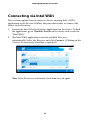
Connecting via Intel WiDi
This section explains how to connect a device running Intel's WiDi
application to the Receiver. Follow the procedure below to connect the
device to the Receiver:
1. Launch the Intel Wireless Display Application on the device. To find
the application, go to Windows Search on the device and search for
“Intel WiDi.”
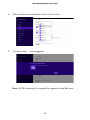
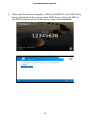
2. The Intel WiDi application scans for available Receivers
automatically. Select the Receiver and click Connect. (Clicking in the
Connect Automatically checkbox is optional.)
!
!
Note: If the Receiver is not found, click Scan to scan again.
13