1
Distributed by MicroDAQ.com, Ltd.
www.MicroDAQ.com
Introduction
(603) 746-5524
This manual provides instructions and information necessary to install
the VSS version of the DriveRight 600E device.
Since the specific installation details vary from vehicle to vehicle, these
instructions are intended to be a general guide for professional installers
or for knowledgeable and experienced mechanics.
We strongly recommend that you read the entire manual before beginning the installation. Be sure you understand each procedure thoroughly
before starting that procedure.
Components
Your DriveRight VSS installation kit should come with all of the
components show below. Make sure you have all listed items before
proceeding.
Note: DriveRight hardware components include extra pieces not required for installation.
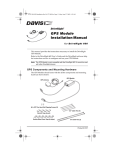
Console & Mounting Brackets
Battery (CR123 3V Lithium)
DriveRight Console
Visor Clip
Mounting Bracket
Right Angle Adapter Bracket
Double-Sided Foam Tape (4 strips)
Velcro® Tape (4 pair)
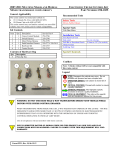
Hardware
#6 x 1/2" Pan Head
Self-Tapping Screws (3)
6-32 x 1/2" Flat Head
Machine Screws (3)
6-32 Nuts (3)
#6 Split Lock Washers (6)
#6 Flat Washers (6)
Tie Wraps (12)
#6 x 1/2" Flat Head
Self-Tapping Screws (3)
1