1
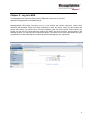
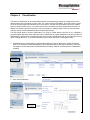
12. You can search in any specific repository if you have multiple repositories available.
searches through all repositories.
By default, it
13. “E-mail Type” allows you to include searching for Public Folders emails. Default search does not include
Public Folders items.
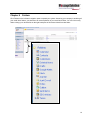
14. “Folders” allow you to search by each folders emails. Such as searching by inbox.
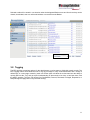
15. The EEA Tagging feature would allow the user to ‘tag’ any message for easy visual identification with a
variety of default tags, or custom tags created by each user.
16. Default search result shows 50 messages per page. You can select a different number. The maximum is
1,000 per page.
17. “Concept Search”. Choose this option to let EEA search engine find related information for the meaning
of the search condition.
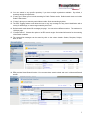
18. The returned list messages can be sorted by click on the column header: Sender, Recipient, Subject,
Date, or Size.
19. EEA provides Saved Search function. You can save these search criteria and use it in Advanced Search
screen.
7