1
Chapter 3 Search & Access Emails
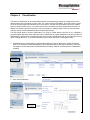
EEA’s built-in search engine provides a powerful search tool to deliver fast and accurate search results. It
enables email users to quickly find the information they are looking for. Email data discovery helps in the
following areas:
- With EEA, email data is always online and accessible. It eliminates the need for backing up emails to PST
files, loading back to Outlook and searching through PST files, and makes email management centralized,
therefore, increase overall organizational productivity.
- In the event of legal dispute, you can quickly produce the evidence the judge is asking for without incurring a
high cost due to long hours of loading data from backup and searching through them that may require a large
number of employees’ involvement. In some cases, companies have to hire a third party consulting firm to
help discover the data, and the cost can mount to millions of dollars. With EEA, you do not need to do this
anymore. EEA’s comprehensive search tool will search through millions of emails in a matter of seconds.
Then you can print the emails and present to the inquirer.
3.1 Search Email
To search for emails in the archive:
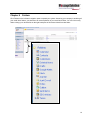
1. On the left menu bar, click on Archive link in the Search Emails section. This should open up a search
interface on the right.
5