1
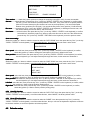
DARK ZONE COMPENSATION
COMPENSATION----this function means you can adjust the image brightness and saturation.
1. Press "SET" button to enter the sub menu, 0~15 adjustable, default set is 8.
2. Enter "LEVEL" of this function, can change to be LOW / MID / HIGH.
3. Move the arrow to EXIT to quit.
WHITE BALANCE----AUTO TRACK / AUTO / MANUAL
BLC--BLC----when the camera focused object have strong light to shine it from its back, the image will be dark, you ca use
this function to adjust the image. The sensitivity of BLC can be HIGH / MID / LOW / OFF
MOTION DETECTION---DETECTION----this module have 8 motion detection zones, camera can detect the object by its color,
brightness, when the screen show "moving object", you need to pay attention on it.
1. Choose the area you want to detect under option "SELECT AREA".
2. Change the MOTION DETECTION function to be "ON", then set the area you want to detect.
3. Finish set, exit and save the set.
FOCUS
FOCUS----enter its sub menu,
AUTO: when camera doing optical zoom, it will auto turn on DIGITAL ZOOM, it will auto focus when it zooming.
ONE TIME FOCUS: when zoom stop, it will focus one time, and it will auto focus one time when zoom stop.
MANUAL: use controller to change zoom, and confirm the screen change, now it without auto focus function.
ZOOM TRACKING MODE: use controller to choose OFF / ON.
ZOOM TRACKING SPEED: use this to choose the digital zoom times, 1x ~ 16x.
INITIALIZE ZOOM POSITION.
USER DEFAULT SET.
LENS INITIALIZATION.
EXIT.
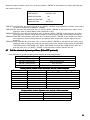
EXPOSURE
EXPOSURE----enter the sub menu,
BRIGHTNESS;
IRIS: AUTO / MANUAL;
AGC: HIGH / MID / LOW;
SHUTTER: ANTI-FLICKER / MANUAL / AUTO (best mode);
DIGITAL NOISE REDUCTION;
SENSE LIGHT: help camera to get better image at dark environment.
26