1
Catalogue
Production
Production-------------------------------------------------------------------------------------------------------------------------------------3
Note / Warning / Friendly suggestion
Installation and connection
connection--------------------------------------------------------------------------------------------------------------4
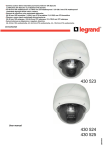
Indoor & Outdoor IR High Speed Dome Camera
Camera----------------------------------------------------------------------------------5
1. Features
2. Mounting size drawing
2.1 Wall mount
2.2 Hoisting mount----------------------------------------------------------------------------------------------------------------------------6
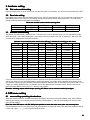
3. Hardware setting
3.1 Dial codes switch setting
3.2 Baud rate setting
3.3 Address codes setting
4. OSD menu setting
setting------------------------------------------------------------------------------------------------------------------------7
4.1 Menu setting operating introductions
4.2 Basic introduction
4.2.1 Select item
4.2.2 Parameters setting operation
4.3 System setting of the dome camera
4.3.1 Info display setting-----------------------------------------------------------------------------------------------------------------8
4.3.2 System act setting
4.4 Camera setup------------------------------------------------------------------------------------------------------------------------------9
4.5 PAN setup-------------------------------------------------------------------------------------------------------------------------------- 10
4.5.1 Scan setup / Pattern scan setting / Tour scan setting / Auto scan setting
4.5.2 Auto flip function------------------------------------------------------------------------------------------------------------------11
4.5.3 Home (Fixed) position
4.6 Calendar setup
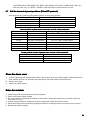
4.7 Call the shortcut of preset positions (Pelco-D/P protocol)--------------------------------------------------------------------12
Indoor & Outdoor Normal High Speed Dome Camera (W/O IR) ------------------------------------------------------------13
1. Features
2. Mounting size drawing
2.1 Wall mount
2.2 hoisting mount
3. hardware setting ------------------------------------------------------------------------------------------------------------------------14
3.1 Dial codes switch setting
3.2 Baud rate setting
3.3 Address codes setting
4. OSD menu setting
4.1 menu setting operating introductions
4.2 Basic introduction ----------------------------------------------------------------------------------------------------------------------15
4.2.1 Select item
4.2.2 Parameters setting operation
4.3 System setting of the dome camera
4.3.1 Info display setting
4.3.2 System act setting---------------------------------------------------------------------------------------------------------------16
4.4 Camera setup
4.5 PAN setup -------------------------------------------------------------------------------------------------------------------------------18
4.5.1 Scan setup
4.5.2 Auto flip function-----------------------------------------------------------------------------------------------------------------19
4.5.3 Home (Fixed) position
4.6 Calendar setup
4.7 Call the shortcut of preset positions (Pelco-D/P protocol)-------------------------------------------------------------------20
Clean the dome cover
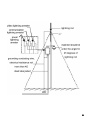
Notes for maintain / Lightning protection / Simple sheet for check faults
faults---------------------------------------------21
SONY zoom module menu for reference ------------------------------------------------------------------------------------------23
LG zoom module menu for reference
reference-----------------------------------------------------------------------------------------------24
CNB zoom module menu for reference
reference---------------------------------------------------------------------------------------------25
SAMSUNG zoom module menu for reference
2