1
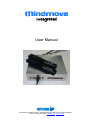
Safety Instructions for Mindmove General Read all safety and operating instructions before operating Mindmove Retain the safety and operating instructions for future reference. Heed all warnings Install in accordance with the instructions below. Follow all operating and use instructions. WARNING Electric chock or injury Mindmove should be used with a grounded outlet power cord and plug. Make sure all connections to Mindmove are made carefully and inserted into the correct locations only. Unplug from outlet when not in use and before servicing. Do not use this apparatus near water. Do not expose this apparatus to rain or moisture. No objects filled with liquids shall be placed on the apparatus. The apparatus shall not be exposed to dripping or splashing. Clean apparatus only with dry cloth. Turn off before unplugging. Do not unplug by pulling on cord. To unplug, grasp the plug, not the cord. Hold plugs straight when inserting them into a socket. Do not put any object into openings. Do not use with damaged cord or plug. Do not handle plug or appliance with wet hands. Do not pull or carry by cord, use cord as a handle, close a door on cord, or pull cord around sharp edges or corners. Protect the power cord for being walked on or pinched. Do not run appliance over cord. Keep cord away from heated surfaces. Refer all servicing to qualified service personnel. Mindmove hardware precautions Do not install Mindmove near any heat sources such as radiators, heat registers, stoves, or other apparatus that produce heat. Do not disassemble or try to repair the Mindmove or components. Doing so voids the warranty. Do not store the Mindmove in a humid place, on the floor or in any location where it may collect dirt, dust, lint, etc. Do not drop, hit or otherwise abuse the Mindmove or components. Do not expose the Mindmove or any of the Mindmove components to extreme heat or cold. Do not rapidly turn the power switch on and off If a VGA contact is inserted, do not wiggle the VGA contact up and down. When disconnecting a VGA contact, pull straight out and wiggle the contact gently sideways. Interactive Productline IP AB ▪ Järnvägsgatan 36 ▪ SE-131 54 Nacka ▪ Sweden Phone +46 709 82 00 24 ▪ [email protected] ▪ www.i-p.se