1
Inngenio MP3 Color Player User’s Manual
file can only contain one bookmark. Up to nine bookmarks can be stored in the “Bookmark List”. Additional
bookmarks set will overwrite the oldest bookmarks in the list. In the status of text reading, press key “A - B” then you
can jump to pages that you have setup bookmark to it.
3. How to operate menu on-line
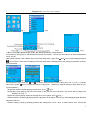
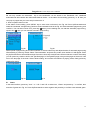
In the status of text reading, press “MENU” key to enter menu on-line as in the Fig. 28. Press Up/Downwards and
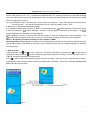
select list “bookmark” and press key Certain to enter bookmark list as in the Fig. 29. Select automatic page turning, and
confirm it. You can select ON or OFF, press key “ “when you are reading text, can halt the automatic page turning,
repress key “ ” then you can resume automatic page turning.
Fig.28
Fig.29
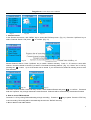
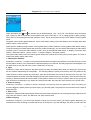
Select speed of page turning and confirm interface 30. Press volume key and adjust duration of automatic page turning.
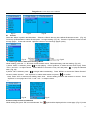
After realizing it, press key certain. Select “Fast localization” and press key certain, then interface 31 will appear. Press
key Up/Downwards to shift to different digit. Press the volume key to adjust value of items that turn to white. After setup
you can press key certain to shift to the specified pages. If the specified page is beyond the pages of the book, it will
turn to the last page of the book. Select “Music setting” and confirm the interface of playing mode, finally press key
certain after setup.
Fig.30
Fig.31
IV. Game
In the main interface, press key ““and ““ or “ VOL+” and VOL to select icon, “Game” and press key ““ to confirm, then
enter list of game as in Fig. 32. Press Up/Downwards to select a game and press key to confirm enter selected game.
14