1
Chapter 3 Probabilistic Workload Driver
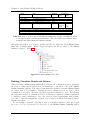
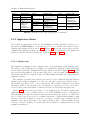
Name
Path
Markov State: Index
index.shtml
[JPSROOT]/index.shtml
Markov State: Sign On
[JPSROOT]/signonForm.shtml
signonForm.shtml
signon.shtml
[JPSROOT]/signon.shtml
Markov State: View Category
viewCategory.shtml [JPSROOT]/viewCategory.shtml
Markov State: Sign Off
signoff.shtml
[JPSROOT]/signoff.shtml
Method
Parameters
Name
Value
GET
GET
POST
GET
username
password
submit
j2ee
j2ee
Login
categoryId
REPTILES
GET
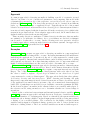
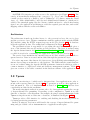
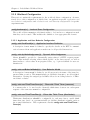
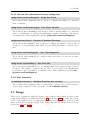
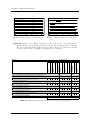
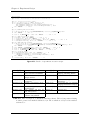
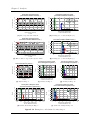
Table 3.4: Data to fill in to the HTTP Request configuration dialogs. “[JPSROOT]” needs
to be replaced with “/servlets/jpetstore5/shop”. Also, the check boxes “Redirect Automatically” and “Follow Redirects” must be selected.
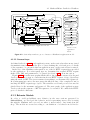
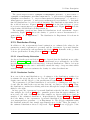
and must especially not be nested – neither directly nor indirectly. Each Markov State
must have a unique name. HTTP Request Samplers should be added to the Markov
States according to Table 3.4.
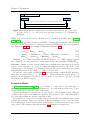
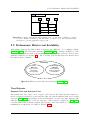
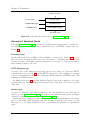
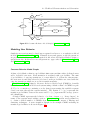
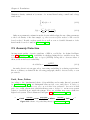
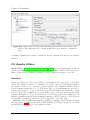
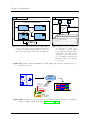
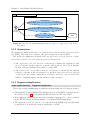
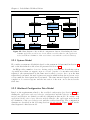
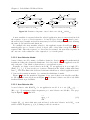
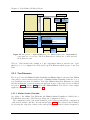
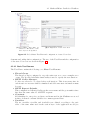
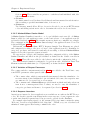
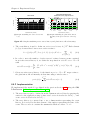
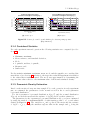
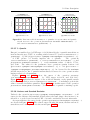
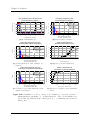
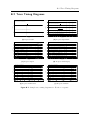
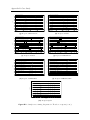
Figure 3.12: Markov4JMeter Test Plan.
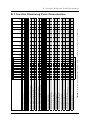
Defining Transition Guards and Actions
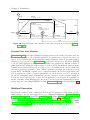
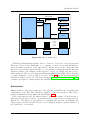
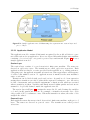
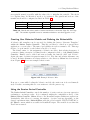
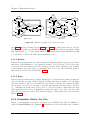
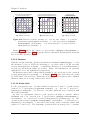
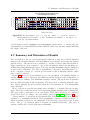
When selecting a Markov State within the Test Plan, the configuration dialog including
the table to define guards and actions for transitions to all states of the same Markov
Session Controller appears. The table is automatically updated each time Markov States
are added, removed or renamed. Transitions can be assigned guards in order to allow
a transition to be taken only if the specified expression evaluates to true. By selecting
the respective check box, transitions can be deactivated completely, which is equivalent
to entering a guard evaluating to false. An action is a list of statements, such as function calls or variable assignments, separated by a semicolon which is evaluated when a
transition is taken.
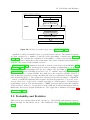
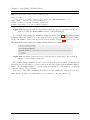
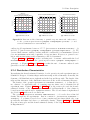
In our example a variable signedOn is used to remember whether a user has logged
in or not. A User Parameters Pre-Processor to the Markov Session Controller with a
44