1
Integration
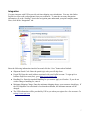
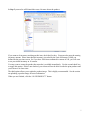
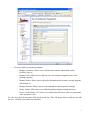
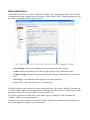
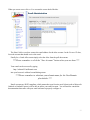
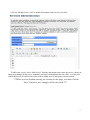
You may integrate with UPS to provide real time shipping cost calculations. You may also link to
PayPal to accept credit card payments from your customers. To enter the necessary integration
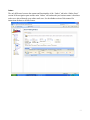
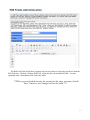
information, go to the “Settings” item in the navigation pane underneath your print company name.
Next, click on the “Integration” tab.
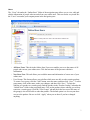
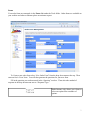
Enter the following information into this form and click the “Save” button when finished:
●
Shipment Postal Code: Enter the postal (zip) code you will ship from.
●
Paypal ID: Enter the email address associated with your PayPal account. To sign up for a
business PayPal account (free), go to http://www.paypal.com
●
Handling Fee: Enter the standard Handling fee you want to apply to all orders. If you do not
wish to charge a handling fee, enter 0.
●
Minimum Shipping Charge: Enter the minimum shipping charge your customers should pay. If
the UPS shipment cost calculated is less than the minimum, the minimum amount will be
charged.
●
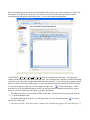
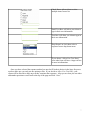
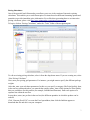
The UPS information will be provided by UPS to you when you register for a free account. Go
to http://www.ups.com
17