1
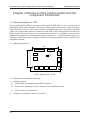
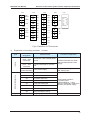
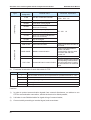
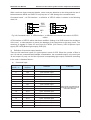
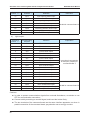
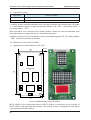
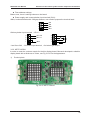
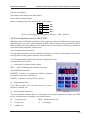
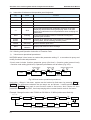
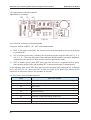
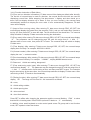
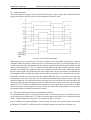
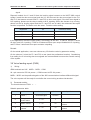
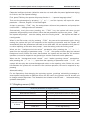
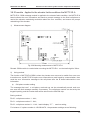
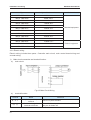
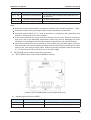
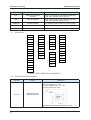
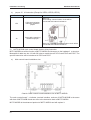
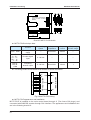
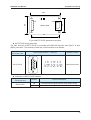
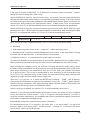
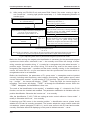
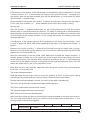
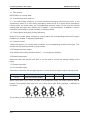
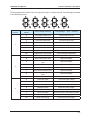
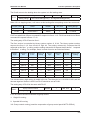
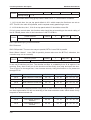
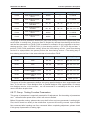
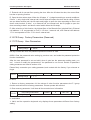
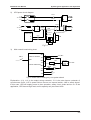
NICE3000 User Manual Structure of the control system and the component introduction If the floor information setting is 0, it is car display panel; The floor address is valid floor number (based on the leveling plate), increasing from the bottom to the top and not related to the actual floor number. For example: One building has two floors underground, and 10 floors above. Among theses, Floor 3 and Floor 4 are service floors. So the setting of the dial switch’s floor address is as follows: The second floor underground is setting as 1, the first floor underground is setting as 2, and first floor above the ground is setting as 3, and the second floor above the ground is setting as 4. If there’s leveling plate between the third floor and the fourth floor, they are setting separately as 5 and 6, meanwhile, the floors above the fifth floor are setting as 7, 8, 9…; if there’s no leveling floor between the third floor and the fourth floor, jump through it, and the floors above the fifth floor are setting as 5, 6, 7…. Plug connection port of locked lift switch and fire switch separately into JP1 and JP2, and plug connection port of button of up running and down running separately into JP3 and JP4. Plug connection port used for Mod-bus communication into CN1. Cautions: Do not set hall call floor address as 0; In order to protect communication signals from external disturbance, we advise to use STP for communication connection; It is better to use Shielded cable for signal line of communication; Connect strictly according to terminal signal, and screw down b) Definition of input and output Terminal Name Function Definition JP1 Switch Interface of locked lift, pin 2 、3 are switch connection pins, pin 4 is lift lock indicator output JP2 Switch Interface of fire fighting , pin 2 、3 are switch connection pins, pin 4 is lift lock indicator output JP3 Calling button interface of up running , pin 2 、3 are switch connection pins, pin 1 、4 are power supply pins, for controlling button light JP4 Calling button interface of down running , pin 2 、3 are switch connection pins, pin 1 、4 are power connection pins, for controlling button light CN1 Use for communicating with Modbus , pin 2、3 of 4Pin interface are for communication, pin 1、4 are for power connection The specific definition of 4 PIN is shown in Fig 3-14. The means of marks in the chart: MP24 (24V Power), KEY-IN (Button input signal), KEY-LED (Button light output), GND (0V). 4 3 2 1 KEYLED KEY-IN MP2 4 4 3 2 1 Fig 3-14 Interfaces’ definition and external connection method of 4 PIN 45