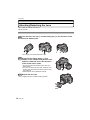
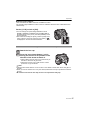
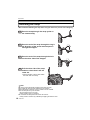
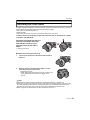
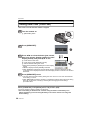
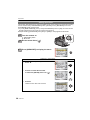
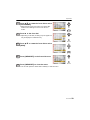
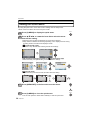
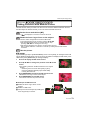
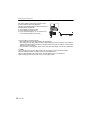
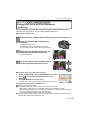
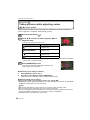
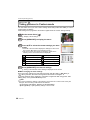
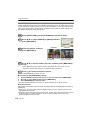
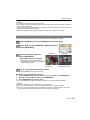
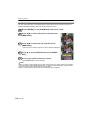
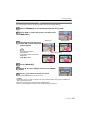
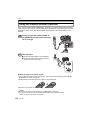
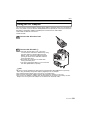
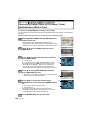
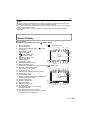
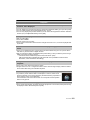
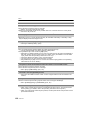
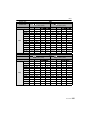
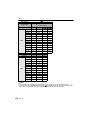
1
Operating Instructions Digital Camera/Lens Kit Model No. DMC-G1K Before use, please read these instructions completely. Web Site: http://www.panasonic-europe.com VQT1U44 EB until 2008/11/ 1 Before Use Before Use Dear Customer, We would like to take this opportunity to thank you for purchasing this Panasonic Digital Camera. Please read these Operating Instructions carefully and keep them handy for future reference. Information for Your Safety WARNING: TO REDUCE THE RISK OF FIRE, ELECTRIC SHOCK OR PRODUCT DAMAGE, • DO NOT EXPOSE THIS APPARATUS TO RAIN, MOISTURE, DRIPPING OR SPLASHING AND THAT NO OBJECTS FILLED WITH LIQUIDS, SUCH AS VASES, SHALL BE PLACED ON THE APPARATUS. • USE ONLY THE RECOMMENDED ACCESSORIES. • DO NOT REMOVE THE COVER (OR BACK); THERE ARE NO USER SERVICEABLE PARTS INSIDE. REFER SERVICING TO QUALIFIED SERVICE PERSONNEL. Carefully observe copyright laws. Recording of pre-recorded tapes or discs or other published or broadcast material for purposes other than your own private use may infringe copyright laws. Even for the purpose of private use, recording of certain material may be restricted. • Please note that the actual controls and components, menu items, etc. of your Digital Camera may look somewhat different from those shown in the illustrations in these Operating Instructions. • G MICRO SYSTEM is a lens exchange type digital camera system of LUMIX based on a Micro Four Thirds System standard. • Micro Four Thirds is a trademark. • Four Thirds™ is a trademark. • SDHC Logo is a trademark. • HDMI, the HDMI Logo and the High-Definition Multimedia Interface are the registered trademarks or trademarks of HDMI Licensing LLC. • HDAVI Control™ is a trademark of Panasonic Corporation. • Adobe is a trademark or registered trademark of Adobe Systems Incorporated in the United States and/or other countries. • Microsoft product screen shot(s) reprinted with permission from Microsoft Corporation. • Other names, company names, and product names printed in these instructions are trademarks or registered trademarks of the companies concerned. THE SOCKET OUTLET SHALL BE INSTALLED NEAR THE EQUIPMENT AND SHALL BE EASILY ACCESSIBLE. Product Identification Marking is located on the bottom of units. 2 VQT1U44 Before Use Caution for AC mains lead For your safety, please read the following text carefully. This appliance is supplied with a moulded three pin mains plug for your safety and convenience. A 5-ampere fuse is fitted in this plug. Should the fuse need to be replaced please ensure that the replacement fuse has a rating of 5-ampere and that it is approved by ASTA or BSI to BS1362. Check for the ASTA mark Ï or the BSI mark Ì on the body of the fuse. If the plug contains a removable fuse cover you must ensure that it is refitted when the fuse is replaced. If you lose the fuse cover the plug must not be used until a replacement cover is obtained. A replacement fuse cover can be purchased from your local dealer. CAUTION! IF THE FITTED MOULDED PLUG IS UNSUITABLE FOR THE SOCKET OUTLET IN YOUR HOME THEN THE FUSE SHOULD BE REMOVED AND THE PLUG CUT OFF AND DISPOSED OF SAFELY. THERE IS A DANGER OF SEVERE ELECTRICAL SHOCK IF THE CUT OFF PLUG IS INSERTED INTO ANY 13AMPERE SOCKET. If a new plug is to be fitted please observe the wiring code as stated below. If in any doubt please consult a qualified electrician. ∫ IMPORTANT The wires in this mains lead are coloured in accordance with the following code: Blue: Neutral, Brown: Live. As these colours may not correspond with the coloured markings identifying the terminals in your plug, proceed as follows: The wire which is coloured Blue must be connected to the terminal which is marked with the letter N or coloured Black or Blue. The wire which is coloured Brown must be connected to the terminal which is marked with the letter L or coloured Brown or Red. WARNING: DO NOT CONNECT EITHER WIRE TO THE EARTH TERMINAL WHICH IS MARKED WITH THE LETTER E, BY THE EARTH SYMBOL Ó OR COLOURED GREEN OR GREEN/YELLOW. THIS PLUG IS NOT WATERPROOFKEEP DRY. ∫ Before use Remove the connector cover. ∫ How to replace the fuse The location of the fuse differ according to the type of AC mains plug (figures A and B). Confirm the AC mains plug fitted and follow the instructions below. Illustrations may differ from actual AC mains plug. 1. Open the fuse cover with a screwdriver. Figure A Figure B Fuse cover 2. Replace the fuse and close or attach the fuse cover. Figure A Figure B Fuse (5 ampere) Fuse (5 ampere) VQT1U44 3 Before Use Information for Users on Collection and Disposal of Old Equipment and used Batteries These symbols on the products, packaging, and/or accompanying documents mean that used electrical and electronic products and batteries should not be mixed with general household waste. For proper treatment, recovery and recycling of old products and used batteries, please take them to applicable collection points, in accordance with your national legislation and the Directives 2002/96/EC and 2006/66/ EC. By disposing of these products and batteries correctly, you will help to save valuable resources and prevent any potential negative effects on human health and the environment which could otherwise arise from inappropriate waste handling. For more information about collection and recycling of old products and batteries, please contact your local municipality, your waste disposal service or the point of sale where you purchased the items. Penalties may be applicable for incorrect disposal of this waste, in accordance with national legislation. For business users in the European Union If you wish to discard electrical and electronic equipment, please contact your dealer or supplier for further information. [Information on Disposal in other Countries outside the European Union] These symbols are only valid in the European Union. If you wish to discard these items, please contact your local authorities or dealer and ask for the correct method of disposal. Note for the battery symbol (bottom two symbol examples): This symbol might be used in combination with a chemical symbol. In this case it complies with the requirement set by the Directive for the chemical involved. Cd ∫ About the battery charger CAUTION! • DO NOT INSTALL OR PLACE THIS UNIT IN A BOOKCASE, BUILT-IN CABINET OR IN ANOTHER CONFINED SPACE. ENSURE THE UNIT IS WELL VENTILATED. TO PREVENT RISK OF ELECTRIC SHOCK OR FIRE HAZARD DUE TO OVERHEATING, ENSURE THAT CURTAINS AND ANY OTHER MATERIALS DO NOT OBSTRUCT THE VENTILATION VENTS. • DO NOT OBSTRUCT THE UNIT’S VENTILATION OPENINGS WITH NEWSPAPERS, TABLECLOTHS, CURTAINS, AND SIMILAR ITEMS. • DO NOT PLACE SOURCES OF NAKED FLAMES, SUCH AS LIGHTED CANDLES, ON THE UNIT. • DISPOSE OF BATTERIES IN AN ENVIRONMENTALLY FRIENDLY MANNER. • The battery charger is in the standby condition when the AC power supply cord is connected. The primary circuit is always “live” as long as the power cord is connected to an electrical outlet. 4 VQT1U44 Before Use ∫ About the battery pack CAUTION Danger of explosion if battery is incorrectly replaced. Replace only with the same or equivalent type recommended by the manufacturer. Dispose of used batteries according to the manufacturer’s instructions. Warning Risk of fire, explosion and burns. Do not disassemble, heat above 60 xC or incinerate. • Do not heat or expose to flame. • Do not leave the battery(ies) in an automobile exposed to direct sunlight for a long period of time with doors and windows closed. ∫ Care of the camera • Do not strongly shake or bump the camera by dropping it etc. This unit may malfunction, recording pictures may no longer be possible or the lens or the LCD monitor may be damaged. • Be particularly careful in the following places as they may cause this unit to malfunction. – Places with a lot of sand or dust. – Places where water can come into contact with this unit such as when using it on a rainy day or on a beach. • Do not touch the lens or the sockets with dirty hands. Also, be careful not to allow liquids, sand and other foreign matter to get into the space around the lens, buttons etc. • If water or seawater splashes on the camera, use a dry cloth to wipe the camera body carefully. • Do not place your hands inside the mount of the digital camera body. Since the sensor unit is a precision apparatus, it may cause a malfunction or damage. ∫ About Condensation (When the lens or the Viewfinder is fogged up) • Condensation occurs when the ambient temperature or humidity changes. Be careful of condensation since it causes lens stains, fungus and camera malfunction. • If condensation occurs, turn the camera off and leave it for about 2 hours. The fog will disappear naturally when the temperature of the camera becomes close to the ambient temperature. ∫ Read together with the “Cautions for Use”. (P138) VQT1U44 5 Contents • Preventing jitter (camera shake)............47 • Programme shift ....................................48 Before Use Information for Your Safety....................... 2 Accessories .............................................. 9 Names of the Components ..................... 11 Rotating the LCD monitor ....................... 14 About the Lens........................................ 15 Preparation Attaching/Detaching the Lens................. 16 Attaching the Strap ................................. 18 Attaching the Lens Hood ........................ 19 Charging the Battery............................... 20 About the Battery (charging/number of recordable pictures) ................................ 21 Inserting/Removing the Battery .............. 23 Inserting/Removing the Card (Optional) .....24 About the Card........................................ 25 Setting Date/Time (Clock Set) ................ 26 Taking Pictures with the Zoom ............... 49 • Using the Optical Zoom/ Using the Extra Optical Zoom (EZ)/ Using the Digital Zoom..........................49 Playing back Pictures ............................. 50 • Changing the Information Displayed on the playback screen ..............................51 • Displaying Multiple Screens (Multi Playback).....................................51 • Displaying Pictures by Recording Date (Calendar Playback)..............................52 • Using the Playback Zoom......................52 Deleting Pictures..................................... 53 • To delete a single picture ......................53 • To delete multiple pictures (up to 50) or all the pictures .......................................54 Advanced (Recording pictures) Switching the display of the LCD Monitor/Viewfinder .................................. 55 • Changing the clock setting ....................26 • Switching the displayed information ......55 Setting the Menu..................................... 27 Taking Pictures using the Built-in Flash ....................................................... 59 • Setting menu items................................28 Setting the Quick Menu .......................... 30 About the Setup Menu ............................ 31 About LCD monitor/Viewfinder ............... 36 • LCD Monitor ..........................................36 • Direction detection function ...................37 • Switching the LCD monitor/ Viewfinder .............................................38 Selecting the [REC] Mode ...................... 39 Basic Taking pictures using the automatic function (Intelligent Auto Mode) .............. 41 • Scene detection.....................................42 • AF Tracking Function ............................43 • Compensating the Exposure .................43 • About the flash.......................................43 • Settings in Intelligent auto mode ...........44 Taking pictures with your favourite settings (Programme AE mode) ............. 45 • Fix the focus by pressing the shutter button halfway (AFS) ............................46 • Continuously focusing on a subject (AFC) ....................................................46 • Take a picture with manual focus (MF) ......................................................46 • Focusing ................................................47 • When the subject is not in focus............47 6 VQT1U44 • Switching to the appropriate flash setting....................................................59 • Adjust the flash output ...........................62 • Setting to the 2nd Curtain Synchro........63 Compensating the Exposure .................. 64 Taking Pictures using Burst Mode .......... 65 Taking Pictures using Auto Bracket........ 67 Taking Pictures with the Self-timer ......... 69 Setting the method used to focus (AF mode)............................................... 70 • Setting up [ ] (AF Tracking) ...............71 • Setting the AF area................................72 Taking Pictures with Manual Focus ........ 73 Fixing the Focus and the Exposure (AF/AE Lock) .......................................... 75 Adjusting the White Balance................... 77 • Setting the white balance manually .......78 • Setting the colour temperature ..............78 • Finely adjusting the white balance.........78 • White balance bracket ...........................79 Setting the Light Sensitivity..................... 80 Change tone of the colour for the picture to be taken (Film mode) .......................... 82 • Adjusting each film mode to the desired setting.......................................83 • Multi film bracket....................................84 Taking pictures by specifying the aperture/shutter speed............................ 85 • Aperture-priority AE .............................. 85 • Shutter-priority AE................................. 85 Taking picture by setting the exposure manually ................................................. 86 Confirm the effects of aperture and shutter speed (Preview mode)................ 88 • Confirm the effects of aperture ............. 88 • Confirm the effects of shutter speed ..... 88 Taking expressive portraits and landscape pictures (Advanced scene mode)............... 89 • • • • • [PORTRAIT]......................................... 90 [SCENERY].......................................... 90 [SPORTS] ............................................ 91 [CLOSE-UP]......................................... 91 [NIGHT PORTRAIT]............................. 92 Taking pictures that match the scene being recorded (Scene mode) ................ 93 • ï [SUNSET] ....................................... 93 • 2 [PARTY] .......................................... 94 • : [BABY1]/; [BABY2] ...................... 94 • í [PET] ............................................... 95 Taking pictures while adjusting colour (My colour mode).................................... 96 Registering Personal Menu Settings (Registering custom settings) ................. 97 Taking pictures in Custom mode ............ 98 Using the [REC] Mode Menu .................. 99 • ? [ASPECT RATIO]............................ 99 • @ [PICTURE SIZE]............................... 99 • A [QUALITY] ..................................... 100 • C [METERING MODE]...................... 101 • [STABILIZER] .............................. 101 • [FLASH]........................................ 102 • [D.RED-EYE] ............................... 102 • [FLASH SYNCHRO] ..................... 102 • [FLASH ADJUST.]........................ 103 • [I.EXPOSURE] ............................. 103 • [EX. OPT. ZOOM] ........................ 103 • ) [DIGITAL ZOOM] .......................... 103 • [BURST RATE] ............................. 104 • [AUTO BRACKET] ....................... 104 • [SELF-TIMER] .............................. 104 • [COLOR SPACE] ......................... 104 • [LONG SHTR NR] ........................ 105 • [ISO LIMIT SET] ........................... 105 • [ISO INCREMENTS] .................... 105 • O [DPOF PRINT] ............................... 114 • P [PROTECT] ................................... 115 • Q [RESIZE]....................................... 116 • [TRIMMING] ................................. 117 • ? [ASPECT CONV.] ......................... 118 Connecting to other equipment Connecting to a PC............................... 119 Printing the Pictures.............................. 121 • Single picture ...................................... 122 • Print Settings....................................... 122 • DPOF picture ...................................... 124 Playing Back Pictures on a TV Screen..... 125 • Playing back pictures using the Video cable (supplied) .................................. 125 • Playing back pictures on a TV with an SD Memory Card slot ......................... 125 • Playing back on the TV with HDMI socket ................................................. 126 Others Using the External Flash (optional)....... 129 Using the Protector/Filter (optional) ...... 131 Using the Remote Shutter (optional)..... 132 Using the AC Adaptor ........................... 133 Recording Dates/Times at Overseas Travel Destinations (World Time) ......... 134 Screen Display...................................... 135 Cautions for Use ................................... 138 Message Display .................................. 142 Functions that cannot be set or will not work under some conditions ................. 144 Troubleshooting .................................... 147 Number of recordable pictures.............. 154 Specifications........................................ 157 Using the [CUSTOM MENU] ................ 106 Advanced (Playback) Using the [PLAYBACK] mode menu..... 111 • [SLIDE SHOW] ............................. 111 • Ü [FAVORITE] ................................... 112 • N [ROTATE]/M [ROTATE DISP.] ... 113 VQT1U44 7 Before Use Before Use Sales and Support Information Customer Care Centre • For customers within the UK: 0844 844 3852 • For customers within the Republic of Ireland: 01 289 8333 • Visit our website for product information • E-mail: [email protected] Technical Support for AV Software • For customers within the UK: 0844 844 3869 • For customers within the Republic of Ireland: 01 289 8333 Direct Sales at Panasonic UK • For customers: 0844 844 3856 • Order accessory and consumable items for your product with ease and confidence by phoning our Customer Care Centre Monday – Thursday 9.00 a.m. – 5.30 p.m., Friday 9.30 a.m. – 5.30 p.m. (Excluding public holidays) • Or go on line through our Internet Accessory ordering application at www.panasonic.co.uk. • Most major credit and debit cards accepted. • All enquiries transactions and distribution facilities are provided directly by Panasonic UK Ltd. • It couldn’t be simpler! • Also available through our Internet is direct shopping for a wide range of finished products, take a browse on our website for further details. Interested in purchasing an extended guarantee? Please call 0870 240 6284 or visit our website www.panasonic.co.uk/guarantee. 8 VQT1U44 Before Use Before Use Accessories Check that all the accessories are included before using the camera. 1 Digital Camera Body (This is referred to as camera body in these operating instructions.) 2 Interchangeable Lens “LUMIX G VARIO 14 –45 mm/F3.5 – 5.6 ASPH./MEGA O.I.S.” (This is referred to as lens in these operating instructions.) 3 Lens Hood 4 Lens Cap (This is attached to the interchangeable lens at the time of purchase.) 5 Lens Rear Cap (This is attached to the interchangeable lens at the time of purchase.) 6 Lens Storage Bag 7 Battery Pack (This is referred to as battery in these operating instructions.) Charge the battery before use. 8 Battery Charger/AC Adaptor (This is referred to as charger in these operating instructions.) 9 AC Mains Lead 10 Video Cable 11 USB Connection Cable 12 CD-ROM • Software: Use it to install the software to your PC. 13 Strap 14 Body Cap (This is attached to the camera body at the time of purchase.) • SD Memory Card, SDHC Memory Card and MultiMediaCard are indicated as card in the text. • The card is optional. • Description in these operating instructions is based on the 14 –45 mm/F3.5 – 5.6 lens included in the DMC-G1K. • Consult the dealer or your nearest Service Centre if you lose the supplied accessories. (You can purchase the accessories separately.) VQT1U44 9 Before Use 1 2 H-FS014045 6 7 VFC4357 11 4 3 DMW-BLB13E 12 K1HA08CD0019 9 DE-A49C 13 VFC4355 DMW-BLB13E • Interchangeable Lens H-FS045200 (Read P15 for information about other lenses that can be used.) • Flash DMW-FL500 DMW-FL360 DMW-FL220¢ • MC Protector DMW-LMC52 • ND Filter DMW-LND52 • PL Filter (Circular Type) DMW-LPL52 • Remote Shutter DMW-RSL1 • DC Cable DMW-DCC3 • Soft Bag DMW-BAG1 • Soft Case DMW-CG1 • Shoulder Strap DMW-SSTG1 DMW-SSTG2 DMW-SSTG3 VQT1U44 VFC4315 10 K2CT3CA00004 K1HA08CD0021 14 ∫ Optional Accessories • Battery Pack 10 VYF3201 VYC0981 8 5 VKF4385 • HDMI mini cable RP-CDHM15 RP-CDHM30 • Mount Adaptor DMW-MA1 • SDHC Memory Card 32 GB: RP-SDV32GE1K 16 GB: RP-SDV16GE1K 12 GB: RP-SDM12GE1K 8 GB: RP-SDV08GE1K 6 GB: RP-SDM06GE1K 4 GB: RP-SDM04GE1K/RP-SDV04GE1K • SD Memory Card 2 GB: RP-SDM02GE1A/RP-SDV02GE1A 1 GB: RP-SDR01GE1A/RP-SDV01GE1A • CardBus PC Card Adapter BN-SDPC3E ¢ AVAILABLE SOON Some optional accessories may not be available in some countries. Before Use Names of the Components ∫ Camera body 1 Flash (P59) 2 Sensor 3 Self-timer indicator (P69) AF assist lamp (P108) 4 Lens release button (P17) 5 Lens lock pin 6 Mount 7 Lens fitting mark (P16) 8 Front dial (P28, 43, 48, 51, 52, 64, 85, 86) 1 2 8 7 6 3 5 4 There are 2 ways to operate the front dial, rotating left or right, and deciding by pressing. Front dial is described as following in these operating instructions. e.g.: Rotating left or right e.g.: Pressing the front dial 9 10 11 12 13 14 15 16 17 18 [LVF/LCD] button (P38) 9 10 11 12 13 14 15 Diopter adjustment dial (P38) Viewfinder (P38, 56, 135) Eye sensor (P38) Playback button (P50, 53, 125, 126) [AF/AE LOCK] button (P75) Camera ON/OFF switch (P26) LCD monitor (P36, 51, 55, 135) [DISPLAY] button (P51, 55, 88) Delete button (P53)/ 16 17 18 19 20 Preview button (P88) 19 [MENU/SET] button (P26) 20 Cursor buttons 3/ISO (P80) 2/AF mode (P70) 4/Function button (P31) Assign Menu to 4 button. It is convenient to register Menu that is used often. [ASPECT RATIO]/[QUALITY]/[METERING MODE]/[I.EXPOSURE]/[GUIDE LINE] 1/WB (White balance) (P77) VQT1U44 11 Before Use In these operating instructions, the cursor buttons are described as shown in the figure below or described with 3/4/2/1. e.g.: When you press the 4 (down) button MENU /SET 21 Focus mode dial (P41, 45, 70, 73) 22 Flash open lever (P59) 23 Drive mode lever Single (P45): Burst (P65): Auto bracket (P67): Self-timer (P69): 24 Shutter button (P41) 25 Focus distance reference mark (P74) 26 Hot shoe (P129) 27 Mode dial (P39) 28 Status indicator (P41) 29 [Q.MENU] button (P30) 30 [FILM MODE] button (P82) Press 4 or 23 21 22 25 24 26 27 28 29 30 31 [REMOTE] socket (P132) 32 Strap eyelet (P18) • Be sure to attach the strap when using the camera to ensure that you will not drop it. 33 [HDMI] socket (P126, 127) 34 [DIGITAL/V.OUT] socket (P119, 121, 125) 31 32 33 34 35 Card door (P24) 36 DC cable cover (P133) 35 36 12 VQT1U44 Before Use 37 Battery door (P23) 38 Release lever (P23) 39 Tripod receptacle • When you use a tripod, make sure the tripod is stable when the camera is attached to it. 37 38 39 ∫ Lens H-FS014045 (LUMIX G VARIO 14 – 45 mm/F3.5 – 5.6 ASPH./MEGA O.I.S.) 40 Tele 41 Lens surface 42 Focus ring (P73) 43 Wide 45 44 Zoom ring (P49) 45 [O.I.S.] switch (P17) 44 46 Contact point 40 41 42 43 47 Lens fitting mark (P16) 46 47 ∫ Battery charger/AC adaptor (P20, 133) 48 49 50 51 Power input socket [AC IN] [CHARGE] indicator Power output socket [DC OUT] Battery holder 48 49 50 51 VQT1U44 13 Before Use Rotating the LCD monitor At the time when this camera is purchased, the LCD monitor is stowed in the camera body. Bring out the LCD monitor as shown below. 1 Open the LCD monitor. (Maximum 180o) 2 It can be rotated 180o forwards. 3 Return the monitor to its original position. Rotation range of the LCD monitor ∫ Horizontal opening direction ∫ Vertical rotating direction 4 Maximum 180o 5 180o • It can be rotated 180o forwards. 6 90o • It can only be rotated 90o towards you. Note • Only rotate the LCD monitor after opening it wide enough, and be careful not to use excessive force as it may be damaged. • When holding the edge of the LCD monitor, there may be some distortion, however this is not a malfunction. Moreover, this has no effect on the taken pictures or playback. • When not using the LCD monitor it is recommended that you close it with the screen facing inwards to prevent dirt and scratches. 14 VQT1U44 Before Use About the Lens This unit can use the dedicated lenses compatible to the Micro Four Thirds System lens mount specification (Micro Four Thirds mount) such as the lens included in DMC-G1K. Select a lens that matches the scene being recorded and your use of the pictures. If you use a lens other than a dedicated interchangeable lens, auto focus cannot be activated and accurate metering is not possible. Also, some functions will not work. ∫ “Micro Four Thirds Mount” This is the lens mount standard for the “Micro Four Thirds System”. This was newly developed as interchangeable lens dedicated for digital cameras. ∫ When using lenses other than the lens included in DMC-G1K • Depending on the type of lens, you may not be able to use some functions such as the direction detection function (P37), [STABILIZER] (P101), Quick AF (P107) and Continuous AF (P107). • The available flash range etc. differs depending on the aperture value of the lens you are using. • Take some test pictures with the lens you are using. • Lens with the Four Thirds™ mount specification can be used by using the mount adaptor (DMW-MA1; optional). However, [AFC] mode (P46) and continuous AF function (P107) cannot be used. Only manual focus is possible when using a lens that is not compatible with the Contrast AF. There are some restrictions to some other functions too. Because of its structure, Micro Four Thirds mount specification lenses cannot be used on the Four Thirds mount specification cameras. It can only be used on the Micro Four Thirds mount specification cameras. Lens Installation Combination Diagram 1 Micro Four Thirds mount specification lens¢ 2 Four Thirds mount specification lens 3 Mount adaptor (DMW-MA1) 4 Micro Four Thirds mount specification camera (DMC-G1) 5 Four Thirds mount specification camera ¢ It cannot be mounted on the Four Thirds mount specification camera. Refer to catalogues/Web pages for most current information regarding compatible lenses. http://panasonic.co.jp/pavc/global/cs (This Site is English only.) VQT1U44 15 Preparation Preparation Attaching/Detaching the Lens • Check that the camera is turned off. • Close the flash. Attaching a lens to the camera body Turn the lens rear cap A and the body cap B in the direction of the arrow to detach them. • Do not put your hands inside the mount. Align the lens fitting marks C (red marks) on the camera body and the lens and then rotate the lens in the direction of the arrow until it clicks. • Do not press the lens release button when you attach a lens. • Do not try to attach the lens when holding it at an angle to the camera body as the lens mount may get scratched. • Check that the lens is attached correctly. Detach the lens cap. • Detach the lens cap before taking pictures. 16 VQT1U44 Preparation ∫ Optical image stabilizer Lens included in the DMC-G1K has a stabiliser function. The optical image stabilizer function is set for activation when the lens is attached to the camera body. Set the [O.I.S.] switch to [ON]. • You can change the optical image stabilizer mode to [MODE1], [MODE2] or [MODE3] using [STABILIZER] in the [REC] mode menu. (P101) It is set to [MODE1] at the time of purchase. • We recommend setting the [O.I.S.] switch to [OFF] when using a tripod. If the [O.I.S.] switch is set to [OFF], [ ] is displayed on the LCD monitor/Viewfinder. Detaching a lens from the camera body Attach the lens cap. Press the lens release button D while turning the lens as far as possible in the direction of the arrow to detach it. • Always attach the body cap to the camera body so that dirt or dust does not get inside. • Attach the lens rear cap so that the lens contact point does not get scratched. Note • Change lenses where there is not a lot of dirt or dust. Refer to P139 when dirt or dust gets on the lens. • When you turn the camera off or carry the camera, attach the lens cap to protect the surface of the lens. • Be careful not to lose the lens cap, the lens rear cap and the body cap. VQT1U44 17 Preparation Attaching the Strap • We recommend attaching the strap when using the camera to prevent it from dropping. Pass the strap through the strap eyelet on the camera body. Pass the end of the strap through the ring in the direction of the arrow and then pass it through the stopper. Pass the end of the strap through the hole on the other side of the stopper. Pull the other side of the strap and then check that it will not come out. • Perform steps 1 to 4 and then attach the other side of the strap. Note • Be sure to follow the steps and attach the strap correctly. • Check that the strap is firmly attached to the camera. • Attach the strap so that the “LUMIX” LOGO is on the outside. • Use the strap around your shoulder. – Do not wrap around your neck. – It may result in injury or accident. • Do not leave the strap where an infant can reach it. – It may result in accident by mistakenly wrapping around the neck. 18 VQT1U44 Preparation Attaching the Lens Hood In bright sunlight or backlight, the lens hood will minimise lens flare and ghosting. The lens hood cuts off excess lighting and improves the picture quality. • Check that the camera is turned off. • Close the flash. • Check the part number on the lens hood before attaching it to the lens. To attach the lens hood (flower shape) that came with the 14 –45 mm/F3.5– 5.6 lens included in the DMC-G1K Insert the lens hood into the lens with the short sides at the top and bottom, and turn in the direction of the arrow until it stops. A Fitting to the mark. ∫ Temporarily storing the lens hood 1 Turn the lens hood in the direction of the arrow to detach it. 2 Reverse the lens hood and then attach it in the same way as shown previously. • Attach the lens cap. • When temporarily storing the lens hood, check that it is firmly attached and that it does not appear in the picture. Note • Hold the short sides of the flower shape lens hood when attaching or detaching it. • When taking pictures with flash with the lens hood attached, the lower portion of the photo may turn dark (vignetting effect) and the control of the flash may be disabled because the photo flash may be obscured by the lens hood. We recommend detaching the lens hood. • When using the AF assist lamp in the dark, detach the lens hood. VQT1U44 19 Preparation Charging the Battery ∫ About batteries that you can use with this unit The battery that can be used with this unit is DMW-BLB13E. It has been found that counterfeit battery packs which look very similar to the genuine product are made available to purchase in some markets. Some of these battery packs are not adequately protected with internal protection to meet the requirements of appropriate safety standards. There is a possibility that these battery packs may lead to fire or explosion. Please be advised that we are not liable for any accident or failure occurring as a result of use of a counterfeit battery pack. To ensure that safe products are used we would recommend that a genuine Panasonic battery pack is used. • Use the dedicated charger and battery. • The battery is not charged when the camera is shipped. Charge the battery before use. • Charge the battery with the charger indoors. • Charge the battery in a temperature between 10 oC to 35 oC (50 oF to 95 oF). (The battery temperature should also be the same.) Connect the AC mains lead. • The battery cannot be charged when the DC cable (DMW-DCC3; optional) is connected to the AC adaptor. Attach the battery with attention to the direction of the battery. • Charging starts when the [CHARGE] indicator A lights green. Detach the battery after charging is completed. • Charging is complete when the [CHARGE] indicator A turns off (after approx. 155 min maximum). 20 VQT1U44 Preparation ∫ When the [CHARGE] indicator flashes • The battery temperature is excessively high or low. The charging time will be longer than normal. Also, charging may not be completed. • The terminals of the charger or the battery are dirty. In this case, wipe them with a dry cloth. Note • Do not use any other AC cables except the supplied one. • After charging is completed, be sure to disconnect the power supply device from the electrical outlet. • The battery becomes warm after using it and during and after charging. The camera also becomes warm during use. This is not a malfunction. • The battery will be exhausted if left for a long period of time after being charged. • The battery can be recharged even when it still has some charge left, but it is not recommended that the battery charge be frequently topped up while the battery is fully charged. (The battery has characteristics that will reduce its operating duration and cause the battery to swell up.) • When the operating time of the camera becomes extremely short even after properly charging the battery, the life of the battery may have expired. Buy a new battery. • Do not leave any metal items (such as clips) near the contact areas of the power plug. Otherwise, a fire and/or electric shocks may be caused by short-circuiting or the resulting heat generated. About the Battery (charging/number of recordable pictures) ∫ Battery indication The battery indication is displayed on the LCD monitor/Viewfinder. [It does not appear when you use the camera with the AC adaptor (P133) connected.] • The indication turns red and blinks if the remaining battery power is exhausted. (The status indicator also blinks) Recharge the battery or replace it with a fully charged battery. ∫ The battery life Number of recordable pictures Approx. 330 pictures Recording time Approx. 165 min (By CIPA standard in programme AE mode) Recording conditions by CIPA standard • CIPA is an abbreviation of [Camera & Imaging Products Association]. • Temperature: 23 oC (73.4 oF)/Humidity: 50% when LCD monitor is on.¢ • Using a Panasonic SD Memory Card (512 MB). • Using the supplied battery. • Use the 14 –45 mm/F3.5 – 5.6 lens included in DMC-G1K. • Starting recording 30 seconds after the camera is turned on. (When the optical image stabilizer function is set to [MODE1].) • Recording once every 30 seconds with full flash every second recording. • Turning the camera off every 10 recordings and leaving it until the temperature of the battery decreases. ¢ The number of recordable pictures decreases in Auto power LCD mode or Power LCD mode. (P32) VQT1U44 21 Preparation The number of recordable pictures varies depending on the recording interval time. If the recording interval time becomes longer, the number of recordable pictures decreases. [e.g. When recording once every 2 minutes, the number of recordable pictures decreases to about 82.] When using the viewfinder Number of recordable pictures Approx. 350 pictures Recording time Approx. 175 min (By CIPA standard in programme AE mode) Playback time when using the LCD monitor Playback time Approx. 330 min The number of recordable pictures and playback time will vary depending on the operating conditions and storing condition of the battery. ∫ Charging Charging time Approx. 155 min maximum Charging time and number of recordable pictures with the optional battery pack (DMW-BLB13E) are the same as above. The charging time will vary slightly depending on the status of the battery and the conditions in the charging environment. When the charging has been completed successfully, the [CHARGE] indicator turns off. Note • The battery may swell and its operating time may become shorter as the number of times it is charged increases. For long term battery use, we recommend you do not frequently charge the battery before it is exhausted. • The performance of the battery may temporarily deteriorate and the operating time may become shorter in low temperature conditions (e.g. skiing/snowboarding). 22 VQT1U44 Preparation Inserting/Removing the Battery • Check that this unit is turned off. • Close the flash. Slide the release lever in the direction of the arrow (OPEN side) and then open the battery door. • Always use genuine Panasonic batteries (DMW-BLB13E). • If you use other batteries, we cannot guarantee the quality of this product. Insert it fully being careful about the direction you insert it. Pull the lever A in the direction of the arrow to remove the battery. 1:Close the battery door. 2:Slide the release lever in the direction of the arrow (LOCK side) and then close it firmly. Note • Remove the battery after use. • Do not remove the battery while the power is on as the settings on the camera may not be stored properly. • The supplied battery is designed only for the camera. Do not use it with any other equipment. • Before removing the battery, turn the camera off, and wait until the status indicator has gone off completely. (Otherwise, this unit may no longer operate normally and the card itself may be damaged or the recorded pictures may be lost.) VQT1U44 23 Preparation Inserting/Removing the Card (Optional) • Check that this unit is turned off. • Close the flash. • We recommend using a Panasonic card. Slide the card door to open it. Push it fully until it clicks being careful about the direction you insert it. To remove the card, push the card until it clicks, then pull the card out upright. A: Do not touch the connection terminals of the card. • The card may be damaged if it is not fully inserted. 1:Close the card door. 2:Slide the card door to the end and then close it firmly. • If the card door cannot be completely closed, remove the card and insert it again. Note • Always turn the camera off before opening the card door. • Before removing the card, turn the camera off, and wait until the status indicator has gone off completely. (Otherwise, this unit may no longer operate normally and the card itself may be damaged or the recorded pictures may be lost.) 24 VQT1U44 Preparation About the Card Access to the card The access indication lights red when pictures are being recorded on the card. Card The following types of cards can be used with this unit. (These cards are indicated as card in the text.) Type of card SD Memory Card (8 MB to 2 GB) (Formatted using the FAT12 or FAT16 format in compliance with the SD standard) SDHC Memory Card (4 GB, 6 GB, 8 GB, 12 GB, 16 GB, 32 GB)¢ (Formatted using the FAT32 format in compliance with the SD standard) MultiMediaCard Characteristics • Fast recording and writing speed • Write-Protect switch A provided (When this switch is set to the [LOCK] position, no further data writing, deletion or formatting is possible. The ability to write, delete and format data is restored when the switch is returned to its original position.) A 2 — ¢ The SDHC Memory Card is a memory card standard decided by the SD Association in 2006 for high capacity memory cards more than 2 GB. ¢ You can use an SDHC Memory Card in equipment that is compatible with SDHC Memory Cards however you cannot use an SDHC Memory Card in equipment that is only compatible with SD Memory Cards. (Always read the operating instructions for the equipment being used.) • You can only use cards with SDHC logo (indicating compliance with the SD standard) if using cards with 4 GB or more capacity. • Please confirm the latest information on the following website. http://panasonic.co.jp/pavc/global/cs (This Site is English only.) Note • Do not turn off the power or remove the battery, card, or the DC cable (DMW-DCC3; optional) (when the AC adaptor is in use), while the access indicator is lit, while reading or deleting the picture, format (P35), etc. Also, do not apply vibration or shock to the unit. The card or the data on the card may be damaged, and this unit may no longer operate normally. • The data on the card may be damaged or lost due to electromagnetic waves, static electricity or breakdown of the camera or the card. We recommend storing important data on a PC etc. • Do not format the card on your PC or other equipment. Format it on the camera only to ensure proper operation. (P35) • Keep the Memory Card out of reach of children to prevent swallowing. VQT1U44 25 Preparation Setting Date/Time (Clock Set) • The clock is not set when the camera is shipped. Turn the camera on. A [MENU/SET] button ON OFF Press [MENU/SET]. MENU /SET Press 2/1 to select the items (year, month, day, hour, minute, display sequence or time display format), and press 3/4 to set. : : A: Time at the home area B: Time at the travel destination (P134) ‚: Cancel without setting the clock. • Select either [24HRS] or [AM/PM] for the time display format. • AM/PM is displayed when [AM/PM] is selected. • When [AM/PM] is selected as the time display format, midnight is displayed as AM 12:00 and noon is displayed as PM 12:00. This display format is common in the US and elsewhere. Press [MENU/SET] to set. • Turn the camera off after finishing setting the clock. Then turn it on and check that the clock setting is correct. • When [MENU/SET] has been pressed to complete the settings without the clock having been set, set the clock correctly by following the “Changing the clock setting” procedure below. Changing the clock setting Select [CLOCK SET] in the [SETUP] menu, and press 1. (P28) • It can be changed in steps 3 and 4 to set the clock. • The clock setting is maintained for 3 months using the built-in clock battery even without the battery. (Leave the charged battery in the unit for 24 hours to charge the built-in battery.) 26 VQT1U44 Preparation Note • The clock is displayed when [DISPLAY] is pressed several times during recording. • You can set the year from 2000 to 2099. • If the date is not set in the camera it will not be printed correctly when you use a photo printing service, even if the store provides a date printing option for your photographs. • If the clock is set, the correct date can be printed even if the date is not displayed on the screen of the camera. Setting the Menu The camera comes with menus that allow you to set the settings for taking pictures and playing them back just as you like and menus that enable you to have more fun with the camera and use it more easily. In particular, the [SETUP] menu contains some important settings relating to the camera’s clock and power. Check the settings of this menu before proceeding to use the camera. ! [REC] mode menu (P99 to 105) • This menu lets you set the aspect ratio, number of pixels and other aspects of the pictures you are recording. [CUSTOM MENU] (P106 to 110) • Operation of the unit, such as displaying of the screen and button operations, can be set up according to your preferences. Also, it is possible to register the modified settings. [SETUP] menu (P31 to 35) • This menu lets you perform the clock settings, select the beep tone settings and set other settings which make it easier for you to operate the camera. [MY MENU] • Up to 5 menu items used recently can be memorised. Items used a lot can be recalled easily. ( [PLAYBACK] mode menu (P111 to 118) • This menu lets you make the rotation, protection, trimming or DPOF settings, etc. of recorded pictures. ∫ Functions that cannot be set or will not work under some conditions Due to the camera’s specifications, it may not be possible to set some of the functions or some functions may not work in some of the conditions under which the camera is used. For details, refer to P144. VQT1U44 27 Preparation Setting menu items This section describes how to select the [REC] mode menu settings, and the same setting can be used for the [CUSTOM MENU] menu, [SETUP] menu, [MY MENU] menu and [PLAYBACK] mode menu as well. • If you set [MENU RESUME] (P110) in the [CUSTOM MENU] menu to [ON], the screen shows the last selected menu item when the camera was turned off. Example: Setting [I.EXPOSURE] from [OFF] to [HIGH] in the programme AE mode Turn the camera on. A [MENU/SET] button B Mode dial Set the mode dial to [ ON OFF ]. Press [MENU/SET] to display the menu. MENU /SET Switching to other menus e.g.: Switching to the [SETUP] menu 1 Press 2. 2 Press 4 or rotate the front dial to select the [SETUP] menu icon [ ]. or 3 28 VQT1U44 Press 1. • Select a menu item next and set it. Preparation Press 3/4 or rotate the front dial to select [I.EXPOSURE]. • Select the item at the very bottom, and press 4 or rotate the front dial right to move to the second screen. or Press 1 or the front dial. • Depending on the item, its setting may not appear or it may be displayed in a different way. or Press 3/4 or rotate the front dial to select [HIGH]. or Press [MENU/SET] or the front dial to set. MENU /SET or Press [MENU/SET] to close the menu. • You can also press the shutter button halfway to close the menu. VQT1U44 29 Preparation Setting the Quick Menu By using the quick menu, some of the menu settings can be easily found. • Some of the menu items cannot be set by the modes. Q.MENU Press [Q.MENU] to display the quick menu. Press 3/4/2/1 or rotate the front dial to select the menu item and the setting. • Menus that can be setup are displayed in orange when selected. • Setup method is different as following depending on the displayed screen during recording. Refer to P55 about the displayed screen. [ ] (LCD monitor style) • Proceed to step 4 below after selecting the item and settings. LCD recording information window in [ ] (LCD monitor style) • Select the item, press [MENU/SET], and then select the settings. MENU /SET [ ] (Finder style) • Select the item, press the front dial, and then select the setting. STD STD P −3 0 +3 100 AWB 9 P STD −3 0 +3 100 AWB 9 P −3 0 +3 100 Press [MENU/SET] or the front dial to set the menu. AWB 9 MENU /SET or 4 Press [Q.MENU] to close the quick menu. • You can also press the shutter button halfway to close the quick menu. 30 VQT1U44 Q.MENU Preparation Perform these settings if you need to. About the Setup Menu [CLOCK SET], [AUTO REVIEW] and [ECONOMY] are important items. Check their settings before using them. • In the Intelligent auto mode, only [CLOCK SET], [WORLD TIME], [BEEP] and [LANGUAGE] can be set. For details on how to select the [SETUP] menu settings, refer to P28. U [CLOCK SET] Setting Date/Time. • Refer to P26 for details. Set the time in your home area and travel destination. [WORLD TIME] “ [DESTINATION]: Travel destination area – [HOME]: Your home area • Refer to P134 for details. [Fn BUTTON SET] Assign [REC] mode menu or [CUSTOM MENU] menu to 4 button. It is convenient to register functions that are used often. [ASPECT RATIO]/[QUALITY]/[METERING MODE]/ [I.EXPOSURE]/[GUIDE LINE] • Refer to P99 for details about [REC] mode menu. • Refer to P107 for details about [GUIDE LINE]. Set the length of time that the picture is displayed after taking it. [REVIEW]: o [AUTO REVIEW] [OFF]/[1SEC.]/[3SEC.]/[5SEC.] [HOLD]: The pictures are displayed until shutter button is pressed halfway. [ZOOM]: The picture enlarged 4k is displayed. [OFF]/[1SEC.]/[3SEC.]/[5SEC.] • If [REVIEW] is set to [HOLD], the playback screen display can be switched during auto review when taking pictures with the drive mode lever set to [ ] (P45) or [ ] (P69). • When [HOLD] has been selected, the zoom time cannot be set. • The auto review function is activated regardless of its setting when using burst mode (P65) or auto bracket (P67). (Will not enlarge/hold) Also, you cannot set the auto review function. • If [HIGHLIGHT] (P32) is set to [ON], white saturated areas appear blinking in black and white when the auto review function is activated. VQT1U44 31 Preparation [HIGHLIGHT] When the auto review function is activated or when playing back, white saturated areas appear blinking in black and white. [OFF]/[ON] • If there are any white saturated areas, we [ON] [OFF] recommend compensating the exposure towards negative (P64) referring to the histogram (P57) and then taking the picture again. It may result in a better quality picture. • There may be white saturated areas if the distance between the camera and the subject is too close when taking pictures with the flash. If [HIGHLIGHT] is set to [ON] in this case, the area directly illuminated by the photo flash will become white saturated and appear blinking in black and white. You can conserve the battery life by setting these menus. Also, it will turn off the LCD monitor automatically when not in use to prevent discharge of the battery. q [ECONOMY] p [POWER SAVE]: The camera is automatically turned off if the camera has not been used for the time selected on the setting. [OFF]/[1MIN.]/[2MIN.]/[5MIN.]/[10MIN.] [AUTO LCD OFF]: The LCD monitor is automatically turned off if the camera has not been used for the time selected on the setting. [OFF]/[15SEC.]/[30SEC.] • Press the shutter button halfway or turn the camera off and on to cancel [POWER SAVE]. • [POWER SAVE] is set to [5MIN.] in the Intelligent auto mode. • [POWER SAVE] is fixed to [2MIN.] when [AUTO LCD OFF] is set to [15SEC.] or [30SEC.]. • Press any button to turn on the LCD monitor again. [MONITOR]/ [VIEWFINDER] Brightness and colour of the LCD monitor/viewfinder can be adjusted in 7 steps. • Adjust the brightness of the screen with 3/4, contrast and saturation with 2/1 or the front dial. • It will adjust the LCD monitor when the LCD monitor is in use, and the viewfinder when the viewfinder is in use. These menu settings make it easier to see the LCD monitor when you are in bright places. LCD [LCD MODE] 32 VQT1U44 [OFF] „ [AUTO POWER LCD]: The brightness is adjusted automatically depending on how bright it is around the camera. … [POWER LCD]: The LCD monitor becomes brighter and easier to see even when taking pictures outdoors. Preparation • The brightness of the pictures displayed on the LCD monitor is increased so some subjects may appear differently from actuality on the LCD monitor. However, this does not affect the recorded pictures. • The LCD monitor automatically returns to normal brightness after 30 seconds when recording in Power LCD mode. Press any button to make the LCD monitor bright again. • If the screen is difficult to see because of light from the sun etc. shining on it, use your hand or another object to block the light. • The number of recordable pictures decreases in Auto power LCD and Power LCD modes. v [NO.RESET] Reset the file number of the next recording to 0001. • The folder number is updated and the file number starts from 0001. (P120) • A folder number between 100 and 999 can be assigned. When the folder number reaches 999, the number cannot be reset. We recommend formatting the card (P35) after saving the data on a PC or elsewhere. • To reset the folder number to 100, format the card first and then use this function to reset the file number. A reset screen for the folder number will then appear. Select [YES] to reset the folder number. w [RESET] The [REC] or [SETUP]/[CUSTOM MENU] menu settings are reset to the initial settings. • When [SETUP] menu settings are reset, the following settings are also reset. In addition, [FAVORITE] (P112) in [PLAYBACK] mode menu is set to [OFF], and [ROTATE DISP.] (P113) is set to [ON]. – Film mode (P82) – The birthday settings for [BABY1]/[BABY2] (P94) and [PET] (P95) in scene mode. – The [WORLD TIME] (P134) setting. • The folder number and the clock setting are not changed. Set the focus confirmation beep, the self-timer beep and the alarm beep. [BEEP] [s] (Muted) [t] (Low) [u] (High) Set to match the colour television system in each country. | [VIDEO OUT] [NTSC]: Video output is set to NTSC system. [PAL]: Video output is set to PAL system. • This will work when the video cable is connected. Set to match the type of TV. [TV ASPECT] [W]: When connecting to a 16:9 screen TV. [X]: When connecting to a 4:3 screen TV. • This will work when the video cable is connected. VQT1U44 33 Preparation Set the format for the HDMI output when playing back on the HDMI compatible high definition TV connected with this unit using the HDMI mini cable (optional). [HDMI MODE] [AUTO]: The output resolution is automatically set based on the information from the connected TV. [1080i]: The interlace method with 1080 available scan lines is used for output. [576p]¢1/[480p]¢2: The progressive method with 576¢1/480¢2 available scan lines is used for output. ¢1 When [VIDEO OUT] is set to [PAL] ¢2 When [VIDEO OUT] is set to [NTSC] • Interlace method/progressive method i= interlace scanning is scanning the screen with half of the effective scanning lines every 1/50 seconds, where p= progressive scanning is a high density image signal that is scanning the screen with all the effective scanning lines every 1/50 seconds. The [HDMI] terminal on this unit is compatible with high definition output [1080i]. It is necessary to have a compatible TV to enjoy progressive and high definition images. • If the images are not output on the TV when the setting is [AUTO], match with the image format your TV can display, and select number of effective scanning lines. (Please read the operating instructions for the TV.) • This will work when the HDMI mini cable (optional) is connected. • Refer to P126 for details. Setup so this unit can be controlled by the remote control of the VIERA by automatically coupling this unit with the VIERA Link compatible equipment using HDMI mini cable (optional). [VIERA Link] [OFF]: Operation is performed with the buttons on this unit. [ON]: Remote control operation of the VIERA Link compatible equipment is enabled. (Not all operations are possible) Button operation of the main unit will be limited. • This will work when the HDMI mini cable (optional) is connected. • Refer to P127 for details. Set the language displayed on the screen. ~ [LANGUAGE] [ENGLISH]/[DEUTSCH]/[FRANÇAIS]/[ESPAÑOL]/[ITALIANO]/ [¢] • If you set a different language by mistake, select [~] from the menu icons to set the desired language. [VERSION DISP.] This enables the firmware versions of the camera and lens to be checked. • [–. –] is displayed as the lens firmware when the lens is not mounted. 34 VQT1U44 Preparation Set the screen that is displayed when the mode dial is set to , , , and . [OFF]: } [SCENE MENU] , The recording screen in the currently selected advanced scene mode (P89) or scene mode (P93) appears. [AUTO]: The advanced scene mode or scene mode menu screen appears. Select the USB communication system after or before connecting the camera to your PC or your printer with the USB connection cable (supplied). x [USB MODE] y [SELECT ON CONNECTION]: Select either [PC] or [PictBridge(PTP)] if you connected the camera to a PC or a printer supporting PictBridge. z [PC]: Set after or before connecting to a PC. { [PictBridge(PTP)]: Set after or before connecting to a printer supporting PictBridge. • When [PC] is selected, the camera is connected via the “USB Mass Storage” communication system. • When [PictBridge(PTP)] is selected, the camera is connected via the “PTP (Picture Transfer Protocol)” communication system. [FORMAT] The card is formatted. Formatting irretrievably deletes all the data so check the data carefully before formatting. • Use a battery with sufficient battery power or the AC adaptor (P133) when formatting. Do not turn the camera off during formatting. • If the card has been formatted on a PC or other equipment, format it on the camera again. • If the card cannot be formatted, consult your nearest Service Centre. VQT1U44 35 Preparation About LCD monitor/Viewfinder LCD Monitor This is convenient as it allows you to take pictures from various angles by adjusting the LCD monitor. (P14) ∫ Taking pictures at a normal angle ∫ Taking pictures at a high angle Open the LCD monitor 180o toward you, and adjust the angle. ∫ Taking pictures at a low angle Open the LCD monitor 180o toward you, and adjust the angle. • This is convenient when there is someone in • This is convenient when taking pictures of front of you and you cannot get close to the subject. 36 VQT1U44 flowers etc. that are in a low position. Preparation ∫ Taking pictures with the camera held vertically Open the LCD monitor and rotate it to an angle that makes it easy to see. • Do not cover the AF assist lamp (P11) with your fingers or other objects. Taking pictures at a normal angle Taking pictures at a high angle Taking pictures at a low angle Direction detection function Pictures recorded with the camera held vertically are played back vertically (rotated). (Only when [ROTATE DISP.] (P113) is set to [ON]) • Pictures may not be displayed vertically if they were taken with the camera aimed up or down. • You can only use the direction detection function when using a compatible lens. (P15) (Refer to the catalogue, website etc. for compatible lenses.) VQT1U44 37 Preparation Switching the LCD monitor/Viewfinder ∫ About the eye sensor automatic switching Eye sensor is active when the [LVF/LCD AUTO] (P106) in the [CUSTOM MENU] menu is set to [ON], switching automatically to viewfinder display when an eye or object is moved closer to the viewfinder, and to LCD monitor display when it is moved away. A AF assist lamp • When the LCD monitor turns on, the Viewfinder turns off (and vice versa). • Eye sensor might not work properly depending on the shape of your eyeglasses, the way you hold the camera, or bright light shining around the eyepiece. Switch manually in that case. Press [LVF/LCD] to switch the monitor screen. • It is possible to switch between the LCD (LCD monitor) and LVF (viewfinder) display manually. “LVF” is abbreviation of “Live View Finder” and it represents the viewfinder display. B C D E Viewfinder Eye sensor LCD monitor [LVF/LCD] button ∫ Diopter adjustment Adjust the diopter to suit your vision so that you can see the Viewfinder clearly. Look at the display on the Viewfinder and rotate the diopter adjustment dial to where the screen is clearest. P 38 VQT1U44 −3 0 +3 100 AWB 9 Preparation Mode switching Selecting the [REC] Mode When the [REC] mode is selected, the camera can be set to the Intelligent auto mode in which the optimal settings are established in line with the subject to be recorded and the recording conditions, or to the scene mode which enables you to take pictures that match the scene being recorded. Turn the camera on. ON OFF Switching the mode by rotating the mode dial. Align a desired mode with part A. • Rotate the mode dial slowly and surely to adjust to each mode. (The mode dial rotates 360 o) ∫Basic Intelligent auto mode (P41) The subjects are recorded using settings automatically selected by the camera. Programme AE mode (P45) The subjects are recorded using your own settings. VQT1U44 39 Preparation ∫Advanced Aperture-priority AE mode (P85) The shutter speed is automatically determined by the aperture value you set. Shutter-priority AE mode (P85) The aperture value is automatically determined by the shutter speed you set. Manual exposure mode (P86) The exposure is adjusted by the aperture value and the shutter speed which are manually adjusted. Custom mode (P98) Use this mode to take pictures with previously registered settings. My colour mode (P96) Easily check the colour of light, brightness, and vividness of colour when the picture is taken. Scene mode (P93) This allows you to take pictures that match the scene being recorded. ∫Advanced scene mode Portrait mode (P90) Use this mode to take pictures of people. Scenery mode (P90) Use this mode to take pictures of scenery. Sports mode (P91) Use this mode to take pictures of sporting events, etc. Close-up mode (P91) Use this mode to take picture of close-by subject. Night portrait mode (P92) Use this mode to take pictures of night scenes and people with night time scenery. 40 VQT1U44 Basic [REC] mode: ñ Basic Taking pictures using the automatic function (ñ: Intelligent Auto Mode) The camera will set the most appropriate settings to match the subject and the recording conditions so we recommend this mode for beginners or those who want to leave the settings to the camera and take pictures easily. • The following functions are activated automatically. – Scene detection/[D.RED-EYE]/Face detection/Intelligent ISO sensitivity control/ [I.EXPOSURE]/[LONG SHTR NR]/[QUICK AF]/[FOCUS PRIORITY]/ Backlight Compensation • The status indicator 3 lights when you turn this unit on 2. (1: Shutter button) ON OFF Set the mode dial to [ ]. Set the focus mode dial to [AFS] or [AFC]. • Refer to P46 for [AFS] and [AFC]. Hold this unit gently with both hands, keep your arms still at your side and stand with your feet slightly apart. A AF assist lamp VQT1U44 41 Basic 1 Press the shutter button halfway to focus. • The focus indication 1 (green) lights when the subject is focused. • The AF area 2 is displayed around the subject’s face by the face detection function. In other cases, it is displayed at the point on the subject which is in focus. • The focus indication blinks when the subject is not focused. In this case, a picture is not taken. Press the shutter button halfway to focus on the subject again. • The focus range is different depending on used lens. – When 14 – 45 mm/F3.5 – 5.6 lens included in DMC-G1K is used: 0.3 m (0.99 feet) to ¶ 2 Press the shutter button fully (push it in further), and take the picture. • A picture is not taken until the subject is brought into focus. • The access indication (P25) lights red when pictures are being recorded on the card. Note • Be careful not to move the camera when you press the shutter button. • Do not cover the flash or the AF assist lamp with your fingers or other objects. • Do not touch the front of the lens. • When taking pictures, make sure your footing is stable and there is no danger of colliding with another person, a ball etc. ∫ When taking pictures using the flash (P59) ∫ When taking pictures using the zoom (P49) ∫ When taking pictures with manual focus (P73) Scene detection When the camera identifies the optimum scene, the icon of the scene concerned is displayed in blue for 2 seconds, after which its colour changes to the usual red. ¦ > [i-PORTRAIT] [i-SCENERY] [i-CLOSE-UP] [i-NIGHT PORTRAIT] • Only when [‡] is selected [i-NIGHT SCENERY] • Only when [Œ] is selected • [¦] is set if none of the scenes are applicable, and the standard settings are set. • If a tripod is used, for instance, and the camera has judged that camera shake is minimal when the scene mode has been identified as [ ], the shutter speed will be slower than normal. Take care not to move the camera while taking pictures. • An optimum scene for the specified subject will be chosen when set to AF tracking (P71). ∫ Face detection When [ ] or [ ] is selected, the camera automatically detects a person’s face, and it will adjust the focus and exposure (P71). 42 VQT1U44 Basic Note • Due to conditions such as the ones below, a different scene may be identified for the same subject. – Subject conditions: When the face is bright or dark, The size of the subject, The distance to the subject, The contrast of the subject, When the subject is moving – Recording conditions: Sunset, Sunrise, Under low brightness conditions, When the camera is shaken, When zoom is used • To take pictures in an intended scene, it is recommended that you take pictures in the appropriate recording mode. ∫ The Backlight Compensation Backlight refers to when light comes from the back of a subject. In this case, the subject will become dark, so this function compensates the backlight by brightening the whole of the picture automatically. Backlight compensation is automatically applied in Intelligent auto mode. AF Tracking Function It is possible to set the focus and exposure to the specified subject. Focus and exposure will keep following the subject automatically even if it moves. 1 Press 2. • [ ] is displayed in the lower left of the screen. • AF Tracking frame is displayed in the centre of the screen. • Press 2 again to cancel. 2 Bring the subject to the Tracking frame, and press the shutter button halfway to lock the subject. • AF tracking frame will turn yellow. • An optimum scene for the specified subject will be chosen. • Press 2 to cancel. Compensating the Exposure You can compensate the exposure. Refer to P64 for details. 1 Press the front dial to switch to exposure compensation operation. 2 Rotate the front dial. • The exposure compensation value appears on the lower portion of the screen. • Select [0] to return to the original exposure. About the flash • Open the flash when the flash is to be used. (P59) •[ ], [ ], or [ ] will appear depending on the type and brightness of the subject. • Flash is activated twice. Especially with [ ] or [ ], digital red-eye reduction (P60) is executed, and the time until the second flash is longer, so subject should not move until the second flash is activated. • Flash modes cannot be switched using the menu in the Intelligent auto mode. VQT1U44 43 Basic Settings in Intelligent auto mode • Only the following functions can be set in this mode. [REC] mode menu – [ASPECT RATIO] (P99)/[PICTURE SIZE] (P99)/[QUALITY] (P100)/[STABILIZER]¢ (P101) ¢ Only [MODE1] or [MODE2] can be set. [CUSTOM MENU] menu – [CUST. SET MEM.] (P106)/[GUIDE LINE] (P107) [SETUP] menu – [CLOCK SET]/[WORLD TIME]/[BEEP]/[LANGUAGE] • Only [STANDARD] and [STANDARD] ( ) in film mode (P82) can be selected. • The settings of the following items are fixed. Item Settings [ECONOMY] ([POWER SAVE]) (P32) [5MIN.] [FLASH SYNCHRO] (P102) [1ST] [BURST RATE] (P65) [H] (High speed) [AUTO BRACKET] (P67) [STEP]: [3•1/3] [SEQUENCE]: [0/`/_] [SELF-TIMER] (P69) [AF MODE] (P70) š (Set to [ ] when a face cannot be detected) [WHITE BALANCE] (P77) [AWB] [SENSITIVITY] (P80) (Intelligent ISO) (The maximum ISO sensitivity: ISO800) [METERING MODE] (P101) C [D.RED-EYE] (P102) [ON] [I.EXPOSURE] (P103) [STANDARD] [COLOR SPACE] (P104) [sRGB] [LONG SHTR NR] (P105) [ON] [PRE AF] (P107) [FOCUS PRIORITY] (P108) [ON] [AF ASSIST LAMP] (P108) [ON] • The following functions cannot be used. – [HIGHLIGHT]/AF/AE lock/White balance fine adjustment/White balance bracket/Multi film bracket/Flash output adjustment/[EX. OPT. ZOOM]/[DIGITAL ZOOM]/[ISO LIMIT SET]/ [AF/AE LOCK]/[AF/AE LOCK HOLD]/[DIRECT AF AREA]/[SHOOT W/O LENS] • The other items on the [SETUP] menu and [CUSTOM MENU] menu can be set in a mode such as the programme AE mode. What is set will be reflected in the Intelligent auto mode. 44 VQT1U44 Basic [REC] mode: ³ Taking pictures with your favourite settings ( : Programme AE mode) Many more menu items can be set and you can take pictures with greater freedom than when you take pictures in the Intelligent auto mode (P41). • Set the drive mode lever to [ ]. Set the mode dial to [ ]. • To change the setting while taking pictures, refer to “Using the [REC] Mode Menu” (P99) or “Using the [CUSTOM MENU]” (P106). Set the focus mode dial to [AFS] or [AFC]. • Refer to P46 for [AFS] and [AFC]. Press the shutter button halfway to focus. • The focus indication blinks when the subject is not focused. In this case, a picture is not taken. Press the shutter button halfway to focus on the subject again. • The focus range is different depending on used lens. – When 14 – 45 mm/F3.5 – 5.6 lens included in DMC-G1K is used: 0.3 m (0.99 feet) to ¶ • If the [SENSITIVITY] is set to [ISO100] and the aperture value is set to F3.5 (when 14 – 45 mm/ F3.5 – 5.6 lens included in DMC-G1K is attached), the shutter speed is automatically set between about 8 seconds and 1/4000th of a second. Press the halfway pressed shutter button fully to take a picture. • A picture is not taken until the subject is brought into focus. • If you want to press the shutter button fully to take a picture even when the subject is not focused, set [FOCUS PRIORITY] in the [CUSTOM MENU] menu to [OFF]. (P108) • The access indication lights (P25) red when pictures are being recorded on the card. ∫ To adjust the exposure and take pictures at times when the image appears too dark (P64) ∫ To adjust the colours and take pictures at times when the image appears too red (P77) VQT1U44 45 Basic Fix the focus by pressing the shutter button halfway (AFS) Set the focus mode dial to [AFS]. • “AFS” is an abbreviation of “Auto Focus Single”. The focus is fixed when you press the shutter button halfway. • Normally use the [AFS]. • Focus during the burst is fixed at the first picture. Refer to P65 for details. Continuously focusing on a subject (AFC) This mode allows you to compose a picture more easily by continuously focusing on the movement of the subject while the shutter button is pressed halfway. When taking pictures of a moving subject, the camera predicts the movement of the subject and focuses on it. (motion prediction) Set the focus mode dial to [AFC]. • “AFC” is an abbreviation of “Auto Focus Continuous”. The camera is continuously focusing on the subject while the shutter button is pressed halfway. • It may take time to focus on the subject if you rotate the zoom ring from Wide to Tele or suddenly change the subject from a distant one to a nearby one. • Press the shutter button halfway again when it is difficult to focus on the subject. • Focusing will continue even after the shutter button is pressed during the burst. Refer to P65 for details. • Refer to the [PRE AF] of [CUSTOM MENU] menu item (P107) to adjust the focus before pressing the shutter button halfway. • When the subject is dark, the operation, in which focus is adjusted only once, is performed. Take a picture with manual focus (MF) Set the focus mode dial to [MF]. • For details, refer to P73. 46 VQT1U44 Basic Focusing Align the subject to the screen, and then press the shutter button halfway. Focus A B C D E F ¢ When the subject is When the subject focused is not focused Focus indication On AF area Green Blinks — Sound Beeps 2 times — Focus indication AF area (normal) AF area (when using the digital zoom or when it is dark) Aperture value¢ Shutter speed¢ ISO sensitivity It will flash in red when appropriate exposure is not achieved. (Except when flash is activated) • When the AF mode is set to [ ], and multiple AF areas (up to 23 areas) have turned on, all the AF areas that have turned on are focused. If you would like to take a picture focused to certain area, switch the AF mode to [Ø]. (P70) When the subject is not in focus If the subject is not in the centre of composition when the AF mode is set to [Ø], it is possible to move the AF area. (P72) ∫ Take picture with different focus modes depending on the subject (P70) ∫ Subjects and recording conditions which are difficult to focus • Fast-moving subjects, extremely bright subjects or subjects without contrast • When recording subjects through windows or near shiny objects • When it is dark or when jitter occurs • When the camera is too close to the subject or when taking a picture of both distant and near subjects Preventing jitter (camera shake) When the jitter alert [ ] appears, use [STABILIZER] (P101), a tripod, the self-timer (P69) or the remote shutter (DMW-RSL1; optional) (P132). • Shutter speed will be slower particularly in the following cases. Keep the camera still from the moment the shutter button is pressed until the picture appears on the screen. We recommend using a tripod. – Slow sync. – Slow sync./Red-eye reduction – [NIGHT PORTRAIT] and [NIGHT SCENERY] in the advanced scene mode (P89) – In [PARTY] in scene mode (P93) – When you set to a slow shutter speed VQT1U44 47 Basic Programme shift In programme AE mode, you can change the preset aperture value and shutter speed without changing the exposure. This is called programme shift. You can make the background more blurred by decreasing the aperture value or record a moving subject more dynamically by slowing the shutter speed when taking a picture in programme AE mode. 1 2 Press the shutter button halfway and display the aperture value and shutter speed value on the screen. While the values are displayed (about 10 seconds), perform the programme shift by rotating the front dial. • It will switch between programme shift operation and exposure compensation operation (P64) every time the front dial is pressed while the values are displayed. • The programme shift indication A appears on the screen when programme shift is activated. • To cancel programme shift, turn the camera off or rotate the front dial until the programme shift indication disappears. ∫ Example of programme shift When 14 – 45 mm/F3.5 –5.6 lens included in DMC-G1K is used (A): Aperture value (B): Shutter speed 1 Programme shift amount 2 Programme line chart 1 0 1 2 3 4 5 6 7 8 9 10 11 12 13 14 (Ev) 2 15 2.8 16 4 17 (A) 5.6 18 8 19 11 20 16 22 4 2 1 1/2 1/4 1/8 1/15 1/30 1/60 1/125 1/250 1/500 1/1000 1/2000 1/4000 (B) Note • How the exposure compensation is switched can be changed by [EXPO. SETTINGS] (P109) in the [CUSTOM MENU] menu. • If the exposure is not adequate when the shutter button is pressed halfway, the aperture value and shutter speed turn red and blink. • Programme shift is cancelled and the camera returns to normal programme AE mode if more than 10 seconds pass after programme shift is activated. However, the programme shift setting is memorised. • Depending on the brightness of the subject, programme shift may not be activated. 48 VQT1U44 Basic [REC] mode: Taking Pictures with the Zoom Using the Optical Zoom/Using the Extra Optical Zoom (EZ)/Using the Digital Zoom You can zoom-in to make people and objects appear closer or zoom-out to record landscapes in wide angle. To make subjects appear closer use (Tele) Rotate the zoom ring towards Tele. (P13) To make subjects appear further away use (Wide) Rotate the zoom ring towards Wide. (P13) To enlarge further, set the [EX. OPT. ZOOM] in the [REC] mode menu to [ON], or set the [DIGITAL ZOOM] to [2k] or [4k] for further enlargement. When the [EX. OPT. ZOOM] (max. 2 times) is used, set the aspect ratio (X/Y/W) to numbers of recordable pixels other than [L]. ∫ Types of zooms Feature Focus range/ Maximum magnification Picture quality Conditions Optical zoom Extra optical zoom (EZ) Digital zoom When 14 – 45 mm/F3.5 – 5.6 lens included in DMC-G1K is used 12.8k [including optical zoom 14 mm to 45 mm 3.2k] 2k¢2 (28 mm to (55 mm to 178 mm)¢1 25.4k [including extra optical 90 mm)¢1 zoom 2k] The higher the magnification No deterioration No deterioration level, the greater the deterioration. Set the [EX. OPT. ZOOM] in [REC] mode menu (P103) to [DIGITAL ZOOM] (P103) on None the [REC] mode menu is set to [ON], and then select number of recordable pixels [2k] or [4k]. with [ ] (P99) ¢1 This is the equivalent value for a 35 mm film camera. ¢2 The magnification level differs depending on [PICTURE SIZE] and [ASPECT RATIO] setting. ∫ Extra optical zoom mechanism Example: When it is set to [ ] (equal to 3.1 million pixels), it will take the picture using the 3.1 million pixels in the centre out of the 12 million pixels of the imaging device, resulting to be more of a telephoto picture. Note • The extra optical zoom and digital zoom cannot be set in the Intelligent auto mode. • The digital zoom cannot be set in the advanced scene mode and scene mode. • “EZ” is an abbreviation of “Extra optical Zoom”. • If you use the zoom function after focusing on the subject, focus on the subject again. • When using the digital zoom, [STABILIZER] may not be effective. • When using the digital zoom, we recommend using a tripod and the self-timer (P69) for taking pictures. • The [AF MODE] is fixed to [Ø] when using the digital zoom. VQT1U44 49 Basic Playing back Pictures Press [(]. A [(] button Press 2/1 to select the picture. 2: Play back the previous picture 1: Play back the next picture • Speed of picture forwarding/rewinding changes depending on the playback status. • If you press and hold 2/1, you can play back the pictures in succession. ∫ To finish playback Press [(] again or press the shutter button halfway. Note • This camera complies with the DCF standard “Design rule for Camera File system” established by JEITA “Japan Electronics and Information Technology Industries Association” and with Exif “Exchangeable Image File Format”. Files which do not comply with the DCF standard cannot be played back. 50 VQT1U44 Basic Changing the Information Displayed on the playback screen Press [DISPLAY] to switch the monitor screen. A [DISPLAY] button • The [DISPLAY] button is not activated when the menu screen is displayed. You can only select Normal display or No display in playback zoom (P52) and during a slide show (P111). • Refer to P57 for information about the histogram D. F4.0 STD 1/9 30 0 WB AWB ISO 100 AFS P STANDARD P F4.0 30 B C D E F ¢ 0 100 AWB 10:00 s 1.DEC.2008 RGB 100-0001 F4.0 0 30 ISO100 1/9 100-0001 Normal display Detailed information display Histogram display Highlight display¢ No display This is displayed if [HIGHLIGHT] (P32) in the [SETUP] menu is set to [ON]. Displaying Multiple Screens (Multi Playback) Rotate the front dial left. A 1 screen>12 screens>30 screens>Calendar screen display A Number of the selected picture and the total number of recorded pictures • Rotate the front dial right to return to the previous screen. • Pictures are not rotated for display. ∫ To return to normal playback 1 Press 3/4/2/1 to select a picture. • An icon will be displayed depending on the recorded picture and the settings. 2 Press [MENU/SET] or the front dial. • The picture that was selected will appear. VQT1U44 51 Basic Displaying Pictures by Recording Date (Calendar Playback) You can display pictures by recording date. Rotate the front dial left to display the calendar screen. Press 3/4/2/1 to select the date to be played back. 3/4: Select the month 2/1: Select the date • If there were no pictures recorded during a month, the month is not displayed. MENU /SET Press [MENU/SET] or the front dial to display the pictures that were recorded on the selected date. or • Rotate the front dial left to return to the calendar screen display. Press 3/4/2/1 to select a picture and then press [MENU/SET]. • The picture that was selected will appear. Note • The recording date of the picture selected in the playback screen becomes the date selected when the calendar screen is first displayed. • If there are multiple pictures with the same recording date, the first picture recorded on that day is displayed. • You can display the calendar between January 2000 and December 2099. • If the date is not set in the camera, the recording date is set as the 1st January, 2008. • If you take pictures after setting the travel destination in [WORLD TIME], the pictures are displayed by the dates at the travel destination in calendar playback. Using the Playback Zoom Rotate the front dial right. 1k>2k>4k>8k>16k • When you rotate the front dial left after enlarging the picture, the magnification becomes lower. • When you change the magnification, the zoom position indication A appears for about 1 second, and the position of the enlarged section can be moved by pressing 3/4/2/1. • The more a picture is enlarged, the more its quality deteriorates. • When you move the position to be displayed, the zoom position indication appears for about 1 second. 52 VQT1U44 A Basic ∫ Switching the displayed image while maintaining the playback zoom You can switch the displayed image while maintaining the same zoom magnification and zoom position for the playback zoom. Switch to picture select operation by pressing the front dial during playback zoom, and select pictures with 2/1. • It will switch between picture select operation and move zoom position operation every time the front dial is pressed during playback zoom. Note • You can also delete the recording information etc. on the LCD monitor/Viewfinder during playback zoom by pressing [DISPLAY]. • If you want to save the enlarged picture, use the trimming function. (P117) • The playback zoom may not operate if pictures have been recorded with other equipment. • The zoom magnification and the zoom position are cancelled when the camera is turned off (including power save mode). • The zoom position returns to the centre in the following images. – Images with different aspect ratios – Images with different numbers of recorded pixels – Images with a different rotation direction (when [ROTATE DISP.] is set to [ON]) Deleting Pictures Once deleted, pictures cannot be recovered. Press [(]. To delete a single picture Select the picture to be deleted, and then press [‚]. A [(] button B [DISPLAY] button C [‚] button Press 2 to select [YES] and then press [MENU/SET]. MENU /SET VQT1U44 53 Basic To delete multiple pictures (up to 50) or all the pictures Press [‚]. Press 3/4 to select [DELETE MULTI] or [DELETE ALL] and then press [MENU/SET]. • [DELETE ALL] > step 5. Press 3/4/2/1 to select the picture, and then press [DISPLAY] to set. (Repeat this step.) • [‚] appears on the selected pictures. If [DISPLAY] is pressed again, the setting is cancelled. MENU /SET DISPLAY Press [MENU/SET]. Press 3 to select [YES] and then press [MENU/SET] to set. ∫ When [DELETE ALL] has been selected with the [FAVORITE] (P112) setting The selection screen is displayed again. Select [DELETE ALL] or [ALL DELETE EXCEPTÜ], press 3 to select [YES] and delete the pictures. ([ALL DELETE EXCEPT Ü] cannot be selected if no pictures have been set as [FAVORITE].) Note • Do not turn the camera off while deleting (while [‚] is displayed). Use a battery with a sufficient power or the AC adaptor (P133). • If you press [MENU/SET] while deleting pictures using [DELETE MULTI], [DELETE ALL] or [ALL DELETE EXCEPT Ü], the deleting will stop halfway. • Depending on the number of pictures to be deleted, it may take some time to delete them. • If pictures do not conform to the DCF standard or are protected (P115), they will not be deleted even if [DELETE ALL] or [ALL DELETE EXCEPTÜ] is selected. 54 VQT1U44 Advanced (Recording pictures) Advanced (Recording pictures) Switching the display of the LCD Monitor/ Viewfinder Switching the displayed information Press [DISPLAY] to change. • When the menu screen appears, the [DISPLAY] button is not activated. LCD monitor display With the [LCD DISP.STYLE] (P106) of the [CUSTOM MENU] menu, you can choose the displayed screen on the LCD monitor to display in [ ] (LCD monitor style) or [ ] (viewfinder style). When [ A B C D ] is set Normal display¢1, 2 No display¢1 [LCD INFO.DISP.]¢3 STD Turned off P −3 0 +3 100 AWB 9 DISPLAY P 9 WB ISO AWB 100 AF 0 −1 −2 1 2 0 −3 3 STANDARD When [ ] is set E Normal displayidetailed information¢1, 2 F Normal display¢1 G [LCD INFO.DISP.]¢3 H Turned off STD P −3 0 +3 P 100AWBAWB9 9 −3 0 +3 100AWBAWB9 9 DISPLAY P 9 WB ISO AWB 100 AF 0 −1 −2 −3 1 0 2 3 STANDARD VQT1U44 55 Advanced (Recording pictures) Viewfinder display With the [LVF DISP.STYLE] (P106) of the [CUSTOM MENU] menu, you can choose the displayed screen on the viewfinder to display in [ ] (viewfinder style) or [ ] (LCD monitor style). When [ ] is set A Normal display¢1 B Normal displayidetailed information¢1, 2 STD DISPLAY P When [ −3 0 +3 P 9 9 100AWB AWB −3 0 +3 9 9 100AWB AWB ] is set C No display¢1 D Detailed information¢1, 2 STD DISPLAY P −3 0 +3 100 AWB 9 ¢1 Guide lines are displayed when the [GUIDE LINE] of the [CUSTOM MENU] menu is set to anything except [OFF]. It is possible to move the position of the guide line using the quick menu when it is set to [ ]. (P57) ¢2 Histograms are displayed when the [HISTOGRAM] of the [CUSTOM MENU] menu is set to [ON]. It is possible to move the position of the histogram using the quick menu. (P58) ¢3 It is displayed when the [LCD INFO.DISP.] of the [CUSTOM MENU] menu is set to anything except [OFF]. Colour of the screen can be selected from 3 colours of blue, red or black. (P106) Note • In [NIGHT PORTRAIT] (P92), the guide line is grey. ∫ Recording guide line When you align the subject on the horizontal and vertical guide lines or the cross point of these lines, you can take pictures with well-designed composition by viewing the size, the slope and the balance of the subject. A [ ]: This is used when dividing the entire screen into 3k3 for taking pictures with a well-balanced composition. B [ ]: This is used when you want to position the subject at the exact centre of the screen. C [ ]: Position of the guide line can be set. It is used to take well balanced pictures of subjects off the centre of the image. 56 VQT1U44 Advanced (Recording pictures) ∫ Set the position of the guide line with [ ] • Set the [GUIDE LINE] in the [CUSTOM MENU] menu to [ ]. (P107) 1 Press [Q.MENU] to display the quick menu. (P30) 2 Press 2/1 to select guide line, and then press [MENU/ SET]. • You can also use the front dial to set. • Selected item will be displayed in orange in the quick menu screen, and the guide line itself will be displayed in orange when the guide line is selected. 3 4 5 Press 3/4/2/1 to set the position. Press [MENU/SET] to finish the setting. Press [Q.MENU] to close the quick menu. • You can also press the shutter button halfway to close the quick menu. • Position of the guide line can be set from the [CUSTOM MENU] menu too. ∫ About the Histogram A histogram is a graph that displays brightness along the horizontal axis (black to white) and the number of pixels at each brightness level on the vertical axis. It allows you to easily check a picture’s exposure. 1 Dark area, mid-tone, and bright area are balanced out evenly, making it suitable to take a picture. 2 The picture will become underexposed with more dark area. The pictures with mostly dark area, such as night scenery, will also have a histogram like this. 3 The picture will become overexposed with more bright area. The pictures with mostly white area will also have a histogram like this. Examples of histogram 1 Properly Exposed 2 Under Exposed 3 Overexposed STD STD STD ¢ Histogram P 4.0 100 −3 0 +3 100 AWB 9 P 4.0 200 −3 0 +3 100 AWB 9 P 4.0 50 −3 0 +3 100 AWB 9 VQT1U44 57 Advanced (Recording pictures) ∫ Set the position of the histogram • Set the [HISTOGRAM] in the [CUSTOM MENU] menu to [ON]. (P106) 1 Press [Q.MENU] to display the quick menu. (P30) 2 Press 2/1 to select histogram, and then press [MENU/ SET]. • You can also use the front dial to set. • Selected item will be displayed in orange in the quick menu screen, and the histogram itself will be displayed in orange when the histogram is selected. 3 4 5 Press 3/4/2/1 to set the position. Press [MENU/SET] to finish the setting. Press [Q.MENU] to close the quick menu. • You can also press the shutter button halfway to close the quick menu. • Position of the histogram can be set from the [CUSTOM MENU] menu too. Note • When the recorded picture and the histogram do not match each other under the following conditions, the histogram is displayed in orange. – When the manual exposure assistance is other than [n0EV] during exposure compensation or in the manual exposure mode – When the flash is activated – When the flash is closed • When the brightness of the screen is not correctly displayed in dark places • When the exposure is not adequately adjusted • The histogram is an approximation in recording mode. • The histogram displayed in this camera does not match histograms displayed by picture editing software used in PCs etc. 58 VQT1U44 Advanced (Recording pictures) [REC] mode: Taking Pictures using the Built-in Flash A To open the flash Slide the flash open lever. B To close the flash Press the flash until it clicks. • Be sure to close the flash when not in use. • The flash setting is fixed to [Œ] while the flash is closed. Switching to the appropriate flash setting Set the built-in flash to match the recording. • Open the flash. Select [FLASH] in the [REC] mode menu. (P28) Press 3/4 to select a mode and press [MENU/ SET]. • For information about flash settings that can be selected, refer to “Available flash settings by recording mode”. (P60) Press [MENU/SET] to close the menu. • You can also press the shutter button halfway to close the menu. Item Description of settings The flash is automatically activated when the recording conditions make it necessary. The flash is automatically activated when the recording conditions make it necessary. ( ): It is activated once before the actual recording to reduce the red-eye AUTO/Red-eye phenomenon (eyes of the subject appearing red in the picture) and then reduction activated again for the actual recording. • Use this when you take pictures of people in low lighting conditions. The flash is activated every time regardless of the recording conditions. ‰: Forced flash ON • Use this when your subject is back-lit or under fluorescent light. ( ): The flash is activated every time regardless of the recording conditions. Forced ON/Red-eye Simultaneously it reduces the red-eye phenomenon. • Use this when your subject is back-lit or under fluorescent light. reduction ‡: AUTO : Slow sync. If you take a picture with a dark background landscape, this feature will slow the shutter speed when the flash is activated so that the dark background landscape will become bright. • Use this when you take pictures of people in front of a dark background. VQT1U44 59 Advanced (Recording pictures) If you take a picture with a dark background landscape, this feature will slow the shutter speed when the flash is activated so that the dark ( ): background landscape will become bright. Simultaneously it reduces the Slow sync./Red-eye red-eye phenomenon. reduction • Use this when you take pictures of people in front of a dark background. The flash is not activated in any recording conditions. Œ: Forced flash OFF • Use this when you take pictures in places where the use of the flash is not permitted. ¢ The flash is activated twice. The interval between the first and second flash is longer when [ ], [ ] or [ ] is set. The subject should not move until the second flash is activated. Flash interval depends on the brightness of the subject. ∫ About the digital red-eye correction When the flash is used with the Red-eye reduction ([ ], [ ], [ ]) selected, it will automatically detect and correct the red-eye in the image data. • It may not be able to correct the red-eye depending on the recording conditions. It may also correct objects other than red-eye. ], [ ], [ (P102). • It can be set to [OFF] ([ ]) with the [D.RED-EYE] in the [REC] mode menu ∫ Available flash settings by recording mode The available flash settings depend on the recording mode. (±: Available, —: Not available, ¥: Initial setting of advanced scene mode and scene mode) ‡ ñ ‰ Œ ‰ Œ — — — — — ± ¥ — ± — — — ± ± ± ± ± ± ± ± ¥ — ± — — — ± ± ± ± ± ± ± ± ¥ — ± — — — ± ± ± ± ± — — ± ¥ — ± — — — ± — — ± ± — — ± 1 ¥ — ± — — — ± — — — — — — ± ¥ — ± — — — ± ± ¥ ± — — — ± ¥ — ± — — — ± ± ¥ ± — — — ± — — — — — ¥ ± ¥ ○ ± — — — ± — — — — — — ¥ ± ¥ ± — — — ± — — — — — — ¥ ± ¥ ± — — ± ± — — — — — — ¥ — — — — — — ¥ — — — — — — ¥ — — — — — — ¥ — — — — — ¥ ± — — — — — — ¥ ± ¥ ± — — — ± — — — — — — ¥ ± ¥ ± — — — ± ¥ — ± — — — ± ¥ — ± — — — ± ¢ When [‡] is selected, [ brightness. 60 ‡ ±¢ VQT1U44 ], [ ] or [ ï 2 : ; í ] is set depending on the type of subject and Advanced (Recording pictures) • The flash setting may change if the recording mode is changed. Set the flash setting again if necessary. • The flash setting is memorised even if the camera is turned off. However, the advanced scene mode or the scene mode flash setting is reset to the initial setting when the advanced scene mode or the scene mode is changed. ∫ The available flash range to take pictures • The available flash range is an approximation. When 14 – 45 mm/F3.5 – 5.6 lens included in DMC-G1K is used ISO sensitivity Available flash range Wide Tele 30 cm (0.99 feet) to 3.9 m (12.8 feet)¢ AUTO 45 cm (1.48 feet) to 6.2 m (20.3 feet)¢ ISO100 45 cm (1.48 feet) to 3.1 m (10.2 feet) 30 cm (0.99 feet) to 1.9 m (6.23 feet) ISO200 45 cm (1.48 feet) to 4.4 m (14.4 feet) 30 cm (0.99 feet) to 2.7 m (8.85 feet) ISO400 45 cm (1.48 feet) to 6.2 m (20.3 feet) 30 cm (0.99 feet) to 3.9 m (12.8 feet) ISO800 60 cm (1.97 feet) to 8.8 m (28.9 feet) 30 cm (0.99 feet) to 5.5 m (18.0 feet) ISO1600 60 cm (1.97 feet) to 12.5 m (41.0 feet) 60 cm (1.97 feet) to 7.8 m (25.6 feet) ISO3200 90 cm (2.95 feet) to 17.7 m (58.1 feet) 75 cm (2.46 feet) to 11.1 m (36.4 feet) ¢ When the [ISO LIMIT SET] (P105) is set to [OFF] • At the time of flash photography, when distance with the subject is near, the flash light is interrupted with lens and a part of picture being taken becomes dark. Check the distance between the camera and the subject when taking a picture. The distance with subject from which the flash light is interrupted differs according to the lens used. – When 14 – 45 mm/F3.5 – 5.6 lens included in DMC-G1K is attached: 45 cm (1.48 feet) or less (Wide)/30 cm (0.99 feet) or less (Tele). ∫ Shutter speed for each flash setting Flash setting ‡ ‰ Shutter speed (Sec.) ¢1 1/30 Flash setting to 1/4000th 1/30¢2 to 1/160th Shutter speed (Sec.) 1 to 1/4000th Œ 60 to 1/4000th ¢1 This becomes 60 seconds in shutter-priority AE mode ¢2 This becomes 60 seconds in shutter-priority AE mode and B (Bulb) in the manual exposure mode. • When the flash is activated, the shutter speed cannot be set to faster than 1/160th of a second. • In Intelligent auto mode, shutter speed changes depending on the identified scene. VQT1U44 61 Advanced (Recording pictures) Note • Do not bring the flash too close to objects or close the flash while it is activated. The objects may be discoloured by its heat or lighting. • Do not close the flash soon after the flash is activated prior to taking pictures due to AUTO/ Red-eye reduction etc. It causes a malfunction. • When you take a picture beyond the available flash range, the exposure may not be adjusted properly and the picture may become bright or dark. • When the flash is being charged, the flash icon blinks red, and you cannot take a picture even when you press the shutter button fully. • The white balance may not be properly adjusted if the flash level is insufficient for the subject. • When taking a picture with the flash, we recommend removing the lens hood. In some cases it may not allow the scene to be illuminated properly. • It may take time to charge the flash if you repeat taking a picture. Take a picture after the access indication disappears. • The red-eye reduction effect differs between people. Also, if the subject was far away from the camera or was not looking at the first flash, the effect may not be evident. • When you attach an external flash, it takes priority over the built-in flash. Refer to P129 for the external flash. Adjust the flash output Applicable modes: Adjust the flash output when the subject is small, or the reflectivity is very high or low. Select [FLASH ADJUST.] in the [REC] mode menu. (P28) Press 2/1 to set the flash output and then press [MENU/SET]. • You can adjust from [j2 EV] to [i2 EV] in steps of [1/3 EV]. • Select [0 EV] to return to the original flash output. • You can also use the front dial to set. Press [MENU/SET] to close the menu. • You can also press the shutter button halfway to close the menu. Note • [i] or [j] is displayed on the flash icon in the LCD monitor/viewfinder when the flash level is adjusted. • The flash output setting is memorised even if the camera is turned off. 62 VQT1U44 Advanced (Recording pictures) Setting to the 2nd Curtain Synchro Applicable modes: 2nd curtain synchro activates the flash just before the shutter closes when taking pictures of moving objects such as cars using a slow shutter speed. Select [FLASH SYNCHRO] in the [REC] mode menu. (P28) Press 4 to select [2ND] and then press [MENU/ SET]. Press [MENU/SET] to close the menu. • You can also press the shutter button halfway to close the menu. Item Effect The normal method when taking pictures with the flash. 1st curtain synchro The light source appears behind the subject and picture becomes 2nd curtain synchro dynamic. Note • Set it to [1ST] normally. • [2nd] is displayed in the flash icon on the LCD monitor/Viewfinder if you set [FLASH SYNCHRO] to [2ND]. • The flash sync. settings are also effective when using an external flash. (P129) • When a fast shutter speed is set, the effect of [FLASH SYNCHRO] may deteriorate. • You cannot set [ ], [ ] or [ ] when [FLASH SYNCHRO] is set to [2ND]. VQT1U44 63 Advanced (Recording pictures) [REC] mode: Compensating the Exposure Use this function when you cannot achieve appropriate exposure due to the difference in brightness between the subject and the background. Look at the following examples. Under exposed Properly exposed Compensate the exposure towards positive. Overexposed Compensate the exposure towards negative. Press the front dial to switch to exposure compensation operation. Rotate the front dial to compensate the exposure. A Exposure compensation value • Select [0] to return to the original exposure. Take a picture. Note • EV is an abbreviation of [Exposure Value]. It refers to the amount of light given to the CCD by the aperture value and the shutter speed. • The set exposure value is memorised even if the camera is turned off. However, the exposure value during the Intelligent auto mode is not memorised. • The compensation range of the exposure will be limited depending on the brightness of the subject. • Rotate the dial slowly but surely. • When the aperture and shutter speed values are displayed in the screen in the programme AE mode, programme shift operation and exposure compensation operation is switched every time the front dial is pressed. • In the aperture-priority AE mode, aperture setting operation (P85) and exposure compensation operation is switched every time the front dial is pressed. • In the shutter-priority AE mode, shutter speed setting operation (P85) and exposure compensation operation is switched every time the front dial is pressed. • Operation method can be changed with [EXPO. SETTINGS] in the [CUSTOM MENU] menu. (P109) • In quick menu (P30) in [ ] (LCD monitor style), after selecting the exposure compensation display using 2/1 or the front dial, you can compensate the exposure with 3/4. • In quick menu in [ ] (Finder style), after selecting the exposure compensation display using the front dial or 2/1, pressing the front dial or [MENU/SET] will allow you to compensate the exposure with the front dial or 2/1. 64 VQT1U44 Advanced (Recording pictures) [REC] mode: Taking Pictures using Burst Mode Pictures are taken continuously while the shutter button is pressed. Select the ones you really like from among the pictures you have taken. Set the drive mode lever to [ ]. A Focus on the subject and take a picture. A When burst mode is set to high speed [H]. • Hold down the shutter button fully to activate the burst mode. ∫ Changing the burst speed 1 2 3 Select [BURST RATE] in the [REC] mode menu. (P28) Press 3/4 to select the burst speed and then press [MENU/SET]. Press [MENU/SET] to close the menu. • You can also press the shutter button halfway to close the menu. [H] (High speed) Burst speed (pictures/second) ¢1 With RAW files Without RAW files [L] (Low speed) 3 2 max. 7 Depends on the remaining capacity of the card¢2 ¢1 Number of recordable pictures ¢2 Pictures can be taken until the capacity of the card becomes full. However the burst speed will become slower halfway. The exact timing of this depends on the picture size, the setting for the quality and the type of card used. • First burst speed has no relation with the transfer speed of the card. • The burst speed values given above apply when the shutter speed is 1/60 or faster and when the flash is not activated. • The burst mode speed may become slower depending on the following settings. – [SENSITIVITY] (P80)/[PICTURE SIZE] (P99)/[QUALITY] (P100)/[FOCUS PRIORITY] (P108)/ Focus mode • Refer to P100 for information about RAW files. VQT1U44 65 Advanced (Recording pictures) ∫ Focusing in burst mode The focus changes depending on the setting for [FOCUS PRIORITY] (P108) in the [CUSTOM MENU] menu and the focus mode setting. Focus mode AFS AFC¢1 MF Focus Priority ON OFF Focus At the first picture ON Normal focusing¢2 OFF Predicted focusing¢3 — Focus set with manual focus ¢1 When subject is dark, the focus is fixed on the first picture. ¢2 The burst speed may become slower because the camera is continuously focusing on the subject. ¢3 Burst speed takes priority, and focus is estimated within possible range. Note • We recommend using the remote shutter (DMW-RSL1; optional) when you want to keep the shutter button pressed fully while taking pictures in burst mode. Refer to P132 for information about the remote shutter. • When the burst speed is set to [H], the exposure and white balance are fixed at the settings used for the first picture for the subsequent pictures as well. When the burst speed is set to [L], they are adjusted each time you take a picture. • If you are following a moving subject while taking pictures in a place (landscape) indoors, outdoors etc. where there is a large difference between the light and shade, it may take time until the exposure is stable. If burst is used at this time, the exposure may not become optimal. • Since the shutter speed becomes slower in dark places, the burst speed (pictures/second) may become slower. • The auto review function is activated regardless of the auto review setting. (Will not enlarge/ hold) You cannot set the auto review function in the [SETUP] menu. • When the flash is activated, you can take only 1 picture. • White balance bracket (P79) will record 3 pictures at 1 recording, so it will take longer to be able to take next picture. • Maximum of 3 films will be recorded depending on the multi film bracket setting during the multi film bracket recording (P84). 66 VQT1U44 Advanced (Recording pictures) [REC] mode: Taking Pictures using Auto Bracket Maximum of 7 pictures will be recorded with different exposure settings following the exposure compensation range every time the shutter button is pressed. You can select the picture with the desired exposure among different exposures. With auto bracket [STEP]: [3•1/3], [SEQUENCE]: [0/s/r] 1st picture 2nd picture 3rd picture d0 EV j1/3 EV i1/3 EV Set the drive mode lever to [ ]. Focus on the subject and take a picture. • If you press and hold the shutter button, the number of pictures that you set is taken. • The auto bracket indication blinks until the number of pictures that you set is taken. • The picture count is reset to [0] if you change the auto bracket setting, change the setting on the drive mode lever or turn the camera off before all the pictures that you set are taken. ∫ Changing the settings for [STEP] and [SEQUENCE] in auto bracket 1 2 Select [AUTO BRACKET] in the [REC] mode menu. (P28) Press 3/4 to select [STEP] or [SEQUENCE] and then press 1. VQT1U44 67 Advanced (Recording pictures) 3 Press 3/4 to select the setting and then press [MENU/SET]. Item Settings [3•1/3] (3 pictures) [3•2/3] (3 pictures) [STEP] Item [SEQUENCE] Settings [0/`/_] [`/0/_] [5•1/3] (5 pictures) [5•2/3] (5 pictures) [7•1/3] (7 pictures) [7•2/3] (7 pictures) 4 Press [MENU/SET] twice to close the menu. • You can also press the shutter button halfway to close the menu. Note • When taking pictures using auto bracket after setting the exposure compensation range, the pictures taken are based on the selected exposure compensation range. • The exposure may not be compensated with auto bracket depending on the brightness of the subject. • The auto review function is activated regardless of the auto review setting. (Will not enlarge/ hold) You cannot set the auto review function in the [SETUP] menu. • When the flash is activated, you can take only 1 picture. • Set number of pictures cannot be recorded if the recordable number of pictures is less than set number of pictures. • Settings for multi film bracket have priority during the multi film bracket recording (P84). 68 VQT1U44 Advanced (Recording pictures) [REC] mode: Taking Pictures with the Self-timer Set the drive mode lever to [ë]. Press the shutter button halfway to focus and then press it fully to take the picture. A When self-timer is set to [ A ]. • A picture is not taken until the subject is brought into focus. • If you want to press the shutter button fully to take a picture even when the subject is not focused, set [FOCUS PRIORITY] in the [CUSTOM MENU] menu to [OFF]. (P108) • The self-timer indicator B blinks and the shutter is activated after 10 seconds (or 2 seconds). • If you press [MENU/SET] while taking a picture with the self-timer, it is cancelled. • When [ ] is selected, the self-timer indicator blinks again after the first and the second pictures are taken and the shutter is activated 2 seconds after it blinks. ∫ Changing the time setting for the self-timer 1 Select [SELF-TIMER] in the [REC] mode menu. (P28) 2 Press 3/4 to select the mode and then press [MENU/SET]. Item Settings 10 seconds 10 seconds/3 pictures 2 seconds 3 • If you set [ ], after 10 seconds the camera takes 3 pictures at about 2 second intervals. Press [MENU/SET] to close the menu. • You can also press the shutter button halfway to close the menu. Note • When using a tripod etc., setting the self-timer to 2 seconds is a convenient way to avoid the jitter caused by pressing the shutter button. • We recommend using a tripod when recording with the self-timer. • Depending on the recording conditions, the recording interval may become more than 2 seconds when [ ] is selected. • The flash output may not be constant when [ ] is set. • Operation will be same as [ ] even if it is set to [ ] while multi film bracket recording (P84). • Self-timer cannot be set to [ ] or [ ] in Intelligent auto mode. VQT1U44 69 Advanced (Recording pictures) [REC] mode: Setting the method used to focus (AF mode) This allows the focusing method that suits the positions and number of the subjects to be selected. Select the mode that matches the recording conditions and the composition. Set the focus mode dial to [AFS] or [AFC]. Press 2 ( mode. ) and then press 2/1 to select AF • You can also use the front dial to select. Effect Item [š]: Face detection The camera automatically detects the person’s face. The focus and exposure can then be adjusted to fit that face no matter what portion of the picture it is in. (max. 15 areas) [ Focus and exposure can be adjusted to a specified subject. Focus and exposure will keep on following the subject even if it moves. (Dynamic tracking) ]: AF Tracking [ ]: 23-area-focusing Up to 23 points for each AF area can be focused. This is effective when the subject is not in the centre of the screen. (AF area frame will be same as image aspect ratio setting) The camera focuses on the subject in the AF area on the [Ø]: 1-area-focusing screen. Position and size of the AF area can be changed. Press [MENU/SET] to close. • You can also press the shutter button halfway to close. Note • When the subject is not in the centre of the composition in [Ø], you can bring the subject into the AF area, fix the focus and exposure by pressing the shutter button halfway, move the camera to the composition you want with the shutter button pressed halfway, and then take the picture. (Only when the focus mode dial is set to [AFS]) • The camera is focusing on all the AF areas using [ ] when multiple AF areas (max. 23 areas) light at the same time. If you want to determine the focus position to take pictures, switch the AF mode to [Ø]. • If the AF mode is set to [š] or [ ], the AF area is not displayed until the picture is brought into focus. • The camera may detect the subjects other than a person as the face. In this case, switch the AF mode to any modes other than [š] and then take a picture. • It is not possible to set [š] in the following cases. – In [FOOD] in [CLOSE-UP] – In [NIGHT SCENERY] and [ILLUMINATIONS] in [NIGHT PORTRAIT] 70 VQT1U44 Advanced (Recording pictures) ∫ About [š] When the camera detects a person’s face, the following colour AF area is displayed. Yellow: When the shutter button is pressed halfway, the frame turns green when the camera is focused. White: Displayed when more than one face is detected. Other faces that are the same distance away as faces within the yellow AF areas are also focused. • When [š] is selected and [METERING MODE] is set to multiple [C], the camera will adjust the exposure to suit the person’s face. • Under certain picture-taking conditions including the following cases, the facial recognition function may fail to work, making it impossible to detect faces. [AF MODE] is switched to [ – When the face is not facing the camera – When the face is at an angle – When the face is extremely bright or dark – When there is little contrast on the faces – When the facial features are hidden behind sunglasses, etc. – When the face appears small on the screen – When there is rapid movement – When the subject is other than a human being – When the camera is shaking • The face detection function is not activated when using the digital zoom. Setting up [ ]. ] (AF Tracking) Bring the subject to the AF tracking frame, and press the shutter button halfway to lock the subject. Before locking Locked A AF tracking frame (White) B AF tracking frame (Yellow) • AF area will continuously focus and exposure on the subject’s movement once the subject is recognised. (Dynamic tracking) • AF tracking is cancelled when [MENU/ SET ] or 2 is pressed. • Once it is locked, it will keep on dynamic tracking even if you release the shutter button. A B Take the picture. Note • If it fails to lock, AF area will flash in red, and disappear. Try to lock again. • AF Tracking will not operate when it has failed to AF track. AF mode will be switched to [Ø] in that case. ] will operate as [Ø] in the [STANDARD] ( ), [DYNAMIC] ( ( ) in film mode. • Dynamic tracking function may not work in the following cases: – When the subject is too small – When the recording location is too dark or bright •[ ) or [SMOOTH] VQT1U44 71 Advanced (Recording pictures) – When the subject is moving too fast – When the background has the same or similar colour to the subject. – When jitter is occurring – When zoom is operated • The AF tracking function does not work while using the digital zoom. Setting the AF area AF area can be moved when [Ø] is selected. The size of AF area can also be changed. • You can also set from the quick menu. (P30) Select [Ø] and then press 4. • AF area setting screen is displayed. It will return to previous screen by pressing [DISPLAY]. Press 3/4/2/1 to move the AF area. • You can set to arbitrary position of the screen. (It cannot be set to edge of the screen) A Rotate the front dial to change the size of AF area. Front dial clockwise: Enlarge Front dial counter clockwise: Shrink • It can be changed to 4 different sizes of “spot” A, “normal” B, “large” C, and “extra large” D. Press [MENU/SET] to set. BC D ∫ Move the AF area easily while taking pictures When the [DIRECT AF AREA] (P108) in the [CUSTOM MENU] menu is set to [ON] while [Ø] is selected, it is possible to move the AF area directly with 3/4/2/1. It is also possible to change the size of AF area by rotating the front dial in the screen to set the position. • [SENSITIVITY] (P80), [Fn BUTTON SET] (P31), [AF MODE] (P70), or [WHITE BALANCE] (P77) cannot be set with 3/4/2/1. Make the setting with the quick menu (P30). Note • The spot metering target can also be moved to match the AF area when using [Ù]. • Set the size of AF area to “normal”, “large”, or “extra large” when it is hard to focus using the “spot”. 72 VQT1U44 Advanced (Recording pictures) [REC] mode: Taking Pictures with Manual Focus Use this function when you want to fix the focus or when the distance between the lens and the subject is determined and you do not want to activate auto focus. Set the focus mode dial to [MF]. •[ ] is displayed on a screen for about 5 seconds. Rotate the focus ring to focus on the subject. • Screen will be enlarged about 5 times as MF assist. • The enlarged area can be moved by pressing 3/4/2/1. • MF assist disappears about 10 seconds after you stop pressing 3/4/2/1 or rotating the focus ring. • MF assist is enlarged from 5 times to 10 times when the front dial is rotated clockwise. It will return to 5 times by rotating the front dial counter clockwise. Take the picture. ∫ MF ASSIST If [MF ASSIST] (P109) of [CUSTOM MENU] menu is set to [OFF], an enlarged screen will not be displayed as MF assist, even if focus ring is rotated. To display the MF assist, press 2 and then press [MENU/SET] for enlarged display. 1 Press 2 to display the MF assist screen. 2 Press 3/4/2/1 to change the position of the MF assist screen. • The following will return the MF assistance to the original position. – Switching the focus mode dial to [AFS] or [AFC]. – Changing [ASPECT RATIO] or [PICTURE SIZE]. – Turning the camera off. 3 4 Press [MENU/SET] to magnify the MF assist screen. • Rotate the focus ring to focus on the subject. Press [MENU/SET] to close MF assist. • The screen returns to the previous screen. ∫ Technique for Manual focus 1 Rotate the focus ring to focus on the subject. 2 Rotate it a little more. 3 Finely focus on the subject by rotating the focus ring slowly in reverse. VQT1U44 73 Advanced (Recording pictures) ∫ About the focus distance reference mark The focus distance reference mark is a mark used to measure the focus distance. Use this when taking pictures with manual focus or taking close-up pictures. A Focus distance reference mark B Focus distance reference line C 0.3 m (0.99 feet) (When 14 – 45 mm/F3.5 –5.6 lens included in DMC-G1K is used) • If you are taking close-up pictures – We recommend using a tripod and the self-timer (P69). – The effective focus range (depth of field) is significantly narrowed. Therefore, if the distance between the camera and the subject is changed after focusing on the subject, it may become difficult to focus on it again. – The resolution of the periphery of the picture may decrease slightly. This is not a malfunction. Note • If you use the zoom function after focusing on the subject, focus on the subject again. • The MF assistance does not appear when using the digital zoom. • Even if 2 is pressed in My Colour mode, the MF assist screen is not displayed. • After cancelling power save mode, focus on the subject again. 74 VQT1U44 Advanced (Recording pictures) [REC] mode: Fixing the Focus and the Exposure (AF/AE Lock) This is useful when you want to take a picture of a subject outside the AF area or the contrast is too strong and you cannot achieve appropriate exposure. ∫ Fixing the exposure only Align the screen with the subject that you want to fix the exposure of. Press and hold [AF/AE LOCK] to fix the exposure. A [AF/AE LOCK] button • The aperture value and the shutter speed light. • If you release [AF/AE LOCK], AE Lock is cancelled. While pressing [AF/AE LOCK], move the camera as you compose the picture. B AE lock indication Press the shutter button halfway to focus on the subject and then press it fully. ∫ Fixing the focus or the focus/the exposure 1 2 3 Select [AF/AE LOCK] in the [CUSTOM MENU] menu. (P28) Press 3/4 to select [AF] or [AF/AE] and then press [MENU/SET]. Press [MENU/SET] to close the menu. • You can also press the shutter button halfway to close the menu. Taking pictures when [AF] or [AF/AE] is set 1 Aim the screen at the subject. 2 Press and hold [AF/AE LOCK] to fix the focus and the exposure. • When [AF] is selected, the focus indication lights when the subject is focused. • When [AF/AE] is selected, the focus indication, aperture value and the shutter speed light when the subject is focused and the exposure is set. • If you release [AF/AE LOCK], AF/AE Lock is cancelled. 3 While pressing [AF/AE LOCK], move the camera to the composition you would like to take and then press the shutter button fully. VQT1U44 75 Advanced (Recording pictures) Note • If you set [AF/AE LOCK HOLD] in the [CUSTOM MENU] menu to [ON], you can fix the focus and the exposure even if you release the [AF/AE LOCK] button after pressing it. (P107) • AE Lock only is effective when taking pictures with manual focus. • The exposure is set, even if the brightness of the subject changes. • The subject can be focused again by pressing the shutter button halfway even when AE is locked. • Programme shift can be set even when AE is locked. 76 VQT1U44 Advanced (Recording pictures) [REC] mode: Adjusting the White Balance In sunlight, under incandescent lights or in other such conditions where the colour of white takes on a reddish or bluish tinge, this item adjusts to the colour of white which is closest to what is seen by the eye in accordance with the light source. Press 1 ( ). Press 2/1 to select the white balance and then press [MENU/SET] to set. • You can also use the front dial to set. • You can also press the shutter button halfway to set. Settings Item [AWB] Automatic adjustment [V] When taking pictures outdoors under a clear sky [Ð] When taking pictures outdoors under a cloudy sky [î] When taking pictures outdoors in the shade [Ñ] When taking pictures under incandescent lights [ [ [ ] 1 ]/[ ] When taking pictures with the flash only 2 ] When using the preset white balance When using the preset colour temperature setting ∫ Auto white balance Depending on the conditions prevailing when pictures are taken, the pictures may take on a reddish or bluish tinge. Furthermore, when a multiple number of light sources are being used or there is nothing with a colour close to white, auto white balance may not function properly. In a case like this, set the white balance to a mode other than [AWB]. 1 Auto white balance will work within this range. 2 Blue sky 3 Cloudy sky (Rain) 4 Shade 5 TV screen 6 Sunlight 7 White fluorescent light 8 Incandescent light bulb 9 Sunrise and sunset 10 Candlelight KlKelvin colour Temperature 2) 3) 4) 1) 5) 6) 7) 8) 9) 10) VQT1U44 77 Advanced (Recording pictures) Note • The optimal white balance will differ depending on the type of halogen lighting being recorded under so use [AWB], [ ] or [ 1 2 ]. • The white balance might not be adjusted for the subject where the flash does not reach when the flash is used. • The white balance is memorised even if the camera is turned off, but [WHITE BALANCE] for the advanced scene mode or the scene mode is set to [AWB] when the advanced scene mode or the scene mode is changed. Setting the white balance manually • You can also set from the quick menu. (P30) Select [ 1 ] or [ 2 ] and then press 3. Aim the camera at a sheet of white paper etc. so that the frame in the centre is filled by the white object only and then press [MENU/SET]. Note • You may not be able to set a new white balance if the subject is too bright or too dark. In this case, adjust the subject to an appropriate brightness and then reset the white balance. Setting the colour temperature You can set the colour temperature manually for taking natural pictures in different lighting conditions. The colour of light is measured as a number in degrees Kelvin. As the colour temperature becomes high the picture becomes bluish and as the colour temperature becomes low the picture becomes reddish. • You can also set from the quick menu. (P30) Select [ ] and then press 3. Press 3/4 to select the colour temperature and then press [MENU/SET]. • You can set a colour temperature from [2500K] to [10000K]. • You can also use the front dial to set. Finely adjusting the white balance [ ] You can finely adjust the white balance when you cannot acquire the desired hue by setting the white balance. • You can also set from the quick menu. (P30) 78 VQT1U44 Advanced (Recording pictures) Select the white balance and then press 4. Press 3/4/2/1 to adjust the white balance and then press [MENU/SET]. 2: 1: 3: 4: A (AMBER: ORANGE) B (BLUE: BLUISH) G_ (GREEN: GREENISH) M` (MAGENTA: REDDISH) Note • If you finely adjust the white balance to A (amber), the white balance icon on the LCD monitor/ Viewfinder will change to orange. If you finely adjust the white balance to B (blue), the white balance icon on the LCD monitor/Viewfinder will change to blue. • If you finely adjust the white balance to G_ (green) or M` (magenta), [_] (green) or [`] (magenta) appears beside the white balance icon on the LCD monitor/Viewfinder. • Press [‚] to return to the centre point. • Select the centre point if you are not finely adjusting the white balance. • The white balance fine adjustment setting is reflected in the picture when using the flash. • You can finely adjust the white balance independently for each white balance item. • The white balance fine adjustment setting is memorised even if the camera is turned off. • The white balance fine adjustment level returns to the standard setting (centre point) in the following cases. – When you reset the white balance in [ 1 ] or [ 2 ] – When you reset the colour temperature manually in [ ] White balance bracket Bracket setting is performed based on the adjustment values for the white balance fine adjustment, and 3 pictures with different colours are automatically recorded when the shutter button is pressed once. Finely adjust the white balance with above step 2, and rotate the front dial to set the bracket. Front dial clockwise: Horizontal (A to B) Front dial counter-clockwise: Vertical (Gi to Mj) Press [MENU/SET]. • You can also use the front dial to set. Note •[ ] is displayed in white balance icon in the LCD monitor/viewfinder when the white balance bracket is set. • The white balance bracket setting is released when the power has been turned off (including power save mode). • Pictures can be taken with white balance bracket regardless of the drive mode settings. • You will only hear the shutter sound once. VQT1U44 79 Advanced (Recording pictures) [REC] mode: Setting the Light Sensitivity This allows the sensitivity to light (ISO sensitivity) to be set. Setting to a higher figure enables pictures to be taken even in dark places without the resulting pictures coming out dark. Press 3 ( ). Press 3/4/2/1 to select the ISO sensitivity and then press [MENU/SET] to set. • You can also use the front dial to set. • You can also press the shutter button halfway to set. ISO sensitivity Recording location (recommended) 100 3200 When it is light (outdoors) When it is dark Shutter speed Slow Fast Noise Less Increased ISO sensitivity Settings AUTO¢ The ISO sensitivity is automatically adjusted according to the brightness. ¢ The ISO sensitivity is adjusted according to the movement of the subject and the brightness. (Intelligent) 100/200/400/800/1600/3200 The ISO sensitivity is fixed to various settings. (When the [ISO INCREMENTS] in [REC] mode menu (P105) is set to [1/3 EV], items of ISO sensitivity that can be set will increase.) ¢ When the [ISO LIMIT SET] of [REC] mode menu (P105) is set to anything except [OFF], it is set automatically within the value set in [ISO LIMIT SET]. It is set as following when the [ISO LIMIT SET] is set to [OFF]. • When setting to [AUTO], ISO sensitivity will adjust automatically depending on brightness within the maximum setting of [ISO400]. • When setting to [ ], ISO sensitivity will adjust automatically depending on brightness within the maximum setting of [ISO800]. ([ISO400] when the flash is used) ∫ About [ ] (Intelligent ISO sensitivity control) The camera automatically sets the optimum ISO sensitivity and shutter speed to suit the movement of the subject and brightness of the scene to minimise the jitter of the subject. • The shutter speed is not fixed when the shutter button is pressed halfway. It is continuously changing to match the movement of the subject until the shutter button is pressed fully. Confirm the actual shutter speed on the information display for the picture being played back. 80 VQT1U44 Advanced (Recording pictures) Note • The higher the value set for the ISO sensitivity, the more the jitter is reduced but the greater the amount of picture noise. • Refer to P61 for the flash range. • Depending on the brightness and how fast the subject is moving, jitter may not be avoided even if [ ] is selected. • Movements may not be detected when a moving subject is small, when a moving subject is at the edge of the screen or when a subject has moved at the very moment when the shutter button was pressed fully. • The setting is fixed to [ ] in the following cases. – In [BABY1]/[BABY2] and [PET] in scene mode – In [INDOOR PORTRAIT], [NORMAL SPORTS], [OUTDOOR SPORTS] and [INDOOR SPORTS] in advanced scene mode • Programme shift cannot be activated when the ISO sensitivity is set to [ ]. • You cannot select [ ] in shutter-priority AE mode and manual exposure mode. Also, you cannot select [AUTO] in manual exposure mode. • To avoid picture noise, we recommend reducing the ISO sensitivity, setting [NOISE RED.] in [FILM MODE] towards [_] or setting the items except [NOISE RED.] towards [`] to take pictures. (P83) VQT1U44 81 Advanced (Recording pictures) [REC] mode: Change tone of the colour for the picture to be taken (Film mode) [You can only select [STANDARD] and [STANDARD] ( ) in [ ], [¿], [ ], [ ], [ ], [ ] and [ ] mode.] Every type of film for film cameras has its own colour tone and contrast characteristics. In film mode, you can select the colour tone of the pictures from 9 types in the same way as you would select different films for film cameras. Select different settings in film mode to match the recording situation and your picture of the recording. Press [FILM MODE]. A [FILM MODE] button Press 2/1 to select an item. • You can also use the front dial to select. • When you press [DISPLAY] on the screen shown right, explanations about each film mode are displayed. (When you press [DISPLAY] again, the screen returns to the previous screen.) Press [MENU/SET] to set. • You can also press the shutter button halfway to set. Item 82 Effect [STANDARD] (COLOUR) This is the standard setting. [DYNAMIC] (COLOUR) The saturation and contrast of the stored colours are increased. [NATURE] (COLOUR) Brighter red, green and blue. Enhanced beauty of nature. [SMOOTH] (COLOUR) The contrast is lowered for smoother and clearer colour. [NOSTALGIC] (COLOUR) Lower saturation and contrast. Reflecting passage of time. [VIBRANT] (COLOUR) Higher saturation and contrast than dynamic. [STANDARD] ( This is the standard setting. ) [DYNAMIC] ( ) The contrast is increased. [SMOOTH] ( ) Smooths the picture without losing the skin texture. [MY FILM 1]/[MY FILM 2] The saved setting is used. [MULTI FILM] It will take pictures changing the type of film in accordance with the setting every time the shutter button is pressed. (Up to 3 pictures) VQT1U44 Advanced (Recording pictures) Note • In film mode, the camera may do something equivalent to pull processing or push processing to create a picture with particular characteristics. The shutter speed may become very slow at this time. Adjusting each film mode to the desired setting • You can also set from the quick menu. (P30) Press 2/1 to select a film. Press 3/4 to select an item and 2/1 to adjust. • You can also use the front dial to adjust. • Registered settings are memorised even if the camera is turned off. Press [FILM MODE], press 3/4 to select an item, and then press [MENU/SET]. • You can register 2 settings. ([MY FILM 1] and [MY FILM 2]) (After registering, the film mode name that was registered previously is displayed.) • [STANDARD] is registered in [MY FILM 1] and [STANDARD] ( ) is registered in [MY FILM 2] at the time of purchase. Item [CONTRAST] Effect Increases the difference between the brightness and the [r] darkness in the picture. [s] [SHARPNESS] [SATURATION] Decreases the difference between the brightness and the darkness in the picture. [r] The picture is sharply defined. [s] The picture is softly focused. [r] The colours in the picture become vivid. [s] The colours in the picture become natural. [r] The noise reduction effect is enhanced. Picture resolution may deteriorate slightly. [s] The noise reduction effect is reduced. You can obtain pictures with higher resolution. [NOISE RED.] Note • Noise may become visible when you take pictures in dark places. To avoid picture noise, we recommend setting [NOISE RED.] towards [_] or setting the items except [NOISE RED.] towards [`] to take pictures. • If you adjust a film mode, [_] is displayed beside the film mode name on the LCD monitor/ Viewfinder. • You cannot adjust [SATURATION] in the black and white settings in film mode. • Film mode cannot be adjusted in the Intelligent auto mode, advanced scene mode and scene mode. VQT1U44 83 Advanced (Recording pictures) Multi film bracket It will take pictures changing the type of film in accordance with the setting every time the shutter button is pressed. (Up to 3 pictures) • You can also set from the quick menu. (P30) Press 2/1 to select [MULTI FILM]. Select either [MULTI FILM 1], [MULTI FILM 2], or [MULTI FILM 3] with 3/4, and then select the film to be set for each with 2/1. • You can also use the front dial to set. • [OFF] can be selected only for [MULTI FILM 3]. Press [MENU/SET] to set. • You can also press the shutter button halfway to set. Note • [STANDARD] is registered in [MULTI FILM 1], [STANDARD] ( ) is registered in [MULTI FILM 2] and [OFF] is registered in [MULTI FILM 3] at the time of purchase. • White balance bracket will be disabled when the multi film bracket is set. • It will be 1 picture per each film when recording single picture. Up to 3 pictures for set film are recorded every time the shutter button is pressed when set to burst or self-timer. • Self-timer [ ] will operate as [ ] during the multi film bracket recording. 84 VQT1U44 Advanced (Recording pictures) [REC] mode: ±´ Taking pictures by specifying the aperture/ shutter speed [ ] Aperture-priority AE Set the aperture value to a higher number when you want a sharp focus background. Set the aperture value to a lower number when you want a soft focus background. Set the mode dial to [ ]. Rotate the front dial to set the aperture value. • It will switch between aperture setting operation and exposure compensation operation every time the front dial is pressed. Take a picture. [ ] Shutter-priority AE When you want to take a sharp picture of a fast moving subject, set with a faster shutter speed. When you want to create a trail effect, set to a slower shutter speed. Set the mode dial to [ ]. Rotate the front dial to set the shutter speed. • It will switch between shutter speed setting operation and exposure compensation operation every time the front dial is pressed. Take a picture. Note • How the exposure compensation is switched can be changed by [EXPO. SETTINGS] (P109) in the [CUSTOM MENU] menu. • The brightness of the LCD monitor/Viewfinder and the recorded pictures may differ. Check the pictures on the playback screen. • Set the aperture value to a higher number when the subject is too bright in aperture-priority AE mode. Set the aperture value to a lower number when the subject is too dim. • When you use a lens with an aperture ring, the setting for the front dial becomes effective if you rotate the aperture ring to the [A] position and the aperture ring setting takes priority if you rotate the aperture ring to a position other than [A] in aperture-priority AE mode. • The aperture value and the shutter speed displayed on the screen turn red and blink when the exposure is not adequate. • We recommend using a tripod when the shutter speed is slow. VQT1U44 85 Advanced (Recording pictures) • When the flash is activated, the shutter speed cannot be set to faster than 1/160th of a second in shutter-priority AE mode. (P61) • If you press the shutter button fully when the shutter speed is slow, the shutter speed on the screen counts down in shutter-priority AE mode. • [ ] and [ ] cannot be set for shutter-priority AE mode. • The [SENSITIVITY] is automatically set to [AUTO] when you switch the recording mode to shutter-priority AE mode while the [SENSITIVITY] is set to [ ] (Intelligent). [REC] mode: ² Taking picture by setting the exposure manually Determine the exposure by manually setting the aperture value and the shutter speed. Set the mode dial to [²]. Rotate the front dial to set the aperture and shutter speed. • It will switch between aperture setting operation and shutter speed setting operation every time the front dial is pressed. • You can also set the focus manually by rotating the focus mode dial to [MF]. (P46) Press the shutter button halfway. • The manual exposure assistance A appears on the lower portion of the screen to indicate the exposure. • Set the aperture value and the shutter speed again when the exposure is not adequate. Take the picture. ∫ Manual Exposure Assistance The exposure is adequate. Set to faster shutter speed or larger aperture value. Set to slower shutter speed or smaller aperture value. • The manual exposure assistance is an approximation. We recommend checking the pictures on the playback screen. ∫ About [B] (Bulb) If you set the shutter speed to [B], the shutter stays open while the shutter button is pressed fully (up to about 4 minutes). The shutter closes if you release the shutter button. Use this when you want to keep the shutter open for a long time to take pictures of fireworks, a night scene etc. 86 VQT1U44 Advanced (Recording pictures) • If you set the shutter speed to [B], [B] is displayed on the screen. • When you take pictures with the shutter speed set to [B], use a sufficiently charged battery. (P21) • We recommend using a tripod or the remote shutter (DMW-RSL1; optional) when you take pictures with the shutter speed set to [B]. Refer to P132 for information about the remote shutter. • When you take pictures with the shutter speed set to [B], noise may become visible. To avoid picture noise, we recommend setting [LONG SHTR NR] in the [REC] mode menu to [ON] before taking pictures. (P105) • The manual exposure assistance does not appear. Note • It is possible to change the switching method of aperture and shutter speed settings with the [EXPO. SETTINGS] (P109) in the [CUSTOM MENU] menu. • The brightness of the LCD monitor/Viewfinder may differ from the brightness of the actual pictures. Check the pictures using the playback screen. • If the exposure is not adequate, the aperture value and the shutter speed turn red and blink when the shutter button is pressed halfway. • [‡], [ ], [ ] and [ ] for flash cannot be set. • The [SENSITIVITY] is automatically set to [ISO100] when you switch the recording mode to Manual exposure while the [SENSITIVITY] is set to [AUTO] or [ ] (Intelligent). • If you press the shutter button fully when the shutter speed is slow, the shutter speed on the screen counts down. • When you use a lens with an aperture ring, the aperture ring setting takes priority. VQT1U44 87 Advanced (Recording pictures) [REC] mode: Confirm the effects of aperture and shutter speed (Preview mode) Confirm the effects of aperture You can check the depth of field (effective focus range) before taking a picture by closing the leaf shutter to the aperture value you set. Press [ ] A (preview button). • Preview screen is displayed. It will return to previous screen when [ ] is pressed. ∫ Depth of field properties ¢1 Aperture value Small Focus length of the lens Tele Wide Distance to the subject Near Distant Shallow (Narrow)¢2 Deep (Wide)¢3 Depth of field (effective focus range) Large ¢1 Recording conditions ¢2 Example: When you want to take a picture with a blurred background etc. ¢3 Example: When you want to take a picture with everything in focus including the background etc. Confirm the effects of shutter speed Movement can be confirmed by displaying the actual picture that will be taken with that shutter speed. When the shutter speed is set for high speed, display in the shutter speed preview will be displayed like a time-release film. It is used in cases such as stopping the movement of running water. Press [DISPLAY] while displaying the preview screen. • Shutter speed preview screen is displayed. It will return to previous screen by pressing the [DISPLAY] again. Note • Operation method of [ DISPLAY ] can be changed with [PREVIEW HOLD] of [CUSTOM MENU] menu (P107). • It is possible to record while in preview mode. 88 VQT1U44 Advanced (Recording pictures) [REC] mode: Taking expressive portraits and landscape pictures (Advanced scene mode) You can take high-quality pictures of such subjects as people, scenery, sporting events and activities, flowers and people in night scenes in accordance with the surrounding conditions. Set the mode dial. Press 2/1 to select the advanced scene mode. • You can also use the front dial to select. Press [MENU/SET] to set. • The menu screen is switched to the recording screen in the selected advanced scene mode. ∫ About the information • If you press [DISPLAY] when selecting an advanced scene mode in step 2, explanations about each advanced scene mode are displayed. (If you press [DISPLAY] again, the screen returns to the screen shown in step 2.) Note • To change the advanced scene mode, press [MENU/SET], and return to above step 2 by pressing 1, while selecting the advanced scene mode menu [ ] by pressing 3/4/2/1. • The advanced scene mode flash setting is reset to the initial setting when the advanced scene mode is changed and then used. • When you take a picture with a advanced scene mode that is not adequate for the purpose, the hue of the picture may differ from the actual scene. • The following items cannot be set in advanced scene mode because the camera automatically adjusts them to the optimal setting. – [SENSITIVITY]/Items other than [STANDARD] and [STANDARD] ( ) in film mode/ [METERING MODE]/[FLASH SYNCHRO]/[I.EXPOSURE]/[DIGITAL ZOOM]/[ISO LIMIT SET] ∫ About the aperture value and the shutter speed when you select a creative setting • You can change the aperture value and the shutter speed if you select a creative setting in advanced scene mode. If you cannot get an adequate exposure when you rotate the front dial, the aperture value and the shutter speed or the selection cursor will turn red. • You can also press 2/1 to set. • It will switch between aperture setting or shutter speed setting operation and exposure compensation operation every time the front dial is pressed. VQT1U44 89 Advanced (Recording pictures) [PORTRAIT] The person stands out from the background and has a healthier complexion. [NORMAL PORTRAIT] Shades the background and photographs skin colour beautifully. [SOFT SKIN] Makes the skin surface appear especially smooth. • When [SOFT SKIN] is selected, if a part of the background etc. is a colour close to skin colour, this part is also smoothed. • When [SOFT SKIN] is selected, this mode may not be effective when there is insufficient brightness. [OUTDOOR PORTRAIT] Prevents faces from appearing dark when photographing outside. [INDOOR PORTRAIT] Sets the ISO sensitivity setting to the appropriate setting to prevent blurring of photo subject for indoor photography. [CREATIVE PORTRAIT] You can change the amount of background blurring by changing the aperture value (P85). ∫ Technique for Portrait mode To make this mode more effective: 1 Rotate the zoom ring as far as possible to Tele. 2 Move close to the subject to make this mode more effective. Note • In [INDOOR PORTRAIT], the Intelligent ISO sensitivity control operates, and the maximum ISO sensitivity level becomes [ISO400]. • The initial setting for [AF MODE] is [š]. [SCENERY] This allows you to take pictures of a wide landscape. [NORMAL SCENERY] The focus adjusts onto far away subjects as a priority. [NATURE] The best setting for photographing natural scenery. [ARCHITECTURE] This setting takes sharp photographs of architecture. The guide lines are displayed. (P56) [CREATIVE SCENERY] The shutter speed (P85) can be changed in the [NORMAL SCENERY] setting. 90 VQT1U44 Advanced (Recording pictures) [SPORTS] Set here when you want to take pictures of sports scenes or other fast-moving events. [NORMAL SPORTS] Controls the ISO sensitivity while stopping movement with a high shutter speed. [OUTDOOR SPORTS] Fast shutter speed for stopping movement when taking photographs outdoors in good weather. [INDOOR SPORTS] Increases the ISO sensitivity and increases the shutter speed to prevent blurring for indoor photography. [CREATIVE SPORTS] The shutter speed (P85) can be changed in the [NORMAL SPORTS] setting. [CLOSE-UP] This mode allows you to take close-up pictures of a subject, e.g. when taking pictures of flowers. (The distance from the subject that you can take close-up pictures differs depending on the lens you are using.) [FLOWER] Flowers outdoor are recorded with natural colours in macro settings. The guide lines are displayed. (P56) [FOOD] You can take pictures of food with a natural hue without being affected by the ambient light in restaurants etc. [OBJECTS] You can take clear and vivid pictures of accessories or small objects in a collection. [CREATIVE CLOSE-UP] You can change the degree of blurring of the background by changing the aperture value in the macro settings. (P85) Note • We recommend using a tripod and the self-timer. • We recommend setting the flash to [Œ] when you take pictures at close range. • The focus range is different depending on used lens. refer to “About the focus distance reference mark” P74 for details. • When a subject is close to the camera, the effective focus range is significantly narrowed. Therefore, if the distance between the camera and the subject is changed after focusing on the subject, it may become difficult to focus on it again. • Close-up mode gives priority to a subject close to the camera, so it takes longer to focus on the further subjects. • When you take pictures at close range, the resolution of the periphery of the picture may decrease slightly. This is not a malfunction. • If the lens becomes dirty with fingerprints or dust, the lens may not be able to focus on the subject correctly. VQT1U44 91 Advanced (Recording pictures) [NIGHT PORTRAIT] This allows you to take pictures of a person and the background with near real-life brightness. [NIGHT PORTRAIT] Uses when taking photographs of people with night scenery as a background. • Open the flash. (You can set to [ ].) • The initial setting for [AF MODE] is [š]. [NIGHT SCENERY] Night scenery is vividly photographed with a slow shutter. [ILLUMINATIONS] Illuminations are photographed beautifully. [CREATIVE NIGHT SCENERY] The aperture value (P85) can be changed in the [NIGHT SCENERY] setting. ∫ Technique for Night portrait mode • Since the shutter speed becomes slower, we recommend using a tripod and the self-timer for taking pictures. • When [NIGHT PORTRAIT] is selected, keep the subject still for about 1 second after taking the picture. • When [NIGHT PORTRAIT] is selected, we recommend rotating the zoom ring to Wide (1k) and being about 1.5 m (4.92 feet) from the subject when taking a picture. Note • Noise may become visible when you take pictures in dark places. • The shutter may remain closed after taking the picture. This is due to signal processing and is not a malfunction. 92 VQT1U44 Advanced (Recording pictures) [REC] mode: ¿ Taking pictures that match the scene being recorded ( : Scene mode) When you select a scene mode to match the subject and recording situation, the camera sets the optimal exposure and hue to obtain the desired picture. Set the mode dial to [ ]. Press 2/1 to select the scene mode. • You can also use the front dial to select. Press [MENU/SET] to set. • The menu screen is switched to the recording screen in the selected scene mode. ∫ About the information • If you press [DISPLAY] when selecting a scene mode in step 2, explanations about each scene mode are displayed. (If you press [DISPLAY] again, the screen returns to the scene mode menu.) Note • To change the scene mode, press [MENU/SET], and return to above step 2 by pressing 1, while selecting the scene mode menu [ ] by pressing 3/4/2/1. • The scene mode flash setting is reset to the initial setting when the scene mode is changed and then used. • When you take a picture with a scene mode that is not adequate for the purpose, the hue of the picture may differ from the actual scene. • The following items cannot be set in scene mode because the camera automatically adjusts them to the optimal setting. – [SENSITIVITY]/Items other than [STANDARD] and [STANDARD] ( ) in film mode/ [METERING MODE]/[FLASH SYNCHRO]/[I.EXPOSURE]/[DIGITAL ZOOM]/[ISO LIMIT SET] ï [SUNSET] Select this when you want to take pictures of sunset view. This allows you to take vivid pictures of the red colour of the sun. VQT1U44 93 Advanced (Recording pictures) 2 [PARTY] Select this when you want to take pictures at a wedding reception, an indoor party etc. This allows you to take pictures of people and the background with near real-life brightness. ∫ Technique for Party mode • Open the flash. (You can set to [ ].) • We recommend using a tripod and the self-timer for taking pictures. • We recommend rotating the zoom ring to Wide (1k) and being about 1.5 m (4.92 feet) from the subject when taking pictures. Note • The initial setting for [AF MODE] is [š]. : [BABY1]/; [BABY2] This takes pictures of a baby with a healthy complexion. When you use the flash, the light from it is weaker than usual. You can set different birthdays in [BABY1] and [BABY2]. You can then display the ages when playing back the pictures. ∫ Age display setting • To have the age displayed, first set the birthday and then be sure to set [WITH AGE] before taking the pictures. ∫ Birthday setting 1 Press 3/4 to select [BIRTHDAY SET.] and then press [MENU/SET]. 2 Press 2/1 to select items (Year/Month/Day) and then press 3/4 to set them. • If [WITH AGE] is set when the birthday has not been registered, the setting screen appears automatically. 3 Press [MENU/SET] to set. • You can also use the front dial to set. ∫ To cancel [AGE] Set to [WITHOUT AGE] in step 1 of “Birthday setting”. Note • The age can be printed out using the “PHOTOfunSTUDIO-viewer-” bundled software on the CD-ROM (supplied). • If the camera is set to [WITHOUT AGE], the age is not recorded even if the time and birthday are set. This means the age cannot be displayed even if camera is set to [WITH AGE] after taking the pictures. • Intelligent ISO sensitivity control is activated, and maximum ISO sensitivity level becomes [ISO400]. • If the camera is turned on with [BABY1]/[BABY2] set, the age is displayed at the lower left of the screen for about 5 seconds, along with the current date and time. • If the age is not properly displayed, check the clock and birthday settings. • The birthday setting can be reset with [RESET]. • The initial setting for [AF MODE] is [š]. 94 VQT1U44 Advanced (Recording pictures) í [PET] Select this when you want to take pictures of a pet such as a dog or a cat. You can set the birthday of your pet. You can then display the age when playing back the pictures. Refer to [BABY1]/[BABY2] for information about the age display setting and the birthday setting. Note • The initial setting for the AF assist lamp is [OFF]. • Intelligent ISO sensitivity control is activated, and maximum ISO sensitivity level becomes [ISO800]. • The initial setting for [AF MODE] is [ ]. • Refer to [BABY1]/[BABY2] for other information about this mode. VQT1U44 95 Advanced (Recording pictures) [REC] mode: Taking pictures while adjusting colour ( : My colour mode) Easily confirm the subject on the LCD monitor or viewfinder (Live View) and adjust the colour, brightness, or saturation before taking a picture. Set the mode dial to [ ]. Press 3/4 to select an item and press 2/1 to adjust the item. • You can also use the front dial to set. Item Adjustment contents [COLOR] Hue of the colour of the screen (11 steps in n5) [BRIGHTNESS] Brightness of the screen (11 steps in n5) [SATURATION] Depth of colour (11 steps in n5) [RESET] Return all settings to default • Description of adjustment is displayed by pressing [DISPLAY]. (It will return to selection screen when it is pressed again.) Press [MENU/SET] to set. • You can also press the shutter button halfway to set. • Recording screen is displayed. ∫ Return My colour settings to default 1 Select [RESET] in above step 2. 2 Press 2 to select [YES] and press [MENU/SET]. • Adjusted value for each item returns to standard (centre point). ∫ Readjust the My colour settings Return to above step 2 by pressing front dial or one of 3/4/2/1. • [SENSITIVITY] (P80), [Fn BUTTON SET] (P31) or [AF MODE] (P70) cannot be set with 3/4/ 2. Make the setting with the quick menu (P30). Note • Adjustments made with My colour mode are not in effect in other recording modes. • My colour setting set is memorised even if the camera is turned off. • Icons for the adjusted items are displayed in the LCD monitor/viewfinder when the My Colour settings are adjusted. Displayed icon is the one for direction of adjustment. • Auto bracket cannot be used in My colour mode. 96 VQT1U44 Advanced (Recording pictures) [REC] mode: Registering Personal Menu Settings (Registering custom settings) It is possible to register up to 3 sets of current camera settings as custom sets. • Set to the mode dial to the desired mode and select the desired menu settings in advance. Select [CUST. SET MEM.] in the [CUSTOM MENU] menu. (P28) Press 3/4 to select the custom set to register and then press [MENU/SET]. Press 3 to select [YES] and then press [MENU/ SET]. • When [YES] is selected, the settings that were previously stored are overwritten. • You cannot save the following menu items because they affect other recording modes. – [CLOCK SET], [NO.RESET], [RESET] and [SCENE MENU] – [BABY1]/[BABY2] or [PET] birthday settings in scene mode Press [MENU/SET] to close the menu. • You can also press the shutter button halfway to close the menu. VQT1U44 97 Advanced (Recording pictures) [REC] mode: Taking pictures in Custom mode You can select one of your own custom settings saved with [CUST. SET MEM.] to suit the picture-taking conditions. Initial setting of the programme AE mode is registered as the custom settings initially. Set the mode dial to [ ]. A Display custom settings Press [MENU/SET] to display the menu. Press 3/4 to select the custom settings you want to use. • Press 1 or the front dial to display the settings for each menu item. (Press 2 to return to the selection screen.) • Only some of the menu items are displayed. (Refer to the following for the menu items that are displayed.) [AF/AE LOCK] [AF/AE LOCK HOLD] [AF+MF] [FOCUS PRIORITY] F [AF ASSIST LAMP] [PRE AF] [Fn BUTTON SET] o [AUTO REVIEW] [LONG SHTR NR] [SHOOT W/O LENS] Press [MENU/SET] to enter the settings. A Saving of the selected custom settings is displayed on the screen. ∫ When changing the menu settings Even if the menu settings are changed temporarily with [ SET1], [ SET2] or [ SET3] selected, what has been registered will remain unchanged. To change what has been registered, overwrite the registered data using [CUST. SET MEM.] (P97) on the [CUSTOM MENU] menu. Note • You cannot register the settings of the following menu items as a custom mode. If they are changed, other recording modes will also be affected. – [CLOCK SET], [NO.RESET], [RESET] and [SCENE MENU] – [BABY1]/[BABY2] or [PET] birthday settings in scene mode 98 VQT1U44 Advanced (Recording pictures) Advanced (Recording pictures) Using the [REC] Mode Menu ? [ASPECT RATIO] For details on [REC] mode menu settings, refer to P28. This allows you to select the aspect ratio of the pictures to suit printing or the playback method. Applicable modes: [X]: [ASPECT RATIO] of a 4:3 TV [Y]: [ASPECT RATIO] of a 35 mm film camera [W]: [ASPECT RATIO] of a high-definition TV, etc. [X] [Y] [W] Note • The ends of the recorded pictures may be cut at printing so check before printing. (P152) @ [PICTURE SIZE] For details on [REC] mode menu settings, refer to P28. Set the number of pixels. The higher the numbers of pixels, the finer the detail of the pictures will appear even when they are printed onto large sheets. Applicable modes: ∫ When the aspect ratio is [X]. 4000k3000 pixels (12 million pixels) 2816k2112 pixels (5.9 million pixels) 2048k1536 pixels (3.1 million pixels) ∫ When the aspect ratio is [Y]. 4000k2672 pixels (10.7 million pixels) 2816k1880 pixels (5.3 million pixels) 2048k1360 pixels (2.8 million pixels) VQT1U44 99 Advanced (Recording pictures) ∫ When the aspect ratio is [W]. 4000k2248 pixels (9 million pixels) 2816k1584 pixels (4.5 million pixels) 1920k1080 pixels (2.1 million pixels) Note • If you set [EX. OPT. ZOOM] (P103) to [ON], [ ] is displayed on the screen when the picture size is set to a size other than the maximum picture size for each aspect ratio. “EZ” is an abbreviation of “Extra optical Zoom”. • A digital picture is made of numerous dots called pixels. The higher the numbers of pixels, the finer the picture will be when it is printed on a large piece of paper or displayed on a PC monitor. A Many pixels (Fine) B Few pixels (Rough) ¢ These pictures are examples to show the effect. • If you change the aspect ratio, set the picture size again. • Refer to P154 for information about the number of recordable pictures. A [QUALITY] For details on [REC] mode menu settings, refer to P28. Set the compression rate at which the pictures are to be stored. Applicable modes: [A]: Fine (when giving priority to the picture quality) [›]: Standard (when using the standard picture quality and increasing the number of pictures to be recorded without changing the number of pixels) [ ]: RAWiFine (In addition to the [RAW] settings, a fine-equivalent JPEG image is simultaneously created.)¢1 [ ]: RAWiStandard (In addition to the [RAW] settings, a standard-equivalent JPEG image is simultaneously created.)¢1 [ ]: RAW file (When the image is to be edited with a PC in high quality)¢2 ¢1 If you delete a RAW file from the camera, the corresponding JPEG image will also be deleted. ¢2 It is fixed to maximum recordable pixels for each image aspect ratio. Note • Refer to P154 for information about the number of recordable pictures. • You can enjoy more advanced picture editing if you use RAW files. You can save RAW files in a file format (JPEG, TIFF etc.) that can be displayed on your PC etc., develop them and edit them using the software “SILKYPIX Developer Studio” by Ichikawa Soft Laboratory on the CD-ROM (supplied). •[ ] images are recorded with a smaller data volume than [ ] or [ ]. • [DPOF PRINT] and [FAVORITE] cannot be set to a picture taken by [ ]. 100 VQT1U44 Advanced (Recording pictures) C [METERING MODE] For details on [REC] mode menu settings, refer to P28. Type of optical measurement to measure brightness can be changed. Applicable modes: [C]: Multiple This is the method in which the camera measures the most suitable exposure by judging the allocation of brightness on the whole screen automatically. Usually, we recommend using this method. [ ]: Centre weighted This is the method used to focus on the subject on the centre of the screen and measure the whole screen evenly. [Ù]: Spot This is the method to measure the subject in the spot metering target A. Note • When the AF mode is set to [š] while [C] is selected, exposure is adjusted to the face of a person, and when it is set to [ ], exposure is adjusted to the locked subject. [STABILIZER] For details on [REC] mode menu settings, refer to P28. Using one of these modes, jitter during picture taking is detected, and the camera automatically compensates the jitter, enabling jitter-free images to be taken. Check that the [O.I.S.] switch on the lens is set to [ON]. Applicable modes: [MODE1]: Jitter is always compensated during [REC] mode. [MODE2]: The jitter is compensated for when the shutter button is pressed. [MODE3]: Camera shake is corrected for up/down movements. This mode is ideal for panning (a method of taking pictures which involves turning the camera to track the movements of a subject which continues to move in a fixed direction). Note • The stabilizer function may not be effective in the following cases. – When there is a lot of jitter. – When the zoom magnification is high. – When using the digital zoom. – When taking pictures while following a moving subject. – When the shutter speed becomes slower to take pictures indoors or in dark places. VQT1U44 101 Advanced (Recording pictures) • Be careful of camera jitter when you press the shutter button. • The panning effect in [MODE3] is more difficult to achieve in the following cases. – In brightly lit places such as in broad daylight on a summer’s day – When the shutter speed is faster than 1/100th of a second. – When you move the camera too slowly because the subject is moving slowly. (The background will not become a blur.) – When the camera does not keep up with the subject satisfactorily • We recommend taking pictures with the Viewfinder when panning in [MODE3]. • [STABILIZER] cannot be selected when a lens without stabilizer function is used. [FLASH] For details on [REC] mode menu settings, refer to P28. You can switch the flash setting. Applicable modes: [‡]/[ ]/[‰]/[ ]/[ ]/[ ] Note • Refer to P59 for details. [D.RED-EYE] For details on [REC] mode menu settings, refer to P28. When the flash is used with the Red-eye reduction ([ ], [ automatically detect and correct the red-eye in the image data. ], [ ]) selected, it will Applicable modes: [OFF]/[ON] Note • It may not be able to correct the red-eye depending on the recording conditions. It may also correct objects other than red-eye. [FLASH SYNCHRO] For details on [REC] mode menu settings, refer to P28. You can set to the 2nd curtain synchro. Applicable modes: [1ST]/[2ND] Note • Refer to P63 for details. 102 VQT1U44 Advanced (Recording pictures) [FLASH ADJUST.] For details on [REC] mode menu settings, refer to P28. You can adjust the flash output. Applicable modes: [s2 EV]/[s1 2/3 EV]/[s1 1/3 EV]/[s1 EV]/[s2/3 EV]/[s1/3 EV]/[0 EV]/[r1/3 EV]/ [r2/3 EV]/[r1 EV]/[r1 1/3 EV]/[r1 2/3 EV]/[r2 EV] Note • Refer to P62 for details. [I.EXPOSURE] (Intelligent exposure adjustment) For details on [REC] mode menu settings, refer to P28. Contrast and exposure will be adjusted automatically when there is a big difference in brightness between the background and subject, to bring the image close to how you see. Applicable modes: [OFF]/[LOW]/[STANDARD]/[HIGH] Note • Even if the ISO sensitivity is set to [ISO100], ISO sensitivity may become higher than [ISO100] when a picture is taken with [I.EXPOSURE] enabled. • Compensation effect may not be achieved depending on the conditions. •[ ] in the screen turns to yellow when [I.EXPOSURE] is in effect. • [LOW], [STANDARD], or [HIGH] represents the maximum range of effect. [EX. OPT. ZOOM] For details on [REC] mode menu settings, refer to P28. Enlarging a picture with no picture quality deterioration Applicable modes: [OFF]/[ON] Note • Refer to P49 for details. ) [DIGITAL ZOOM] For details on [REC] mode menu settings, refer to P28. This can enlarge subjects even more than the optical zoom or extra optical zoom. Applicable modes: [OFF]/[2t]/[4t] Note • Refer to P49 for details. • If camera shake (jitter) is a problem during zooming, it is recommended that [STABILIZER] be set to [MODE1]. VQT1U44 103 Advanced (Recording pictures) [BURST RATE] For details on [REC] mode menu settings, refer to P28. You can set the burst speed. Applicable modes: [H]/[L] Note • Refer to P65 for details. [AUTO BRACKET] For details on [REC] mode menu settings, refer to P28. You can set the compensation range of the exposure and the bracket order. Applicable modes: [STEP]: [3•1/3]/[3•2/3]/[5•1/3]/[5•2/3]/[7•1/3]/[7•2/3] [SEQUENCE]: [0/j/i]/[j/0/i] Note • Refer to P67 for details. [SELF-TIMER] For details on [REC] mode menu settings, refer to P28. You can set the time for the self-timer. Applicable modes: [ ]/[ ]/[ ] Note • Refer to P69 for details. [COLOR SPACE] For details on [REC] mode menu settings, refer to P28. Set this when you want to correct the colour reproduction of the recorded pictures on a PC, printer etc. Applicable modes: [sRGB]: Colour space is set to sRGB colour space. This is widely used in computer related equipment. [AdobeRGB]: Colour space is set to AdobeRGB colour space. AdobeRGB is mainly used for business purposes such as professional printing because it has a greater range of reproducible colours than sRGB. 104 VQT1U44 Advanced (Recording pictures) Note • Depending on the colour space setting, the file name of the recorded picture changes as shown. P1000001.JPG P: sRGB _: AdobeRGB • Set to sRGB if you are not very familiar with AdobeRGB. [LONG SHTR NR] For details on [REC] mode menu settings, refer to P28. The camera automatically removes noise that appears when the shutter speed becomes slower to take pictures of night scenery etc. so you can take beautiful pictures. Applicable modes: [OFF]/[ON] Note • If you set [ON], the countdown screen is displayed when the shutter button is pressed. Do not move the camera at this time. After the countdown is finished, [PLEASE WAIT...] is displayed for the same time as the selected shutter speed for signal processing. • We recommend using a tripod when the shutter speed is slowed to take pictures. [ISO LIMIT SET] For details on [REC] mode menu settings, refer to P28. It will select optimal ISO sensitivity with set value as limit depending on the brightness of the subject. Applicable modes: [OFF]/[200]/[400]/[800]/[1600] Note • The upper limit of the ISO sensitivity can be set. • The higher the value set for the ISO sensitivity, the more the jitter is reduced but the greater the amount of picture noise. • It will work when the [SENSITIVITY] is set to [AUTO] or [ ]. [ISO INCREMENTS] For details on [REC] mode menu settings, refer to P28. ISO sensitivity settings between [ISO100] and [ISO3200] are changed for every 1/3 EV. Applicable modes: [1/3 EV]: [100]/[125]/[160]/[200]/[250]/[320]/[400]/[500]/[640]/[800]/[1000]/[1250]/ [1600]/[2000]/[2500]/[3200] [1 EV]: [100]/[200]/[400]/[800]/[1600]/[3200] Note • When the setting is changed from [1/3 EV] to [1 EV], the value is set to closest to original setting value. (Values will not set back when it is set back to [1/3 EV]) VQT1U44 105 Advanced (Recording pictures) Perform these settings if you need to. Using the [CUSTOM MENU] For details on how to select the [CUSTOM MENU] menu settings, refer to P28. [CUST. SET MEM.] Up to 3 current camera settings can be registered as custom settings. • Refer to P98 for details. This will set the display style of the viewfinder. [LVF DISP.STYLE] [ ]: Viewfinder style [ ]: LCD monitor style • Refer to P56 for details. This will set the display style of the LCD monitor. [LCD DISP.STYLE] [ ]: Viewfinder style [ ]: LCD monitor style • Refer to P55 for details. This will set the colour of the information display screen on the LCD monitor. (P55) [OFF] [LCD INFO.DISP.] [LVF/LCD AUTO] [ ]: Blue colours [ ]: Red colours [ ]: Black colours It will switch automatically to viewfinder display when an eye or object gets near the viewfinder using an eye sensor. It will return to LCD monitor display when it goes away. (P38) [OFF]/[ON] • LCD monitor display and viewfinder display can be switched manually by pressing [LVF/LCD]. (P38) This allows you to set either to display or not display the histogram. (P57) [HISTOGRAM] [OFF] [ON]: 106 VQT1U44 Position of the histogram can be set. Refer to P58 on how to set. Advanced (Recording pictures) This will set the pattern of guide lines displayed when taking a picture. (P56) [GUIDE LINE] [OFF]/[ ]/[ [ Position of the guide line can be set. Refer to P57 on how to set. ]: ] This will set what will be fixed by the [AF/AE LOCK] button when taking a picture with fixed focus or exposure. [AF/AE LOCK] [AE]: Only the exposure is locked. [AF]: Only the focus is locked. [AF/AE]: Both focus and exposure are locked. • Refer to P75 for details. This will set the operation of [AF/AE LOCK] button when taking a picture with fixed focus or exposure. [OFF]: The focus and the exposure are fixed only while you are pressing [AF/AE LOCK]. (P75) If you release [AF/AE LOCK], AF/AE Lock is cancelled. [ON]: The focus and the exposure remain fixed even if you release [AF/AE LOCK] after pressing it. If you press [AF/AE LOCK] again, AF/AE Lock is cancelled. [AF/AE LOCK HOLD] This will set the operation of the [ preview screen. ] button when displaying the [OFF]: Preview screen is displayed only when the [ ] is pressed. It will return to previous screen when [ ] is released. [ON]: Preview screen is displayed even after the [ ] is released after pressing. (P88) It will return to previous screen when [ ] is pressed again. [PREVIEW HOLD] Depending on the setting, camera will adjust the focus automatically before pressing the shutter button halfway. [PRE AF] [OFF] [ ]: Quick AF [ ]: Continuous AF VQT1U44 107 Advanced (Recording pictures) About [ ] and [ ] [ ] will adjust the focus automatically when the jitter of the camera gets small. [ ] will adjust the focus at all times (continuous AF operation). The camera will adjust the focus automatically, and the focus adjustment when the shutter button is pressed becomes faster. It is effective when you do not want to miss the photo opportunity. Note • The battery will be consumed faster than usual. • Press the shutter button halfway again when it is difficult to focus on the subject. • When [PRE AF] is set to [ ], it may take time to focus on the subject if you rotate the zoom ring from Wide to Tele or suddenly change the subject from a distant one to a nearby one. ] can only be • [PRE AF] function does not work with lenses without the AF function. Also, [ used when a compatible lens (P15) is used. Position and size of the AF area can be modified easily during recording. [DIRECT AF AREA] [OFF] [ON]: AF area can be moved freely with 3/4/2/1 when [Ø] is selected. • Refer to P72 for details. It will set so no picture can be taken when it is out of focus. [OFF]: This gives priority to the best time to take a picture so you can take a picture when the shutter button is pressed fully. [ON]: You cannot take a picture until the subject is brought into focus. [FOCUS PRIORITY] • If you set [OFF], be careful as the picture may not be properly focused even if [AFS] or [AFC] in focus mode is set. Illuminating the subject makes it easier for the camera to focus when recording in low light conditions that make focusing difficult. [AF ASSIST LAMP] [OFF]: The AF assist lamp does not turn on. [ON]: When taking pictures in dark places, the AF assist lamp lights while the shutter button is pressed halfway. (Larger AF areas are now displayed.) • The effective range of the AF assist lamp is different depending on used lens. – When 14 – 45 mm/F3.5 – 5.6 lens included in DMC-G1K is attached and at Wide: Approx. 1.0 m (3.28 feet) to 3.0 m (9.84 feet) • When you do not want to use the AF assist lamp (e.g. when taking pictures of animals in dark places), set the [AF ASSIST LAMP] to [OFF]. In this case, it will become more difficult to focus on the subject. • Remove the lens hood. • When you use a lens with a large filter diameter that obscures the AF assist lamp, shadows may appear on the picture and the performance of the camera may deteriorate. 108 VQT1U44 Advanced (Recording pictures) It is possible to adjust focus manually after it was adjusted automatically. [OFF] [AF+MF] [ON]: It is possible to fine adjust the focus manually by rotating the focus ring while AF lock (focus mode is set to [AFS] and shutter button is half-way pressed, or AF lock with [AF/AE LOCK]). In manual focus, the assistance screen appears on the screen to facilitate focusing on the subject. [OFF] [MF ASSIST] [ON]: Centre of the screen will be enlarged automatically when the focus ring is rotated. • Refer to P73 for details. Change the method of exposure compensation setting switching when the mode dial is set to , , and . [SWITCH BY PRESSING THE FRONT DIAL]: [EXPO. SETTINGS] Press the front dial to switch between exposure compensation, programme shift, aperture setting, and shutter speed setting. [SWITCH BY PRESSING THE LVF/LCD BUTTON]: Press [LVF/LCD] to switch between exposure compensation, programme shift, aperture setting, and shutter speed setting. • Switchable setting items differ depending on the [REC] mode. • You cannot switch between LCD monitor and viewfinder by pressing [LVF/LCD] when it is set to [SWITCH BY PRESSING THE LVF/LCD BUTTON]. Setting items for each [REC] mode or LVF/LCD programme shift exposure compensation aperture exposure compensation shutter speed exposure compensation shutter speed aperture VQT1U44 109 Advanced (Recording pictures) [DIAL GUIDE] Sets if the operation switch guide when the mode dial is switched to , , and is to be displayed or not. [OFF]/[ON] • It will display dial operation guide to the screen that is possible to perform exposure compensation, programme shift, aperture setting, or shutter speed setting when set to [ON]. A Dial operation guide [MENU RESUME] The last operated menu position is saved even if the camera is turned off. [OFF]/[ON] [PIXEL REFRESH] It will perform optimization of imaging device and image processing, along with the dust reduction (P139). • Dust reduction function will operate automatically when the camera is turned on, but you can use this function when you see dust. • Imaging device and image processing is optimized when the camera is purchased, and it needs to be optimized annually after the purchase. • Turn the camera off and on after the pixels are corrected. It is possible to setup so the shutter will not operate when there is no lens on the unit. [SHOOT W/O LENS] 110 VQT1U44 [OFF]: You cannot press the shutter button when a lens is not attached to the camera body or is not attached correctly. [ON]: Shutter will operate regardless of the lens on the unit. Advanced (Playback) Advanced (Playback) Using the [PLAYBACK] mode menu You can use various functions in playback mode to rotate pictures, set protection for them etc. • With [RESIZE], [TRIMMING] or [ASPECT CONV.], a new edited picture is created. A new picture cannot be created if there is no free space on the card so we recommend checking that there is free space and then editing the picture. [SLIDE SHOW] This is recommended when playing back pictures on a TV screen. You can skip unwanted pictures if [FAVORITE] (P112) has been set. Select [SLIDE SHOW] on the [PLAYBACK] mode menu. (P28) • When [FAVORITE] is set to [ON] > step 2. • When [FAVORITE] is set to [OFF] > step 3. Press 3/4 to select [ALL] or [Ü] and then press [MENU/SET]. [ALL]: Displays all pictures. [Ü]: Displays only those pictures that have been set as favourites (P112). • If none of the pictures have [Ü] displayed, you cannot select [Ü] even if [FAVORITE] is set to [ON]. Press 3 to select [START] and then press [MENU/ SET]. Press 4 to finish the slide show. ∫ Operations performed during slide show The cursor displayed during playback is the same as 3/4/2/1. A B C D ¢ Play/Pause Stop Back to previous picture¢ Ahead to next picture¢ These operations can be performed only in the pause mode. ∫ Setting duration Select [DURATION] on the screen shown in step 3 and set. Item [DURATION] Settings 1SEC./2SEC./3SEC./5SEC./[MANUAL] (manual playback) • You can only select [MANUAL] when [Ü] has been selected in step 2. • Press 2/1 to display the previous or next picture when [MANUAL] is selected. VQT1U44 111 Advanced (Playback) Ü [FAVORITE] You can do the following if a mark has been added to pictures and they have been set as favourites. • Play back the pictures set as favourites only as a slide show. • Delete all the pictures not set as favourites. ([ALL DELETE EXCEPTÜ]) Select [FAVORITE] on the [PLAYBACK] mode menu. (P28) Press 4 to select [ON] and then press [MENU/ SET]. • You cannot set pictures as favourites if [FAVORITE] is set to [OFF]. Also [Ü] will not appear when [FAVORITE] is set to [OFF] even if it was previously set to [ON]. Press [MENU/SET] to close the menu. Press 2/1 to select the picture and then press 4 to set it during playback. • Repeat the above procedure. • If 4 is pressed again, the favourite setting is cancelled. ∫ Cancelling all the [FAVORITE] settings 1 Select [CANCEL] on the screen shown in step 2 and then press [MENU/SET]. 2 Press 3 to select [YES] and then press [MENU/SET]. 3 Press [MENU/SET] to close the menu. • You cannot select [CANCEL] if not even one picture has been set as a favourite. Note • You can set up to 999 pictures as favourites. • When printing pictures at a photo printing store, [ALL DELETE EXCEPTÜ] (P54) is useful so only the pictures you want to be printed remain on the card. • You may not be able to set pictures taken with other equipment as favourites. • You can perform, check and cancel the settings of images as favourites using the “PHOTOfunSTUDIO-viewer-” bundled software on the CD-ROM (supplied). 112 VQT1U44 Advanced (Playback) N [ROTATE]/M [ROTATE DISP.] This mode allows you to automatically display pictures vertically if they were recorded holding the camera vertically or rotate pictures manually in 90o steps. Rotate (The picture is rotated manually) Select [ROTATE] on the [PLAYBACK] mode menu. (P28) • The [ROTATE] function is disabled when [ROTATE DISP.] is set to [OFF]. Press 2/1 to select the picture and then press [MENU/SET]. • Protected pictures cannot be rotated. Press 3/4 to select the direction to rotate the picture and then press [MENU/SET]. : The picture rotates clockwise in steps of 90o. : The picture rotates counter-clockwise in steps of 90o. Press [‚] to return to the menu screen. • Press [MENU/SET] to close the menu. Rotate display (The picture is automatically rotated and displayed) Select [ROTATE DISP.] on the [PLAYBACK] mode menu. (P28) Press 4 to select [ON] and then press [MENU/ SET]. • The pictures are displayed without being rotated when you select [OFF]. • Refer to P50 for information about how to play back pictures. Press [MENU/SET] to close the menu. Note • [ROTATE DISP.] can only be used with the lens compatible (P15) with the direction detection function (P37). • When you play back pictures on a PC, they cannot be displayed in the rotated direction unless the OS or software is compatible with Exif. Exif is a file format for still pictures which allows recording information etc. to be added. It was established by “JEITA (Japan Electronics and Information Technology Industries Association)”. • It may not be possible to rotate pictures that have been recorded with other equipment. VQT1U44 113 Advanced (Playback) O [DPOF PRINT] DPOF “Digital Print Order Format” is a system that allows the user to select which pictures to print, how many copies of each picture to print and whether or not to print the recording date on the pictures when using a DPOF compatible photo printer or photo printing store. For details, ask at your photo printing store. Select [DPOF PRINT] on the [PLAYBACK] mode menu. (P28) Press 3/4 to select [SINGLE] or [MULTI] and then press [MENU/SET]. [SINGLE] [MULTI] Select the picture, and then press [MENU/SET]. Press 2/1 to select Press 3/4/2/1 to the picture. select the pictures. Press 3/4 to set the number of prints, and then press [MENU/SET] to set. • When [MULTI] has been selected, repeat steps 3 and 4 for each picture. (It is not possible to use the same setting for a multiple number of pictures.) Press [‚] to return to the menu screen. • Press [MENU/SET] to close the menu. ∫ Cancelling all the [DPOF PRINT] settings 1 Select [CANCEL] on the screen shown in step 2 and then press [MENU/SET]. 2 Press 3 to select [YES] and then press [MENU/SET]. 3 Press [MENU/SET] to close the menu. • You cannot select [CANCEL] if not even one picture has been set for DPOF printing. ∫ To print the date After setting the number of prints, set/cancel printing with the recording date by pressing [DISPLAY]. • When you go to a photo printing store for digital printing, be sure to order the printing of the date additionally if required. • Depending on the photo printing store or the printer, the date may not be printed even if you set to print the date. For further information, ask at your photo printing store or refer to the operating instructions for the printer. 114 VQT1U44 Advanced (Playback) Note • The number of prints can be set from 0 to 999. • With a printer supporting PictBridge, the date print settings of the printer may take precedence so check if this is the case. • It may not be possible to use the DPOF print settings with other equipment. In this case, cancel all the settings, and reset the settings. • If the file is not based on the DCF standard, the DPOF print setting cannot be set. P [PROTECT] You can set protection for pictures you do not want to be deleted by mistake. Select [PROTECT] on the [PLAYBACK] mode menu. (P28) Press 3/4 to select [SINGLE] or [MULTI] and then press [MENU/SET]. [SINGLE] [MULTI] Select the picture, and then press [MENU/SET]. When [MULTI] has been selected • Repeat these steps for each picture. • The settings are cancelled when [MENU/ SET] is pressed again. Press 2/1 to select Press 3/4/2/1 to the picture. select the pictures. Press [‚] to return to the menu screen. • Press [MENU/SET] to close the menu. ∫ Cancelling all the [PROTECT] settings 1 Select [CANCEL] on the screen shown in step 2 and then press [MENU/SET]. 2 Press 3 to select [YES] and then press [MENU/SET]. 3 Press [MENU/SET] to close the menu. • If you press [MENU/SET] while cancelling protection, the cancelling will stop halfway. Note • The protect setting may not be effective on other equipment. • Even if you protect pictures on a card, they will be deleted if the card is formatted. • Even if you do not protect pictures on an SD Memory Card or an SDHC Memory Card, they cannot be deleted when the card’s Write-Protect switch is set to [LOCK]. VQT1U44 115 Advanced (Playback) Q [RESIZE] Reducing the picture size (number of pixels) You can reduce the size of a recorded picture. (Pictures set to the minimum number of pixels for [ASPECT RATIO] cannot be further reduced in size.) Select [RESIZE] on the [PLAYBACK] mode menu. (P28) Press 2/1 to select the picture, and then press [MENU/SET]. Press 2/1 to select the size, and then press [MENU/SET]. • Only the sizes to which the pictures can be resized is displayed. Press 3 to select [YES] and then press [MENU/ SET]. Press [‚] to return to the menu screen. • Press [MENU/SET] to close the menu. Note • When you want to reduce the size of a picture to attach it to an e-mail or upload it to a website, use the software “PHOTOfunSTUDIO-viewer-” on the CD-ROM (supplied) to change the size. • The picture quality of the resized picture will deteriorate. • It may not be possible to resize pictures recorded with other equipment. 116 VQT1U44 Advanced (Playback) [TRIMMING] You can enlarge and then clip the important part of the recorded picture. Select [TRIMMING] on the [PLAYBACK] mode menu. (P28) Press 2/1 to select the picture, and then press [MENU/SET]. Reduction Use the front dial and press 3/4/2/1 to select the parts to be trimmed. Front dial (clockwise): Enlargement Front dial (counter-clockwise): Reduction 3/4/2/1: Move Enlargement () Move the position () Press [MENU/SET]. Press 3 to select [YES] and then press [MENU/ SET]. Press [‚] to return to the menu screen. • Press [MENU/SET] to close the menu. Note • Depending on the cut size, the picture size of the trimmed picture may become smaller than that of the original picture. • The picture quality of the trimmed picture will deteriorate. • It may not be possible to trim pictures recorded with other equipment. VQT1U44 117 Advanced (Playback) ? [ASPECT CONV.] You can convert pictures taken with a [W] aspect ratio to a [Y] or a [X] aspect ratio. Select [ASPECT CONV.] on the [PLAYBACK] mode menu. (P28) Press 3/4 to select [Y] or [X] and then press [MENU/SET]. Press 2/1 to select a picture taken with [W] aspect ratio, and then press [MENU/SET]. Press 2/1 to determine the horizontal position, and press [MENU/SET] to set. • Use 3/4 to set the frame position for pictures rotated vertically. Press 3 to select [YES] and then press [MENU/ SET]. Press [‚] to return to the menu screen. • Press [MENU/SET] to close the menu. Note • After converting the aspect ratio, the picture size may become larger than that of the original picture. • You may not be able to convert pictures taken on other equipment. 118 VQT1U44 Connecting to other equipment Connecting to other equipment Connecting to a PC You can acquire recorded pictures to a PC by connecting the camera and the PC. • You can easily print out or mail the pictures you have imported. Use of the “PHOTOfunSTUDIO-viewer-” bundled software on the CD-ROM (supplied) is a convenient way of doing this. • Read the separate operating instructions for the supplied software for more information about the software in the CD-ROM (supplied) and how to install it. Preparations: The liquid crystal side of the camera should be open (visible). Turn on the camera and the PC. Connect the camera to a PC via the USB connection cable A (supplied). • Do not use any other USB connection cables except the supplied one. Use of cables other than the supplied USB connection cable may cause malfunction. A USB connection cable (supplied) • Check the directions of the connectors, and plug them straight in or unplug them straight out. (Otherwise the connectors may be bent out of shape which will cause trouble.) B Align the marks, and insert. C DC cable (DMW-DCC3; optional) • Use a battery with sufficient battery power or the AC adaptor (P133). If the remaining battery power becomes low while the camera and the PC are communicating, the status indicator blinks and the alarm beeps. Refer to “Disconnecting the USB connection cable safely” (P120) before disconnecting the USB connection cable. Otherwise, data may be destroyed. VQT1U44 119 Connecting to other equipment Press 3/4 to select [PC], and then press [MENU/ SET]. • If [USB MODE] (P35) is set to [PC] in the [SETUP] menu in USB MODE PLEASE SELECT THE USB MODE PC PictBridge(PTP) advance, the camera will be automatically connected to the PC SELECT SET without displaying the [USB MODE] selection screen. Since there is no need to set this each time you connect to the PC, it is convenient. • When the camera has been connected to the PC with [USB MODE] set to [PictBridge(PTP)], a message may appear on the PC’s screen. Select [Cancel] to close the screen, and disconnect the camera from the PC. Then set [USB MODE] to [PC] again. MENU Double-click on [Removable Disk] in [My Computer]. • When using a Macintosh, the drive is displayed on the desktop. (“NO_NAME” or “Untitled” is displayed.) Double-click [DCIM] folder. Using a drag-and-drop operation, move the pictures you want to acquire or the folder storing those pictures to any different folder on the PC. ∫ Disconnecting the USB connection cable safely • Proceed with the hardware removal using “Safely Remove Hardware” on the task tray of the PC. If the icon is not displayed, check that [ACCESS] is not displayed on the LCD monitor of the digital camera before removing the hardware. Note • Turn the camera off before connecting or disconnecting the AC adaptor (P133). • Before inserting or removing a card, turn the camera off and disconnect the USB connection cable. Otherwise, data may be destroyed. • With the Mac OS X v10.2 or an earlier operating system, set the Write-Protect switch of the SDHC memory card to the [LOCK] position when importing pictures from an SDHC memory card. • HDMI connection is disabled and connection with the USB connection cable will take priority when you connect the USB connection cable while the HDMI mini cable is connected (P126). ∫ Viewing the contents of the card using the PC (folder composition) 1 Folder number 2 Colour space P: sRGB _: AdobeRGB 3 File number 4 JPG: Pictures RW2: Pictures in RAW files MISC: DPOF print Favourite 120 VQT1U44 Connecting to other equipment A new folder is created when pictures are taken in the following situations. • After [NO.RESET] (P33) in the [SETUP] menu has been executed • When a card containing a folder with the same folder number has been inserted (Such as when pictures were taken using another make of camera) • When there is a picture with file number 999 inside the folder ∫ Connection in the PTP mode (WindowsR XP, Windows VistaR and Mac OS X only) Set [USB MODE] to [PictBridge(PTP)]. Data can now be read only from the card into the PC. • When there are 1000 or more pictures on a card, the pictures may not be imported in the PTP mode. Printing the Pictures If you connect the camera to a printer supporting PictBridge, you can select the pictures to be printed out and instruct that printing be started on the camera’s LCD monitor. Preparations: Turn on the camera and the printer. Perform the print quality and other settings at the printer before printing the pictures. Connect the camera to a printer via the USB connection cable A (supplied). A USB connection cable (supplied) • Check the directions of the connectors, and plug them straight in or unplug them straight out. (Otherwise the connectors may be bent out of shape which will cause trouble.) B Align the marks, and insert. C DC cable (DMW-DCC3; optional) • Use a battery with a sufficient battery power or the AC adaptor (P133). If the remaining battery power becomes low while the camera and the printer are connected, the status indicator blinks and the alarm beeps. If this happens during printing, stop printing at once. If not printing, disconnect the USB connection cable. • When the camera is connected to the printer, the cable disconnect prohibit icon [å] appears. Do not disconnect the USB cable while [å] is displayed. VQT1U44 121 Connecting to other equipment Press 3/4 to select [PictBridge(PTP)], and then press [MENU/SET]. USB MODE PLEASE SELECT THE USB MODE PC PictBridge(PTP) SELECT SET MENU Note • Do not use any other USB connection cables except the supplied one. Use of cables other than the supplied USB connection cable may cause malfunction. • Turn the camera off before connecting or disconnecting the AC adaptor (P133). • Before inserting or removing a card, turn the camera off, and disconnect the USB connection cable. • HDMI connection is disabled and connection with the USB connection cable will take priority when you connect the USB connection cable while the HDMI mini cable is connected (P126). Single picture Press 3 to select [SINGLE PICTURE] and then press [MENU/SET]. PictBridge SINGLE PICTURE DPOF PICTURE SELECT Press 2/1 to select the picture and then press 4. • The message disappears in about 2 seconds. PictBridge SET 100_0001 PLEASE SELECT THE PICTURE TO PRINT SELECT PRINT Press 3/4 to select [PRINT START] and then press [MENU/SET]. • Press [MENU/SET] to cancel printing halfway. • Disconnect the USB connection cable after printing. MENU EXIT SINGLE PICTURE PRINT START PRINT WITH DATE NUM. OF PRINTS PAPER SIZE PAGE LAYOUT CANCEL SELECT MENU OFF 1 SET MENU Print Settings Select and set the items both on the screen in step 3 of the “Single picture” procedures. • When you want to print pictures in a paper size or a layout which is not supported by the camera, set [PAPER SIZE] or [PAGE LAYOUT] to [{] and then set the paper size or the layout on the printer. (For details, refer to the operating instructions of the printer.) 122 VQT1U44 SINGLE PICTURE PRINT START PRINT WITH DATE NUM. OF PRINTS PAPER SIZE PAGE LAYOUT CANCEL OFF 1 SELECT EXIT MENU Connecting to other equipment [PRINT WITH DATE] Item Description of settings [OFF] Date is not printed. [ON] Date is printed. • If the printer does not support date printing, the date cannot be printed on the picture. • Since the printer’s settings may take precedence over the print with date setting, check the printer’s print with date setting as well. Note When asking the photo shop to print the pictures • By setting date printing at the time of the [DPOF PRINT] (P114) setting before going to a photo shop, the dates can be printed at the photo shop. [NUM. OF PRINTS] Set the number of prints. [PAPER SIZE] Item Description of settings { Settings on the printer are prioritised. [L/3.5qk5q] 89 mmk127 mm [2L/5qk7q] 127 mmk178 mm [POSTCARD] 100 mmk148 mm [16:9] 101.6 mmk180.6 mm [A4] 210 mmk297 mm [A3] 297 mmk420 mm [10k15cm] 100 mmk150 mm [4qk6q] 101.6 mmk152.4 mm [8qk10q] 203.2 mmk254 mm [LETTER] 216 mmk279.4 mm [CARD SIZE] 54 mmk85.6 mm • Paper sizes not supported by the printer will not be displayed. VQT1U44 123 Connecting to other equipment [PAGE LAYOUT] (Layouts for printing that can be set with this unit) Item Description of settings { Settings on the printer are prioritised. á 1 picture with no frame on 1 page â 1 picture with a frame on 1 page ã 2 pictures on 1 page ä 4 pictures on 1 page • An item cannot be selected if the printer does not support the page layout. DPOF picture • Set the DPOF print setting on the camera in advance. (P114) Press 4 to select [DPOF PICTURE] and then press [MENU/SET]. PictBridge SINGLE PICTURE DPOF PICTURE SELECT Press 3/4 to select [PRINT START] and then press [MENU/SET]. • You cannot select [PRINT START] when the DPOF print setting is not set. Select [DPOF SET] and then set the DPOF print setting. (P114) • Press [MENU/SET] to cancel printing halfway. • Disconnect the USB connection cable after printing. SET MENU DPOF PICTURE PRINT START PAPER SIZE PAGE LAYOUT DPOF SET CANCEL SELECT SET MENU ∫ Layout printing When printing a picture several times on 1 sheet of paper For example, if you want to print the same picture 4 times on 1 sheet of paper, set [PAGE LAYOUT] to [ä] and then set [NUM. OF PRINTS] to 4 for the picture that you want to print. When printing different pictures on 1 sheet of paper (only in DPOF printing) For example, if you want to print 4 different pictures on 1 sheet of paper, set [PAGE LAYOUT] to [ä] and then set [COUNT] in [DPOF PRINT] (P114) to 1 for each of the 4 pictures. Note • The camera is receiving an error message from the printer when the [¥] indication lights orange during printing. After finishing printing, make sure there are no problems with the printer. • If the total number of DPOF prints or the number of DPOF pictures printed is high, pictures may be printed several times. The remaining number of prints indicated may differ from the number set. This is not a malfunction. • When the pictures in RAW files are to be printed, the JPEG pictures recorded simultaneously by the camera will be printed. If JPEG pictures do not exist, RAW file pictures cannot be printed. 124 VQT1U44 Connecting to other equipment Playing Back Pictures on a TV Screen Playing back pictures using the Video cable (supplied) Preparations: Set the [TV ASPECT]. (P33) Turn this unit and the TV off. 1 Yellow: to the video input socket A Align the marks, and insert. B Video cable (supplied) • Check the directions of the connectors, and plug them straight in or unplug them straight out. (Otherwise the connectors may be bent out of shape which will cause trouble.) Connect the video cable B (supplied) to the video input socket on the TV. Connect the video cable to the [V. OUT] socket on the camera. Turn the TV on and select external input. Turn the camera on and then press [(]. Note • Depending on the [ASPECT RATIO], black bands may be displayed on the top and bottom or the left and right of the pictures. • Do not use any other Video cables except the supplied one. • Read the operating instructions for the TV. • When you play back a picture vertically, it may be blurry. • The viewfinder cannot be displayed when connected with a video cable. • You can view pictures on TVs in other countries (regions) which use the NTSC or PAL system when you set [VIDEO OUT] in the [SETUP] menu. Playing back pictures on a TV with an SD Memory Card slot Still pictures recorded on an SD Memory Card can be played back on a TV with an SD Memory Card slot. VQT1U44 125 Connecting to other equipment Note • Depending on the TV model, pictures may not be displayed on the full screen. • You cannot play back pictures on SDHC cards if the TV does not support these cards. • You may not be able to play back MultiMediaCards. Playing back on the TV with HDMI socket You can enjoy high quality pictures on the TV by connecting the camera with the HDMI compatible high definition TV using HDMI mini cable (optional). What is HDMI? HDMI is the interface for digital devices. When this unit is connected to a HDMI compatible device, the image can be output with a digital signal. If you connect this unit to a HDMI compatible high definition TV and then play back the recorded high definition images, you can enjoy them in high resolution. If you connect this unit to a Panasonic TV compatible with VIERA Link, linked operations (VIERA Link) are possible. (P127) Preparations: Check the [HDMI MODE]. (P34) Turn this unit and the TV off. HDMI IN 1 HDMI socket 2 TV with HDMI socket 3 HDMI mini (C type) A Align the marks, and insert. B HDMI mini cable (optional) • Check the direction of the terminals and plug in/out straight holding onto the plug. (It may result in malfunction by the deforming of the terminal if it is plugged in obliquely or in wrong direction.) Connect the HDMI mini cable B (optional) to the HDMI input socket on the TV. Connect the HDMI mini cable to the [HDMI] socket on the camera. Turn the TV on and switch to HDMI input. Turn the camera on and then press [(]. 126 VQT1U44 Connecting to other equipment Note • Depending on the [ASPECT RATIO], bands may be displayed on the top and bottom or the left and right of the pictures. • We recommend using Panasonic HDMI mini cables (optional). Part numbers: RP-CDHM15 (1.5 m), RP-CDHM30 (3.0 m) • Output from the HDMI mini cable has priority when both video cable and HDMI mini cable are connected. • HDMI output is not possible even if you connect the HDMI mini cable while the unit is connected to the PC or the printer. • HDMI connection is disabled and connection with the USB connection cable will take priority when you connect the USB connection cable while the HDMI mini cable is connected (P126). • Image is not displayed on the LCD monitor/Viewfinder when the HDMI mini cable is connected. • When pictures are displayed, they may not be displayed properly depending on the type of TV. • Read the operating instructions for the TV. Playback using VIERA Link (HDMI) (HDAVI Control™) What is the VIERA Link? • This function allows you to use your remote control for the Panasonic TV for easy operations when this unit has been connected to a VIERA Link compatible device using a HDMI mini cable (optional) for automatic linked operations. (Not all operations are possible.) • VIERA Link is a unique Panasonic function built on a HDMI control function using the standard HDMI CEC (Consumer Electronics Control) specification. Linked operations with HDMI CEC compatible devices made by other companies are not guaranteed. When using devices made by other companies that are compatible with VIERA Link, refer to the operating instructions for the respective devices. • This unit is compatible with VIERA Link Ver.3. VIERA Link Ver.3 is the newest Panasonic version and is also compatible with existing Panasonic VIERA Link devices. (As of December 2007) Preparations: Set the [VIERA Link] to [ON]. (P34) Connect this unit to a Panasonic TV compatible with VIERA Link with a HDMI mini cable B (optional) and then operate with the remote control for the TV. HDMI IN 1 2 3 A HDMI socket Panasonic TV compatible with VIERA Link HDMI mini (C type) Align the marks, and insert. VQT1U44 127 Connecting to other equipment B HDMI mini cable (optional) • Check the direction of the terminals and plug in/out straight holding onto the plug. (It may result in malfunction by the deforming of the terminal if it is plugged in obliquely or in wrong direction.) ∫ Playback operation with the remote control for the TV 1) 2) 1) Press the button up, down, left or right to select a still picture to be played back, and then press the button in the centre to set it. 2) Activate the operation icons that are displayed on TV screen with the remote control for the TV. A Operation icons B Display operation icons C Cancel operation icons D Start/Pause the slide show • It is recommended to connect this unit to an HDMI terminal other than the HDMI1 if there are 2 or more HDMI input terminals on the TV. • When the [VIERA Link] (P34) of this unit is set to [ON], operation using the button on this unit will be limited. • VIERA Link must be activated on the connected TV. (Read the operating instructions of the TV for how to set etc.) • If you are not using VIERA Link, set [VIERA Link] (P34) to [OFF]. ∫ Other linked operations Turning the power off: If you use the remote control for the TV to turn off the power, the power on this unit also turns off. (When connecting the unit to a PC with a USB cable, the power will not turn off.) Automatic input switching: • If you connect with a HDMI mini cable and then turn on the power on this unit, the input channel on the TV automatically switches to this unit’s screen. If the TV’s power is in standby status, it will turn on automatically (if [Set] has been selected for the TV’s [Power on link] setting). • Depending on the HDMI terminal on the TV, the input channel may not switch automatically. In this case, use the remote control for the TV to switch the input channel. (For details on how to switch input, please read the operating instructions for the TV.) • If VIERA Link does not work properly, refer to page 152. Note • If you are unsure whether or not the TV you are using are compatible with VIERA Link, read the operating instructions for the devices. • Available linked operations between this unit and a Panasonic TV is different depending on the types of Panasonic TVs even if they are compatible with VIERA Link. Refer to the operating instructions of the TV for the operations that support on the TV. • Operation is not possible with a cable that is not based on the HDMI standard. We recommend using Panasonic HDMI mini cables (optional). Part numbers: RP-CDHM15 (1.5 m), RP-CDHM30 (3.0 m) • VIERA Link will not work even if you connect the HDMI mini cable while the unit is connected to the PC or the printer. 128 VQT1U44 Others Others Using the External Flash (optional) After attaching the external flash, the effective range will be increased when compared to the camera’s built in flash. Preparations: Turn off the camera and close the built-in flash. ∫ Using the dedicated flash (DMW-FL360; optional) Attach the dedicated flash to the hot shoe A and then turn on the camera and the dedicated flash. • Be sure to firmly secure to the dedicated flash with the lock ring B. Select [FLASH] on the [REC] mode menu. (P28) Press 3/4 to select the mode and then press [MENU/SET]. • While the external flash is connected, the following icons are displayed. : External flash Forced ON : External flash Slow sync. Press [MENU/SET] to close the menu. • You can also press the shutter button halfway to close the menu. ∫ When using other commercially available external flashes without communication functions with the camera (DMC-G1) • It is necessary to set the exposure on the external flash. If you want to use the external flash in auto mode, use an external flash that allows you to set the aperture value and the ISO sensitivity to match the settings on the camera. • Set to Aperture-priority AE mode or Manual exposure mode on the camera and then set the same aperture value and ISO sensitivity on the external flash. (The exposure cannot be compensated adequately due to the change on the aperture value in Shutter-priority AE mode and the external flash cannot control the light adequately in Programme AE mode because the aperture value cannot be fixed.) Note • You can set the aperture value, the shutter speed and the ISO sensitivity on the camera even when attaching the external flash. • Some commercial external flashes have synchro terminals with high-voltage or reversed polarity. Using such extra flashes may cause a malfunction or the camera may not operate normally. • If you use commercially available external flashes with communication functions other than the dedicated one, they may not operate normally or they may be damaged. Do not use them. • Even if the external flash is turned off, the camera may enter the external flash mode when the external flash is attached. When you are not using the external flash, detach it. VQT1U44 129 Others • When attaching the external flash, the built-in flash cannot be activated. • Do not open the built-in flash when an external flash is attached. • The camera will become unstable when attaching the external flash, it is recommended to use a tripod when taking picture. • Turn off the camera when removing the external flash. • Detach the external flash when carrying the camera. • When attaching the external flash, do not hold only the external flash because it may detach from the camera. • If you use the external flash when the white balance is set to [ ] finely adjust the white balance depending on the picture quality. (P78) • If you take pictures close to the subject in Wide, the vignetting effect may appear on the bottom of the recorded picture. • Read the operating instructions of the external flash for details. 130 VQT1U44 Others Using the Protector/Filter (optional) The MC protector (DMW-LMC52; optional) is a transparent filter which affects neither the colours nor the amount of light, so it can always be used to protect the camera’s lens. The ND filter (DMW-LND52; optional) reduces the amount of light to approximately 1/8th (equal to adjusting the aperture value 3 increments) without affecting the colour balance. PL filter (DMW-LPL52; optional) will suppress the reflected light from a metal or non spherical surfaces (flat non-metallic surfaces, water vapour or invisible particles in the air), making it possible to take a picture with enhanced contrast. Attach the filter. A MC protector B ND filter C PL filter Note • Do not attach multiple filters at the same time. • If the filter is tightened too much, you may not be able to remove it. Do not tighten it too much. • If the filter is dropped, it may be destroyed. Be careful not to drop it when attaching it to the camera. • Be careful not to get a fingerprint, dirt, etc., on the filter when it is attached, otherwise the focus may be adjusted to the lens, resulting in the subject being out of focus. • You can attach the lens cap or the lens hood when the filter is attached. • Refer to the instructions for each filter for details. • MCu“Multi-coated” NDu“Neutral Density” • It is recommended to use the MC protector (DMW-LMC52; optional), the ND filter (DMW-LND52; optional), or the PL filter (DMW-LPL52; optional) with the lens included in DMC-G1K. VQT1U44 131 Others Using the Remote Shutter (optional) If you use the remote shutter (DMW-RSL1; optional), you can avoid jitter (camera shake) when using a tripod and you can keep the shutter pressed fully when taking pictures with [B] (Bulb) or burst mode. The remote shutter works similar to the shutter button on the camera. Firmly connect the remote shutter to the [REMOTE] socket on the camera as far as it will go. Take a picture. 1 Press the button lightly to press halfway. 2 Press the button fully to take the picture. (Press it as far as it will go.) ∫ About [LOCK] on the remote shutter • You can keep the shutter button pressed fully. This is effective when taking pictures with [B] (Bulb) (P86) or in burst mode (P65). • While pressing the shutter button fully, slide it to the [LOCK] side. • Slide it to the other side to cancel [LOCK]. Note • Do not use any other remote shutters except DMW-RSL1 (optional). • You cannot operate the camera with the remote shutter in the following cases. – When the power save mode is cancelled 132 VQT1U44 Others Using the AC Adaptor You can use the camera without worrying about battery discharge when it is connected to a PC or a printer if you use the DC cable (DMW-DCC3; optional) to connect the camera to the battery charger/AC adaptor (supplied) and connect the AC mains lead. • Check that the camera is turned off. • Close the flash. Connect the AC mains lead. Connect the DC cable A. • Pull open the DC cable cover 1 and then connect the DC cable to the camera body using the same steps as “Inserting/Removing the Battery” (P23). Pull the DC cable through the opening as shown in the illustration and then close the battery door. • Be careful not to catch the DC cable when closing the battery door. • You cannot charge the battery if you connect the DC cable (DMW-DCC3; optional). Note • Be sure to use the supplied AC cable and the prescribed DC cable (DMW-DCC3; optional) when using the battery charger/AC adaptor (supplied) as an AC adaptor. • The camera becomes warm during use. This is not a malfunction. • Disconnect the charger/AC adaptor and DC cable when the camera is not in use. • The unit is in the standby condition when the AC adaptor is connected. The primary circuit is always “live” as long as the AC adaptor is connected to an electrical outlet. VQT1U44 133 Others [REC] mode: Recording Dates/Times at Overseas Travel Destinations (World Time) For details on the [SETUP] menu settings, refer to P28. You can display the local times at the travel destinations and record them on the pictures you take. • Select [CLOCK SET] to set the current date and time in advance. (P26) Select [WORLD TIME] from the [SETUP] menu, and then press 1. • When first using the camera after purchasing it, the [PLEASE SET THE HOME AREA] message appears. Press [MENU/SET], and set the home area on the screen in step 3. Press 4 to select [HOME], and then press [MENU/SET]. Press 2/1 to select the home area, and then press [MENU/SET]. A Current time B Time difference from GMT (Greenwich Mean Time) • If daylight saving time [ ] is used at the home area, press 3. Press 3 again to return to the original time. • The daylight saving time setting for the home area does not advance the current time. Advance the clock setting by one hour. A B Press 3 to select [DESTINATION] and then press [MENU/SET] to set. C Depending on the setting, the time at the travel destination C area or the home area is displayed. D Press 2/1 to select the area the travel destination is in and then press [MENU/SET] to set. D Current time of the destination area E Time difference • If daylight saving time [ ] is used at the travel destination, press 3. (The time advances by one hour.) Press 3 again to return to the original time. Press [MENU/SET] to close the menu. 134 VQT1U44 E Others Note • Return the setting to [HOME] when the vacation is finished by performing steps 1, 2 and 3. • If [HOME] is already set, change only the travel destination, and use. • If you cannot find the travel destination in the areas displayed on the screen, set by the time difference from the home area. • The travel destination icon [“] appears when playing back pictures taken at the travel destination. Screen Display ∫ In recording Recording in programme AE mode [ 1 2 3 ] (Initial setting) Flash mode (P59) Film mode (P82) Optical image stabilizer (P101)/ : Jitter alert (P47) 4 : Single¢1 (P45) : Burst (P65) : Auto bracket (P67) : Self-timer (P69) 5 Digital zoom (P49, 103) 6 Picture size (P99) 7 Quality (P100) 8 LCD mode¢2 (P32) 9 Intelligent Exposure (P103) 10 Battery indication (P21) 11 Card (P25) (displayed only during recording) 12 Recording state (Flashes red.)/ Focus (P47) (Lights green.) 13 AF area (P47, 70) 14 Number of recordable pictures¢3 (P154) 15 White balance (P77) 16 ISO sensitivity (P80) 17 Exposure compensation value (P64)/Manual exposure assistance (P86) 18 Shutter speed (P47) 19 Aperture value (P47) 20 Recording mode 21 Metering mode (P101) 22 AF mode (P70) ¢1 Only displayed in the LCD recording information window. ¢2 Only displayed in the LCD monitor. ¢3 When the number of pictures remaining is more [ ] (LCD monitor style) 1 2 3 4 5 6 7 8 9 10 STD 11 12 13 P 4.0 30 −3 22 21 0 +3 20 19 18 17 [ AUTO AWB 9 16 15 14 ] (Finder style) 1 3 4 5 6 2 7 8 9 10 STD 11 12 13 22 P 4.0 30 −3 0 +3 AUTO AWB 9 21 20 19 18 17 16 15 14 than 10000, [9999i] is displayed. VQT1U44 135 Others ∫ In recording (after settings) 23 24 25 26 27 28 29 30 31 Flash output adjustment (P62) 2nd curtain synchro (P63) Extra optical zoom (P49, 103) Histogram (P57) AF tracking operation (P43, 71) White balance bracket (P79) White balance fine adjustment (P78) My colour mode (P96) Current date and time/“: Travel destination setting¢2, 4 (P134) Custom settings (P97) Programme shift (P48) AE lock (P75) AF lock (P75) Age¢2, 5 (P94) Self-timer¢6 (P69) Spot metering target (P101) [ 23 24 25 26 A 2nd nd 38 37 36 35 32 33 34 35 [ 36 37 38 ¢4 This is displayed for about 5 seconds when the camera is turned on, after setting the clock and after switching from playback mode to recording mode. ¢5 This is displayed for about 5 seconds when this unit is turned on in [BABY1]/[BABY2] or [PET] in scene mode. ¢6 This is displayed during countdown. ] (LCD monitor style) 38 37 36 35 AFL AEL C1 P 34 27 28 BKT AWB 33 32 31 30 29 ] (Finder style) 23 24 25 26 A 2nd nd AFL AEL C1 P 34 27 28 BKT AWB 33 32 31 30 29 LCD recording information 20 16 15,28,29 WB ISO AWB 100 AF 0 −1 21 −2 6,25 −3 1 0 STANDARD 7 VQT1U44 9 P F4.0 1/30 3 136 22 18 1,23,24 10 14 19 9 2 4 17,30 2 3 Others ∫ In playback 1 2 3 4 5 6 7 8 9 10 11 12 13 14 15 16 17 18 Playback mode (P50) 1 2 3 4 5 6 7 8 Film mode (P82) Protected picture (P115) 1 STD Number of DPOF prints (P114) 14 1/9 Picture size (P99) Quality (P100) LCD mode (P32) Battery indication (P21) 13 Picture number/Total pictures 0 100 Cable disconnection warning icon (P121) P F4.0 30 Favourites settings (P112) 11 12 Recording information Age (P94) Favourites (P112) Recorded date and time/Travel destination setting (P134) Folder/File number (P120) Colour space (P104) Histogram (P57) Detailed information display 9 10 12 30 F4.0 0 WB ISO 100 AFS P STANDARD 10:00 s RGB 5 6 1.DEC.2008 100-0001 15 16 17 Histogram display 18 12 F4.0 0 1/9 30 ISO100 100-0001 16 9 VQT1U44 137 Others Cautions for Use Optimal use of the camera Take care not to drop or knock the unit or put a lot of pressure on it. • Take care not to knock or drop the bag/case that you inserted the camera in as the shock may cause damage to the camera, lens or LCD monitor. • Do not use a paper bag as it can easily rip causing the camera to fall and be damaged. • We strongly recommend you purchase a good camera bag/case from your local dealer to protect your camera. Keep the camera as far away as possible from electromagnetic equipment (such as microwave ovens, TVs, video games etc.). • If you use the camera on top of or near a TV, the pictures on the camera may be disrupted by electromagnetic wave radiation. • Do not use the camera near cell phones because doing so may result in noise adversely affecting the pictures. • Recorded data may be damaged, or pictures may be distorted, by strong magnetic fields created by speakers or large motors. • Electromagnetic wave radiation generated by microprocessors may adversely affect the camera, disturbing the pictures. • If the camera is adversely affected by electromagnetic equipment and stops functioning properly, turn the camera off and remove the battery or disconnect AC adaptor. Then reinsert the battery or reconnect AC adaptor and turn the camera on. Do not use the camera near radio transmitters or high-voltage lines. • If you record near radio transmitters or high-voltage lines, the recorded pictures may be adversely affected. Always use the supplied cords and cables. If you use optional accessories, use the cords and the cables supplied with them. Do not extend the cords or the cables. Do not spray the camera with insecticides or volatile chemicals. • If the camera is sprayed with such chemicals, the body of the camera may be damaged and the surface finish may peel off. • Do not keep rubber or plastic products in contact with the camera for a long period of time. 138 VQT1U44 Others Cleaning Before cleaning the camera, remove the battery or disconnect the power plug from the outlet. Then wipe the camera with a dry soft cloth. • When the camera is soiled badly, it can be cleaned by wiping the dirt off with a wrung wet cloth, and then with a dry cloth. • Wipe off any dust or dirt on the zoom ring and the focus ring with a dry, dust cloth. • Do not use solvents such as benzine, thinner, alcohol, kitchen detergents, etc., to clean the camera, since it may deteriorate the external case or the coating may peel off. • When using a chemical cloth, be sure to follow the accompanying instructions. ∫ About dirt on the image sensor This camera features an interchangeable lens system so dirt may get inside the camera body when changing lenses. Depending on the recording conditions, dirt on the image sensor may appear on the recorded picture. Do not change lenses where there is a lot of dust, and always attach the body cap when a lens is not attached to the camera, so that dirt or dust does not get inside the camera body. Remove any dirt on the body cap before attaching it. Dust reduction function This unit has a dust reduction function that will blow off the debris and dust that has affixed to the front of the imaging device. This function will function automatically when the camera is turned on, but if you see dust, perform the [PIXEL REFRESH] (P110) in the [CUSTOM MENU] menu. Removing dirt on the image sensor The image sensor is very precise and delicate, so be sure to observe the following when you do have to clean it yourself. • Blow off the dust on the surface of the image sensor with a commercially available blower brush. Be careful not to blow too strongly. • Do not put the blower brush further inside than the lens mount. • Do not let the blower brush touch the image sensor as the image sensor may get scratched. • Do not use any objects except a blower brush to clean the image sensor. • If you cannot remove the dirt or dust with the blower, consult the dealer or your nearest Service Centre. About the LCD monitor/Viewfinder • Do not press the LCD monitor with excessive force. Uneven colours may appear on the LCD monitor and it may malfunction. • If the camera is cold when you turn it on, the picture on the LCD monitor/Viewfinder will be slightly darker than usual at first. However, the picture will return to normal brightness when the internal temperature of the camera increases. Extremely high precision technology is employed to produce the LCD monitor/ Viewfinder screen. However there may be some dark or bright spots (red, blue or green) on the screen. This is not a malfunction. The LCD monitor/Viewfinder screen has more than 99.99% effective pixels with a mere 0.01% of the pixels inactive or always lit. The spots will not be recorded on pictures on a card. VQT1U44 139 Others About the Lens • Do not press the lens with excessive force. • Do not leave the camera with the lens facing the sun as rays of light from the sun may cause it to malfunction. Also, be careful when placing the camera outside or near a window. • When there is dirt (water, oil, and fingerprints, etc.) on the surface of the lens, the picture may be affected. Lightly wipe the surface of the lens with a soft, dry cloth before and after taking pictures. • Do not place the lens mount facing downwards. Do not allow the lens mount contacts 1 to become dirty. Battery The battery is a rechargeable lithium ion battery. Its ability to generate power comes from the chemical reaction that takes place inside it. This reaction is susceptible to the surrounding temperature and humidity. If the temperature is too high or too low, the operating time of the battery will become shorter. Always remove the battery after use. If you drop the battery accidentally, check to see if the body of the battery and the terminals are damaged. • Inserting a damaged battery in the camera will damage the camera. Bring charged spare batteries when going out. • Be aware that the operating time of the battery becomes shorter in low temperature conditions such as at a ski resort. • When you travel, do not forget to bring the battery charger (supplied) so that you can charge the battery in the country that you are travelling in. Dispose of unusable battery. • The battery has a limited life. • Do not throw the battery into fire because it may cause an explosion. Do not allow battery terminals to come into contact with metal objects (such as necklaces, hairpins etc.). • This can cause short circuiting or heat generation and you may be badly burned if you touch a battery. Charger • If you use the battery charger near a radio, the radio reception may be disturbed. • Keep the charger 1 m (3.28 feet) or more away from radios. • The charger may generate whirring sounds when it is being used. This is not a malfunction. • After use, be sure to disconnect the power supply device from the electrical outlet. (A very small amount of current is consumed if it is left connected.) • Keep the terminals of the charger and battery clean. 140 VQT1U44 Others Card Do not leave the card where the temperature is high, where electromagnetic waves or static electricity are easily generated or exposed to direct sunlight. Do not bend or drop the card. • The card may be damaged or the recorded content may be damaged or deleted. • Put the card in the card case or the storage bag after use and when storing or carrying the card. • Do not allow dirt, dust or water to get into the terminals on the back of the card and do not touch the terminals with your fingers. When not using the camera for a long period of time • Store the battery in a cool and dry place with a relatively stable temperature: [Recommended temperature:15 oC to 25 oC (59 oF to 77 oF), Recommended humidity: 40% to 60%] • Always remove the battery and the card from the camera. • If the battery is left inserted in the camera, it will discharge even if the camera is turned off. If the battery continues to be left in the camera, it will discharge excessively and may become unusable even if charged. • When storing the battery for a long period of time, we recommend charging it once a year. Remove the battery from the camera and store it again after it has completely discharged. • We recommend storing the camera with a desiccant (silica gel) when you keep it in a closet or a cabinet. • Check all the parts before taking pictures when you have not used the camera for a long period of time. About the picture data • Recorded data may be damaged or lost if the camera breaks down due to inappropriate handling. Panasonic will not be liable for any damage suffered due to loss of recorded data. About tripods • When you use a tripod, make sure the tripod is stable when this unit is attached to it. • You may not be able to remove the battery when using a tripod. • Make sure that the screw on the tripod is not at an angle when attaching or detaching the camera. You may damage the screw on the camera if you use excessive force when turning it. Also, the camera body and the rating label may be damaged or scratched if the camera is attached too tightly to the tripod. • Read the operating instructions for the tripod carefully. About the strap • If you attach a heavy interchangeable lens (more than about 1 kg) to the camera body, do not carry the camera by the strap. Hold the camera and the lens when carrying them. VQT1U44 141 Others Message Display Confirmation messages or error messages will be displayed on the screen in some cases. The major messages are described below as examples. [THIS MEMORY CARD IS LOCKED] > The Write-Protect switch on the SD Memory Card and the SDHC Memory Card are moved to [LOCK]. Move the switch back to unlock it. (P25) [NO VALID PICTURE TO PLAY] > Record a picture or insert a card with a recorded picture and then play it. [THIS PICTURE IS PROTECTED] > Delete the picture after cancelling the protect setting. (P115) [THIS PICTURE CANNOT BE DELETED]/[SOME PICTURES CANNOT BE DELETED] • Pictures not based on the DCF standard cannot be deleted. > If you want to delete some pictures, format the card after saving necessary data on a PC etc. (P35) [NO ADDITIONAL SELECTIONS CAN BE MADE] • The number of pictures, which can be set at one time when [MULTI] has been selected for [DELETE MULTI] (P54) or [FAVORITE] (P112) has been exceeded. > Reduce the number of pictures set, and then repeat the operation. • More than 999 favourites have been set. [CANNOT BE SET ON THIS PICTURE] • [DPOF PRINT] cannot be set for pictures not based on the DCF standard. [MEMORY CARD ERROR FORMAT THIS CARD?] • This card has a format which is not recognised by the camera. > Format the card again with the camera after saving necessary data on a PC etc. (P35) [PLEASE CHECK THAT THE LENS IS ATTACHED CORRECTLY] • Check that the lens is attached correctly and then turn the camera off and on. > If the message persists, contact the dealer or your nearest Service Centre. [MEMORY CARD PARAMETER ERROR] > Use a card compatible with this unit. (P25) • You can only use an SDHC Memory Card if using cards with 4 GB or more capacity. [MEMORY CARD ERROR PLEASE CHECK THE CARD] • An error has occurred accessing the card. > Insert the card again. • Or try with a different card. 142 VQT1U44 Others [READ ERROR/WRITE ERROR PLEASE CHECK THE CARD] • An error has occurred reading or writing the data. > Turn the camera off and remove the card. Insert the card again and turn the camera on. Make sure the camera is turned off before removing or inserting the card to avoid damage. • Or try with a different card. [A FOLDER CANNOT BE CREATED] • A folder cannot be created because there are no remaining folder numbers that can be used. (P120) > Format the card after saving necessary data on a PC etc. (P35) If you execute [NO.RESET] in the [SETUP] menu after formatting, the folder number is reset to 100. (P33) [PICTURE IS DISPLAYED FOR 4:3 TV]/[PICTURE IS DISPLAYED FOR 16:9 TV] • The video cable is connected to the camera. > Press [MENU/SET] if you want to delete this message at once. > Select [TV ASPECT] in the [SETUP] menu if you want to change the TV aspect. (P33) • This message also appears when the USB connection cable is connected to the camera only. In this case, connect the other end of the USB connection cable to a PC or a printer. (P119, 121) [PRINTER BUSY]/[PLEASE CHECK THE PRINTER] • The printer cannot print. > Check the printer. [THE LENS IS NOT ATTACHED PROPERLY.] • Detach the lens and then attach it again. (P16) [THIS BATTERY CANNOT BE USED] • Use the battery (DMW-BLB13E) that can be used with the unit. • Detach the battery, and then attach it again. (P23) If the message is repeatedly displayed, contact the retailer where you purchased the unit. VQT1U44 143 Others Functions that cannot be set or will not work under some conditions Due to the camera’s specifications, it may not be possible to set some of the functions or some functions may not work in some of the conditions under which the camera is used. The table below lists these functions and the corresponding conditions. • For the functions which cannot be set or will not work in the Intelligent auto mode, refer to “Settings in Intelligent auto mode” (P44). Functions that cannot be set or will not work Main conditions in which the functions cannot be set or will not work [AUTO REVIEW] (P31) • When the burst mode is set • When taking a picture of auto bracket [HIGHLIGHT] (P32) • Multi playback • Calendar playback • Playback zoom [POWER SAVE] (P32) • When using the AC adaptor • When connecting to a PC or a printer • During a slide show [AUTO LCD OFF] (P32) • When using the AC adaptor • When connecting to a PC or a printer [AUTO POWER LCD] (P32) • When playing back pictures Direction detection function (P37) • When non-compatible lenses are used [EX. OPT. ZOOM] (P49, 103) • When set to [ ] or [ ] [DIGITAL ZOOM] (P49, 103) • Advanced scene mode • Û mode • When Intelligent ISO is set • When set to [ ], [ ] or [ ] [FLASH] (P59, 102) mode • • /, and in mode • ï in [SCENE MODE] • mode ], [ [FLASH SYNCHRO] (P59, • Advanced scene mode • Û mode 102) • mode 144 Exposure compensation (P64) • º mode • mode Burst (P65, 104) • When flash emits light Auto Bracket (P67, 104) • When flash emits light • mode • When multi film bracket is set VQT1U44 Others [AF MODE] (P70) • When using the digital zoom AF tracking (P71) • When set to [STANDARD] ( ), [DYNAMIC] ( ) or [SMOOTH] ( ) in film mode • When using the digital zoom [MF ASSIST] (P73, 109) • When using the digital zoom AF Lock (P75) • When manual focus is set AE Lock (P75) • º mode [WHITE BALANCE] (P77) and in mode • • mode • and in mode • 1 in mode • mode • ï and 2 in [SCENE MODE] • mode [WB ADJUST.] (P78) and in mode • • mode • and in mode • 1 in mode • mode • ï and 2 in [SCENE MODE] • mode White balance bracket (P79) • and in mode • mode • and in mode • 1 in mode • mode • ï and 2 in [SCENE MODE] • mode • When multi film bracket is set • When set to [ ], [ ] or [ [SENSITIVITY] (P80) • Advanced scene mode • Û mode ] Intelligent ISO sensitivity • ¼ mode • º mode (P80) • Advanced scene mode • Û mode [FILM MODE] (P82) • Multi film bracket (P84) • Advanced scene mode • Û mode • mode [PICTURE SIZE] (P99) • When set to [ [METERING MODE] (P101) • Advanced scene mode • Û mode [STABILIZER] (P101) • When non-compatible lenses are used mode ] VQT1U44 145 Others [I.EXPOSURE] (P103) • Advanced scene mode • Û mode [ISO LIMIT SET] (P105) • º mode • Advanced scene mode • Û mode • mode [PRE AF] (P107) • mode • Preview mode • When non-compatible lenses are used [DIRECT AF AREA] (P108) • Advanced scene mode • Û mode • mode mode [AF ASSIST LAMP] (P108) • • / and in mode • ï in [SCENE MODE] 146 [FAVORITE] (P112) • Pictures taken with [ [ROTATE] (P113) • Protected pictures [ROTATE DISP.] (P113) • Multi playback • Calendar playback [DPOF PRINT] (P114) • Pictures taken with [ [RESIZE] (P116) • Pictures taken with [ ], [ ] or [ ] [TRIMMING] (P117) • Pictures taken with [ ], [ ] or [ ] [ASPECT CONV.] (P118) ], [ • Pictures taken with [ • Pictures taken with Y or X ] or [ ] VQT1U44 ] ] Others Troubleshooting First, try out the following procedures (P147–153). If the problem is not resolved, it may be improved by selecting [RESET] (P33) on the [SETUP] menu. Battery and power source The camera cannot be operated even when it is turned on. • The battery is not inserted correctly. (P23) • The battery is exhausted. • Charge the battery. • AC adapter is not connected properly. (P133) The LCD monitor turns off while the camera is turned on. • Is the display set to Viewfinder? > Press [LVF/LCD] button to switch to LCD monitor display. (P38) • Is [AUTO LCD OFF] (P32) of the [ECONOMY] mode active? > Press the shutter button halfway to cancel these modes. • Is the LCD monitor switched off? > Switch the display by pressing [DISPLAY]. (P55) • The battery is exhausted. • Charge the battery. The camera turns off immediately after it is turned on. • The battery is exhausted. • Charge the battery. • If you leave the camera on, the battery will be exhausted. > Turn the camera off frequently by using the [ECONOMY] mode etc. (P32) This unit is turned off automatically. • If you connect to a TV compatible with VIERA Link with a HDMI mini cable (optional) and turn off the power on the TV with the remote control for the TV, the power on this unit also turns off. > If you are not using VIERA Link, set [VIERA Link] to [OFF]. (P34) The [CHARGE] lamp flashes. • Is the temperature of the battery excessively high or low? If it is, it will take longer than usual to charge the battery or charging may remain incomplete. • Are the terminals of the charger or battery dirty? > Wipe off the dirt using a dry cloth. VQT1U44 147 Others Recording The picture cannot be recorded. The shutter does not activate. • Is the mode dial correctly set? • Is the card inserted? • Is there any memory remaining on the card? > Delete the pictures which are not necessary to increase the available memory. (P53) • Is the subject focused? > At the time of purchase, the camera is set so that you cannot take a picture until the subject is brought into focus. If you want to be able to take a picture when you press the shutter button fully even if the subject is not focused, set [FOCUS PRIORITY] in the [CUSTOM MENU] menu to [OFF]. (P108) The recorded picture is whitish. • Picture might look whitish when lens or image sensor gets dirty with finger print or similar. > If the lens is dirty turn the camera off and then gently wipe the lens surface with a soft dry cloth. > Refer to P139 when the image sensor gets dirty. The recorded picture is too bright or dark. > Check that the exposure is correctly compensated. (P64) • Is the AE lock (P75) applied in inappropriate way? 2 or 3 pictures are taken at one time. > Unset the settings of white balance bracket (P79). The subject is not focused properly. • The subject is beyond the focus range of the camera. (P45) • There is camera shake (jitter) or the subject is moving slightly. (P47) • Is [FOCUS PRIORITY] in the [CUSTOM MENU] menu set to [OFF]? (P108) In this case, the picture may not be properly focused even if [AFS] or [AFC] in focus mode is set. • Is the AF lock (P75) applied in inappropriate way? The recorded picture is blurred. The optical image stabilizer is not effective. • The shutter speed will become slower and the optical image stabilizer function may not work properly when taking pictures especially in dark places. > We recommend holding the camera firmly with both hands when taking pictures. (P41) > We recommend using a tripod and the self-timer (P69) when taking pictures with a slow shutter speed. Taking pictures using white balance bracket is not possible. • Is the number of recordable pictures 2 or less? 148 VQT1U44 Others The recorded picture looks rough. Noise appears on the picture. • Is the ISO sensitivity high or the shutter speed slow? > Decrease the ISO sensitivity. (P80) > Increase the setting for [NOISE RED.] in [FILM MODE] or lower the setting for each of the items other than [NOISE RED.]. (P83) > Take pictures in bright places. > Set the [LONG SHTR NR] to [ON]. (P105) The brightness or the hue of the recorded picture is different from the actual scene. • If recording under fluorescent light, the brightness or the hue may change slightly when the shutter speed becomes fast. This occurs due to the characteristics of fluorescent light. It is not a malfunction. You can't compensate the exposure. • Are you in exposure compensation operation? > Press the front dial to switch to exposure compensation operation. (P64) Subject cannot be locked. (AF tracking not possible) • Set the AF area to the distinctive colour of the subject if there is a part that is different from the surrounding colour. (P71) Lens Recorded image may be warped, or nonexistent colour is surrounding the subject. • Depending on the lens used, picture may be warped slightly or see colours in the edge depending on the zoom factor, due to the characteristics of the lens. Also, the peripherals of the image might look warped because the perspective is enhanced when the wide angle is used. This is not a malfunction. Flash The flash is not activated. • Is the flash closed? > Slide the [ OPEN] lever to open the flash. (P59) The flash is activated 2 times. • The flash is activated 2 times. The interval between the first and second flash is longer when Red-eye reduction (P60) is set so the subject should not move until the second flash is activated. VQT1U44 149 Others LCD monitor/Viewfinder The LCD monitor turns off although the camera is turned on. • The LCD monitor turns off when [AUTO LCD OFF] (P32) is selected for the [ECONOMY] mode. [This does not happen when using the AC adaptor (P133).] If the remaining battery power is low, it may take longer for the flash to be charged, and the time during which the LCD monitor is turned off may become longer. • It will switch to viewfinder display if there is hand or object near the eye sensor. (P38) The LCD monitor/Viewfinder is too bright or dark. > Adjust the brightness of the LCD monitor/viewfinder to a proper level. (P32) • [POWER LCD] is activated. (P32) The picture is not displayed on the LCD monitor. • Does the picture appear on the Viewfinder? > Press [LVF/LCD] button to switch to LCD monitor display. (P38) • Is the LCD monitor switched off? > Switch the display by pressing [DISPLAY]. (P55) LCD monitor and viewfinder does not switch when [LVF/LCD] is pressed. • Is the [EXPO. SETTINGS] set to [SWITCH BY PRESSING THE LVF/LCD BUTTON]? (P109) • It is only displayed on the LCD monitor when the camera is connected to a PC or printer. Black, red, blue and green dots appear on the LCD monitor. • This is not a malfunction. These pixels do not affect the recorded pictures. Noise appears on the LCD monitor. • In dark places, noise may appear to maintain the brightness of the LCD monitor. This does not affect the pictures you are recording. The LCD monitor flickers indoors. • The LCD monitor may flicker for a few seconds after turning the camera on indoors under fluorescent light. This is not a malfunction. A flickering vertical line appears on the LCD monitor under fluorescent light. • This is characteristic of MOS sensors which serve as the camera’s pickup sensors. This is not a malfunction. This does not affect the pictures you are recording. You see red, green, or blue flashes when you move your eyes in the viewfinder, or when the camera is moved rapidly. • This is a characteristic of the drive system of the viewfinder of this unit, and it is not a malfunction. There will be no problem with the recorded image. 150 VQT1U44 Others Playback The picture being played back is not rotated, or is rotated in an unexpected direction, when displayed. • You can display the pictures without being rotated when [ROTATE DISP.] (P113) is set to [OFF]. • You can rotate pictures with the [ROTATE] function. (P113) • You can only display the pictures rotated if you use a lens that supports the direction detection function (P37) and [ROTATE DISP.] is set to [ON]. The picture is not played back. • Did you press [(]? • Is the card inserted? • Is there a picture on the card? • Is this a picture whose file name has been changed in the PC? If it is, it cannot be played back by this unit. The folder number and the file number are displayed as [—] and the screen turns black. • Is this a non-standard picture, a picture which has been edited using a PC or a picture which was taken by another make of digital camera? • Did you remove the battery immediately after picture-taking or did you take the picture using a battery with a low remaining charge? > Format the data to delete the pictures mentioned above. (P35) (Other pictures will be deleted as well and it will not be possible to restore them. Therefore, check well before formatting.) Images with different date as recorded date are played back in the Calendar Playback. • Is the clock in the camera set properly? (P26) • Images edited on a PC or images recorded on other cameras might display a different date to the recorded date during the Calendar Playback. White round spots like soap bubbles appear on the recorded picture. • If you take a picture with the flash in a dark place or indoors, white round spots may appear on the picture caused by the flash reflecting of particles of dust in the air. This is not a malfunction. A characteristic of this is that the number of round spots and their position differ in every picture. [THUMBNAIL IS DISPLAYED] appears on the screen. • Is it a picture that has been recorded with other equipment? In such cases, these pictures may be displayed with a deteriorated picture quality. VQT1U44 151 Others TV, PC and printer The picture does not appear on the television. • Is the camera connected to the TV correctly? > Set the TV input to external input mode. • Output from the [HDMI] socket is not possible when it is connected to the PC or the printer. > Connect it only to the TV. The display areas on the TV screen and the camera’s LCD monitor are different. • Depending on the TV model, the pictures may be extended horizontally or vertically or they may be displayed with their edges cut off. The picture is not displayed fully on the TV. > Check [TV ASPECT] setting. (P33) VIERA Link does not work. • Is it connected properly with the HDMI mini cable (optional)? (P126) > Confirm that the HDMI mini-cable (optional) is firmly fitted. • Is the [VIERA Link] on this unit set to [ON]? (P34) > Depending on HDMI terminal of the TV, the input channel may not switch automatically. In this case, use the remote control for the TV to switch input. (For details on how to switch input, please read the operating instructions for the TV.) > Check the VIERA Link setting on the connected device. > Turn the power to the unit off and then back on again. > Set [VIERA Link] to [Off] on the TV and then turn it back to [On]. (Refer to the operating instructions of the TV for details.) The picture cannot be transferred when the camera is connected to a PC. • Is the camera connected to the PC correctly? • Is the camera recognised by the PC correctly? > Set to [PC] in [USB MODE]. (P35, 119) The card is not recognised by the PC. > Disconnect the USB connection cable. Connect it again while the card is inserted in the camera. The picture cannot be printed when the camera is connected to a printer. • Pictures cannot be printed using a printer which does not support PictBridge. > Set to [PictBridge(PTP)] in [USB MODE]. (P35, 121) The ends of the pictures are cut at printing. > When using a printer with a trimming or borderless printing function, cancel this function before printing. (For details, refer to the operating instructions for the printer.) > When you order photo studios to print pictures, ask the photo studio if the pictures can be printed with both ends. 152 VQT1U44 Others Others There is a sound from lens unit. • It is a sound of lens movement or aperture operation when the power is turned [ON] or [OFF], and it is not a malfunction. • You may hear a sound from the lens and image in the LCD monitor may suddenly change when the brightness has changed by zoom operation or moving the camera, but there is no effect on recording. The sound is caused by the automatic adjustment of the aperture. This is not a malfunction. An unreadable language was selected by mistake. > Press [MENU/SET], select the [SETUP] menu icon [ the desired language. (P34) ] and then select the [~] icon to set Part of the picture is flashing in black and white. • This is a highlight function showing the white saturated area. (P32) • Is the [HIGHLIGHT] set to [ON]? A red lamp sometimes turns on when the shutter button is pressed halfway. • In dark places, the AF assist lamp (P108) lights red to make it easier to focus on a subject. The AF assist lamp does not turn on. • Is [AF ASSIST LAMP] on the [CUSTOM MENU] menu set to [ON]? (P108) • The AF assist lamp does not turn on in bright places. The camera becomes warm. • The surface of the camera and the reverse side of the LCD monitor may become warm during use. This does not affect the performance or quality of the camera. The clock is reset. • If you do not use the camera for a long time, the clock may be reset. > When the message [PLEASE SET THE CLOCK] appears, set the clock again. When you take a picture before setting the clock, [0:00 0. 0. 0] is recorded. (P26) The file numbers are not recorded consecutively. • When you perform an operation after taking a certain action, the pictures may be recorded in folders with different numbers from the ones used prior to the operation. (P120) The file numbers are recorded in ascending order. • If the battery was inserted or removed without first turning the camera’s power off, the folder and file numbers for the pictures taken will not be stored in the memory. When the power is then turned back on and pictures are taken, they may be stored under file numbers which should have been assigned to previous pictures. Age is not displayed correctly. • Check the clock (P26) and birthday settings (P94). VQT1U44 153 Others Others Number of recordable pictures • The number of recordable pictures is an approximation. (These vary depending on the recording conditions and the type of card.) • The number of recordable pictures depends on the subjects. X Aspect ratio : 4000k3000 pixels (12 million pixels) Picture size Quality Card 32 MB 64 MB 128 MB 256 MB 512 MB 1 GB 2 GB 4 GB 6 GB 8 GB 12 GB 16 GB 32 GB A › 3 8 1 1 8 18 1 1 9 19 2 3 19 39 3 3 19 40 5 6 40 81 6 7 39 80 11 13 80 160 13 15 Card 154 VQT1U44 › 80 160 23 27 160 320 27 30 320 47 55 320 640 55 60 330 650 96 110 650 1270 110 120 650 1280 185 220 1290 2510 220 240 360 990 1950 280 330 1970 3820 330 1320 2610 380 450 2630 5110 450 490 2000 3930 580 670 3980 7710 680 740 2660 5250 770 900 5310 10290 900 990 5350 10540 1550 1810 10650 20650 1820 1980 X Y : 2048k1536 pixels (3.1 million pixels) Picture size 32 MB 64 MB 128 MB 256 MB 512 MB 1 GB 2 GB 4 GB 6 GB 8 GB 12 GB 16 GB 32 GB A 160 Aspect ratio Quality : 2816k2112 pixels (5.9 million pixels) : 4000k2672 pixels (10.7 million pixels) A › 17 35 1 1 A 4 › 9 1 1 37 74 3 3 10 21 2 3 77 150 7 8 22 45 6 7 150 290 15 15 44 90 13 15 300 590 30 31 90 180 26 30 600 1180 60 63 180 360 53 62 1220 2360 120 125 370 730 105 125 2410 4640 240 250 730 1430 210 240 3660 7050 360 380 1110 2180 320 370 4910 9440 490 510 1480 2920 430 500 7400 14240 730 770 2240 4400 650 760 9880 19000 980 1030 2990 5880 870 1010 19820 38120 1970 2070 6000 11800 1750 2040 Others Y Aspect ratio : 2816k1880 pixels (5.3 million pixels) Picture size Quality Card 32 MB 64 MB 128 MB 256 MB 512 MB 1 GB 2 GB 4 GB 6 GB 8 GB 12 GB 16 GB 32 GB : 2048k1360 pixels (2.8 million pixels) A › 9 21 1 1 A 20 39 1 2 21 44 3 4 42 82 4 4 45 91 7 8 87 165 8 9 90 180 15 17 170 330 16 17 180 350 30 33 340 650 33 35 360 710 62 68 680 1310 67 71 730 1420 125 135 1360 2550 135 140 1450 2800 240 270 2680 5020 270 280 2200 4260 370 410 4070 7640 410 430 2950 5710 500 550 5450 10230 550 570 4460 8610 760 830 8230 15430 830 870 5950 11490 1020 1110 10980 20590 1100 1160 11940 23050 2040 2230 22020 41300 2220 2330 W Aspect ratio : 4000k2248 pixels (9 million pixels) Picture size Quality Card 32 MB 64 MB 128 MB 256 MB 512 MB 1 GB 2 GB 4 GB 6 GB 8 GB 12 GB 16 GB 32 GB › : 2816k1584 pixels (4.5 million pixels) A › 5 12 1 1 A 12 › 25 2 2 12 26 3 4 26 53 4 4 26 54 7 9 54 105 9 10 53 105 15 18 105 210 18 20 105 210 31 36 210 420 36 40 210 430 62 73 430 850 73 80 430 860 125 145 870 1700 145 160 860 1690 250 290 1720 3350 290 320 1300 2580 380 440 2620 5090 440 480 1750 3450 510 590 3500 6820 600 650 2640 5210 770 900 5290 10280 900 980 3520 6950 1030 1200 7050 13720 1200 1310 7070 13960 2060 2410 14160 27530 2420 2640 VQT1U44 155 Others W Aspect ratio : 1920k1080 pixels (2.1 million pixels) Picture size Quality Card 32 MB 64 MB 128 MB 256 MB 512 MB 1 GB 2 GB 4 GB 6 GB 8 GB 12 GB 16 GB 32 GB Aspect ratio A › 26 52 2 56 105 5 2 5 115 220 10 10 220 430 20 21 440 860 40 42 900 1720 81 84 1800 3410 160 170 3540 6700 320 330 5390 10190 490 510 7220 13640 650 680 10890 20580 990 1030 14530 27450 1320 1380 29150 55070 2650 2770 X Y W 2 2 2 4 4 5 8 9 11 16 18 22 33 37 44 67 75 89 135 150 180 260 300 350 400 450 540 540 610 720 820 920 1090 1090 1230 1450 2190 2470 2920 Quality Card 32 MB 64 MB 128 MB 256 MB 512 MB 1 GB 2 GB 4 GB 6 GB 8 GB 12 GB 16 GB 32 GB Note • The number of recordable pictures displayed on the screen may not decrease in order. • If you set [EX. OPT. ZOOM] (P103) to [ON], [ ] is displayed on the screen when the picture size is set to a size other than the maximum picture size for each aspect ratio. 156 VQT1U44 Others Specifications Digital Camera Body (DMC-G1): Information for your safety Power Source: DC 9.3 V Power Consumption: 2.8 W (When recording with LCD Monitor) 2.6 W (When recording with Viewfinder) 1.7 W (When playing back with LCD Monitor) 1.6 W (When playing back with Viewfinder) Camera effective pixels: 12,100,000 pixels Image sensor: 4/3q Live MOS sensor, total pixel number 13,060,000 pixels, Primary colour filter Digital zoom: Max. 4k ON/OFF simple enlargement (compatible with lenses from Extra optical zoom: (Except for the maximum other manufacturers) picture size for each aspect ratio) Focus: Auto focus/Manual focus, Face detection/AF Tracking/ 23-area-focusing/1-area-focusing Shutter system: Focal-plane shutter Burst recording Burst speed: 3 pictures/second (High speed), 2 pictures/second (Low speed) Number of recordable pictures: Max. 7 pictures (when there are RAW files) Depends on the capacity of the card (when there are no RAW files) ISO sensitivity: AUTO/ /100/200/400/800/1600/3200 Shutter speed: B (Bulb) (max. 4 minutes), 60 seconds to 1/4000th of a second Metering range: White balance: Exposure (AE): Metering mode: LCD monitor: Viewfinder: EV 0 to EV 18 Auto white balance/Daylight/Cloudy/Shade/Incandescent lights/ Flash/White set1/White set2/White balance K set Programme AE (P)/Aperture-priority AE (A)/Shutter-priority AE (S)/Manual exposure (M)/AUTO Exposure compensation (1/3 EV Step, j3 EV to i3 EV) Multiple/Centre weighted/Spot 3.0q TFT LCD (Approx. 460,000 dots) (field of view ratio about 100%) Colour LCD Viewfinder (Approx. 1,440,000 dots) (field of view ratio about 100%) (with diopter adjustment j4 to i4 diopter) VQT1U44 157 Others Flash: Flash synchronization speed: Recording media: Picture size Still picture: Quality: Recording file format: Interface Digital: Analogue video: Terminal [REMOTE]: [DIGITAL/V.OUT]: [HDMI]: [DC IN]: Dimensions: Mass: Built-in pop up flash GN 11.0 (equivalent) Flash range: Approx. 45 cm (1.48 feet) to 6.2 m (20.3 feet) (When the 14 –45 mm/F3.5 –5.6 lens included in DMC-G1K is mounted, at the wide end, and [ISO AUTO] is set) AUTO, AUTO/Red-eye reduction, Forced ON, Forced ON/ Red-eye reduction, Slow sync., Slow sync./Red-eye reduction, Forced OFF Equal to or smaller than 1/160th of a second SD Memory Card/SDHC Memory Card/MultiMediaCard When the aspect ratio setting is [X] 4000k3000 pixels, 2816k2112 pixels, 2048k1536 pixels When the aspect ratio setting is [Y] 4000k2672 pixels, 2816k1880 pixels, 2048k1360 pixels When the aspect ratio setting is [W] 4000k2248 pixels, 2816k1584 pixels, 1920k1080 pixels RAW/RAWiFine/RAWiStandard/Fine/Standard JPEG (based on “Design rule for Camera File system”, based on “Exif 2.21” standard)/DPOF corresponding “USB 2.0” (High Speed) NTSC/PAL Composite (Switched by menu) φ 2.5 mm jack Dedicated jack (8 pin) MiniHDMI TypeC (1.3b corresponding) None (when using an AC adaptor, use optional DC cable) Approx. 124 mm (W)k83.6 mm (H)k45.2 mm (D) [4 7/8q (W)k3 5/16q(H)k1 13/16q (D)] (excluding the projecting parts) Approx. 385 g/13.6 oz (camera body), Approx. 635 g/22.4 oz (with the 14 – 45 mm/F3.5 – 5.6 lens included in DMC-G1K, card and battery) Operating temperature: 0 oC to 40 oC (32 oF to 104 oF) Operating humidity: 158 VQT1U44 10% to 80% Others AC Adaptor (Panasonic DE-A49C): Information for your safety Input: 110 V to 240 V Output: DIGITAL CAMERA 9.3 V CHARGE 8.4 V 0.65 A 50/60 Hz, 0.3 A 1.2 A Battery Pack (lithium-ion) (Panasonic DMW-BLB13E): Information for your safety Voltage: 7.2 V Interchangeable Lens (H-FS014045) “LUMIX G VARIO 14– 45 mm/F3.5 – 5.6 ASPH./MEGA O.I.S.” Focal length: f=14 mm to 45 mm (35 mm film camera equivalent: 28 mm to 90 mm) Aperture type: 7 leaf shutters/iris diaphragm/circular diaphragm Aperture range: F3.5 (Wide) to F5.6 (Tele) Minimum aperture value: F22 Lens construction: 12 elements in 9 groups (1 aspherical lens) In focus distance: 0.3 m (0.99 feet) to ¶ (from the focus distance reference line) Maximum image magnification: 0.17k (35 mm film camera equivalent: 0.34k) Optical image stabilizer: Available Mount: “Micro Four Thirds Mount” Angle of view: 75x (Wide) to 27x (Tele) Filter diameter: 52 mm (2.05 inch) Max. diameter: 60 mm (2.36 inch) Overall length: Approx. 60 mm (2.36 inch) (from the tip of the lens to the base side of the lens mount) Approx. 195 g (6.88 oz) Mass: VQT1U44 159 EU B VQT1U44 F0908SM0 ( 3000 ) Panasonic Corporation Web Site: http://panasonic.net C Pursuant to at the directive 2004/108/EC, article 9(2) Panasonic Testing Centre Panasonic Marketing Europe GmbH Winsbergring 15, 22525 Hamburg, Germany