1
Menus
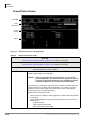
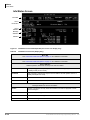
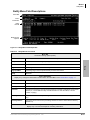
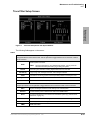
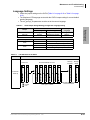
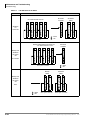
Users Menu
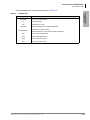
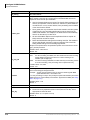
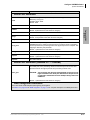
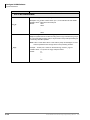
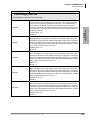
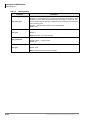
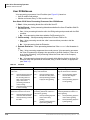
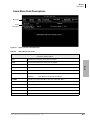
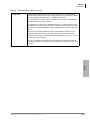
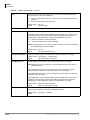
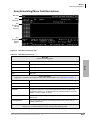
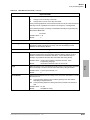
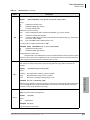
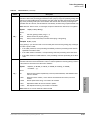
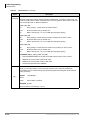
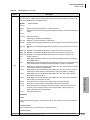
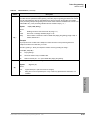
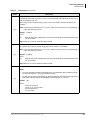
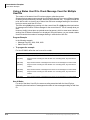
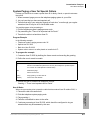
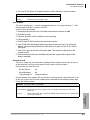
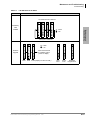
Table 4-2
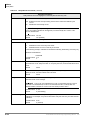
Users Menu Screen Fields (continued)
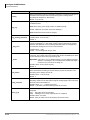
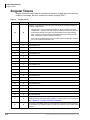
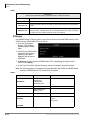
User’s Information
Minimum information voice processing requires for a standard User ID that transfers calls and takes messages.
User ID
User ID mailbox number. Usually associated with a telephone extension (for simplicity).
Employees without a telephone extension can have a mailbox from which they can send
and receive messages. Mailboxes can be used for special functions such as directories
or question and answer surveys.
Possible values: 0~99999999 (must be unique).
Comment
Notation or reminder about the function of the mailbox.
For example, a User ID may be identified by function (extension, information box, etc.)
or contents (greeting, directory, etc.).
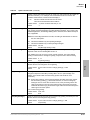
Extension
Programmed dial actions voice processing performs to transfer a call that has accessed
the User ID (i.e., Do Not Disturb is Off). Includes transfer to a User ID mailbox, a remote
number, or paging. Normally a simple extension number.
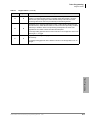
Default:
Directory Name 1
value entered in User ID field.
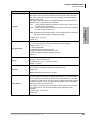
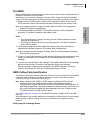
The first of two names voice processing searches when a caller uses the directory
(default 411).
For most companies, this is the User ID owner’s first name. For User IDs that do not
appear in the directory, leave this field blank.
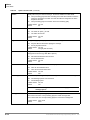
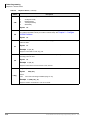
Notes
l
l
It is important that each user record his/her name.
When the System Administrator enters a user’s name into the directory using the
telephone dial pad, the name is stored in the Options screen Directory Name 1 and
Name 2 fields as numeric digits. For administration clarity, it is advisable to change
the digits to their alpha equivalents.
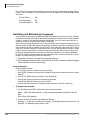
The directory works as follows. If a caller wants to speak with Donna, the caller would
enter digits corresponding to these letters on the tone-dialing telephone (i.e., 36662).
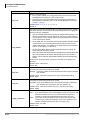
For the first User ID Directory Name field that matches the caller’s entry, voice
processing plays the name recording. Depending upon the System Configuration
parameter dir_play_uid, voice processing also plays the digits of the User ID field. If no
name recording is available, depending on the dir_play_uid setting, voice processing
does not present an entry or play the digits of the User ID field.
Since voice processing plays the name recording of all User IDs that match a caller’s
entry for the company directory, you can use this capability as a general search and
playback system. The User ID used for directory searching can be defined on a per-port
basis using the box_idx System Configuration parameter.
For details about the System Configuration parameters, see Chapter
UADM2 Software.
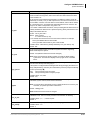
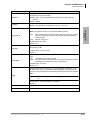
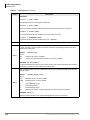
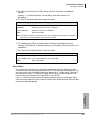
Directory Name 2
2 – Configure
The second of two names voice processing searches when a caller uses the directory
(default 411).
For most companies, this is the User ID owner’s last name or another way to reference
this User ID, such as a variation in spelling (Cathy, Kathy) or a nickname (Michael,
Mike). It can also be used for the name of an additional user when a User ID is shared.
For User IDs that do not appear in the directory, leave this field blank.
4-6
Strata CIX40 Voice Processing Programming Manual
7/06