1
s3vc.2.book Page 23 Thursday, October 8, 2009 10:02 AM
Radio / CD
WARNING (continued)
WARNING
•
Never add accessories such as cup or cell
phone holders to the airbag surfaces or airbag
inflation area ⇒ Booklet “Owner's Manual”,
chapter “Safety first”.
23
•
Objects on or near the surfaces that harbor
the airbags can be projected and cause serious
injury in the event the airbags inflate.
Tips
1 to control
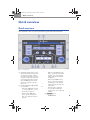
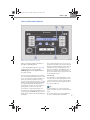
Use the VOL knob ⇒ page 8, fig. 3 A
volume and clarity of sound.
General Notes
• The only music formats which can be played
are mp3 (MPEG1 Layer3 from 32 to 320 kbps)
AND WMA (from 8 to 192 kbps.) This player
cannot play the i-Pod format directly.
• If an i-Pod is connected to the external audio
jack, the radio unit will only control and play the
sound signal generated by the i-Pod.Music playback in i-Pod format will be played by the i-Pod
itself.
•
With the external audio device connected
you can select another source on the radio at any
moment. The audio device will continue to play
until you switch it off.
• You cannot control the external audio device
through the factory-installed radio. The selec-
tion of tracks must be done through the external
audio device.
•
Using a 12-volt socket to power external
audio devices without proper shielding can
cause interference during playback (buzzing,
static). If this happens, we recommend not connecting the external audio device to the 12-volt
socket.
•
If you use an external audio device which is
very low-volume or which buzzes at a “normal”
volume in the vehicle’s sound system, increase
the volume of the external audio device. This
however, will not be possible on all external
audio devices.
•
If playback becomes “distorted”, turn down
the volume of the external audio device.
Bluetooth®
General information
Bluetooth® is a norm which describes a global
standard of wireless communication which
makes it possible to transmit voice and data between different equipment by means of a radio
frequency link. The type of communication to be
established between the radio and a BT device
(Bluetooth) depends on the profiles that are supported by both parties.
•
Basically, the radio allows Bluetooth connections to:
Set up
Provide cell phones with hands-free functions within the vehicle.
•
Allow the vehicle’s audio system to play
audio generated by a cell phone with BT.
The Bluetooth radio connection is free of cost.
Bluetooth is a registered brand of Bluetooth SIG,
Inc.
Using the set up mode, some of the Bluetooth
parameters can be modified ⇒ page 6