1
s3vc.2.book Page 28 Thursday, October 8, 2009 10:02 AM
28
Radio / CD
Calls from the radio (through the telephone’s
voice recognition function)
The radio itself cannot guarantee that this function will be available because no universal protocol exists to which all manufacturers of telephones with Bluetooth must adhere. Therefore,
before attempting to make a call using voice recognition make sure of the following:
•
•
That the phone has the function.
That the phone is correctly adjusted to the
commando function.
•
That the user knows how to use this function
on the telephone before attempting to do it with
the telephone paired to the radio.
Tips
•
If during the call using voice recognition no
name is indicated within the following three seconds, the redial process will begin.
•
The radio will go back to audio as soon as the
cell phone ends the call, either with the corresponding key or when the other party ends the
call.
Additional functions
“Wake-up” function
If during the trip in your vehicle you do no wish
to use the radio but will take calls, be sure your
telephone is connected to the radio ⇒ page 26.
You may drive with the radio off, but when an incoming call comes in the radio will automatically go on so you can answer the call, and will go
off again once the call ends.
Recording the numbers of calls received
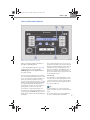
It is possible to save up to 6 numbers from prior
incoming calls, storing them on the six station
6 .
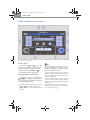
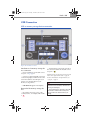
programming buttons ⇒ page 19, fig. 7 A
When you receive a call the words CALL FROM
will appear on the display along with this
person’s number. Before answering or during
6 for more than
the call press any of the buttons A
2 seconds, the display will then read NUMBER
SAVED indicating that the number has been
saved in the button.
Making a call with recorded numbers
Each time you want to make a call with a stored
number proceed as follows:
•
12 . The disPress the button ⇒ page 25, fig. 8 A
play will read CALL TO and the radio will go silent.
•
Press the memory button on which the
number you want to call is stored ⇒ page 28. The
stored number will appear in the display so you
have the opportunity to read it.
•
If the number is correct, confirm the call by
12 .
pressing the button again ⇒ page 25, fig. 8 A
•
If the number is not correct select another
memory button and proceed as indicated
above.