1
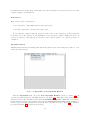
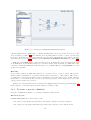
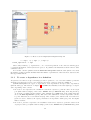
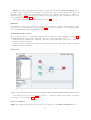
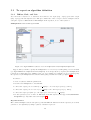
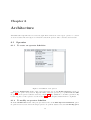
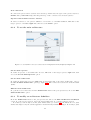
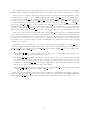
From the main mode of the algorithm window (cf. section 5.1.2) left click on the target reference.
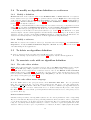
In its Reference Properties (cf. Algorithm window in chapter 5) left click on the Group button and
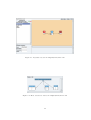
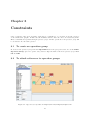
select the target operation group (cf. figure 8.1).
If it references a hierarchical definition, all the references of this hierarchy will be attached to this
operation group (except references of this hierarchy that may be explicitly attached to another operation
group).
In particular, in case of a reference to a conditioned (resp. repeated ) definition its CondI and CondO
(resp. Explode and Implode) vertices created by SynDEx when flattening the algorithm graph (cf. section
9.5). will be attached to the operation group.
8.3
To constraint operation groups on operators
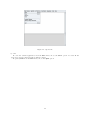
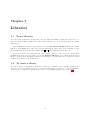
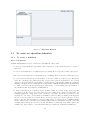
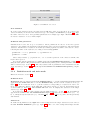
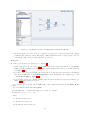
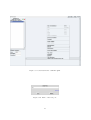
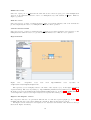
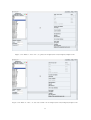
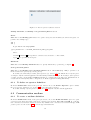
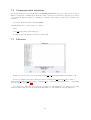
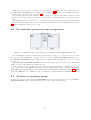
Figure 8.2: Constraints on the main architecture in examples/tutorial/example7/example7.sdx
To constraint the references attached to a given operation group to be distributed onto a specific
operator, you will constraint the operation groups on operators. From the Constraints menu, choose
the Absolute Constraints option. Then, select the target architecture that will open a constraints
window.
The Absolute Constraints on Main option does not allow you to choose the target architecture
which, of course, is the architecture defined as main.
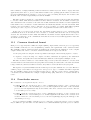
In the constraints window, left click on the target group in the left list to constraint an operation
group on an operator, then left click on the target operator in the middle of the constraints window, and
finally left click on the Create button. It adds the new constraint in the right list (cf. figure 8.2). Left
click on the OK button to confirm your new constraint list, otherwise left click on the Cancel button.
8.4
To delete an operation group
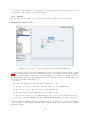
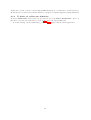
To delete an operation group, from the Algorithm menu of the principal window, choose the Delete
Operation Group option. It lists all the operation groups. Select the target group.
46