1
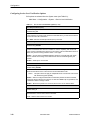
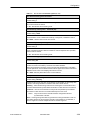
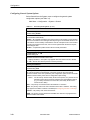
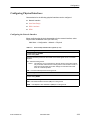
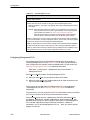
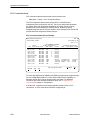
Configuration
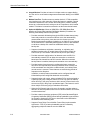
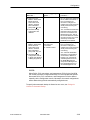
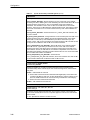
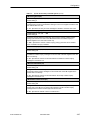
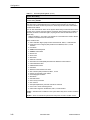
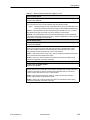
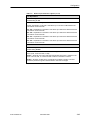
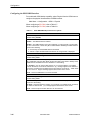
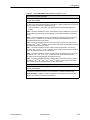
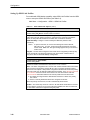
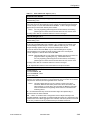
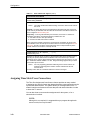
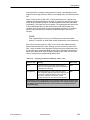
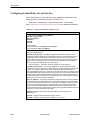
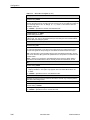
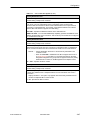
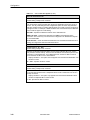
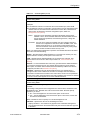
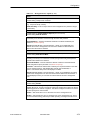
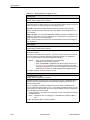
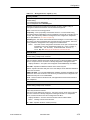
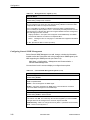
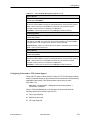
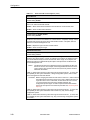
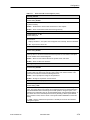
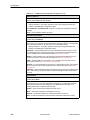
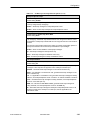
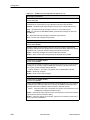
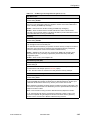
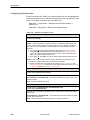
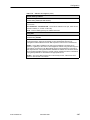
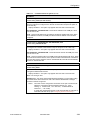
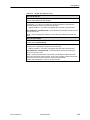
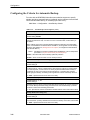
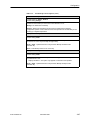
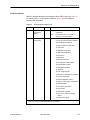
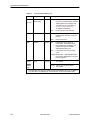
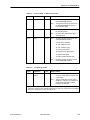
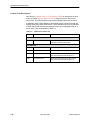
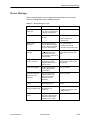
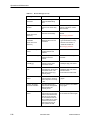
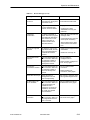
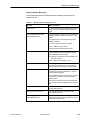
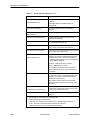
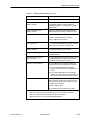
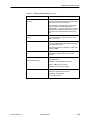
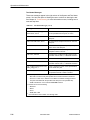
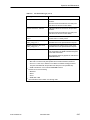
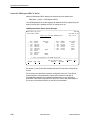
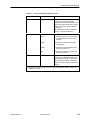
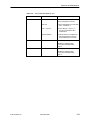
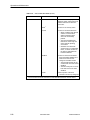
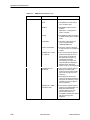
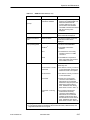
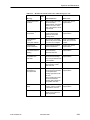
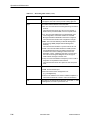
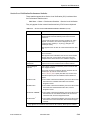
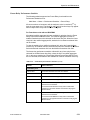
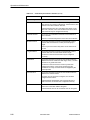
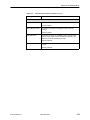
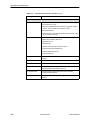
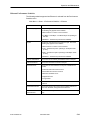
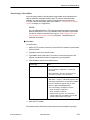
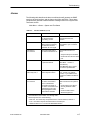
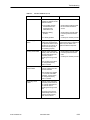
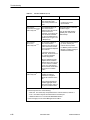
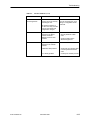
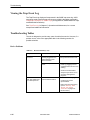
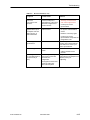
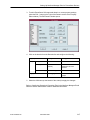
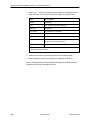
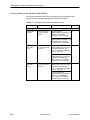
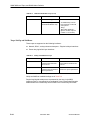
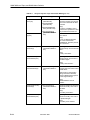
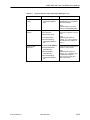
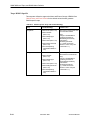
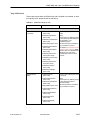
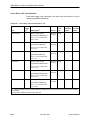
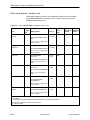
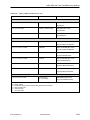
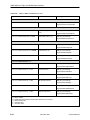
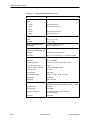
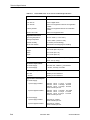
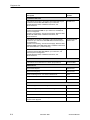
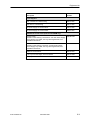
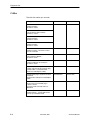
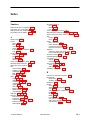
Table 3-15. Management PVC Options (1 of 4)
Name
Possible Settings: ASCII Text Entry
Default Setting: Initially blank; no default.
Specifies a unique name for the management PVC as referenced on screens
(e.g., Tampa for Tampa, Florida ).
ASCII Text Entry – Enter a unique name for the management PVC (maximum length
8 characters).
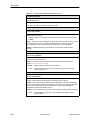
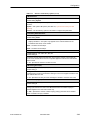
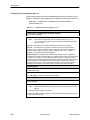
Intf IP Address
Possible Settings: Node-IP-Address, Special (nnn.nnn.nnn.nnn)
Default Setting: Node-IP-Address
Specifies the IP address needed to access the unit via this management PVC, providing
connectivity to an external IP network through the frame relay network.
Node-IP-Address – Uses the IP address contained in the Node IP Address (see
Table 3-14, Node IP Options).
Special (001.000.000.000 – 223.255.255.255) – Allows you to display/edit an IP
address for the unit’s management PVC when the IP address for this interface is
different from the node’s IP address.
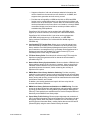
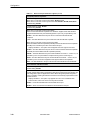
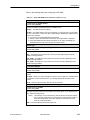
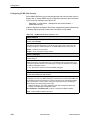
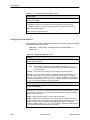
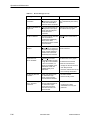
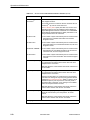
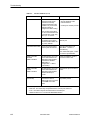
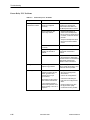
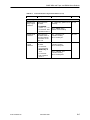
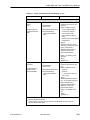
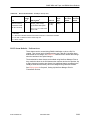
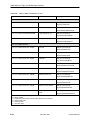
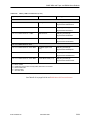
Intf Subnet Mask
Possible Settings: Node-Subnet-Mask, Calculate, Special (nnn.nnn.nnn.nnn)
Default Setting: Node-Subnet-Mask
Specifies the subnet mask needed to access the unit when the management PVC is
providing connectivity to an external IP network (through frame relay) that requires a
specific subnet mask for the interface.
Node-Subnet-Mask – Uses the Interface IP Subnet contained in the Node-Subnet
Mask configuration option (see Table 3-14, Node IP Options).
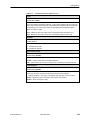
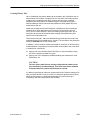
Calculate – Calculates the subnet mask created by the IP protocol based on the class
of the IP address (Class A: 255.000.000.000, Class B: 255.255.000.000, or
Class C: 255.255.255.000). Cannot be displayed or edited.
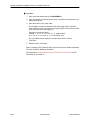
Special (000.000.000.000 – 255.255.255.255) – Allows you to edit/display the subnet
mask for the management PVC when the subnet mask is different for this interface. A
text field displays where you can enter the subnet mask for this unit’s management
PVC.
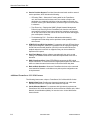
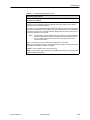
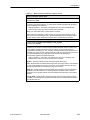
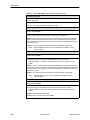
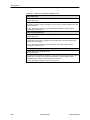
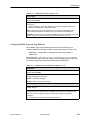
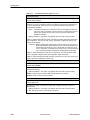
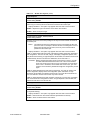
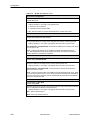
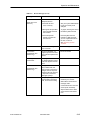
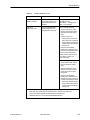
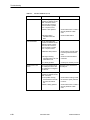
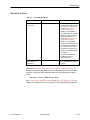
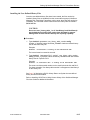
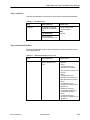
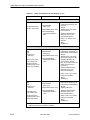
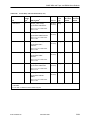
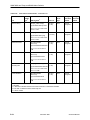
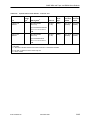
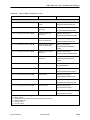
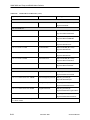
Set DE
Possible Settings: Enable, Disable
Default Setting: Disable
Specifies whether frames (packets) sent on a management PVC have the Discard
Eligible (DE) bit set. This bit is used by the network to prioritize which frames to discard
first during periods of network congestion. This allows management traffic to be viewed
as lower priority than customer data.
Enable – Sets the DE bit to one on all frames sent on the management PVC.
Disable – Sets the DE bit to zero on all frames sent on the management PVC. This is
the recommended setting, particularly for NSPs providing a managed network service.
9128-A2-GB20-40
November 2000
3-73