1
About AQUA
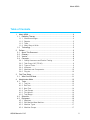
4.3.5 Machine Component Types............................................................. 17
4.3.6 Machine Components ..................................................................... 18
4.3.7 Machine Component Mapping......................................................... 18
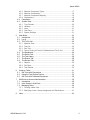
4.3.8 Workstations ................................................................................... 18
4.4 Compliance .......................................................................................... 19
4.5 System Data......................................................................................... 20
4.5.1 Time Periods ................................................................................... 20
4.5.2 Holidays .......................................................................................... 21
4.5.3 Units................................................................................................ 21
4.5.4 Test Runs........................................................................................ 21
4.5.5 System Settings .............................................................................. 21
5
User Mode .................................................................................................. 23
5.1 Introduction .......................................................................................... 23
5.2 Log in ................................................................................................... 23
5.3 The To-Do List ..................................................................................... 24
5.3.1 Machine View .................................................................................. 24
5.3.2 Test List .......................................................................................... 24
5.3.3 Run Test ......................................................................................... 25
5.3.4 Colour-Coding for Tests in Dashboard and To-Do List .................... 25
5.4 The Dashboard .................................................................................... 26
5.5 The Status Tab..................................................................................... 27
5.6 The Test Library ................................................................................... 28
5.7 The Events Tab .................................................................................... 28
5.8 The Review Tab ................................................................................... 29
5.8.1 Reports ........................................................................................... 29
5.8.2 Plot Data ......................................................................................... 30
5.8.3 Test Results .................................................................................... 30
6
Common Tasks .......................................................................................... 31
6.1 QA Tests with Calculations................................................................... 31
6.2 Using the Test Results Review ............................................................. 33
6.3 QA Tests with Calibrated Equipment .................................................... 36
7
WebTools for Account Administration ......................................................... 39
7.1 Introduction .......................................................................................... 39
7.2 User Groups in WebTools .................................................................... 39
7.3 Managing Users ................................................................................... 40
7.3.1 Creating a New User ....................................................................... 40
7.3.2 Modifying a User’s Group Assignment and Permissions ................. 41
8
Index .......................................................................................................... 42
AQUA Manual v1.0.0
3