1
Andrea Maioli – Instant Developer: User's Guide
message in the order of occurrence. An example of this event is when the active
panel row changes or when the user navigates through it with the scrollbar.
3) Immediate synchronous event: The message is immediately sent to the server, and
the user interface is locked until the response is received. If the customer has previously triggered delayed events, they are sent in the same message in the order of
occurrence. An example of this event when the data in a panel is saved: Until the
server confirms the save, use of the application is locked.
Normally the default event dispatch mode is the one that provides the best usability of
the application, without making too many calls to the server. However, you can change
how most events are handled using the methods contained in the RD3 library of the object.
One possible scenario would be if you want to modify the way page changes are
handled for a tabbed view. The default mode is immediate asynchronous, because the
browser can change pages even if the server has not responded yet.
In some cases, this mode can lead to the selected page being displayed before it is
updated if the server has not been able to respond yet. To avoid this behavior, you can
set the tabbed view’s ClickEventType property to the value ServerSide + Immediate to
prevent the change from occurring on the client side before the server responds.
Lastly, note the panel’s SetCommandBlocking method, which allows you to specify which panel toolbar commands are blocking or not.
11.4.3 Parameters and messages
Although many parameters can be modified within the compiling parameters wizard,
the RD3 framework defines many others that affect the behavior within the browser.
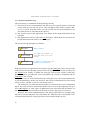
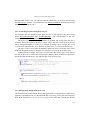
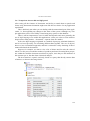
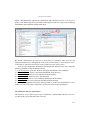
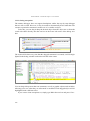
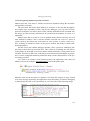
These parameters are described in the ClientParam.js file, contained in the RD3 folder
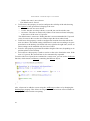
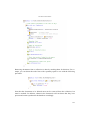
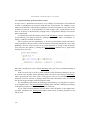
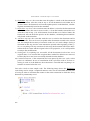
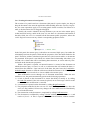
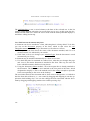
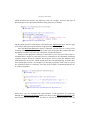
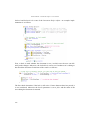
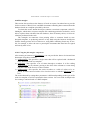
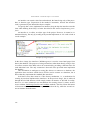
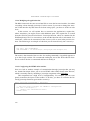
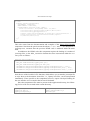
of the template. Let’s look at an excerpt:
// Standard function keys
this.FKActField = 2; // Activates the individual field
this.FKEnterQBE = 3; // Enter QBE key
this.FKFindData = 3; // Find data key
...
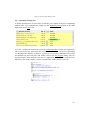
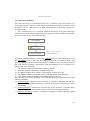
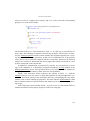
This area of the file defines the association between the buttons of the panel toolbar and
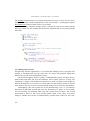
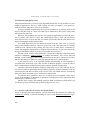
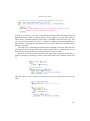
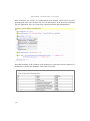
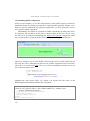
the function keys on the keyboard. The next part, meanwhile, defines some characteristics of RD3 combo boxes.
// IDCombo parameters
this.ComboPopupMinHeight = 14;
408