1
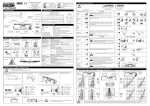
17.2) S12 DIGITAL PROGRAMMER – USED AS PROGRAM SELECTOR S12 digital programmer can be installed in the system and used by the user like a program selector, as an alternative to manual and EV-MSEL mechanical selector if you need a more complete tools in terms of functions and graphs. To enable S12 operation like a program selector, set up F01 function OFF (see “Functions setup” paragraph). By pulse-pressing the button, choose the automatic door operating mode. Each time a button is pressed, it switches from a work program to the next one. The operating programs to be selected by button are described below. Bi-directional automatic program The door automatically opens when each opening control activates. Single-direction automatic program output only To exclude the incoming detection on external radar input Single-direction automatic program input only To exclude the outgoing detection on internal radar input. Open door program The door stops in complete opening position. Night lock program The door can only be open by OPEN input or radio control if EN/RF1 radio receiver is installed. a Free manual door The automatic operation is disabled and door can be manually open. Power warning light display The symbol indicates the presence of mains power voltage and the battery, if any, is operating. The symbol indicates the absence of mains power voltage and operator activity is ensured by emergency battery, if any, which is in working order. The symbol with mains power voltage indicates that the battery is damaged. In this case, the control unit buzzer emits a beep before each door opening for 10 cycles (if F07 function OFF), or the door opens and remains open (if F07 function ON). The symbol without mains power voltage indicates that the emergency battery is about to run out. 35