1
MySQL++ User Manual
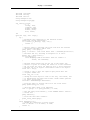
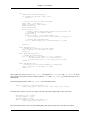
//// print_stock_row ///////////////////////////////////////////////////
// Print out a row of data from the stock table, in a format
// compatbile with the header printed out in the previous function.
void
print_stock_row(const char* item, mysqlpp::longlong num, double weight,
double price, mysqlpp::Date date)
{
// Output first column, the item string.
cout << setw(20) << item << ' ' <<
setw(9) << num << ' ' <<
setw(9) << weight << ' ' <<
setw(9) << price << ' ' <<
date << endl;
}
//// print_stock_rows //////////////////////////////////////////////////
// Print out a number of rows from the example 'stock' table.
void
print_stock_rows(mysqlpp::Result& res)
{
print_stock_header(res.size());
// Use the Result class's read-only random access iterator to walk
// through the query results.
mysqlpp::Result::iterator i;
for (i = res.begin(); i != res.end(); ++i) {
// Convert the Result iterator into a Row object, for easier
// access.
mysqlpp::Row row(*i);
// Notice that you can use either the column index or name to
// retrieve the data. Also notice that we do no explicit
// conversions to match print_stock_row()'s parameter types:
// Row elements are ColData strings, so they auto-convert to
// any standard C++ type.
print_stock_row(row[0], row[1], row.lookup_by_name("weight"),
row[3], row[4]);
}
}
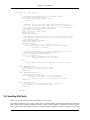
//// print_stock_table /////////////////////////////////////////////////
// Print the entire contents of the example 'stock' table.
void
print_stock_table(mysqlpp::Query& query)
{
// You must reset the query object when re-using it.
query.reset();
// You can write to the query object like you would any ostream.
query << "select * from stock";
// Show the query string. If you do this, you have to do it before
// you execute() or store() or use() it.
cout << "Query: " << query.preview() << endl;
// Execute the query and display the result set.
mysqlpp::Result res = query.store();
print_stock_rows(res);
}
//// connect_to_db /////////////////////////////////////////////////////
// Establishes a connection to a MySQL database server, optionally
// attaching to database kdb. This is basically a command-line parser
// for the examples, since the example programs' arguments give us the
// information we need to establish the server connection.
7