1
2.5.
What to Do Next?
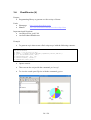
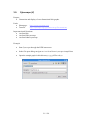
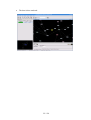
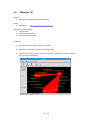
The chapter Tools - Showing You the Ropes gives an overview of the most important
tools found on the DAVIX CD as well as a quick start example for each tool.
Apart from the tools on the CD, Firefox contains bookmarks to online tools for
visualization as well as for libraries to write your visualization tools.
If you are requiring information on an intermediate level, we recommend reading
Raffael's book Applied Security Visualization8. A rough cuts version of the book is
available on the Internet9. The book gives a very good introduction to visualization
and introduces a use-case driven approach. It offers various case examples and shows
you hands-on how to get from the log file to the visualization. Another good book on
the topic is Greg Conti's book Security Data Visualization10. It shows you many
samples on how security data can be visualized.
Most likely you will stumble over a thing or two in DAVIX that you would like to
tweak. Or some of your favorite tools are not included with DAVIX. Well then it is
time to read the following chapters Customizing the DAVIX ISO Image and Creating
and Modifying Modules.
To get informed about the newest development of DAVIX, we recommend you
registering with the Google Group davix-announce11. For support questions, register
with Google Group davix-support12.
8
Applied Security Visualization: http://www.informit.com/store/product.aspx?isbn=0321510100
Rough Cuts Version of the book Applied Security Visualization: http://safari.informit.com/9780321585530
10
Security Data Visualization: http://www.amazon.com/Security-Data-Visualization-GregConti/dp/1593271433?ie=UTF8&s=books&qid=1183891229&sr=8-1
11
DAVIX Announcement Google Group: http://groups.google.ch/group/davix-announce
12
DAVIX Support Google Group: http://groups.google.ch/group/davix-support
9
13 / 128