1
6.
Deployment Options
The following options show you the different ways to install DAVIX on different
types of media. The step-by-step guides are generic and also apply to other SLAX
distributions.
6.1.
VMware
DAVIX can be run inside VMware without any problems. Even OpenGL is supported.
The procedures were successfully tested with:
·
VMware Workstation 6.0.3 Build 80004
6.1.1. Virtual Machine Setup
For all the described VMware deployments the following procedure is common to all:
·
Start VMware Workstation.
·
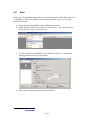
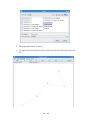
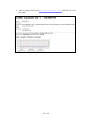
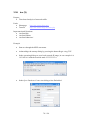
Through the Windows menu File\New...\Virtual Machine... start the New
Virtual Machine Wizard.
·
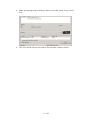
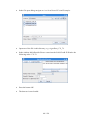
In the Virtual machine configuration step select Custom.
·
In the Virtual machine hardware compatibility step select Workstation 6.
·
As guest operating system select Linux and select Other Linux 2.6.x kernel.
·
Choose virtual machine name and storage location.
·
Choose One as the number of processors.
·
Allocate at least 512 MB of memory. The optimal value is 1024 MB.
·
Select Use bridged networking.
·
Select I/O adapter type SCSI adapter LSI Logic.
·
Select Create a new virtual disk.
·
Select virtual disk type SCSI (Recommended).
94 / 128