1
Note: To comply with FCC and IC RF exposure compliance requirements, the device should be located at a distance of at least 20 cm
from all persons during normal operation. The antennas used for this product must not be co-located or operated in conjunction with any
other antenna or transmitter.
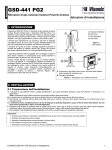
1. Insert a “quarter” coin in the slot, as shown in the drawing, and flex to remove the cover
- or, if a “quarter” coin is not available 2. Insert a 4 mm flat screwdriver into the slot of the plastic cover, as shown in the drawing, and flex the slot to open that side of the
plastic cover.
3. Insert the screwdriver into the slot on the other side of the plastic cover and repeat the procedure, and then remove the cover.
4. Insert the battery at an angle (see drawing) while observing battery polarity and then press down on the battery.
Caution! Risk of explosion if battery is replaced by an incorrect type. Dispose of used batteries according to the manufacturer's instructions.
5. Peel away the release liners from the two strips of double-sided adhesive tape and attach to the device and magnet.
6. Align the device with the magnet according to the location marks and fasten the device and magnet to the mounting surface.
The transmitter should be mounted on the fixed surface and the magnet on the moving surface.
7. For installers of 433 or 868 MHz model:
Ensure that the heads of the tightened screws are flat perpendicular to the device surface.
2.2. Enrollment
Refer to the PowerMaster panel's Installer Guide and follow the procedure under the "02:ZONES/DEVICES" option of the Installer Menu.
The following is a general description of the steps through the panel menu:
1. 02:ZONES/DEVICES
2. ADD NEW DEVICES > MODIFY DEVICES
3. ENROLL NOW or > ENTR ID:XXX-XXXX
4. Z06:Contact Sens > ID No. 104-XXXX
5. Z06:LOCATION > Z06:ZONE TYPE > Z06:SET CHIME > Z06:DEV SETTINGS
3. LOCAL DIAGNOSTICS TEST
Before testing, separate the base from the cover (see Figure 2).
A. Put back the cover to return the tamper switch to its normal
(undisturbed) position.
B. Momentarily open the door or window and verify the red LED
blinks, indicating detection.
C. After 2 seconds one of the LED blinks 3 times.
The following table indicates received signal strength indication.
LED response
Reception
Green LED blinks
Strong
Yellow LED blinks
Good
Red LED blinks
Poor
No blinks
No communication
IMPORTANT! Reliable reception must be assured. Therefore,
"poor" signal strength is not acceptable. If you receive a "poor"
signal from the device, re-locate it and re-test until a "good" or
"strong" signal strength is received.
Note: For detailed Diagnostics Test instructions refer to the
control panel Installer Guide.
4. MISCELLANEOUS COMMENTS
Visonic Ltd. wireless systems are very reliable and are tested to
high standards. However, due to low transmitting power and
limited range (required by FCC and other regulatory authorities),
there are some limitations to be considered:
A. Receivers may be blocked by radio signals occurring on or
near their operating frequencies, regardless of the digital code
used.
B. A receiver responds only to one transmitted signal at a time.
C. Wireless devices should be tested regularly to determine
whether there are sources of interference and to protect
against faults.
5. COMPLIANCE WITH STANDARDS
Security Grade
Environmental Class
2
The MC-302V PG2 is designed to comply with the following:
Europe: EN 300220, EN 301489 EN 50130-4, EN 61000-6-3, EN 60950-1, EN 50131-1,
EN 50131-2-6 and EN-50131-6 Type C.
Certified by Applica Test and Certification
The MC-302V PG2 is compatible with the RTTE requirements - Directive 1999/5/EC of the European
Parliament and of the Council of 9 March 1999.
USA: CFR 47 part 15 (FCC)
Canada: RSS 210
The Power G peripheral devices have two- way communication functionality, providing additional
benefits as described in the technical brochure. This functionality has not been tested to comply with
the respective technical requirements and should therefore be considered outside the scope of the
product’s certification.
Designed according to EN 50131-1, EN-50131-2-6 and EN-50131-6 Type C: this equipment can be
applied in installed systems up to and including Security Grade 2.
EN-50131-2-6 Class II
D-304535 MC-302V PG2 Installation Guide