1
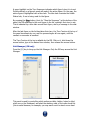
GMs should inform their players of their IP address and port number via e-mail, a
third-party chat client, by voice chat, or (where possible) by telephone.
If you are a Player:
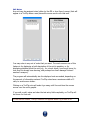
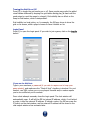
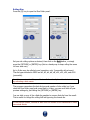
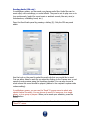
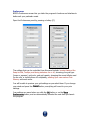
Type in your username, the IP address of the game’s host, and a password (if
one is required). Make sure the “Check if Host” checkbox is not checked, and that
you use the port number given to you by your GM (usually 1626).
Every player must have a unique username. If a player logs in with a username
that is already in use by another player, he or she will be automatically booted
from the game.
A player will also be automatically booted if they log in using a different version of
BRPG than the host is using. Version parity is required for multiplayer games.
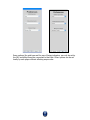
If you are already logged into a game and wish to disconnect, open the Login
panel and press the Log Out button. Logging out will automatically close the chat
window, if it is open.
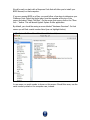
In the current version, the password field is ignored; anyone can join.
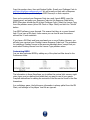
In a future update, the program will remember your login settings whenever you
successfully log in to a game, and these fields will be pre-filled in for you the next
time you try to log in. Note, however, that the host’s IP address may have
changed since your last session, unless the host has a static IP address.
34