1
April 2008
8.0
WalkingHotSpot User’s Guide for S60
Version 1.0
Roaming Indicator
When roaming outside the home carrier network, a pop up warning message will appear, alerting
the user of potential increased data costs. Answering “Yes” to this message will keep the WHS
application active, while answering “No” will cause the WHS application to terminate.
NOTE: The WHS application continues to run while the note is displayed. If the WHS application is
attempting to start in a roaming network, a warning prompt will be issued to ensure the WHS
application should be started.
9.0
Help
On the main WalkingHotSpot screen, whether the application is active or idle select “Options”
(Left Soft Key), then “Help”. The phone’s browser will launch and bring up a web site that contains
help topics for the WalkingHotSpot application. Depending on your phone’s browser settings, you
may be asked to select an access point to be able to connect to connect to the web.
10.0 About
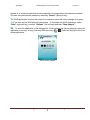
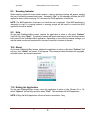
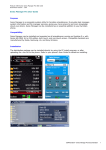
On the main WalkingHotSpot screen, whether the application is active or idle select “Options” (left
soft key), then “About” and screen 12 will appear. This screen provides information on copyrights,
software version, and contact information.
Screen 12
11.0 Exiting the Application
On the main WalkingHotSpot screen, when the application is active or idle (Screen 4X or 16),
select “Options” (left soft key) and then select “Exit”. This terminates the WHS application.
NOTE: Exiting the WHS application will stop all active connections, if any.
3000 Aerial Center Parkway, Suite 103
Morrisville, NC 27560
15
PHONE: +1.919.465.2266
FAX: +1.919.465.2111