1
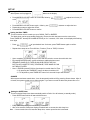
SET UP ☆ Setting the Time When power cord is plugged in flashes on the display. Press MODE/CLOCK SET button for 3 seconds, follow by or 24 hours) Press MODE/CLOCK SET button again , follow by Repeat above steps to adjust the minute. Press MODE/CLOCK SET button to confirm. to adjust hour format (12 button to adjust the hour ☆ Setting the Wake TIMER This unit includes a timer to wake you up to RADIO, TAPE or BUZZER. The Wake timer can be set at standby mode only. Ensure the clock has been set to the correct time. Press TIMER SET button(FOR ALARM SETTING) on for 3 seconds, “ON” show on the display with flashing hour digits * Press * Repeat above steps to set Timer Off-time, Function (Tuner or TAPE) & Volume. * * * Upon completion, all settings will cyclic once and then switch to current time with clock icon. By pressing BUZZER button, system switches to traditional alarm sound. REMARKS: WAKE UP BY TAPE (SHOULD BE PRESS THE PALY BUTTON OF CASSETTE TAPE), OTHERWISE, TAPE WAKE UP CAN NOT BE ACTIVATED. Note:1. ERROR reported if Off-time found equal or smaller than On-Time. 2. By pressing the TIMER SET button, the alarm is switched off. 3. For adjustment, press TIMER SET button for 3 seconds & input new selection. * to input desired hour & minutes, press TIMER button again to confirm . SNOOZE When system activates at wake timer, it can be temporarily switched off by pressing Snooze button. After 10 minutes, the system reminds you to wake up again. If you want to cancel the alarm set please refer to P.4 ☆ Setting the SLEEP timer This unit includes Sleep timer that automatically switch off after 10 to 90 minutes (to standby mode). * Press SLEEP button which will start with 90 minutes. * Every additional pressing reduces timer by 10 minutes. * After a few seconds, Sleep time display will switch back to current time with sleep icon Note: If current music source is less than Sleep time, ensure repeat function is activated. 3