1
CR4000 or CR4100 or CR-6310. If a Posiflex special split cable 21863023800
(CCBLA-238) is used instead, this port can control two cash drawers of above
models. When the printer is used as a kitchen printer, please use this port for
kitchen bell connection instead.
Power Connection
The power connector is a 3-PIN jack between the peripheral connector and the
parallel connector for Aura-6800P. Either a Posiflex supplied power adaptor or
a printer power cable from a Posiflex POS system can be connected to this
connector to supply power for this printer. During insertion of the power plug,
be sure to hear the click to obtain a firm contact.
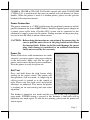
CAUTION: Before doing the insertion or extraction of the power plug, be
sure to pull the outer sleeve of the plug backward to release
the internal latch. Failure to do this could damage the power
plug. Such damage is considered as an artificial destruction
and is not covered by the warranty.
Power On
When all the above cable connections are made
correctly, you may connect your power adaptor
to the wall outlet. Make sure that the type of
power cord to meet the local power conditions.
Now the printer is ready for power on.
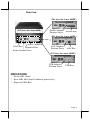
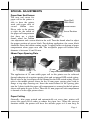
Self Test
Press and hold down the feed button while
turning on the power switch. The printer will
then perform a self-test mode. A sample slip of
self-test result is printed as in the sample at
right. Please note that both serial and parallel
interfaces are indicated. That means the printer
is working on an auto-sensing and auto-select
algorithm.
The header is printed in text mode and the rest part of this slip is printed in
page mode. If FEED button is pressed at this moment, a font table will be
printed in text mode again. To exit the test printing, please turn the printer off
and on again.
Page 7