1
REMO Installation & User Manual
Programming
This chapter describes how to use Remo to programme the central units
Registrera anslutna system
To be able to programme the system or systems, they have to be registered in Remo.
Proceed as follows:
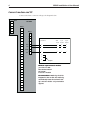
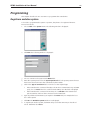
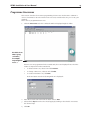
1. Choose Edit on the System menu. The following window is displayed:
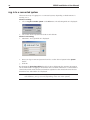
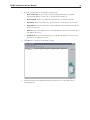
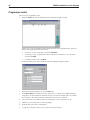
2. Click New. The following window is displayed:
3.
Choose a name for the system in the Name field.
4. Enter the system password in the System password field. The system password must
have been chosen and set in the central unit by the installer
5.
Click in the Type of connection list box and choose the required type
•
If the central unit is connected directly to the PC via a communications port (COM.
port), choose Serial. Then choose the desired COM. port in the listbox displayed
•
If the central unit is connected via modem, choose Modem. Then enter the telephone number of the modem connected to the central unit
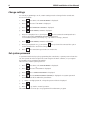
6. Type any additional information you require in the Notes field, for example the location of the system.
7.
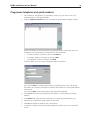
Click OK. The Available systems window is redisplayed.
8. To register yet another system, click New and proceed the same way as described
above. Otherwise click Close.
11