Transcript
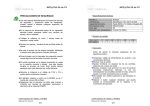
(tbpt Pet Tracker APP)
User Manual
2 APN Setup
1 Tracker installation
1. Open the back lid, insert the SIM card, put back the back lid,
and then lock the screw.
Insert SIM card
Turn on: Long press
the power key for 5
seconds. All LED blink
one time together.
Turn off: Long press
the power key for 5 seconds.
All LED blink one time by turns.
LED Indicator:
Red: Power
Blue: GPS
Orange: GSM/GPRS
2. Charge with the USB cable
and adapter for 2 hrs.
Installation
Scan the IMEI
After adding, the default display status of the device is ON, and the
device will Display on the map.
Pressing ON/OFF can switch the display status of the device on the
map. When the status is OFF, the device will hide on the map.
Create
Delete device
Device
Device
Enter the IMEI number
Scan the IMEI
Create
355233052801923
3013/06/14 20:08:33
28, Lane 123, Sec. 6, Minquan E. Rd., Neihu Dist.
Delete device
Scan the IMEI
Display
Delete 355233052801923
0M
Distance
3.66V
Voltage
31
Siginal
Delete device
Device
355233052801923
0.0KM
Speed
Create
Enter the IMEI number
Display
355233052801923
355233052801955
ON
Delete 355233052801923
ON
355233052801955
ON
355233052801834
OFF
Delete 355233052801923
OFF
355233052801834
OFF
510#0000#internet
傳送
5 Map - Instruction
4 Display and Hide the device
Delete the Device
1. Press【Delect Device】
2. Press 【Delete】
Text
510#0000#internet
And then press Send
After you receive the reply:
SETUP OK:APN=internet
IP=59.120.198.208:6969,
you could start use your device.
SETUP OK:APN=internet
IP=59.120.198.208:6969
5. Apply the silicon band to the tracker would enhance the
attachment of the tracker.
Device
Enter the IMEI number
Receive the reply:
UnInstallation
Arrow
3 Create and Delete Device
Device
Recipient :
4. Follow the arrow, spin and lock to finish installation
Caution
1. a SIM card with GPRS data transfer is NECESSARY
2. Turn off before charging
3. After 3 minutes being steady, the device will
change to sleep mode (GSM/GPS off). At the
sleep mode the tracker would not operate.
You may slight shake the device to wake
it up and work again.
Two way to add the device:
1. Enter the IMEI number sticked
on the tracker, and then press
【Create】to add device.
2. Scan the IMEI barcode to
add device
3. Make the collar through
the docking
*During the charging,
the Red LED will be on and
it will be off when it is full charged.
For iOS, please
download "i-server"
from APP Store
For Android, please
download"i-server"
from Google Play Store
***Please setup APN before using
The APN setting depends on the SIM card you used. If you don't know
your APN, please contact the customer service of your local Telcom.
Ex. China APN = CMNET, send text 510#0000#cmnet to you SIM
number.
Ex. Your sim card APN = internet, send text 510#0000#internet to your
SIM number
Instruction
1 Device
2 Map
3 Parameter: (remote
setting for Parameter
of the GPS device)
4 icon: (press to
change icon picture)
5 Track Your current
location
6 Navigator mode
7 Your current location
8 Map layer
9 Open History mode
10 Device current location
11 Select Device
12 GPS signal status
13 date, time and address
14 IMEI
15 Processing direction
15
355233052801923
4
Map
Parameter
Device
Map
Device
Parameter
6 Change ICON
Map
Device
Parameter
Map
0M
Distance
11
5
6
7
10
8
9
Device
GPS satellite
Signal level of GPS satellite serial numbers
3013/06/14 20:08:33
28, Lane 123, Sec. 6, Minquan E. Rd., Neihu Dist.
0.0KM
Speed
0M
Distance
3.66V
Voltage
31
Siginal
6
355233052801923
3013/06/14 20:08:33
28, Lane 123, Sec. 6, Minquan E. Rd., Neihu Dist.
Info
0.0KM
Speed
Select following item for setting
Default picture
>
Album
>
Take picture
>
0M
Distance
3.66V
Voltage
GPS定位
31
Siginal
Select Device
[1/15]2013/06/17 14:08:53
[1/15]2013/06/17 14:09:24
355233052801923
3013/06/14 20:08:33
28, Lane 123, Sec. 6, Minquan E. Rd., Neihu Dist.
0.0KM
Speed
Device
Record
Parameter
0.0KM
0.0KM
Speed
Speed
0M
Distance
3.66V
Voltage
Press here
to acquire
the data list
for every
location on
certain day.
GPS Status: fixed
back
Device
355233052802202
Device
Map
Device
Parameter
Map
Parameter
9
ok
Device
Device
9 GPS and LBS
10 Parameter setting
1. GPS: When the GPS signal is good, it will use GPS to fix the
location.
2. LBS: When the GPS signal is poor, the tracker will use the
Telecommunication Base ot fix the location. The accuracy
is 100~300 meters in the urban area and 500 meters to
2 km in the suburbs area.
3013/06/14 20:08:33
28, Lane 123, Sec. 6, Minquan E. Rd., Neihu Dist.
3013/06/14 20:08:33
28, Lane 123, Sec. 6, Minquan E. Rd., Neihu Dist.
0M
Distance
3.66V
Voltage
1 Select Device: Select to remote setting for the certain device
amoung the multiple devices
2 Change Nickname
Report time: setup the certain
time in the APP for device update
3 Report time
data to the database. The
4 Urgent number (when low power) suggestion report time setting is
5 Time zone
no less than 5mins to save the
355233052801923
355233052801923
0.0KM
Speed
0.0KM
Speed
31
Siginal
0M
Distance
3.66V
Voltage
Parameter setting
31
Siginal
Select following setting
device power.
Report time
30sec.
1min.
Device
Map
Parameter
Device
Map
Parameter
1
Nickname:355233052801923
2
Change
Nickname:355233052801923
3
Report time:
5min >
4
Urgent number:
+886 >
5
Time zone
2min.
3min.
Device
Map
+08:00 >
Parameter
4min.
5min.
ok
Cancel
Urgent number
+886
確認
917075053
Map
Parameter
Select the date
355233052801923
Parameter Setting
31
Siginal
31
31
Siginal
Siginal
Location: 25.070268, 121.59276
Map
3.66V
Voltage
Waypoints1/15
Select Device
Map
0M
Distance
3013/06/14 20:08:33
28, Lane 123, Sec. 6, Minquan
Minquan E.
E. Rd.,
Rd., Neihu
NeihuDist.
Dist.
IMEI: 355233052801923
Device
3
355233052801923
Glonass of GPS satellite
Save
2
Select to acquire the data of the first
position amoung the 15 location.
[1/15]2013/06/17 14:05:17
7
Select photo
Parameter
9 History route: Select the Date to check the route of the
device on the date.
[1/15]2013/06/17 14:15:38
[1/15]2013/06/17 14:15:38
GPS Signal chart
Selet Icon
Map
8 History route
6 GPS status: press this key to check the GPS status
7 Select Device: when you have multiple devices, you can
select the device you want to check.
355233052801923
1
31
Siginal
3.66V
Voltage
Parameter
GPS signal
How to replace
the icons
7 Checking
1 Change icon picture: choose your flavor picture from
default picture/Album/Take Picture:
12
3013/06/14 20:08:33
28, Lane 123, Sec. 6, Minquan E. Rd., Neihu Dist.
0.0KM
Speed
1
Device
13
14
Country
code
取消
mobile number for low
power notification: when
the device is low power, it
will inform you for charging.
Record
Map
Map
Parameter Parameter
Setting
2012
2013
ok
7
5
6
9
10
20
21
22
23
24
back