1
Speech Processing Solutions
Workbook
SpeechControl4Mac 3.0
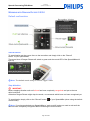
Moving the cursor
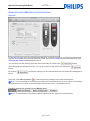
To move the cursor with in the document simply click on “Forward”
click “Backward”
to move the cursor backwards.
to move the cursor forward or
Selecting words
To select words backwards (e.g. for correction) simply click on the “EOL” button
SpeechMike.
on your
Correcting mistakes
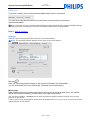
To correct mistakes simply position the cursor with Forward or Backward at the end of the wrong
word, select the wrong text with the EOL button of your SpeechMike and click on the INS/OVR button
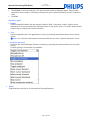
of the SpeechMike to display the recognition window.
To select the correct phrase or text either speak the "Pick #" command or choose the appropriate line
with SpeechMike mouse functions.
E Tip: The recognition window will only show the last utterance. This is a Dragon Dictate behavior
and cannot be changed.
As a workaround to correct a single word you can try to mark the word with the EOL button and
speak over it.
Playing back the recorded sound
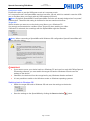
To play back the recorded sound, move the cursor to the appropriate position and click on the play
button
.
D Note: If you have problems listening to the recorded sounds please check the audio settings of
your Mac.
Page: 21 of 28