1
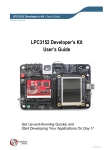
LPC313x Linux Quick Start Guide 1. Introduction This quick-start guide explains the steps necessary to get Linux up and running on the Embedded Artist’s LPC313x board using LTIB or ELDK frameworks. This guide is meant for users new to Linux or as a method to get a Linux image up and running fast. The current LPC313x Linux BSP supports all the following chips: • • • LPC313x series (LPC3131 / LPC3130) : Tested on EA3131 board. LPC314x series (LPC3143 / LPC3141) : Tested on NXP internal VAL314x board. LPC315x series (LPC3154 / LPC3152) : Tested on EA3152 board. As per http://www.bitshrine.org/, LTIB is explained as: “The LTIB (Linux Target Image Builder) project is a simple tool that can be used to develop and deploy BSPs (Board Support Packages) for various target platforms. Using this tool a user will be able to develop a GNU/Linux image for their target platform.” LTIB handles a lot of the work of building a complete Linux system, such as setting up the root filesystem, package selection, system init configuration, etc. Advanced users that prefer not to use LTIB may be interested in just getting the necessary kernel and bootloader patches and starting from there – please see the ELDK section of this guide for the locations of those patches. As per http://www.denx.de/wiki/DULG/ELDK, ELDK is explained as: The Embedded Linux Development Kit (ELDK) includes the GNU cross development tools, such as the compilers, binutils, gdb, etc., and a number of pre-built target tools and libraries necessary to provide some functionality on the target system. It is provided for free with full source code, including all patches, extensions, programs and scripts used to build the tools. Some versions of ELDK are available in two versions, which use Glibc or uClibc as the main C library for the target packages. Packaging and installation is based on the RPM package manager. Note: The description in this document assumes using ELDK version 4.2 for ARM. The steps covered include the following: o o o Using LTIB framework o Getting and installing LTIB o Configuring LTIB and the build process Using ELDK framework o Getting and installing ELDK o Configuring & building Apex o Configuring and building the Linux kernel Boot process o Loading Apex or u-boot from UART SD/MMC card All information provided in this document is subject to legal disclaimers. LPC313x Linux Quick Start Guide Rev. 02.00 © NXP B.V. 2010. All rights reserved. 3 of 45