1
8. Printer Operation
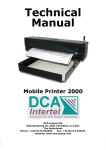
The MP-2000 control panel is fitted with four control
keys, three
indicators of which one is an alarm indicator.
8.1 Control Keys
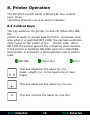
This key switches the printer on and off. When ON LINE,
the
printer is ready to accept data from the computer. Likewise when it is switched OFF LINE, the carriage automatically moves to the center of the
printer span. When
ON LINE the printer ignores the remaining push-buttons.
If the printer is switched ON LINE when the LINE FEED
push-button is activated, a demonstration test is performed.
ONLINE
Paper End
Error
This key advances the paper by one
sheet length (i.e. to the beginning of next
page).
This key advances the paper by one line.
This key retracts the paper by one line.
DCA Intertel
19
DCA Intertel