1
WANGuard™ Lite 4.1 User Manual
Software Installation & Download
Sofware installaton instructons are listed and updated on the Andrisof website for RedHat-based, SuSEbased, Debian-based and FreeBSD-based distributons.
You may a try a fully functonal version of WANGuard Lite for 30 days. You can switch to a full-tme,
registered version by applying a purchased license key.
Binary WANGuard Lite components are packaged diferently for i686 architectures ( 32 bit Pentum and
beyond ) and for x86_64 architectures ( 64 bit Intel / AMD processors ).
Opening WANGuard Console for the first time
WANGuard Console is essentally the web interface through which you will control and monitor all other
components. If you followed correctly the installaton instructons, from now on you will only need to log into
WANGuard Console to manage the components.
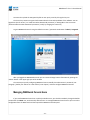
To log into WANGuard Console, use a compatble web browser ( listed at page 29 ) and access
htp://<hostname>/wanguard ( where <hostname> is the name of the server where WANGuard Console is
installed ). If the page cannot be displayed, make sure the Apache web server is running and the frewall does not
block incoming trafc on port 80.
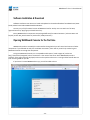
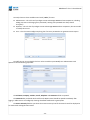
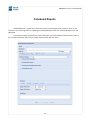
If you haven't licensed WANGuard Lite yet, you will be asked to do so:
- 30 -